Welcome to the world of smart homes, where convenience and control are right at your fingertips. If you’re an Apple user, the journey often begins with a simple yet powerful device: the HomeKit smart plug. This small gadget is the key to unlocking a smarter, more automated living space, transforming your everyday appliances into intelligent devices you can control with your voice or a simple tap on your iPhone.
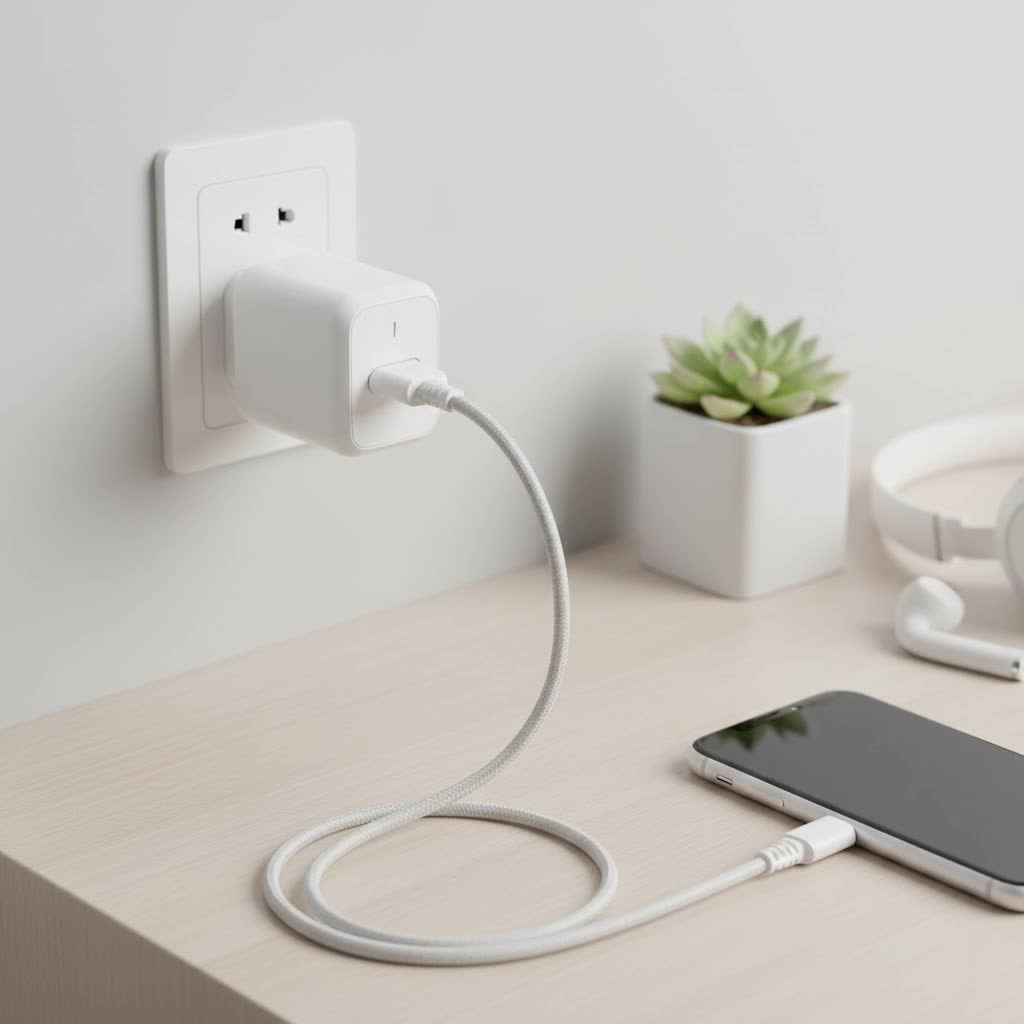
As the founder of Kjooz and a smart home professional with over a decade of experience, I’ve seen how a single smart plug can completely change how someone interacts with their home. It’s not just about turning a lamp on from your couch; it’s about creating a home that responds to your life. Let’s dive into everything you need to know about integrating a HomeKit smart plug into your ecosystem.
What Exactly Is a HomeKit Smart Plug?
At its core, a smart plug is a device that you plug into a standard electrical outlet. You then plug your appliance—like a lamp, fan, or coffee maker—into the smart plug. This simple connection instantly gives the appliance “smart” capabilities.
A HomeKit smart plug is specifically designed to work seamlessly within Apple’s HomeKit framework. This means it integrates directly with the Home app on your iPhone, iPad, Mac, and Apple Watch, and can be controlled using Siri voice commands. It’s built to meet Apple’s strict standards for security, privacy, and user experience, ensuring a reliable and safe connection.
“Choosing a HomeKit-certified device is about more than just convenience; it’s about investing in a secure and private ecosystem,” explains David Chen, a veteran smart home integrator. “Apple’s MFi (Made for iPhone/iPad) certification process ensures that the hardware and firmware are vetted for security vulnerabilities, which is critical for devices connected to your home network.”
Why You Should Choose a HomeKit Smart Plug
If you’re already invested in the Apple ecosystem, opting for a HomeKit-compatible plug is a no-brainer. The integration is flawless, but the benefits go far beyond that.
- Unmatched Simplicity: Setting up a HomeKit device is famously easy. You simply open the Home app, scan the unique HomeKit code on the plug, and it’s instantly added to your network. There’s no need to download a separate third-party app for basic control.
- Siri Voice Control: The magic of a smart home comes alive with voice commands. With a HomeKit smart plug, you can say things like, “Hey Siri, turn on the coffee maker,” or “Hey Siri, turn off the living room fan.”
- Robust Security and Privacy: Apple places a huge emphasis on user privacy. All communication between your Apple devices and your HomeKit smart plug is end-to-end encrypted, both on your local network and over the internet.
- Powerful Automations and Scenes: HomeKit allows you to create “Scenes” that control multiple devices at once. For example, a “Good Morning” scene could turn on your bedroom lamp, start the coffee pot, and play your favorite morning playlist with a single command. You can also set automations based on time of day, your location, or other device triggers.
- Remote Access via a Home Hub: As long as you have a HomePod, HomePod mini, or Apple TV set up as a home hub, you can control your smart plugs from anywhere in the world with an internet connection.
How to Choose the Right HomeKit Smart Plug
Not all smart plugs are created equal. When selecting a HomeKit smart plug, consider these key features to ensure you get the perfect fit for your needs.
Connectivity: Wi-Fi, Thread, and Matter
The technology a plug uses to connect to your network is crucial for its performance.
- Wi-Fi: Most common and straightforward. These plugs connect directly to your home’s Wi-Fi router. They are easy to set up but can sometimes crowd your network if you have many devices.
- Thread: A newer, low-power mesh networking technology. Thread devices create their own reliable network, which becomes stronger and more responsive as you add more Thread-enabled products. They require a Thread border router, such as a HomePod mini or a newer Apple TV 4K. Thread plugs are known for their speed and reliability.
- Matter: The new universal smart home standard designed to make devices from different brands work together. A Matter-certified smart plug will work not only with Apple HomeKit but also with Google Home and Amazon Alexa. Many new Thread-based plugs also support Matter.
|
Our Picks for the Best Smart Plug in 2026
As an Amazon Associate I earn from qualifying purchases.
|
||
| Num | Product | Action |
|---|---|---|
| 1 | Linkind Matter Smart Plug, Work with Apple Home, Siri, Alexa, Google, SmartThings, Smart Home Smart Outlet Timer 15A/1800W, APP Remote Control & Schedule, ETL & FCC Certified, 2.4G Wi-Fi Only, 4 Pack |

|
| 2 | Legrand Radiant® Wi-Fi Matter Smart Plug Matter Hub Required 15A, Easy Setup, Enhanced Compatibility with Apple HomeKit, Google Home, Alexa & SmartThings, Easy Wi-Fi Connectivity w/ Matter (1 Pack) |
|
| 3 | Kasa Smart Plug HS103P4, Smart Home Wi-Fi Outlet Works with Alexa, Echo, Google Home & IFTTT, No Hub Required, Remote Control, 15 Amp, UL Certified, 4-Pack, White |
|
| 4 | GHome Smart Plug, WiFi Smart Plugs Work with Alexa and Google Home, Smart Outlet Timer with APP Remote Control, 2.4GHz Wi-Fi Only, No Hub Required, ETL FCC Listed |
|
| 5 | Kasa Smart Plug Ultra Mini 15A, Smart Home Wi-Fi Outlet Works with Alexa, Google Home & IFTTT, No Hub Required, UL Certified, 2.4G WiFi Only, 2 Count (Pack of 1)(EP10P2) , White |
|
| 6 | Govee Smart Plug, WiFi Plugs Work with Alexa & Google Assistant, Smart Outlet with Timer & Group Controller, WiFi Outlet for Home, No Hub Required, ETL & FCC Certified, 2.4G WiFi Only, 4 Pack |
|
| 7 | EIGHTREE Smart Plug 2025 Upgrade to 15A, Bluetooth & Wi-Fi Outlet Plug Dual Connection, Voice Control, Remote Control Outlet Timer Indoor, Smart Plugs That Work with Alexa & Google, 2.4GHz Wi-Fi Only |
|
| 8 | EIGHTREE Smart Plug, Smart Home WiFi Outlet Works with Alexa & Google Home, Smart Socket with Remote Control & Timer Function, 2.4GHz WiFi Only, 4 Packs |
|
| 9 | Kasa Smart Plug Mini 15A, Apple HomeKit Supported, Smart Outlet Works with Siri, Alexa & Google Home, UL Certified, App Control, Scheduling, Timer, 2.4G WiFi Only, 4 Count (Pack of 1) (EP25P4), White |
|
| 10 | Kasa Smart Plug HS103P2, Smart Home Wi-Fi Outlet Works with Alexa, Echo, Google Home & IFTTT, No Hub Required, Remote Control,15 Amp,UL Certified, (Pack of 2) White |
|
Key Features to Look For
Energy Monitoring
Want to know how much electricity that old space heater is really using? A HomeKit smart plug with energy monitoring can track power consumption in real-time and provide historical data. This is a fantastic tool for identifying energy-hungry appliances and making smarter decisions to lower your utility bills.
Physical Design and Size
Some smart plugs are bulky and can block the second outlet. Look for compact designs that allow you to use both sockets. This is especially important for power strips or outlets in tight spaces.
Outdoor Use
If you want to automate your patio string lights or holiday decorations, you’ll need an outdoor-rated smart plug. These are built to withstand rain, dust, and temperature fluctuations, ensuring safe and reliable operation in the elements.
Step-by-Step: Setting Up Your First HomeKit Smart Plug
Getting started is incredibly simple. Here’s a quick guide to get you up and running in minutes.
- Unbox the Plug: Take the smart plug out of its packaging and find the HomeKit setup code. It looks like a small QR code and is usually on the device itself or in the manual.
- Plug It In: Insert the smart plug into your desired wall outlet. A small LED light will typically flash to indicate it’s ready for setup.
- Open the Home App: On your iPhone or iPad, launch the Home app.
- Add Accessory: Tap the ‘+’ icon in the top-right corner and select “Add Accessory.”
- Scan the Code: Use your device’s camera to scan the HomeKit setup code. Your phone will automatically recognize the device.
- Configure the Device: The Home app will guide you through the final steps. You’ll be asked to assign the plug to a room (e.g., “Living Room”) and give it a name (e.g., “Floor Lamp”). Be descriptive with the name, as this is what you’ll use for Siri commands.
- You’re Done!: That’s it. You can now control your newly smart appliance from the Home app or with your voice.
Taking It to the Next Level: Scenes and Automations
Once you’ve mastered basic control, it’s time to unlock the true power of your HomeKit smart plug with automations.
Creating a Scene
Imagine you’re settling in for a movie. Instead of turning off each light individually, create a “Movie Night” scene.
- In the Home app, tap the ‘+’ icon and select “Add Scene.”
- Choose a name, like “Movie Night.”
- Tap “Add Accessories” and select your smart plug (e.g., “Living Room Lamp”) and any other HomeKit devices.
- Set the desired state for each accessory (e.g., turn the lamp off).
- Save the scene. Now, just say, “Hey Siri, set Movie Night,” and your command will be executed instantly.
Setting Up an Automation
Automations are rules that run automatically without any input from you.
- Time-Based Automation: Have your “Floor Lamp” turn on automatically every day at sunset.
- Location-Based Automation: Create an automation to turn off all your smart plugs when the last person leaves the house.
- Sensor-Based Automation: If you have a HomeKit motion sensor, you can set an automation to turn on a plug connected to a nightlight when motion is detected after 10 PM.
Frequently Asked Questions (FAQ)
Do I need a hub for a HomeKit smart plug?
For basic control within your home’s Wi-Fi range, you do not need a hub. However, to control your devices when you’re away from home or to set up automations, you need a home hub. An Apple TV, HomePod, or HomePod mini can act as your home hub.
Can a smart plug damage my appliances?
No, a high-quality smart plug from a reputable brand is designed to handle the standard electrical load of most home appliances. Always check the plug’s maximum power rating (usually measured in amps or watts) and ensure it exceeds the requirements of the appliance you intend to connect.
What happens if the internet goes down?
If your Wi-Fi goes down, you will lose remote control and Siri functionality. However, some Thread-based plugs can still communicate locally with a HomePod mini via the Thread network. You can also always turn the plug on or off manually using the physical button on the device.
Can I use a HomeKit smart plug with a power strip?
Yes, you can plug a power strip into a smart plug to control all the devices connected to that strip as a single unit. Just be sure not to exceed the smart plug’s maximum wattage rating.
Is a HomeKit smart plug worth it?
Absolutely. It’s one of the most affordable and impactful ways to start building a smart home. It offers convenience, potential energy savings, and a fun way to automate your daily routines, all within Apple’s secure and user-friendly ecosystem.
Your Home, Only Smarter
A HomeKit smart plug is more than just a gadget; it’s your first step toward a more intuitive and responsive home. It bridges the gap between your traditional appliances and the modern, connected world. By starting with something as simple as a lamp or a fan, you unlock a world of possibilities for automation and control. So go ahead, plug in, and let your home start working for you.
