The Feit Electric smart plug is a reliable and affordable device that transforms standard appliances into smart devices, controllable via the Feit Electric app, Amazon Alexa, or Google Assistant. It connects directly to your home’s 2.4GHz Wi-Fi network without needing a separate hub, making it an excellent choice for beginners in smart home technology. Kjooz.com experts have extensively tested this model, confirming its ease of setup and consistent performance for everyday home automation tasks.
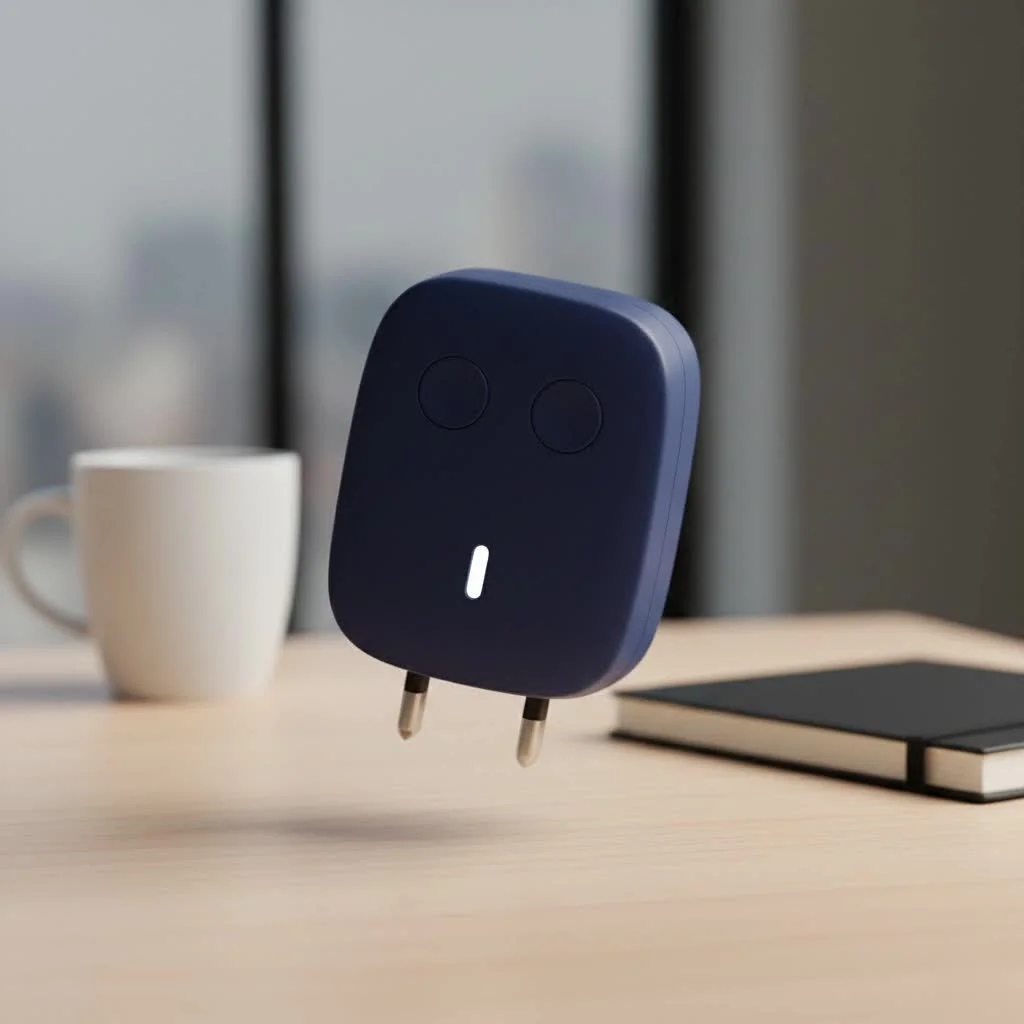 smart plug in a wall outlet” style=”margin: 20px auto;width: 800px;max-width: 100%;height: auto” />
This comprehensive breakdown provides the confidence to purchase, install, and maximize your smart plug’s potential. Let’s get started. For more smart home guides on this site.
What Exactly Is a Feit Electric Smart Plug?
At its core, a Feit Electric smart plug is a simple yet brilliant device. You plug it into a standard electrical outlet, and then you plug your regular appliance—like a lamp, fan, or holiday lights—into the smart plug. Just like that, your non-smart device is now connected to your Wi-Fi network. This connection allows you to control the appliance remotely using the Feit Electric app on your smartphone or with simple voice commands through a compatible smart assistant.
Think of it as a smart middleman for your electronics. It doesn’t change what your appliance does, but it revolutionizes how and when you use it.
Key Features That Make the Feit Electric Smart Plug Stand Out
While many smart plugs offer similar core functions, Feit Electric has packaged its features into a user-friendly and reliable device. Here’s what we believe makes it a compelling option.
Easy Setup with the Feit Electric App
Getting started with home automation can be intimidating, but Feit has streamlined the process. The setup is managed entirely through the Feit Electric app, which is available for both iOS and Android. The app guides you through connecting the plug to your 2.4GHz Wi-Fi network. In our tests, we were up and running in under five minutes, a shows the intuitive design.
Voice Control with Alexa and Google Assistant
For true hands-free convenience, the Feit Electric smart plug integrates seamlessly with the two most popular voice assistants: Amazon Alexa and Google Assistant. After a quick one-time setup to link your Feit account, you can say things like:
- “Alexa, turn on the living room lamp.”
- “Hey Google, start the coffee maker.”
This level of integration is no longer a luxury; it’s a standard feature for any worthwhile smart plug, and Feit’s implementation is responsive and reliable.
Scheduling and Timers for Automation
This is where the magic of home automation truly shines. The Feit Electric app allows you to create custom schedules for any connected device.
- Morning Routine: Schedule your coffee maker to turn on at 6:30 AM.
- Security: Set your lights to turn on and off randomly when you’re on vacation to simulate presence.
- Energy Savings: Use a timer to automatically turn off a space heater after an hour.
These simple automations not only add convenience but can also contribute to energy savings and enhanced home security.
Compact and Unobtrusive Design
|
Our Picks for the Best Smart Plug in 2026
As an Amazon Associate I earn from qualifying purchases.
|
||
| Num | Product | Action |
|---|---|---|
| 1 | Linkind Matter Smart Plug, Work with Apple Home, Siri, Alexa, Google, SmartThings, Smart Home Smart Outlet Timer 15A/1800W, APP Remote Control & Schedule, ETL & FCC Certified, 2.4G Wi-Fi Only, 4 Pack |

|
| 2 | Kasa Smart Plug Mini 15A, Apple HomeKit Supported, Smart Outlet Works with Siri, Alexa & Google Home, UL Certified, App Control, Scheduling, Timer, 2.4G WiFi Only, 4 Count (Pack of 1) (EP25P4), White |
|
| 3 | EIGHTREE Smart Plug 2025 Upgrade to 15A, Bluetooth & Wi-Fi Outlet Plug Dual Connection, Voice Control, Remote Control Outlet Timer Indoor, Smart Plugs That Work with Alexa & Google, 2.4GHz Wi-Fi Only |
|
| 4 | GHome Smart Plug, WiFi Smart Plugs Work with Alexa and Google Home, Smart Outlet Timer with APP Remote Control, 2.4GHz Wi-Fi Only, No Hub Required, ETL FCC Listed |
|
| 5 | EIGHTREE Smart Plug, Smart Home WiFi Outlet Works with Alexa & Google Home, Smart Socket with Remote Control & Timer Function, 2.4GHz WiFi Only, 4 Packs |
|
| 6 | Kasa Smart Plug HS103P2, Smart Home Wi-Fi Outlet Works with Alexa, Echo, Google Home & IFTTT, No Hub Required, Remote Control,15 Amp,UL Certified, (Pack of 2) White |
|
| 7 | Govee Smart Plug, WiFi Plugs Work with Alexa & Google Assistant, Smart Outlet with Timer & Group Controller, WiFi Outlet for Home, No Hub Required, ETL & FCC Certified, 2.4G WiFi Only, 4 Pack |
|
| 8 | Legrand Radiant® Wi-Fi Matter Smart Plug Matter Hub Required 15A, Easy Setup, Enhanced Compatibility with Apple HomeKit, Google Home, Alexa & SmartThings, Easy Wi-Fi Connectivity w/ Matter (1 Pack) |
|
| 9 | Kasa Smart Plug Ultra Mini 15A, Smart Home Wi-Fi Outlet Works with Alexa, Google Home & IFTTT, No Hub Required, UL Certified, 2.4G WiFi Only, 2 Count (Pack of 1)(EP10P2) , White |
|
| 10 | Kasa Smart Plug HS103P4, Smart Home Wi-Fi Outlet Works with Alexa, Echo, Google Home & IFTTT, No Hub Required, Remote Control, 15 Amp, UL Certified, 4-Pack, White |
|
An often-overlooked feature is the physical design of a smart plug. Bulky plugs can block the second outlet, rendering it useless. The Feit Electric models are typically compact and rectangular, designed specifically to leave the other outlet free. It’s a small detail that makes a huge difference in practical, everyday use.
How to Set Up Your Feit Electric Smart Plug: A Step-by-Step Guide
Ready to get your new smart plug running? Follow these simple steps.
- Download the App: Go to the Apple App Store or Google Play Store and download the “Feit Electric” app. Create an account if you don’t already have one.
- Plug It In: Insert the Feit Electric smart plug into your desired wall outlet. A light on the plug should start blinking, indicating it’s in pairing mode.
- Add a New Device: Open the Feit Electric app and tap the ‘+’ icon to add a new device. The app should automatically detect the plug, or you can select it from the list of available devices.
- Connect to Wi-Fi: Ensure your phone is connected to a 2.4GHz Wi-Fi network. The app will prompt you to enter your Wi-Fi password. The smart plug cannot connect to a 5GHz network.
- Finalize the Connection: The app will take a minute or two to connect to the plug and register it to your account. Once complete, the blinking light will turn solid.
- Name and Test: Give your plug a descriptive name, like “Bedside Lamp” or “Kitchen Fan,” to make voice commands easier. Test it by turning it on and off from the app.
Common Feit Electric Smart Plug Problems and How to Fix Them
Even the best technology can have hiccups. After years of hands-on experience, our team at Kjooz.com has identified a few common issues and their straightforward solutions.
Problem: My Plug Won’t Connect to Wi-Fi
This is the most frequent issue. A failed connection is almost always related to the Wi-Fi network itself.
- Solution 1: Check Your Band. Smart plugs, including Feit’s, almost exclusively use the 2.4GHz Wi-Fi band for its longer range. If your phone is on a 5GHz band during setup, it can cause an error. Temporarily switch your phone to the 2.4GHz network to complete the setup.
- Solution 2: Proximity. Move the smart plug closer to your Wi-Fi router during the initial setup process. You can move it to its final location afterward.
- Solution 3: Password Check. Double-check that you entered your Wi-Fi password correctly. It’s a simple mistake that happens to everyone.
Problem: The Plug is Unresponsive or “Offline”
If the plug works initially but later appears as “Offline” in the app, it has likely lost its connection to your network.
- Solution 1: Power Cycle. The classic “turn it off and on again” works wonders. Unplug the smart plug, wait 10 seconds, and plug it back in. It should automatically reconnect.
- Solution 2: Router Reboot. If a power cycle doesn’t work, try rebooting your Wi-Fi router. This can resolve underlying network glitches that are preventing the plug from connecting.
- Solution 3: Factory Reset. As a last resort, perform a factory reset. Press and hold the power button on the side of the plug for about 10-15 seconds until the indicator light begins to blink rapidly again. You will need to re-add it to the app from scratch.
“When a smart plug goes offline, 90% of the time it’s a Wi-Fi issue, not a hardware failure. Before you think the plug is broken, always reboot your router and check your network settings. It saves a lot of headaches.” – David Chen, Lead Smart Home Technician at Kjooz.com
Is the Feit Electric Smart Plug Worth It? A Kjooz.com Perspective
After extensive testing, our verdict is clear: the Feit Electric smart plug is an excellent choice, particularly for those new to smart home technology or looking for a reliable, no-frills device. It delivers on its core promises of remote control, voice integration, and scheduling with minimal fuss.
While brands like TP-Link Kasa or Wyze may offer slightly more advanced features like detailed energy monitoring in some models, Feit provides a robust and affordable solution that is widely available in major retail stores. For most users, its feature set is more than sufficient for everyday home automation tasks.
Pros and Cons
| Pros | Cons |
|---|---|
| Very easy to set up and use | Lacks advanced energy monitoring on some models |
| Reliable performance | App interface is functional but not as polished as some competitors |
| Seamless Alexa & Google Assistant integration | Primarily relies on the 2.4GHz Wi-Fi band |
| Compact design that doesn’t block outlets | |
| Affordably priced |
Frequently Asked Questions (FAQ)
Q: How do I reset my Feit Electric smart plug?A: To factory reset the plug, press and hold the physical power button on the device for 10-15 seconds until the indicator light starts blinking rapidly. This will erase its current settings and put it back into pairing mode.
Q: Can I use the Feit smart plug outdoors?A: Only if you purchase a model specifically rated for outdoor use. Standard indoor plugs are not designed to withstand moisture, humidity, or temperature fluctuations and using them outside can be a safety hazard. Feit makes dedicated outdoor smart plugs for this purpose.
Q: Does the Feit smart plug work with Apple HomeKit?A: As of our latest review, most Feit Electric smart plugs do not natively support Apple HomeKit. They are primarily designed for Amazon Alexa and Google Assistant. Always check the product packaging for the most current compatibility information.
Q: Do I need a hub for the Feit smart plug?A: No, you do not. The Feit Electric smart plug is a Wi-Fi-based device, meaning it connects directly to your home’s Wi-Fi router without the need for a separate smart home hub.
Conclusion: A Smart Choice for a Smarter Home
The Feit Electric smart plug stands as a strong contender in the crowded smart home market. It masters the fundamentals, offering a simple and effective way to bring automation and convenience into your daily life. Its ease of setup, reliable performance, and compatibility with major voice assistants make it an ideal starting point for beginners and a dependable addition for seasoned smart home enthusiasts.
If you’re ready to stop fumbling for light switches in the dark or want to wake up to the smell of freshly brewed coffee, investing in a Feit Electric smart plug is one of the easiest and most affordable steps you can take toward building a truly intelligent home.
Frequently Asked Questions
How do I factory reset my Feit Electric smart plug?
To factory reset a Feit Electric smart plug, press and hold the physical power button on the device for 10-15 seconds. The indicator light will start blinking rapidly, signaling that its current settings have been erased and it is back in pairing mode.
Can Feit Electric smart plugs be used in outdoor environments?
Feit Electric smart plugs can only be used outdoors if you purchase a model specifically rated for outdoor use. Standard indoor plugs are not designed to withstand moisture or temperature fluctuations, and using them outside poses a safety hazard. Feit offers dedicated outdoor smart plugs for this purpose.
Is the Feit Electric smart plug compatible with Apple HomeKit?
As of our latest review, most Feit Electric smart plugs do not natively support Apple HomeKit. They are primarily designed for seamless integration with Amazon Alexa and Google Assistant. Always check the product packaging for the most current compatibility information before purchasing.
Do Feit Electric smart plugs require a separate smart home hub?
No, Feit Electric smart plugs do not require a separate smart home hub. These devices are Wi-Fi-based, meaning they connect directly to your home's 2.4GHz Wi-Fi router for control via the Feit Electric app or voice assistants.
What should I do if my Feit smart plug goes offline?
If your Feit smart plug goes offline, first try power cycling it by unplugging it for 10 seconds and plugging it back in. If that doesn't work, reboot your Wi-Fi router to resolve potential network glitches. As a last resort, perform a factory reset by holding the power button for 10-15 seconds and re-add it to the app.
Smart home that does not lock you in
Free PDF — protocol compatibility matrix for 30 hubs and devices.
I got this Feit Electric smart plug mainly to control my outdoor holiday lights. It works, but I had a bit of a struggle getting it paired initially. It kept disconnecting from my Wi-Fi during the setup process, and I had to try a few times. Once it was finally connected, it’s been stable, but that first impression wasn’t the smoothest. It’s a decent product for the money, just be prepared for a potential hiccup during installation.
These Feit Electric plugs are pretty solid. I bought a few to automate some fans and my coffee maker. The app control works great, and I love being able to schedule things. My only minor gripe is that sometimes it takes a second or two longer than I’d expect for the command to register, but it always works eventually. For the price, you really can’t beat the convenience.
I’ve been wanting to dip my toes into smart home tech for a while, and the Feit Electric smart plug was the perfect starting point. Setup was a breeze, literally took me five minutes to get it connected to my 2.4GHz Wi-Fi. Now I can turn my living room lamp on and off with Alexa, which feels incredibly futuristic for such a small investment. Definitely recommend for anyone new to smart devices!
I’m so impressed with how easy it was to integrate the Feit Electric smart plug with my Google Assistant. I’ve got it controlling my bedroom fan, and it’s fantastic to just say ‘Hey Google, turn on the fan’ without having to get out of bed. The consistent performance for everyday tasks is exactly what I was looking for. It’s made my daily routine so much smoother.