In the ever-expanding universe of smart home gadgets, the TP-Link Kasa Smart Wi-Fi Plug Mini stands out as a simple yet powerful device that can instantly make any appliance smart. If you’ve ever wanted to control your lights, coffee maker, or fan with just your voice or a tap on your phone, this compact plug is your entry ticket. As the creative force behind Kjooz.com, I’ve spent over a decade testing and integrating smart devices, and the Kasa Mini consistently impresses with its reliability, ease of use, and feature-packed performance.
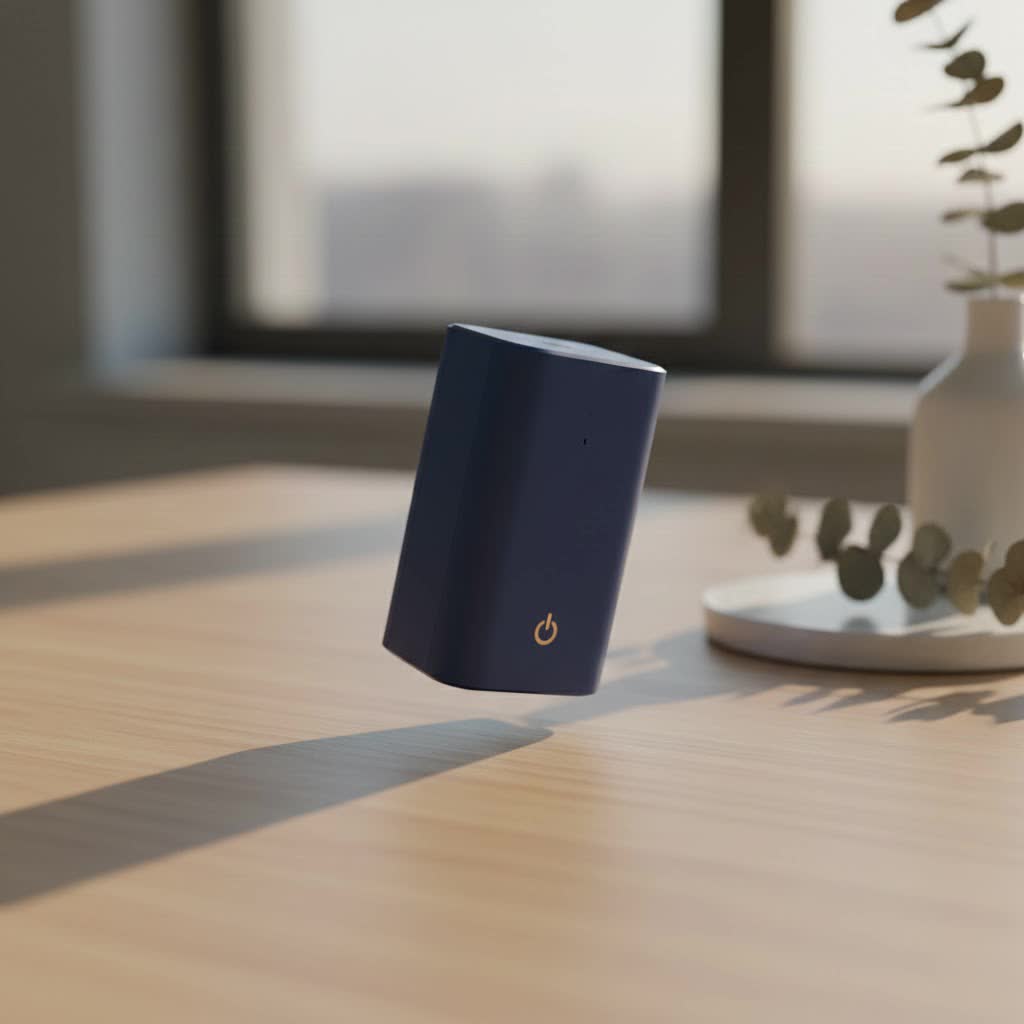
This guide will walk you through everything you need to know about this fantastic little gadget. We’ll cover what it does, how to set it up, and how you can use it to make your life more convenient and efficient. Let’s plug in and get started.
What Exactly Is a Smart Plug?
Before diving into the specifics of the TP-Link Kasa model, let’s clarify what a smart plug is. Think of it as a gatekeeper for the electricity flowing to your devices. You plug it into a standard wall outlet, and then you plug your appliance—like a lamp, fan, or kettle—into the smart plug.
Once connected to your home’s Wi-Fi network, the smart plug allows you to turn the attached appliance on or off remotely using a smartphone app. You can also set schedules, create timers, and even control it with voice commands through assistants like Amazon Alexa or Google Assistant. It’s a brilliantly simple way to add smart functionality to your “dumb” appliances without needing any complex wiring or technical skills.
Why Choose the Kasa Smart Wi-Fi Plug Mini?
The market is flooded with smart plugs, but the Kasa Mini (often the EP10 or KP105 models) carves out a special place for itself. Its biggest advantage is its compact design. Unlike older, bulkier smart plugs that often block the adjacent outlet, the Kasa Mini is small enough to leave the second socket free. This might seem like a small detail, but it’s incredibly practical in real-world use.
Beyond its size, TP-Link’s Kasa line is known for its:
- Rock-solid reliability: It maintains a stable Wi-Fi connection, ensuring your commands and schedules work without a hitch.
- User-friendly app: The Kasa Smart app is intuitive and makes setup and daily management a breeze.
- No hub required: It connects directly to your Wi-Fi router, so you don’t need to purchase any additional hardware like a smart home hub.
- Advanced features: It offers scheduling, timers, an “Away Mode” to simulate presence, and seamless voice assistant integration.
|
Our Picks for the Best Smart Plug in 2026
As an Amazon Associate I earn from qualifying purchases.
|
||
| Num | Product | Action |
|---|---|---|
| 1 | Kasa Smart Plug Mini 15A, Apple HomeKit Supported, Smart Outlet Works with Siri, Alexa & Google Home, UL Certified, App Control, Scheduling, Timer, 2.4G WiFi Only, 4 Count (Pack of 1) (EP25P4), White |

|
| 2 | GHome Smart Plug, WiFi Smart Plugs Work with Alexa and Google Home, Smart Outlet Timer with APP Remote Control, 2.4GHz Wi-Fi Only, No Hub Required, ETL FCC Listed |
|
| 3 | Linkind Matter Smart Plug, Work with Apple Home, Siri, Alexa, Google, SmartThings, Smart Home Smart Outlet Timer 15A/1800W, APP Remote Control & Schedule, ETL & FCC Certified, 2.4G Wi-Fi Only, 4 Pack |
|
| 4 | Kasa Smart Plug HS103P4, Smart Home Wi-Fi Outlet Works with Alexa, Echo, Google Home & IFTTT, No Hub Required, Remote Control, 15 Amp, UL Certified, 4-Pack, White |
|
| 5 | Kasa Smart Plug HS103P2, Smart Home Wi-Fi Outlet Works with Alexa, Echo, Google Home & IFTTT, No Hub Required, Remote Control,15 Amp,UL Certified, (Pack of 2) White |
|
| 6 | Govee Smart Plug, WiFi Plugs Work with Alexa & Google Assistant, Smart Outlet with Timer & Group Controller, WiFi Outlet for Home, No Hub Required, ETL & FCC Certified, 2.4G WiFi Only, 4 Pack |
|
| 7 | EIGHTREE Smart Plug, Smart Home WiFi Outlet Works with Alexa & Google Home, Smart Socket with Remote Control & Timer Function, 2.4GHz WiFi Only, 4 Packs |
|
| 8 | Legrand Radiant® Wi-Fi Matter Smart Plug Matter Hub Required 15A, Easy Setup, Enhanced Compatibility with Apple HomeKit, Google Home, Alexa & SmartThings, Easy Wi-Fi Connectivity w/ Matter (1 Pack) |
|
| 9 | Kasa Smart Plug Ultra Mini 15A, Smart Home Wi-Fi Outlet Works with Alexa, Google Home & IFTTT, No Hub Required, UL Certified, 2.4G WiFi Only, 2 Count (Pack of 1)(EP10P2) , White |
|
| 10 | EIGHTREE Smart Plug 2025 Upgrade to 15A, Bluetooth & Wi-Fi Outlet Plug Dual Connection, Voice Control, Remote Control Outlet Timer Indoor, Smart Plugs That Work with Alexa & Google, 2.4GHz Wi-Fi Only |
|
Getting Started: How to Set Up Your Kasa Smart Plug
Setting up the TP-Link Kasa Smart Wi-Fi Plug Mini is a straightforward process that takes only a few minutes. Here’s a step-by-step guide to get you up and running.
What You’ll Need:
- A Kasa Smart Wi-Fi Plug Mini
- A smartphone (iOS or Android)
- Your home Wi-Fi network name and password
Step-by-Step Installation Guide
- Download the Kasa Smart App: Head to the Apple App Store or Google Play Store and download the “Kasa Smart” app.
- Create an Account: Open the app and create a TP-Link account. You’ll need to verify your email address. This account allows you to control your devices even when you’re away from home.
- Plug in the Device: Plug your Kasa Mini into a wall outlet. The Wi-Fi indicator light on the plug should start blinking orange and green, indicating it’s ready for setup.
- Add the Plug in the App:
- In the Kasa app, tap the
+icon, usually located in the top-right corner. - Select “Device,” then “Smart Plugs,” and choose the “Smart Plug Mini” from the list. The app will provide on-screen instructions.
- In the Kasa app, tap the
- Connect to the Plug’s Wi-Fi: Your phone needs to temporarily connect directly to the smart plug’s own Wi-Fi signal. The Kasa app will guide you to your phone’s Wi-Fi settings to select the network named something like “TP-LINK_Smart Plug_XXXX.”
- Connect the Plug to Your Home Wi-Fi: Once connected to the plug, return to the Kasa app. It will now ask you to select your home Wi-Fi network from a list and enter the password. This step transfers the network credentials to the plug.
- Name Your Plug: After it successfully connects to your network, the Wi-Fi light will turn solid green. The app will then prompt you to give your plug a name. Be descriptive! Names like “Living Room Lamp,” “Bedroom Fan,” or “Coffee Maker” are much more useful for voice commands than “Smart Plug 1.”
- Update Firmware: The app will likely check for a firmware update. It’s always a good idea to install the latest version to ensure you have the best performance and security features.
That’s it! Your Kasa Smart Plug is now connected and ready to control.
Unleashing the Power of Your Smart Plug
Now that the setup is complete, you can explore the features that make the TP-Link Kasa Smart Wi-Fi Plug Mini so versatile.
Remote Control and Voice Commands
The most basic function is turning your devices on and off from anywhere using the Kasa app. But the real magic happens when you integrate it with a voice assistant.
- How to Connect to Alexa or Google Assistant:
- Open your Amazon Alexa or Google Home app.
- Go to the “Skills” (Alexa) or “Works with Google” (Google Home) section.
- Search for “Kasa” and enable the skill.
- Log in with your Kasa account credentials to link the services.
- Allow the assistant to discover your devices.
Once linked, you can use simple voice commands like:
- “Alexa, turn on the living room lamp.”
- “Hey Google, turn off the fan.”
“The key to a truly smart home is seamless integration. The Kasa Mini’s ability to effortlessly connect with major voice assistants like Alexa and Google Assistant makes it an accessible starting point for anyone looking to automate their home.” – David Chen, Smart Home Technology Expert
Scheduling and Timers
This is where you can truly automate your home. The Kasa app allows you to create detailed schedules for any connected appliance.
- Schedules: Set your coffee maker to turn on at 6:30 AM so you wake up to a fresh brew. Schedule your lights to turn on at sunset and off at bedtime.
- Timers: Use the countdown timer to automatically turn off a device after a set period. This is perfect for preventing an iron from being left on or for limiting a child’s screen time on a TV.
Away Mode for Enhanced Security
The “Away Mode” is a clever security feature. When enabled, it will randomly turn your connected lights on and off during a specified time frame, creating the illusion that someone is home. This is an excellent, low-cost deterrent for potential intruders when you’re on vacation.
Frequently Asked Questions (FAQ)
Here are answers to some common questions about the Kasa Smart Plug Mini.
1. Does the TP-Link Kasa Smart Plug Mini require a hub?
No, it does not. The plug connects directly to your home’s 2.4GHz Wi-Fi network, so you don’t need any additional hub or hardware.
2. Can I use the Kasa Smart Plug Mini outdoors?
No, this model is designed for indoor use only. Exposing it to moisture or extreme temperatures can damage the device and create a safety hazard. TP-Link offers specific outdoor smart plug models for that purpose.
3. Does this smart plug work with Apple HomeKit?
The standard Kasa Mini models (like the EP10) do not natively support Apple HomeKit. However, some newer models in the TP-Link lineup do, so be sure to check the product specifications if HomeKit compatibility is a priority for you.
4. What happens if the Wi-Fi goes down?
If your Wi-Fi network is down, you won’t be able to control the plug remotely via the app or voice commands. However, any schedules you’ve already set are stored locally on the plug and will continue to run as programmed. You can also always turn the plug on or off manually using the physical button on its side.
5. How much power can the Kasa Smart Plug Mini handle?
The plug is typically rated for a maximum load of 15 amps, which is suitable for most small household appliances like lamps, fans, coffee makers, and TVs. It is not recommended for heavy-duty appliances like refrigerators, air conditioners, or washing machines that have high power draws.
Final Thoughts
The TP-Link Kasa Smart Wi-Fi Plug Mini is more than just a gadget; it’s a simple, affordable, and incredibly effective way to upgrade your home. It empowers you to control your environment, save energy, and add a layer of convenience and security to your daily life. Whether you’re a smart home novice or a seasoned enthusiast, its reliability and ease of use make it an essential component of any modern home.
Ready to make your home a little smarter? Grab a Kasa Mini, and in just a few minutes, you’ll wonder how you ever lived without it. Feel free to share your creative uses for it in the comments below
