Welcome to the world of home automation, where a simple device can completely change how you interact with your everyday appliances. If you’ve been curious about smart homes but felt overwhelmed by the complexity, the Govee Smart Plug is the perfect starting point. It’s an affordable, user-friendly gadget that turns nearly any standard electronic device into a smart one. As your trusted experts at Kjooz, we’ve spent years testing and integrating smart devices, and Govee consistently impresses with its blend of simplicity and power. This guide will walk you through everything you need to know, from unboxing to mastering advanced features.
What Exactly Is a Govee Smart Plug?
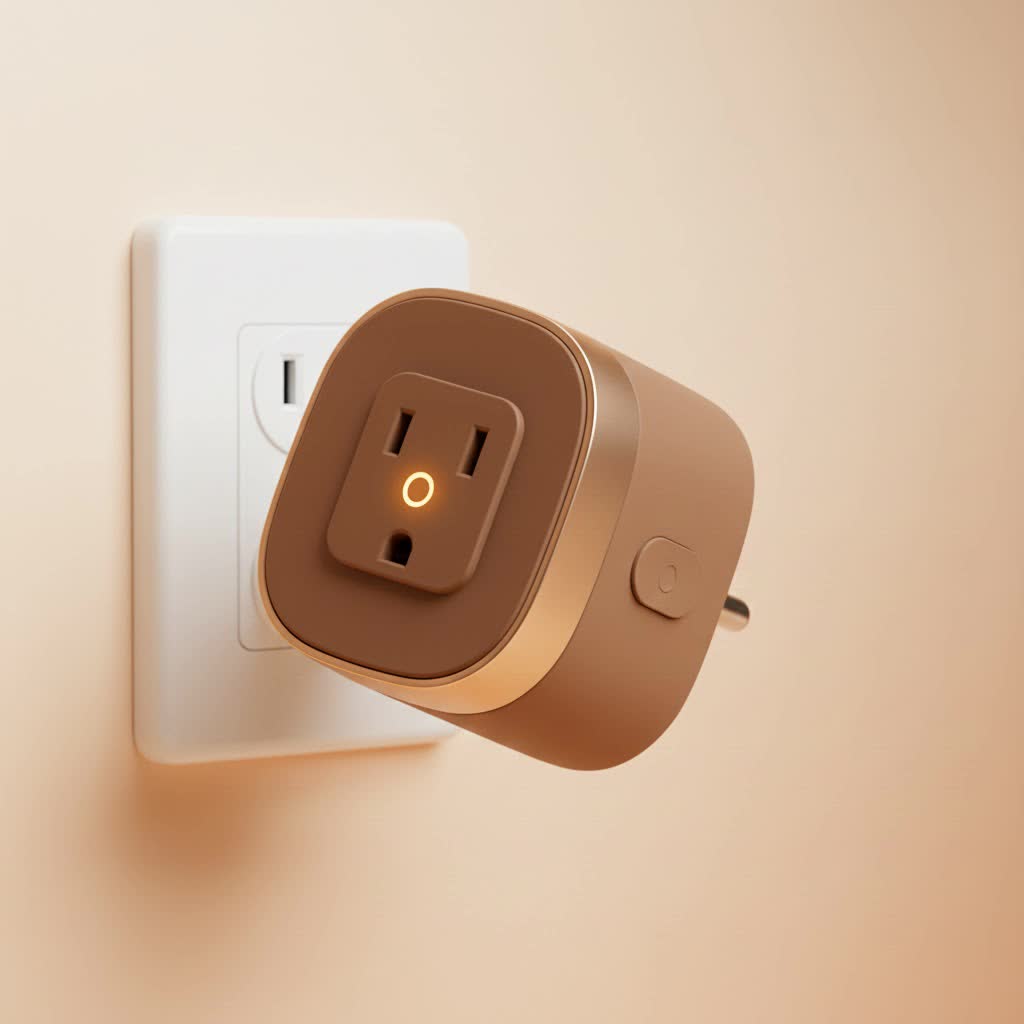
Think of a Govee smart plug as a clever adapter. You plug it into a regular wall outlet, and then you plug your appliance—like a lamp, coffee maker, or fan—into the smart plug. That’s it. On its own, it doesn’t look like much, but once connected to your home’s Wi-Fi network, it acts as a remote-controlled power switch. Through the Govee Home app on your smartphone or with simple voice commands, you can turn the connected appliance on or off from anywhere in the world. It’s the bridge between your traditional electronics and your modern, connected life.
Why Choose Govee for Your Smart Home?
With so many smart plugs on the market, you might wonder what makes the Govee smart plug stand out. The answer lies in its combination of reliability, ease of use, and integration within the broader Govee ecosystem.
- Effortless Setup: Govee has streamlined the setup process to be incredibly simple. You don’t need a separate, expensive hub or any technical skills. Most users are up and running in under five minutes.
- Stable Connectivity: These plugs use both Wi-Fi and Bluetooth for a stable and responsive connection. Bluetooth helps with a quick and easy setup process, while Wi-Fi ensures you can control your devices from anywhere.
- Intuitive App Control: The Govee Home app is your command center. It’s cleanly designed, allowing you to easily manage all your Govee devices, set schedules, and group plugs to control multiple devices at once.
- Seamless Voice Integration: Govee smart plugs work flawlessly with Amazon Alexa and Google Assistant. This means you can say, “Alexa, turn on the coffee maker,” or “Hey Google, switch off the living room lamp,” for a truly hands-free experience.
- Compact and Safe Design: A major practical advantage is its design. The plug is compact enough to only occupy a single outlet, leaving the second one free. Plus, they are built with fire-resistant materials and have safety certifications, giving you peace of mind.
“When building a smart home, users often overlook the importance of a unified ecosystem,” notes David Chen, a leading Smart Home Integration Specialist. “Govee excels here. Starting with a simple Govee smart plug can be the gateway to a fully integrated home, where your lights and plugs all work together seamlessly in one app. It’s about building a cohesive experience, not just collecting gadgets.”
Getting Started: How to Set Up Your Govee Smart Plug
Ready to get started? The setup process is refreshingly simple and takes just a few minutes. Here is a step-by-step guide to get you connected.
- Download the Govee Home App: First, head to the Google Play Store or Apple App Store on your smartphone and download the free “Govee Home” app.
- Create an Account: Open the app and create a new account. This is necessary to save your devices and settings.
- Plug It In: Take your Govee smart plug out of the box and plug it into a wall outlet. You should see a small LED light start to flash, usually blue. This indicates it’s in pairing mode.
- Add the Device in the App: In the Govee Home app, tap the ‘+’ icon in the top right corner. The app will use your phone’s Bluetooth to automatically scan for nearby devices. Your smart plug should appear on the screen.
- Connect to Wi-Fi: Select the smart plug and the app will prompt you to choose your home Wi-Fi network. Important: The Govee smart plug, like many smart devices, only connects to a 2.4GHz Wi-Fi band. Most routers broadcast both 2.4GHz and 5GHz, so just make sure you select the right one. Enter your Wi-Fi password.
- Name Your Plug: Once connected, the final step is to give your plug a name. Be descriptive! Names like “Bedside Lamp” or “Kitchen Fan” are much more useful for voice commands than a generic name like “Smart Plug 1.”
- All Done! The LED light on the plug will turn a solid color, and you can now control it directly from the app.
Unlocking Advanced Features with the Govee Home App
Turning a plug on and off remotely is just the beginning. The real power of the Govee smart plug is unlocked through the features in the Govee Home app.
Scheduling and Timers: Automate Your Life
The scheduling feature is a game-changer for both convenience and energy savings. You can create custom schedules for any connected device.
- Morning Routine: Have your coffee maker turn on at 6:55 AM, so a fresh pot is waiting for you when you get to the kitchen.
- Evening Ambiance: Set your living room lamps to turn on automatically at sunset each day.
- Holiday Lights: During the festive season, schedule your holiday decorations to turn on and off at specific times, so you never have to worry about them.
- Away Mode: You can set a timer for your lights to turn on and off randomly while you’re on vacation, creating the illusion that someone is home.
|
Our Picks for the Best Smart Plug in 2026
As an Amazon Associate I earn from qualifying purchases.
|
||
| Num | Product | Action |
|---|---|---|
| 1 | Linkind Matter Smart Plug, Work with Apple Home, Siri, Alexa, Google, SmartThings, Smart Home Smart Outlet Timer 15A/1800W, APP Remote Control & Schedule, ETL & FCC Certified, 2.4G Wi-Fi Only, 4 Pack |

|
| 2 | Govee Smart Plug, WiFi Plugs Work with Alexa & Google Assistant, Smart Outlet with Timer & Group Controller, WiFi Outlet for Home, No Hub Required, ETL & FCC Certified, 2.4G WiFi Only, 4 Pack |
|
| 3 | EIGHTREE Smart Plug, Smart Home WiFi Outlet Works with Alexa & Google Home, Smart Socket with Remote Control & Timer Function, 2.4GHz WiFi Only, 4 Packs |
|
| 4 | Kasa Smart Plug Mini 15A, Apple HomeKit Supported, Smart Outlet Works with Siri, Alexa & Google Home, UL Certified, App Control, Scheduling, Timer, 2.4G WiFi Only, 4 Count (Pack of 1) (EP25P4), White |
|
| 5 | Kasa Smart Plug Ultra Mini 15A, Smart Home Wi-Fi Outlet Works with Alexa, Google Home & IFTTT, No Hub Required, UL Certified, 2.4G WiFi Only, 2 Count (Pack of 1)(EP10P2) , White |
|
| 6 | Kasa Smart Plug HS103P4, Smart Home Wi-Fi Outlet Works with Alexa, Echo, Google Home & IFTTT, No Hub Required, Remote Control, 15 Amp, UL Certified, 4-Pack, White |
|
| 7 | Legrand Radiant® Wi-Fi Matter Smart Plug Matter Hub Required 15A, Easy Setup, Enhanced Compatibility with Apple HomeKit, Google Home, Alexa & SmartThings, Easy Wi-Fi Connectivity w/ Matter (1 Pack) |
|
| 8 | GHome Smart Plug, WiFi Smart Plugs Work with Alexa and Google Home, Smart Outlet Timer with APP Remote Control, 2.4GHz Wi-Fi Only, No Hub Required, ETL FCC Listed |
|
| 9 | EIGHTREE Smart Plug 2025 Upgrade to 15A, Bluetooth & Wi-Fi Outlet Plug Dual Connection, Voice Control, Remote Control Outlet Timer Indoor, Smart Plugs That Work with Alexa & Google, 2.4GHz Wi-Fi Only |
|
| 10 | Kasa Smart Plug HS103P2, Smart Home Wi-Fi Outlet Works with Alexa, Echo, Google Home & IFTTT, No Hub Required, Remote Control,15 Amp,UL Certified, (Pack of 2) White |
|
Remote Control: Power at Your Fingertips
As long as your smartphone has an internet connection, you can control your Govee smart plugs from anywhere. Did you leave the house and forget if you turned off an iron? Just open the Govee Home app and check. You can switch it off from your office, the grocery store, or even another country. This feature provides not only convenience but also a significant boost to your home’s safety.
Voice Control with Alexa and Google Assistant
Integrating your Govee smart plug with a voice assistant is where the magic really happens. The setup is done within the Alexa or Google Home app, where you’ll enable the “Govee Home” skill and link your account. Once linked, any plug you’ve named in the Govee app becomes controllable by voice.
This is perfect for moments when your hands are full or you’re already comfortable in bed. Simply saying, “Hey Google, turn off all the lights,” can switch off every lamp connected to a Govee plug. You can also create routines in your voice assistant’s app, such as a “Good Morning” routine that turns on your lamp, starts the coffee maker, and reads you the day’s weather.
Govee Smart Plug Troubleshooting: Common Issues and Fixes
While Govee plugs are highly reliable, you might occasionally run into a snag. Here are solutions to some of the most common issues.
-
Problem: The plug won’t connect to Wi-Fi.
- Solution: Double-check that you are connecting to a 2.4GHz Wi-Fi network, not a 5GHz one. Also, ensure you entered the Wi-Fi password correctly. Finally, make sure the plug is not too far from your router; it needs a reasonably strong signal.
-
Problem: The plug is unresponsive in the app.
- Solution: First, try controlling the plug manually using the physical button on its side. If that works, the issue is likely with the network connection. Try unplugging it, waiting 10 seconds, and plugging it back in. This simple “reboot” often resolves the issue. You can also check your home’s internet connection.
-
Problem: Voice commands aren’t working.
- Solution: Go into your Amazon Alexa or Google Home app and check if the Govee Home skill is still enabled and that your account is properly linked. Sometimes, accounts can become unlinked after a password change. Also, make sure the name you are saying in your voice command exactly matches the name you gave the plug in the app.
Frequently Asked Questions (FAQ)
What can I use a Govee smart plug for?
You can use a Govee smart plug for almost any simple electronic device you want to control remotely. Great examples include lamps, fans, coffee makers, holiday lights, humidifiers, and small kitchen appliances. Avoid using them for heavy-duty appliances that draw more than the plug’s maximum amperage (typically 10A or 15A, check your model).
Do Govee smart plugs work without Wi-Fi?
For remote control and smart features like scheduling and voice commands, a Wi-Fi connection is required. However, you can always turn the plug on or off manually using the physical button on the device, which works without any internet connection.
Are Govee smart plugs safe to use?
Yes, they are designed with safety as a priority. Govee smart plugs are made from flame-retardant materials and have ETL and FCC certifications, ensuring they meet rigorous safety and quality standards for use in your home.
Can Govee smart plugs save me money?
Absolutely. By scheduling devices to turn off when not in use, you can eliminate “phantom” power draw from electronics on standby. Scheduling high-energy devices to operate only when needed can lead to noticeable savings on your electricity bill over time.
The Final Verdict
The Govee smart plug is an exceptional entry point into the world of home automation. It’s affordable, incredibly easy to set up, and reliable for daily use. While it may lack some of the advanced energy monitoring features of more expensive competitors, it masterfully handles the core functions of scheduling, remote access, and voice control. For anyone looking to add a layer of convenience and intelligence to their home without breaking the bank, the Govee smart plug is a fantastic choice and a product we wholeheartedly recommend. Take the leap, and you’ll wonder how you ever lived without it.
