The TP-Link Smart Plug is a Wi-Fi-enabled adapter that allows you to control any connected appliance remotely using your smartphone, making “dumb” devices like lamps or fans instantly smart. It plugs into a standard wall outlet and connects to your home’s 2.4GHz Wi-Fi network, offering convenience, security, and energy savings without needing a separate smart home hub. TP-Link offers two main product lines, Kasa Smart and Tapo, both controlled via their respective smartphone apps.
What is a TP-Link Smart Plug Anyway?
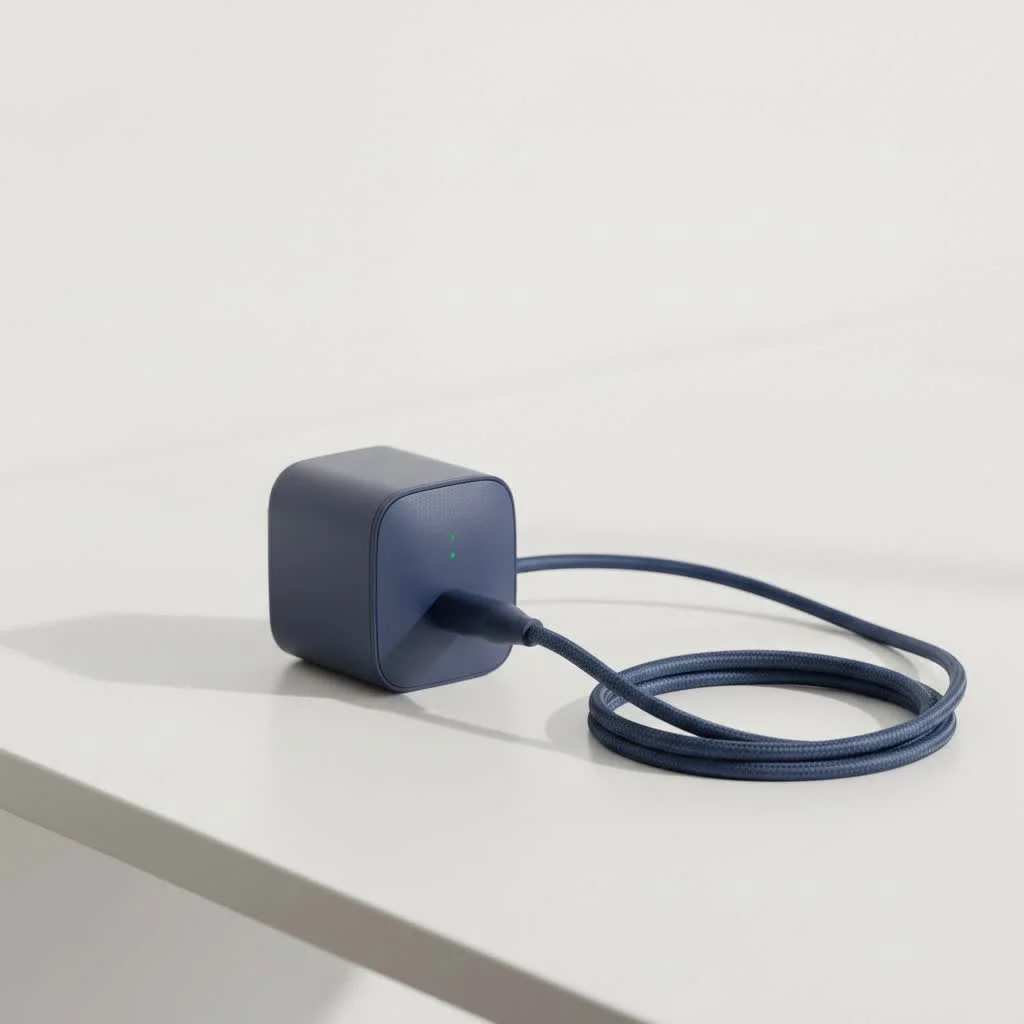
At its core, a TP-Link smart plug is a Wi-Fi-enabled adapter that you place between an electrical outlet and an appliance’s power cord. Once connected to your home’s Wi-Fi network, it allows you to turn the connected appliance on or off remotely using your smartphone. This simple function opens up a world of possibilities for convenience, security, and energy savings.
You don’t need a complicated smart home hub or any technical expertise. All you need is the plug, a smartphone, and a Wi-Fi connection. TP-Link offers two main families of smart products: Kasa Smart and Tapo. Both are excellent, but they operate on separate apps, so it’s generally best to stick with one line to keep things simple.
How to Set Up Your TP-Link Smart Plug
Getting your new smart plug up and running is incredibly straightforward and usually takes less than five minutes. Here’s a simple step-by-step guide to get you started.
- Download the App: First, head to the Apple App Store or Google Play Store and download the appropriate app for your device. If you have a Kasa plug, search for “Kasa Smart.” If you have a Tapo plug, search for “Tapo.”
- Create an Account: Open the app and you will be prompted to create a TP-Link account. This requires an email address and a password. This account allows you to control your devices from anywhere in the world.
- Plug It In: Plug your TP-Link smart plug into a wall outlet. The indicator light on the plug should start blinking, usually amber and green or amber and blue, signaling that it’s ready for setup.
- Add the Device: In the app, tap the ‘+’ icon (usually in the top right corner) to add a new device. Select “Device,” then “Smart Plugs,” and choose your specific model from the list.
- Connect to Wi-Fi: The app will guide you to connect your phone directly to the smart plug’s temporary Wi-Fi network. Once connected, you’ll return to the app and select your home Wi-Fi network (it must be a 2.4GHz network, as most smart plugs don’t support 5GHz) and enter the password.
- Name Your Plug: The plug will connect to your network. Once successful, you can give it a custom name like “Living Room Lamp” or “Bedroom Fan.” This makes it easy to identify, especially when using voice commands.
That’s it! Your appliance is now smart. You can test it by toggling the power button within the app.
Unlocking the Best Features of Your Smart Plug
The real magic of a TP-Link smart plug isn’t just turning things on and off remotely. It’s about how you can integrate it into your daily life using its powerful features.
Create Schedules and Timers
|
Our Picks for the Best Smart Plug in 2026
As an Amazon Associate I earn from qualifying purchases.
|
||
| Num | Product | Action |
|---|---|---|
| 1 | Legrand Radiant® Wi-Fi Matter Smart Plug Matter Hub Required 15A, Easy Setup, Enhanced Compatibility with Apple HomeKit, Google Home, Alexa & SmartThings, Easy Wi-Fi Connectivity w/ Matter (1 Pack) |

|
| 2 | GHome Smart Plug, WiFi Smart Plugs Work with Alexa and Google Home, Smart Outlet Timer with APP Remote Control, 2.4GHz Wi-Fi Only, No Hub Required, ETL FCC Listed |
|
| 3 | Kasa Smart Plug HS103P2, Smart Home Wi-Fi Outlet Works with Alexa, Echo, Google Home & IFTTT, No Hub Required, Remote Control,15 Amp,UL Certified, (Pack of 2) White |
|
| 4 | EIGHTREE Smart Plug 2025 Upgrade to 15A, Bluetooth & Wi-Fi Outlet Plug Dual Connection, Voice Control, Remote Control Outlet Timer Indoor, Smart Plugs That Work with Alexa & Google, 2.4GHz Wi-Fi Only |
|
| 5 | Kasa Smart Plug HS103P4, Smart Home Wi-Fi Outlet Works with Alexa, Echo, Google Home & IFTTT, No Hub Required, Remote Control, 15 Amp, UL Certified, 4-Pack, White |
|
| 6 | Linkind Matter Smart Plug, Work with Apple Home, Siri, Alexa, Google, SmartThings, Smart Home Smart Outlet Timer 15A/1800W, APP Remote Control & Schedule, ETL & FCC Certified, 2.4G Wi-Fi Only, 4 Pack |
|
| 7 | Govee Smart Plug, WiFi Plugs Work with Alexa & Google Assistant, Smart Outlet with Timer & Group Controller, WiFi Outlet for Home, No Hub Required, ETL & FCC Certified, 2.4G WiFi Only, 4 Pack |
|
| 8 | Kasa Smart Plug Mini 15A, Apple HomeKit Supported, Smart Outlet Works with Siri, Alexa & Google Home, UL Certified, App Control, Scheduling, Timer, 2.4G WiFi Only, 4 Count (Pack of 1) (EP25P4), White |
|
| 9 | Kasa Smart Plug Ultra Mini 15A, Smart Home Wi-Fi Outlet Works with Alexa, Google Home & IFTTT, No Hub Required, UL Certified, 2.4G WiFi Only, 2 Count (Pack of 1)(EP10P2) , White |
|
| 10 | EIGHTREE Smart Plug, Smart Home WiFi Outlet Works with Alexa & Google Home, Smart Socket with Remote Control & Timer Function, 2.4GHz WiFi Only, 4 Packs |
|
Do you want the coffee maker to turn on at 6:30 AM so a fresh pot is waiting for you? Or maybe you want the lights in your living room to turn on automatically at sunset. With the scheduling feature, you can set specific times for your appliances to turn on or off throughout the day or week. You can also set timers, which are perfect for tasks like charging your phone (turn off after 2 hours) or for a child’s night light (turn off after 30 minutes).
Control with Your Voice
Both Kasa and Tapo plugs integrate seamlessly with major voice assistants like Amazon Alexa and Google Assistant. Linking your TP-Link account to your Alexa or Google Home app is a simple process. Once connected, you can use commands like:
- “Alexa, turn on the bedroom fan.”
- “Hey Google, turn off the Christmas lights.”
This hands-free control is a major upgrade for convenience.
As smart home integrator David Chen often states, “Voice control is the feature that truly hooks people. The first time you walk into a dark room and simply ask for the lights to turn on, you realize how powerful this technology can be.”
Enhance Security with Away Mode
The “Away Mode” is a brilliant feature for when you’re on vacation. When enabled, it will turn your connected devices (typically lamps) on and off at random intervals, simulating the appearance that someone is home. This is a simple yet incredibly effective deterrent for potential intruders, giving you greater peace of mind while you’re away.
Monitor Energy Consumption
Select models of the TP-Link smart plug, like the Kasa Smart Plug with Energy Monitoring (KP115), come with built-in energy monitoring. The Kasa app provides detailed reports on how much electricity a connected device is using in real-time and over historical periods. This is a fantastic tool for identifying ways to reduce your energy bill.
Common Problems and Easy Fixes
Even the best technology can have hiccups. If your TP-Link smart plug is acting up, here are some common issues and how to solve them quickly.
Why won’t my smart plug connect to Wi-Fi?
This is the most common setup issue. First, double-check that you are connecting to a 2.4GHz Wi-Fi network. Most smart home devices are not compatible with 5GHz networks. Also, ensure you entered the Wi-Fi password correctly—it’s case-sensitive. Finally, make sure the plug is not too far from your Wi-Fi router. A weak signal can prevent a stable connection.
The plug is unresponsive in the app. What should I do?
If the plug shows as “Offline” or doesn’t respond, try these steps:
- Power cycle the plug: Simply unplug it from the wall, wait 10 seconds, and plug it back in.
- Reboot your router: Sometimes the issue is with your network. Rebooting your router can resolve many connectivity problems.
- Check for firmware updates: Open the app and go to the device settings to see if a firmware update is available. These updates often contain bug fixes and performance improvements.
How do I factory reset my TP-Link smart plug?
If all else fails, a factory reset can solve persistent issues. To do this, press and hold the power button on the side of the plug for about 10 seconds until the Wi-Fi light blinks rapidly. This will erase its current settings, and you will need to go through the setup process again in the app.
Frequently Asked Questions (FAQ)
What can I use a TP-Link smart plug for?You can use it for almost any corded appliance, including lamps, fans, coffee makers, holiday lights, humidifiers, and slow cookers. However, avoid high-power appliances like space heaters or large air conditioners unless the plug is specifically rated for them.
Do I need a smart home hub like Samsung SmartThings?No, you do not. TP-Link smart plugs connect directly to your home’s Wi-Fi network and are controlled via the Kasa or Tapo app on your smartphone.
Can I control the smart plug when I’m not at home?Yes. As long as the smart plug is connected to your home Wi-Fi and your phone has an internet connection (Wi-Fi or cellular data), you can control it from anywhere in the world through the app.
Is it safe to leave a smart plug plugged in all the time?Absolutely. Smart plugs are designed to be left plugged in. They are built with safety features like overload protection and use flame-retardant materials.
Can multiple people control the same smart plug?Yes. You can share access to your TP-Link devices with family members. They will need to create their own Kasa or Tapo account, and then you can invite them to control the devices from the app settings.
The Final Word on TP-Link Smart Plugs
For anyone looking to dip their toes into the smart home world, the TP-Link smart plug is arguably the perfect starting point. It’s affordable, incredibly easy to set up, and packed with useful features that offer real-world benefits in convenience, security, and energy management. Whether you’re automating your morning coffee routine or making your home look occupied while on vacation, this simple device delivers incredible value. It’s a small investment that can make a big impact on your daily life.
Frequently Asked Questions
What types of appliances can a TP-Link smart plug control?
A TP-Link smart plug can control almost any corded appliance, including lamps, fans, coffee makers, and humidifiers. However, it is important to avoid high-power appliances like space heaters or large air conditioners unless the specific plug model is rated for such devices.
Is a smart home hub necessary to use a TP-Link smart plug?
No, a smart home hub like Samsung SmartThings is not necessary. TP-Link smart plugs connect directly to your home's 2.4GHz Wi-Fi network and are controlled via the Kasa or Tapo app on your smartphone.
Can I control my TP-Link smart plug when I am away from home?
Yes, you can control your smart plug from anywhere in the world. As long as the smart plug is connected to your home Wi-Fi and your phone has an active internet connection (Wi-Fi or cellular data), you can manage it through the app.
Is it safe to keep a smart plug continuously plugged into an outlet?
Absolutely, smart plugs are designed for continuous use. They are built with essential safety features, including overload protection, and are constructed from flame-retardant materials to ensure safe operation.
How do I share control of a TP-Link smart plug with family members?
You can easily share access to your TP-Link devices with family members. Each person will need to create their own Kasa or Tapo account, and then you can invite them to control the devices directly from the app's settings.
Smart home that does not lock you in
Free PDF — protocol compatibility matrix for 30 hubs and devices.
These smart plugs are a game-changer for home automation. I’ve integrated several into my setup, primarily using them to control various lights and even my Christmas tree during the holidays. The remote control aspect through the smartphone app is flawless, and I appreciate that they don’t require a separate smart home hub, which keeps things simple and clutter-free. Great value for the convenience they offer.
The Tapo smart plug works pretty well for the most part. I like being able to schedule my coffee maker to turn on in the morning. My only real complaint is that sometimes it takes a few tries for the app to connect to the plug, especially if my Wi-Fi is acting up a little. It’s not a dealbreaker, but it can be a bit annoying when you’re in a hurry.
I got a few of these TP-Link smart plugs to control some of my older appliances, like a space heater and a humidifier. It’s great for peace of mind, knowing I can turn them off if I forget when I leave the house. The energy savings feature is a nice bonus too, helping me keep an eye on how much power those ‘dumb’ devices are actually using. No need for a separate hub is a huge plus.
I’ve been using the Kasa Smart plugs for about six months now and they’re fantastic. Setting them up was super easy, literally just plug and play, then connect to the 2.4GHz Wi-Fi. I mainly use them for my lamps and a fan, and being able to turn them on or off from my phone, even when I’m not home, is incredibly convenient. Definitely recommend for anyone looking to make their home a bit smarter without a lot of hassle.