Welcome to Kjooz, your go-to resource for mastering the world of smart home technology. With over a decade of hands-on experience, I’ve seen countless gadgets promise to revolutionize our homes, but few deliver the simple, tangible benefits of a Smart Life Plug. If you’ve ever wanted to turn a regular lamp into a smart one, start your coffee maker from bed, or just get a better handle on your energy bills, you’re in the right place. This isn’t just about cool tech; it’s about making your life easier, more efficient, and more secure.
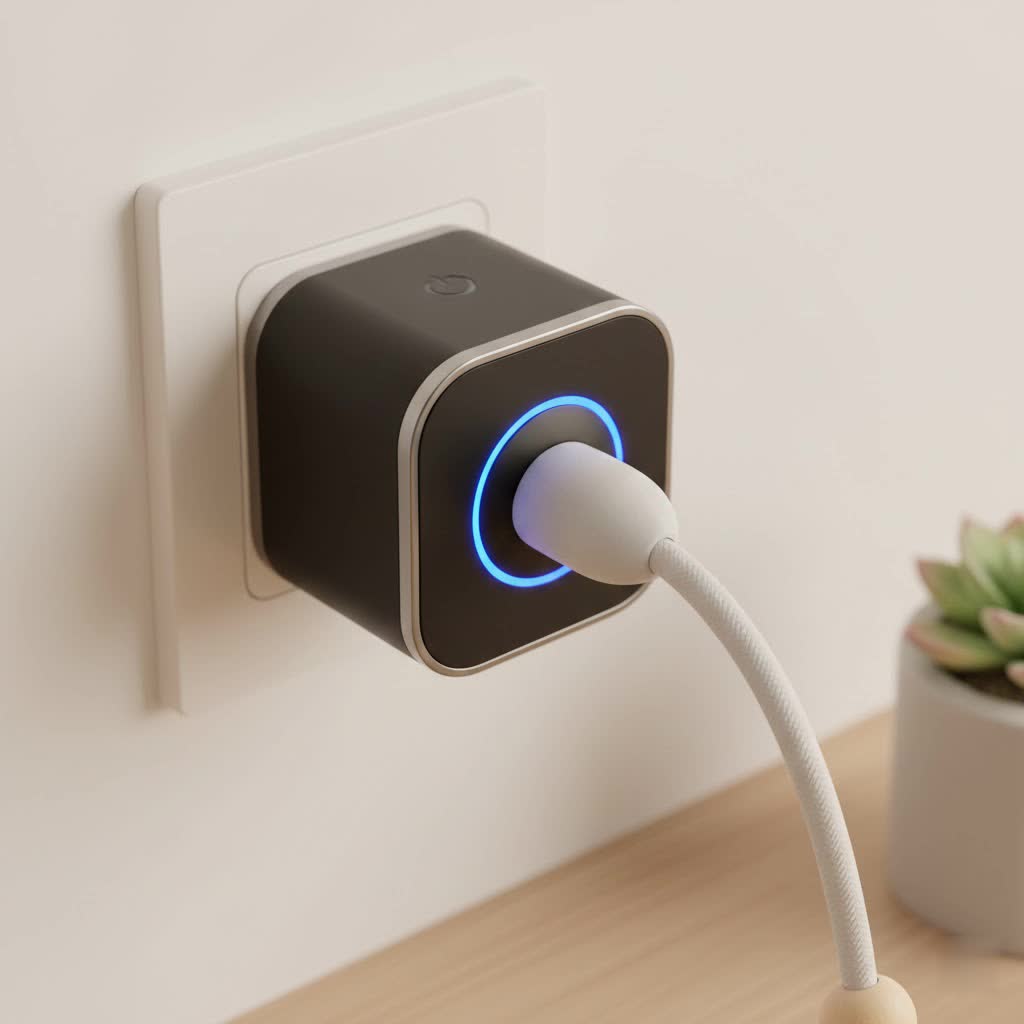
So, what’s all the buzz about? A smart life plug is a small, unassuming device that can have a massive impact on your daily routine. It’s a simple adapter you plug into any standard wall outlet. From there, you can plug in any “dumb” appliance—a lamp, a fan, a holiday decoration, you name it—and instantly bring it into your smart home ecosystem. The magic happens through the “Smart Life” app, a universal remote control on your phone that lets you manage these devices from anywhere in the world. Let’s dive in and explore how this little gadget can unlock a new level of convenience and control in your home.
What Exactly is a Smart Life Plug?
Here’s a common point of confusion I want to clear up right away: “Smart Life” isn’t a brand of plug. Instead, it refers to any smart plug manufactured to be compatible with the Smart Life app. This is fantastic news for consumers because it means you have a wide variety of hardware choices from different manufacturers that can all be controlled through a single, unified application. You aren’t locked into one company’s ecosystem.
The primary function of a smart life plug is to give you remote control over the power supply to an appliance. By connecting to your home’s Wi-Fi network, the plug can receive commands from your smartphone, turning the connected device on or off as you wish.
The core benefits are immediately obvious:
- Convenience: Forgot to turn off the iron? No problem. Just open the app and switch it off from your office. Want the living room lamp on before you get home? A few taps are all it takes.
- Energy Savings: Many smart life plugs come with energy monitoring features. This allows you to see exactly how much power a specific appliance is using, helping you identify energy hogs and reduce your electricity bill.
- Automation & Scheduling: This is where the real power lies. You can set schedules for your devices to turn on and off automatically. For example, you can schedule your lights to simulate occupancy while you’re on vacation, enhancing your home’s security.
- Voice Control: The vast majority of smart life plugs integrate seamlessly with voice assistants like Amazon Alexa and Google Assistant. Saying “Hey Google, turn on the coffee maker” is a simple luxury you’ll quickly wonder how you lived without.
How to Choose the Right Smart Life Plug for You
With so many options on the market, picking the right plug can seem daunting. However, by focusing on a few key features, you can easily find the perfect fit for your needs.
Connectivity
|
Our Picks for the Best Smart Plug in 2026
As an Amazon Associate I earn from qualifying purchases.
|
||
| Num | Product | Action |
|---|---|---|
| 1 | Kasa Smart Plug HS103P4, Smart Home Wi-Fi Outlet Works with Alexa, Echo, Google Home & IFTTT, No Hub Required, Remote Control, 15 Amp, UL Certified, 4-Pack, White |

|
| 2 | EIGHTREE Smart Plug, Smart Home WiFi Outlet Works with Alexa & Google Home, Smart Socket with Remote Control & Timer Function, 2.4GHz WiFi Only, 4 Packs |
|
| 3 | Linkind Matter Smart Plug, Work with Apple Home, Siri, Alexa, Google, SmartThings, Smart Home Smart Outlet Timer 15A/1800W, APP Remote Control & Schedule, ETL & FCC Certified, 2.4G Wi-Fi Only, 4 Pack |
|
| 4 | Govee Smart Plug, WiFi Plugs Work with Alexa & Google Assistant, Smart Outlet with Timer & Group Controller, WiFi Outlet for Home, No Hub Required, ETL & FCC Certified, 2.4G WiFi Only, 4 Pack |
|
| 5 | Kasa Smart Plug Ultra Mini 15A, Smart Home Wi-Fi Outlet Works with Alexa, Google Home & IFTTT, No Hub Required, UL Certified, 2.4G WiFi Only, 2 Count (Pack of 1)(EP10P2) , White |
|
| 6 | Kasa Smart Plug Mini 15A, Apple HomeKit Supported, Smart Outlet Works with Siri, Alexa & Google Home, UL Certified, App Control, Scheduling, Timer, 2.4G WiFi Only, 4 Count (Pack of 1) (EP25P4), White |
|
| 7 | Legrand Radiant® Wi-Fi Matter Smart Plug Matter Hub Required 15A, Easy Setup, Enhanced Compatibility with Apple HomeKit, Google Home, Alexa & SmartThings, Easy Wi-Fi Connectivity w/ Matter (1 Pack) |
|
| 8 | EIGHTREE Smart Plug 2025 Upgrade to 15A, Bluetooth & Wi-Fi Outlet Plug Dual Connection, Voice Control, Remote Control Outlet Timer Indoor, Smart Plugs That Work with Alexa & Google, 2.4GHz Wi-Fi Only |
|
| 9 | Kasa Smart Plug HS103P2, Smart Home Wi-Fi Outlet Works with Alexa, Echo, Google Home & IFTTT, No Hub Required, Remote Control,15 Amp,UL Certified, (Pack of 2) White |
|
| 10 | GHome Smart Plug, WiFi Smart Plugs Work with Alexa and Google Home, Smart Outlet Timer with APP Remote Control, 2.4GHz Wi-Fi Only, No Hub Required, ETL FCC Listed |
|
The most common type of smart life plug connects directly to your home’s 2.4GHz Wi-Fi network. This is crucial to remember during setup; most smart plugs are not compatible with 5GHz networks. Some other plugs might use Bluetooth for initial setup or operate on smart home-specific protocols like Zigbee or Z-Wave, which would require a separate hub. For most beginners, a standard Wi-Fi plug is the simplest and most direct option.
Key Features to Look For
- Energy Monitoring: If you’re conscious about your energy consumption, look for a model that explicitly offers this feature. It provides real-time and historical data on power usage.
- Scheduling and Timers: While a basic feature of the Smart Life app, ensure the plug you choose fully supports creating complex schedules, countdown timers, and recurring automation.
- Voice Control Compatibility: Double-check that the plug is compatible with your preferred voice assistant, whether it’s Amazon Alexa, Google Assistant, or another platform.
- Form Factor: Pay attention to the size and shape of the plug. Some bulky models can block the second outlet, which can be a major inconvenience. Look for compact or offset designs to avoid this issue.
- Outdoor Rating: If you plan to control outdoor lights or decorations, you must use a plug specifically designed for outdoor use. These are built to withstand moisture and temperature changes.
Step-by-Step Guide: How to Set Up Your Smart Life Plug
Getting your first smart life plug up and running is surprisingly simple. The process generally takes less than five minutes. Here’s a walkthrough of the typical setup process.
- Download the App: Go to the Apple App Store or Google Play Store on your smartphone and search for “Smart Life”. Download and install the official app.
- Create an Account: Open the app and you’ll be prompted to register for a new account. You can usually do this with an email address or phone number.
- Enter Pairing Mode: Plug your new smart plug into a wall outlet. The plug should have a small indicator light that starts blinking rapidly. This signifies it’s in “pairing mode,” ready to be discovered by your phone. If it’s not blinking, you may need to press and hold the power button on the plug for about 5-10 seconds to manually reset it.
- Add the Device in the App: In the Smart Life app, tap the ‘+’ icon, usually in the top-right corner, to add a new device. The app will present a list of device categories. Select “Socket (Wi-Fi)” or “Electrical Outlet”.
- Connect to Your Wi-Fi: The app will ask you to select your Wi-Fi network and enter the password. Remember to choose your 2.4GHz network.
- Complete the Connection: The app will now connect to the plug. You’ll see a progress screen as it’s being added. Once successful, the indicator light on the plug will stop blinking and turn solid.
- Name and Go! The final step is to give your plug a descriptive name, like “Living Room Lamp” or “Bedroom Fan”. This makes it much easier to identify and control, especially with voice commands. And that’s it! You can now control your device from the app’s home screen.
Unlocking Advanced Features of Your Smart Life Plug
Turning things on and off remotely is just the beginning. The real magic of a smart life plug is in its automation capabilities, which can make your home feel truly intelligent.
Creating Scenes and Automations
The Smart Life app allows you to create “Scenes” and “Automations” that control multiple devices with a single tap or trigger.
“The true power of smart devices isn’t just remote control; it’s proactive automation,” notes James Anderson, a smart home integration specialist. “Setting up a ‘Good Night’ scene that turns off all your lights and the TV with one command is a perfect example of how to simplify your life with this technology.”
- Scene: A one-tap command to set multiple devices to a desired state. For example, a “Movie Night” scene could dim the lights plugged into smart plugs and turn on your TV.
- Automation: A routine that runs automatically based on certain conditions. For example, you could set an automation to turn on a lamp at sunset or turn off a fan when the temperature drops below a certain level (this may require additional sensors).
Voice Control with Alexa and Google Assistant
To enable voice control, you’ll need to link your Smart Life account with your Amazon Alexa or Google Home account.
- Open the Alexa or Google Home app.
- Go to the “Skills & Games” (Alexa) or “Works with Google” (Google Home) section.
- Search for the “Smart Life” skill and enable it.
- You will be prompted to sign in with your Smart Life account credentials to link the accounts.
- Once linked, ask your assistant to “discover new devices.” It will find your newly named plug, and you can start using voice commands immediately.
Common Smart Life Plug Problems and How to Fix Them
Even the best technology can have hiccups. Here are some of the most common issues users face and how to quickly resolve them.
- Problem: The plug won’t connect to Wi-Fi.
- Solution: This is almost always because you’re trying to connect to a 5GHz Wi-Fi network. Go into your phone’s Wi-Fi settings and ensure you are connected to the 2.4GHz band of your router before starting the setup process. Also, double-check that you entered the Wi-Fi password correctly.
- Problem: The device is showing as “offline” in the app.
- Solution: First, check if your internet is working. If it is, try unplugging the smart plug, waiting ten seconds, and plugging it back in. This simple power cycle often resolves the issue. If it persists, it could be a sign of a weak Wi-Fi signal in that location.
- Problem: Voice commands aren’t working.
- Solution: Make sure you are using the exact name you assigned to the plug in the app. If you named it “Floor Lamp,” saying “turn on the big light” won’t work. If the name is correct, try re-linking the Smart Life skill in your Alexa or Google Home app.
Frequently Asked Questions (FAQ)
What is the Smart Life app?
The Smart Life app is a universal smart home control application that works with a vast range of Wi-Fi-enabled devices from different manufacturers, including smart plugs, light bulbs, switches, and more.
Do I need a hub for a Smart Life plug?
No, for most Wi-Fi-based smart life plugs, you do not need a separate hub. They connect directly to your home’s Wi-Fi router, making them a very cost-effective entry point into home automation.
Can I use a smart life plug outdoors?
You can, but only if you purchase a model specifically rated for outdoor use. These plugs are weather-resistant and built to handle exposure to rain, dust, and temperature fluctuations. Using an indoor plug outside is a safety hazard.
Are Smart Life plugs safe to use?
Yes, as long as you purchase from reputable brands that have undergone safety certifications like UL or ETL. Always ensure that the appliance you plug in does not exceed the smart plug’s maximum amperage rating (usually around 10-15 amps).
Can I control my plug when I’m away from home?
Absolutely. As long as your smart plug is connected to your home Wi-Fi and your phone has an internet connection (cellular or Wi-Fi), you can control your devices from anywhere in the world through the Smart Life app.
Your Smart Home Journey Starts Here
The smart life plug is more than just a gadget; it’s a gateway to a more convenient, efficient, and automated home. It’s an incredibly simple and affordable way to test the waters of smart home technology without committing to a complex ecosystem. By turning everyday objects into smart devices, you can start building a home that works for you, one plug at a time.
Now that you’re armed with this knowledge, you’re ready to take the first step. Start with a single plug for your favorite lamp or the coffee maker and experience the convenience for yourself. We at Kjooz would love to hear about your creative uses for smart plugs, so feel free to share your experiences
