Welcome to the world of smart homes! If you’re looking for a simple, affordable, and powerful way to begin your home automation journey, the Smart Power Plug is your perfect starting point. Think of it as a small adapter that sits between your wall outlet and any regular appliance—like a lamp, coffee maker, or fan—and instantly gives it smart capabilities. This simple device unlocks a new level of convenience, energy efficiency, and security, allowing you to control your electronics from anywhere in the world using just your smartphone. As a smart device expert for over a decade, I’m here to walk you through everything you need to know to transform your home, one plug at a time.
How Does a Smart Power Plug Work?
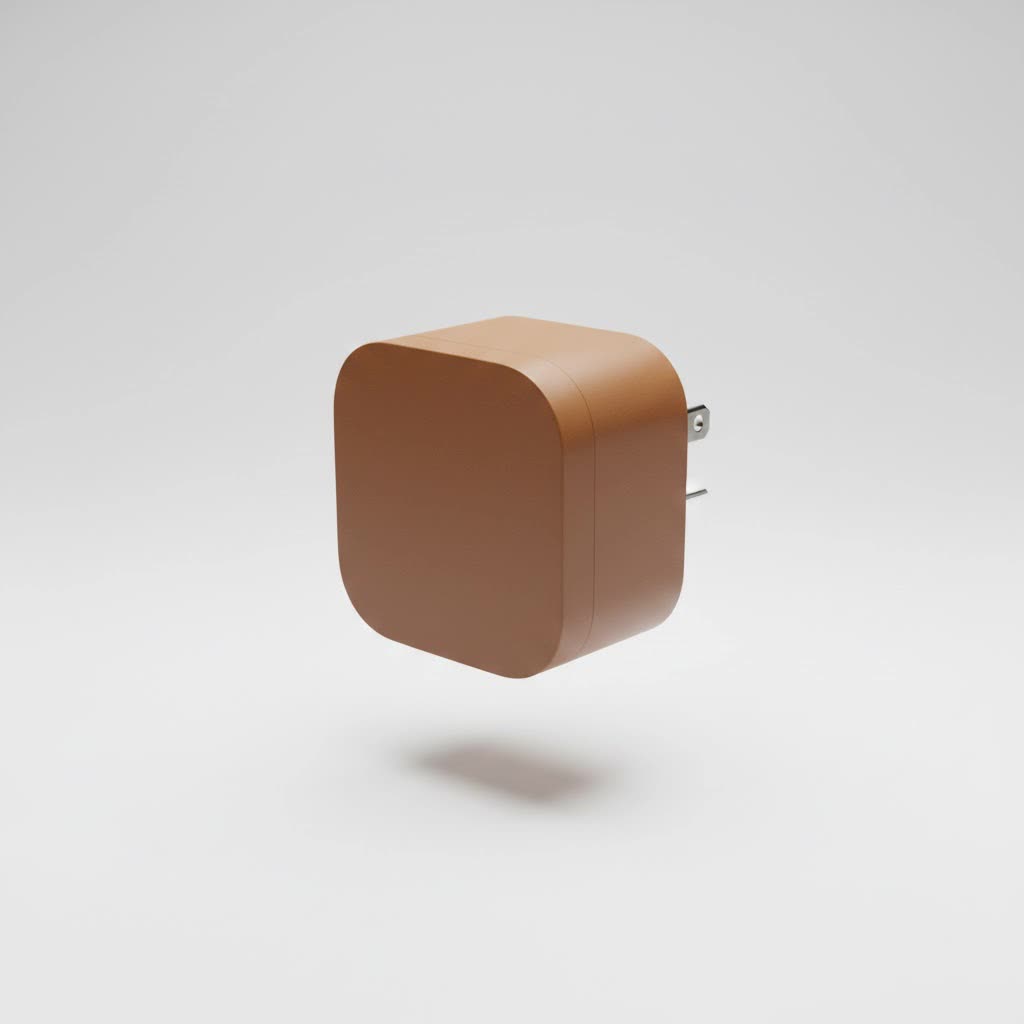
At its core, a smart power plug is a remote-controlled power switch. It connects to your home’s Wi-Fi network, allowing it to receive commands from an app on your smartphone or a voice assistant like Amazon Alexa, Google Assistant, or Apple’s Siri.
When you plug a standard appliance into a smart plug, you’re not making the appliance itself “smart.” Instead, you’re controlling the flow of electricity to it. Want to turn on the lamp across the room but you’re already cozy on the couch? Just tap a button in the app or say, “Hey Google, turn on the living room lamp.” The plug receives the command and cuts or allows power to flow, effectively turning the device on or off. It’s a brilliantly simple way to bring modern control to the “dumb” devices you already own.
The Different Types of Smart Power Plugs
While most smart plugs perform the same basic function, they communicate using different wireless technologies. Understanding these differences is key to building a responsive and reliable smart home.
Wi-Fi Smart Plugs
Wi-Fi plugs are the most common and easiest to set up. They connect directly to your home’s Wi-Fi router without needing any extra hardware. This makes them an excellent choice for beginners. Simply plug it in, connect it to your network via its companion app, and you’re ready to go.
- Pros: Easy installation, no hub required, widely available.
- Cons: Can crowd your Wi-Fi network if you have many devices, which might affect performance.
|
Our Picks for the Best Smart Plug in 2026
As an Amazon Associate I earn from qualifying purchases.
|
||
| Num | Product | Action |
|---|---|---|
| 1 | Kasa Smart Plug Mini 15A, Apple HomeKit Supported, Smart Outlet Works with Siri, Alexa & Google Home, UL Certified, App Control, Scheduling, Timer, 2.4G WiFi Only, 4 Count (Pack of 1) (EP25P4), White |

|
| 2 | Linkind Matter Smart Plug, Work with Apple Home, Siri, Alexa, Google, SmartThings, Smart Home Smart Outlet Timer 15A/1800W, APP Remote Control & Schedule, ETL & FCC Certified, 2.4G Wi-Fi Only, 4 Pack |
|
| 3 | Kasa Smart Plug HS103P2, Smart Home Wi-Fi Outlet Works with Alexa, Echo, Google Home & IFTTT, No Hub Required, Remote Control,15 Amp,UL Certified, (Pack of 2) White |
|
| 4 | Kasa Smart Plug HS103P4, Smart Home Wi-Fi Outlet Works with Alexa, Echo, Google Home & IFTTT, No Hub Required, Remote Control, 15 Amp, UL Certified, 4-Pack, White |
|
| 5 | Legrand Radiant® Wi-Fi Matter Smart Plug Matter Hub Required 15A, Easy Setup, Enhanced Compatibility with Apple HomeKit, Google Home, Alexa & SmartThings, Easy Wi-Fi Connectivity w/ Matter (1 Pack) |
|
| 6 | Kasa Smart Plug Ultra Mini 15A, Smart Home Wi-Fi Outlet Works with Alexa, Google Home & IFTTT, No Hub Required, UL Certified, 2.4G WiFi Only, 2 Count (Pack of 1)(EP10P2) , White |
|
| 7 | Govee Smart Plug, WiFi Plugs Work with Alexa & Google Assistant, Smart Outlet with Timer & Group Controller, WiFi Outlet for Home, No Hub Required, ETL & FCC Certified, 2.4G WiFi Only, 4 Pack |
|
| 8 | EIGHTREE Smart Plug 2025 Upgrade to 15A, Bluetooth & Wi-Fi Outlet Plug Dual Connection, Voice Control, Remote Control Outlet Timer Indoor, Smart Plugs That Work with Alexa & Google, 2.4GHz Wi-Fi Only |
|
| 9 | EIGHTREE Smart Plug, Smart Home WiFi Outlet Works with Alexa & Google Home, Smart Socket with Remote Control & Timer Function, 2.4GHz WiFi Only, 4 Packs |
|
| 10 | GHome Smart Plug, WiFi Smart Plugs Work with Alexa and Google Home, Smart Outlet Timer with APP Remote Control, 2.4GHz Wi-Fi Only, No Hub Required, ETL FCC Listed |
|
Bluetooth Smart Plugs
Bluetooth-enabled plugs connect directly to your smartphone when you’re within range (typically around 30 feet). They are great for controlling devices in a single room but lack the ability for true remote control when you’re away from home, as they don’t connect to the internet directly.
- Pros: Very simple setup, doesn’t use Wi-Fi bandwidth.
- Cons: Limited range, no control when you’re away from home.
Zigbee and Z-Wave Smart Plugs
These plugs operate on dedicated low-power mesh networks, which means they don’t interfere with your Wi-Fi. In a mesh network, each device can communicate with the others, extending the network’s range and improving reliability. However, both Zigbee and Z-Wave plugs require a central hub (like an Amazon Echo with a built-in Zigbee hub or a Samsung SmartThings hub) to connect to the internet and your smartphone.
- Pros: Extremely reliable, creates a robust network for many devices, low power consumption.
- Cons: Requires a separate smart home hub to function.
“For homeowners serious about building a comprehensive smart home, Zigbee or Z-Wave is the way to go,” notes smart home consultant Alex Peterson. “While Wi-Fi is great for a few devices, a dedicated mesh network ensures your system is fast and reliable as you add more plugs, sensors, and lights.”
How to Choose the Right Smart Power Plug for Your Home
With so many options on the market, selecting the perfect smart power plug can feel overwhelming. Focus on these key factors to make the right choice for your needs.
Checklist for Choosing a Smart Plug:
- Compatibility: Ensure the plug works with your preferred smart home ecosystem. Look for “Works with Amazon Alexa,” “Hey Google,” or “Apple HomeKit” compatibility.
- Power Rating: Check the plug’s maximum power load (measured in amperes or watts). Standard plugs handle around 10-15 amps, which is fine for lamps and small electronics. For high-draw appliances like space heaters or air conditioners, you’ll need a heavy-duty model.
- Size and Shape: Some bulky smart plugs can block the adjacent outlet. Look for slim, compact designs to ensure you can still use both sockets on a standard wall plate.
- Energy Monitoring: Many advanced models include an energy monitoring feature. This allows you to track exactly how much electricity a connected device is using, helping you identify energy vampires and save money on your utility bills.
- Hub Requirement: Decide if you want the simplicity of a Wi-Fi plug or are planning to build a larger smart home system that would benefit from a Zigbee or Z-Wave hub.
Step-by-Step Guide: Setting Up Your First Smart Power Plug
Getting your first smart power plug up and running is incredibly easy and usually takes less than five minutes.
- Download the App: Find the manufacturer’s dedicated app in the Apple App Store or Google Play Store and create an account. Popular apps include Tuya Smart, Smart Life, and Kasa Smart.
- Plug It In: Insert the smart power plug into a standard wall outlet. A small LED light should begin flashing, indicating it’s in pairing mode.
- Connect to Wi-Fi: Open the app and select “Add Device.” Choose “Plug” or “Socket” from the list and follow the on-screen instructions. You’ll be prompted to select your 2.4GHz Wi-Fi network (most smart plugs do not support 5GHz networks) and enter the password.
- Name Your Device: Once connected, give your plug a descriptive name like “Bedside Lamp” or “Coffee Maker.” This makes it easier to identify and control, especially with voice commands.
- Connect to Voice Assistants (Optional): Open your Amazon Alexa or Google Home app, go to the “Devices” section, and add a new device. Search for the smart plug’s app or brand, link your accounts, and your voice assistant will automatically discover the plug.
Unlocking Advanced Features of Your Smart Plug
A smart power plug can do much more than just turn things on and off. Dive into its app to discover powerful features that can automate your life.
Scheduling and Timers
Set schedules to automate your daily routines. Have the coffee maker turn on at 6:30 AM so a fresh pot is waiting for you when you wake up. Schedule lamps to turn on at sunset and off at bedtime. Use timers to automatically turn off a fan after 30 minutes or prevent a phone from overcharging overnight.
Voice Control
The magic of a smart home comes alive with voice control. Once linked to your assistant, you can control any connected device with simple commands. It’s perfect for when your hands are full or you’re across the room.
Energy Monitoring
If your plug supports it, the energy monitoring dashboard is a game-changer. You can see real-time power consumption and review historical data. This feature helps you pinpoint which appliances are costing you the most and make informed decisions to reduce your energy usage.
Away Mode
Many smart plugs offer an “Away Mode” or “Vacation Mode.” This feature randomly turns connected lights on and off to simulate occupancy, creating the illusion that someone is home. It’s a simple yet effective way to deter potential intruders while you’re on vacation.
Common Smart Power Plug Problems and How to Fix Them
Even the best technology can have hiccups. Here are some common issues and their solutions:
- Plug Won’t Connect to Wi-Fi:
- Ensure you are connecting to a 2.4GHz network, not 5GHz.
- Move the plug closer to your router during the initial setup.
- Double-check that you entered the correct Wi-Fi password.
- Device is Unresponsive:
- Try unplugging the smart plug and plugging it back in.
- Check your home’s Wi-Fi connection. If your internet is down, the plug won’t be controllable.
- Perform a factory reset by holding down the power button for 5-10 seconds until the light flashes again, then set it up from scratch.
- Voice Commands Don’t Work:
- Make sure you’ve linked the correct accounts in your Alexa or Google Home app.
- Try “discovering devices” again in your voice assistant’s app.
- Ensure the name of the plug is simple and easy for the assistant to understand.
Frequently Asked Questions (FAQ)
What can I use a smart power plug for?
You can use a smart power plug for almost any corded appliance, including lamps, fans, coffee makers, slow cookers, holiday decorations, and window air conditioning units. Avoid using them with devices that require a manual power button press after being plugged in.
Do smart plugs use a lot of electricity?
No, a smart power plug consumes a very small amount of power in standby mode, typically less than 1 watt. The energy savings from scheduling and turning off vampire appliances far outweigh the plug’s own consumption.
Can a smart plug be used outdoors?
Only if it is specifically rated for outdoor use. Outdoor smart plugs are built with weather-resistant materials to withstand rain, dust, and temperature changes. Never use an indoor plug outside.
Is it safe to use a smart power plug?
Yes, as long as you buy from a reputable brand that has safety certifications like UL or ETL. It’s also crucial not to overload the plug by connecting an appliance that draws more power than the plug is rated for.
Do I need a smart home hub to use a smart plug?
Not usually. Most smart plugs on the market today are Wi-Fi based and connect directly to your router, so no hub is required. You only need a hub if you choose to use Zigbee or Z-Wave plugs.
Your First Step into a Smarter Home
The smart power plug is more than just a gadget; it’s a gateway to a more convenient, efficient, and secure home. By giving you remote control over your everyday devices, it automates routines, saves you money on energy, and provides valuable peace of mind. Start with one, see how it fits into your life, and you’ll soon discover endless possibilities for making your home work smarter for you.
