A smart plug is a device that connects any ordinary appliance to your Wi-Fi network, enabling remote control via a smartphone app or voice commands. These devices offer an affordable and easy entry point into home automation, allowing you to manage electronics like lamps, coffee makers, and fans from anywhere. They typically consume less than 1 watt in standby mode, making them energy-efficient additions to your home.
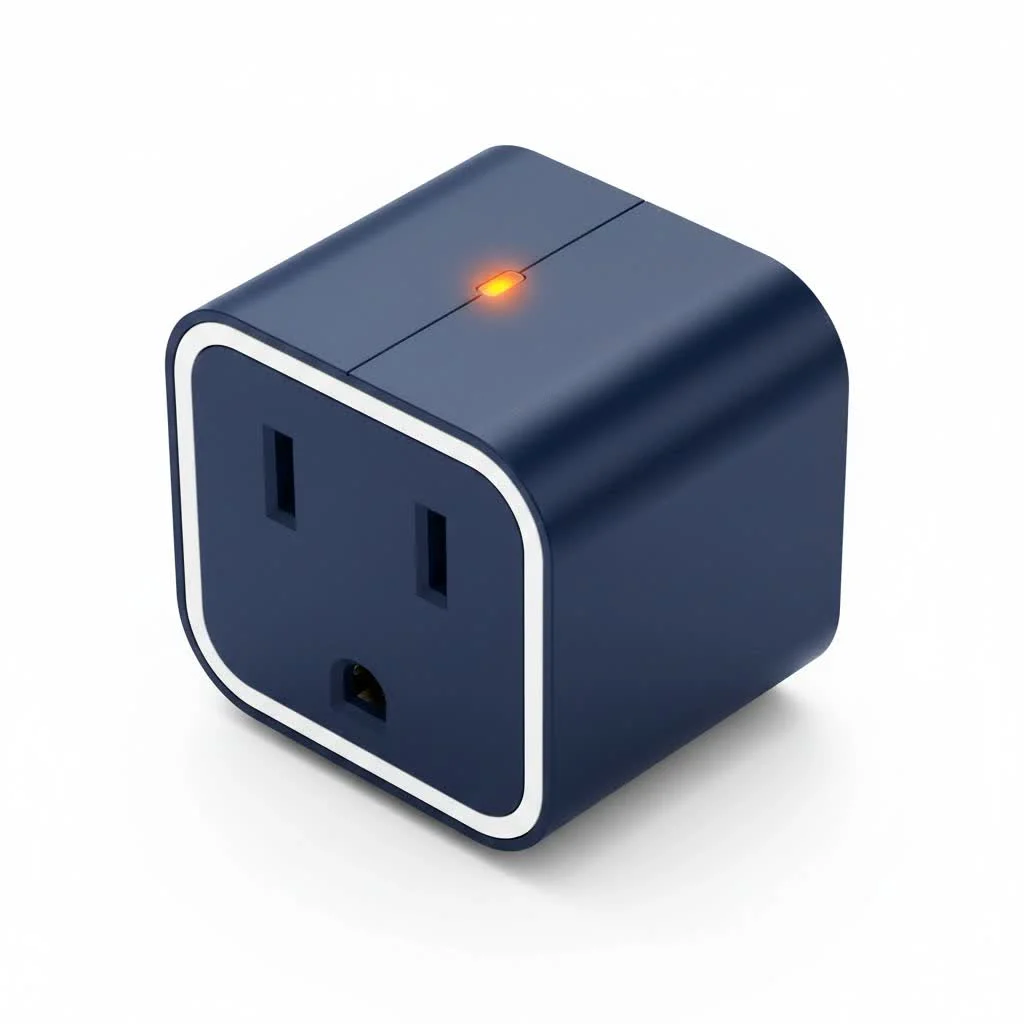
What Exactly Is a Smart Plug?
A smart plug is a device that you plug into a regular electrical outlet. You then plug your appliance, like a lamp, coffee maker, or fan, into the smart plug. It acts as a bridge, connecting your appliance to your Wi-Fi network. This connection allows you to control the appliance remotely using a smartphone app or voice commands through a smart assistant like Amazon Alexa, Google Assistant, or Apple’s Siri.
The core benefit is simple: it grants you remote control over any device that’s plugged into it. Forgot to turn off the iron? No problem. Want the coffee maker to start brewing before you get out of bed? Consider it done. The possibilities are vast, offering a blend of convenience, energy savings, and peace of mind.
How Do Smart Plugs Work?
The magic behind a smart plug lies in its connectivity. Most smart plugs operate on your home’s Wi-Fi network, directly communicating with your router. Here’s a simplified breakdown of the process:
- Connection: The smart plug connects to your 2.4GHz Wi-Fi network.
- Control: You send a command—like “turn on the lamp”—from your smartphone app or by speaking to a voice assistant.
- Execution: The command travels over the internet to the smart plug’s server, which then relays the instruction to the plug in your home. The plug’s internal relay then switches the power on or off to the connected appliance.
This entire process happens almost instantaneously, giving you seamless control from anywhere in the world, as long as you have an internet connection.
Different Types of Smart Plugs
While Wi-Fi plugs are the most common, they aren’t the only option. Understanding the different types helps you choose the best fit for your smart home ecosystem.
- Wi-Fi Smart Plugs: The most popular choice. They are easy to set up and don’t require any additional hardware or hub. You just need your Wi-Fi router and a smartphone.
- Bluetooth Smart Plugs: These plugs connect directly to your phone via Bluetooth. Their range is limited (typically around 30 feet), making them suitable for controlling devices within the same room, but not for remote control when you’re away from home.
- Zigbee/Z-Wave Plugs: These operate on a different wireless protocol and require a central smart home hub (like a Samsung SmartThings or Amazon Echo Plus). The main advantage is that they create a mesh network, which is more reliable and less taxing on your Wi-Fi network, especially if you have many smart devices.
Choosing the Right Smart Plug for Your Needs
With so many options on the market, selecting the right smart plug can feel overwhelming. Here are the key factors to consider to make an informed decision.
Key Features to Look For
|
Our Picks for the Best Smart Plug in 2026
As an Amazon Associate I earn from qualifying purchases.
|
||
| Num | Product | Action |
|---|---|---|
| 1 | Kasa Smart Plug Ultra Mini 15A, Smart Home Wi-Fi Outlet Works with Alexa, Google Home & IFTTT, No Hub Required, UL Certified, 2.4G WiFi Only, 2 Count (Pack of 1)(EP10P2) , White |

|
| 2 | Kasa Smart Plug HS103P2, Smart Home Wi-Fi Outlet Works with Alexa, Echo, Google Home & IFTTT, No Hub Required, Remote Control,15 Amp,UL Certified, (Pack of 2) White |
|
| 3 | EIGHTREE Smart Plug 2025 Upgrade to 15A, Bluetooth & Wi-Fi Outlet Plug Dual Connection, Voice Control, Remote Control Outlet Timer Indoor, Smart Plugs That Work with Alexa & Google, 2.4GHz Wi-Fi Only |
|
| 4 | EIGHTREE Smart Plug, Smart Home WiFi Outlet Works with Alexa & Google Home, Smart Socket with Remote Control & Timer Function, 2.4GHz WiFi Only, 4 Packs |
|
| 5 | Govee Smart Plug, WiFi Plugs Work with Alexa & Google Assistant, Smart Outlet with Timer & Group Controller, WiFi Outlet for Home, No Hub Required, ETL & FCC Certified, 2.4G WiFi Only, 4 Pack |
|
| 6 | Legrand Radiant® Wi-Fi Matter Smart Plug Matter Hub Required 15A, Easy Setup, Enhanced Compatibility with Apple HomeKit, Google Home, Alexa & SmartThings, Easy Wi-Fi Connectivity w/ Matter (1 Pack) |
|
| 7 | Kasa Smart Plug HS103P4, Smart Home Wi-Fi Outlet Works with Alexa, Echo, Google Home & IFTTT, No Hub Required, Remote Control, 15 Amp, UL Certified, 4-Pack, White |
|
| 8 | Linkind Matter Smart Plug, Work with Apple Home, Siri, Alexa, Google, SmartThings, Smart Home Smart Outlet Timer 15A/1800W, APP Remote Control & Schedule, ETL & FCC Certified, 2.4G Wi-Fi Only, 4 Pack |
|
| 9 | GHome Smart Plug, WiFi Smart Plugs Work with Alexa and Google Home, Smart Outlet Timer with APP Remote Control, 2.4GHz Wi-Fi Only, No Hub Required, ETL FCC Listed |
|
| 10 | Kasa Smart Plug Mini 15A, Apple HomeKit Supported, Smart Outlet Works with Siri, Alexa & Google Home, UL Certified, App Control, Scheduling, Timer, 2.4G WiFi Only, 4 Count (Pack of 1) (EP25P4), White |
|
- Voice Assistant Compatibility: Ensure the plug works with your preferred ecosystem, whether it’s Amazon Alexa, Google Assistant, or Apple HomeKit. Most products clearly list their compatibility on the packaging.
- Energy Monitoring: Some advanced smart plugs can track the energy consumption of the connected appliance. This is a fantastic feature for identifying energy-hungry devices and cutting down on your electricity bill.
- Scheduling and Timers: This is a standard feature but an essential one. It allows you to automate your devices, such as setting your lights to turn on at sunset or a fan to turn off after you’ve fallen asleep.
- Away Mode: This feature randomly turns connected lights on and off to simulate that someone is home, which is an excellent security deterrent when you’re on vacation.
- Form Factor: Pay attention to the size and shape of the plug. Some bulky models can block the adjacent outlet, which can be a major inconvenience. Look for compact designs that leave the other outlet free.
Step-by-Step Guide: How to Set Up Your Smart Plug
Getting your new smart plug up and running is usually a straightforward process that takes just a few minutes. While the exact steps may vary slightly by brand, the general process is universal.
- Download the App: Find the manufacturer’s companion app on the Apple App Store or Google Play Store and install it on your smartphone.
- Create an Account: Open the app and create a user account. This is necessary to manage your devices.
- Plug It In: Plug the smart plug into a wall outlet. A light on the plug will usually start blinking, indicating it’s in pairing mode.
- Connect to Wi-Fi: In the app, select “Add Device” or a similar option. The app will guide you through connecting the plug to your home’s Wi-Fi network. You’ll typically need to select your network and enter your Wi-Fi password.
- Name Your Device: Once connected, give your plug a descriptive name, like “Living Room Lamp” or “Bedroom Fan.” This makes it much easier to control with voice commands.
- Link to Voice Assistant (Optional): To enable voice control, open your Alexa or Google Home app, go to the “Skills” or “Works with Google” section, search for the smart plug’s brand, and link your account.
That’s it! You can now control the appliance from your phone or with your voice.
Unlocking Advanced Smart Plug Features
Beyond simple on/off control, a smart plug can do so much more. Here’s how you can leverage its advanced capabilities to truly automate your home.
Create Powerful Routines and Scenes
Most smart home apps allow you to group multiple smart devices into scenes or routines. For example, you could create a “Good Morning” routine that turns on your smart plug-connected coffee maker, gradually brightens your lights, and starts your favorite morning playlist—all with a single command.
As a smart home specialist for over a decade, I’ve seen routines transform daily life. My favorite is the ‘Movie Night’ scene. With one voice command, the main lights dim, the accent lamps turn on, and the TV powers up. It’s these small moments of seamless automation that really define the smart home experience.
— Alex Reed, Kjooz Smart Home Expert
Use Your Smart Plug for Safety and Security
A smart plug can be a valuable tool for home security.
- Connect a radio to a smart plug and schedule it to turn on and off throughout the day when you’re away.
- Use them to control holiday lights, setting timers so you never have to worry about turning them off before bed.
- For parents, a smart plug can automatically turn off the TV or gaming console when homework time begins.
Common Problems and How to Troubleshoot Them
Even the best technology can have hiccups. If your smart plug stops working, don’t panic. Here are a few common issues and their solutions:
- The Plug is Unresponsive: This is often a Wi-Fi issue. Check if your router is working correctly. Try unplugging the smart plug, waiting 10 seconds, and plugging it back in. This simple reboot often resolves connectivity problems.
- Difficulty During Setup: Most smart plugs require a 2.4GHz Wi-Fi band. Many modern routers broadcast both 2.4GHz and 5GHz bands under the same network name. You may need to temporarily disable the 5GHz band in your router’s settings during the setup process.
- Voice Commands Not Working: Ensure you’ve correctly named the device in both the manufacturer’s app and your voice assistant’s app. If you named it “Desk Lamp,” a command like “turn on the office light” won’t work. Also, try re-linking the skill in your Alexa or Google Home app.
Frequently Asked Questions (FAQ)
Do smart plugs use a lot of electricity?
No, a smart plug uses a very small amount of power in standby mode—typically less than 1 watt. The energy it can save you by turning off power-hungry devices far outweighs its own consumption.
Can a smart plug be used outdoors?
Only if it is specifically rated for outdoor use. Outdoor smart plugs are built with weather-resistant materials to withstand rain, dust, and temperature fluctuations. Never use an indoor plug outside.
Are smart plugs safe?
Yes, as long as you buy from a reputable brand that has safety certifications like UL or ETL. These certifications ensure the product has been tested for safety. Also, be mindful of the plug’s maximum power rating and don’t use it with high-draw appliances like space heaters unless it is specifically designed for that purpose.
Do I need a smart home hub for a smart plug?
For most Wi-Fi-based smart plugs, you do not need a hub. They connect directly to your router. You only need a hub if you choose a Zigbee or Z-Wave model.
Can a smart plug control the functions of an appliance?
A smart plug can only control the power supply to the appliance. It can turn a device on or off. It cannot change the settings, like adjusting the temperature on a fan or changing the channel on a TV. It works best with devices that have a physical on/off switch that can be left in the “on” position.
Take the First Step Towards a Smarter Home
The smart plug is more than just a gadget; it’s a simple, powerful, and affordable tool that serves as the perfect gateway to home automation. It offers a tangible way to make your daily routines more convenient, your home more secure, and your energy consumption more efficient. By starting with a single smart plug, you can explore the benefits of a connected home and build a smarter living space, one appliance at a time.
Smart home that does not lock you in
Free PDF — protocol compatibility matrix for 30 hubs and devices.

I’ve been using smart plugs for a few months now and they’ve totally changed how I manage my home. Being able to turn off my curling iron from work is a lifesaver, and setting schedules for my lamps means I never come home to a dark house. The setup was super easy, even for someone not super tech-savvy.
These smart plugs are great for automating things like my Christmas lights and even my old coffee maker. I love that I can use voice commands with my Google Assistant to turn things on and off without lifting a finger. My only minor gripe is that sometimes the app can be a little slow to respond, but it’s not a dealbreaker.
I was skeptical about smart home devices, but these smart plugs are such an affordable entry point. I started with just one for my living room lamp and now I have three! The energy efficiency is a nice bonus too, knowing they don’t draw much power in standby mode.
I got a few of these to try out, mainly for my fan and a bedside lamp. They work as advertised for remote control, which is handy. However, I noticed that one of them occasionally disconnects from my Wi-Fi, and I have to re-pair it. It’s not constant, but it’s a bit annoying when it happens.