Welcome to the world of smart homes, where convenience and control are right at your fingertips. If you’re looking to take your first step into home automation, the Amazon Smart Plug is one of the easiest and most affordable entry points. It’s a simple device with the power to transform your everyday appliances into smart gadgets. As the lead expert at Kjooz.com, I’ve tested countless smart plugs, and Amazon’s offering consistently stands out for its simplicity and seamless integration.
This guide will walk you through everything you need to know, from setup to advanced features, helping you unlock the full potential of this powerful little device.
What Exactly Is an Amazon Smart Plug?
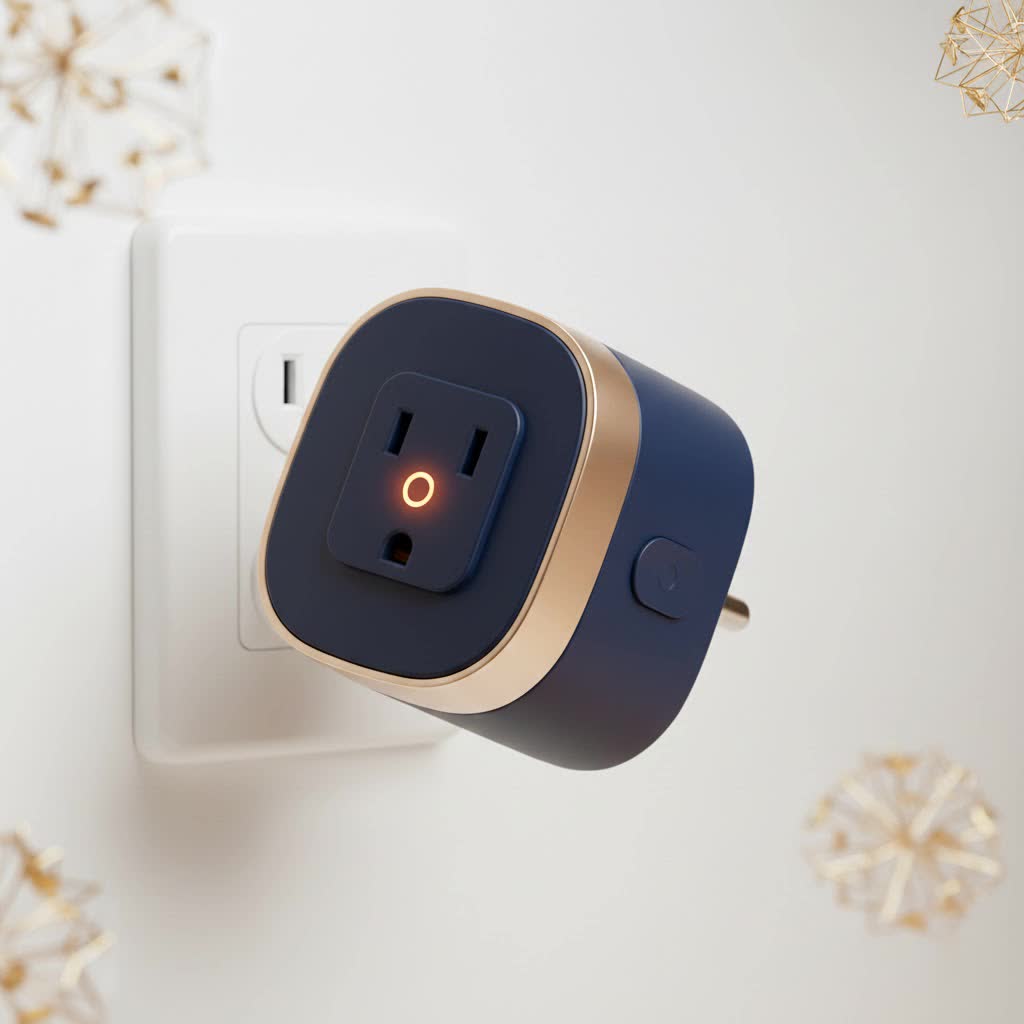
At its core, the Amazon Smart Plug is a compact adapter that you plug into any standard electrical outlet. You then plug a conventional electronic device—like a lamp, a fan, or a coffee maker—into the smart plug. Once connected to your home’s Wi-Fi network, it allows you to turn that device on or off remotely using your smartphone or, more importantly, your voice via an Alexa-enabled device.
Think of it as a smart middleman. It doesn’t make your old lamp “smart,” but it gives you smart control over its power supply. This simple concept is a game-changer for home convenience and energy management.
Key Features That Make It a Must-Have
The Amazon Smart Plug isn’t just about turning things on and off remotely. Its real power lies in its deep integration with the Alexa ecosystem, which unlocks a suite of useful features.
- Effortless Voice Control: The primary benefit is hands-free control. Simply say, “Alexa, turn on the living room lamp,” and it happens. This is perfect for when your hands are full or you’re already cozy in bed.
- Scheduling and Timers: Use the Alexa app to set schedules for your devices. You can have your coffee maker start brewing at 7 AM, turn on your lights to wake you up, or switch off all non-essential electronics at midnight to save power.
- Routines for Automation: This is where the magic happens. Routines allow you to trigger multiple actions with a single command. For example, a “Good Morning” routine could turn on your lights, start the coffee pot, and read you the morning news.
- Away Mode: When you’re on vacation, you can set your lights to turn on and off at random intervals, creating the illusion that someone is home. This adds a simple yet effective layer of security.
- Simple Wi-Fi Setup: It connects directly to your 2.4 GHz Wi-Fi network without the need for a separate, expensive smart home hub.
As smart home expert David Chen notes, “The beauty of the Amazon Smart Plug is its ‘plug-and-play’ nature. For anyone invested in the Alexa ecosystem, it’s the most frictionless way to automate a home. The setup is designed to be so simple, anyone can do it in minutes.”
How to Set Up Your Amazon Smart Plug
Amazon’s “Certified for Humans” initiative means setup is incredibly straightforward. You can often get it running in under five minutes.
- Plug It In: Find a standard wall outlet and plug in your Amazon Smart Plug. A blue LED light will start to flash, indicating it’s in setup mode.
- Open the Alexa App: On your smartphone or tablet, open the Alexa app. If you don’t have it, download it from your device’s app store.
- Add Device: Tap the “Devices” icon in the bottom right corner. Then, tap the plus sign (+) in the top right corner and select “Add Device.”
- Select Plug: Choose “Plug” from the list of device types and then select “Amazon” as the brand.
- Scan the Barcode: The app will prompt you to scan the 2D barcode on the back of the plug or the setup guide. This automatically and securely connects the plug to your Wi-Fi network.
- Name Your Plug: Once connected, give your plug a descriptive name like “Bedside Lamp” or “Kitchen Fan.” This is the name you will use for voice commands.
That’s it! Your device is now ready to be controlled through the app or by voice.
Unlocking Its Full Potential: Practical Uses
So, what can you actually do with an Amazon Smart Plug? The possibilities are vast, but here are some of the most popular and practical applications to get you started.
For Convenience
- Coffee Maker: Schedule it to start brewing a few minutes before you wake up.
- Slow Cooker: Turn it on from the office so dinner is ready when you get home.
- Bedside Lamp: Turn it off with your voice after you’re already tucked into bed.
- Electric Fan or Heater: Switch it on to warm up or cool down a room before you enter.
|
Our Picks for the Best Smart Plug in 2026
As an Amazon Associate I earn from qualifying purchases.
|
||
| Num | Product | Action |
|---|---|---|
| 1 | Linkind Matter Smart Plug, Work with Apple Home, Siri, Alexa, Google, SmartThings, Smart Home Smart Outlet Timer 15A/1800W, APP Remote Control & Schedule, ETL & FCC Certified, 2.4G Wi-Fi Only, 4 Pack |

|
| 2 | Kasa Smart Plug Mini 15A, Apple HomeKit Supported, Smart Outlet Works with Siri, Alexa & Google Home, UL Certified, App Control, Scheduling, Timer, 2.4G WiFi Only, 4 Count (Pack of 1) (EP25P4), White |
|
| 3 | GHome Smart Plug, WiFi Smart Plugs Work with Alexa and Google Home, Smart Outlet Timer with APP Remote Control, 2.4GHz Wi-Fi Only, No Hub Required, ETL FCC Listed |
|
| 4 | Kasa Smart Plug Ultra Mini 15A, Smart Home Wi-Fi Outlet Works with Alexa, Google Home & IFTTT, No Hub Required, UL Certified, 2.4G WiFi Only, 2 Count (Pack of 1)(EP10P2) , White |
|
| 5 | Kasa Smart Plug HS103P4, Smart Home Wi-Fi Outlet Works with Alexa, Echo, Google Home & IFTTT, No Hub Required, Remote Control, 15 Amp, UL Certified, 4-Pack, White |
|
| 6 | Kasa Smart Plug HS103P2, Smart Home Wi-Fi Outlet Works with Alexa, Echo, Google Home & IFTTT, No Hub Required, Remote Control,15 Amp,UL Certified, (Pack of 2) White |
|
| 7 | Govee Smart Plug, WiFi Plugs Work with Alexa & Google Assistant, Smart Outlet with Timer & Group Controller, WiFi Outlet for Home, No Hub Required, ETL & FCC Certified, 2.4G WiFi Only, 4 Pack |
|
| 8 | Legrand Radiant® Wi-Fi Matter Smart Plug Matter Hub Required 15A, Easy Setup, Enhanced Compatibility with Apple HomeKit, Google Home, Alexa & SmartThings, Easy Wi-Fi Connectivity w/ Matter (1 Pack) |
|
| 9 | EIGHTREE Smart Plug 2025 Upgrade to 15A, Bluetooth & Wi-Fi Outlet Plug Dual Connection, Voice Control, Remote Control Outlet Timer Indoor, Smart Plugs That Work with Alexa & Google, 2.4GHz Wi-Fi Only |
|
| 10 | EIGHTREE Smart Plug, Smart Home WiFi Outlet Works with Alexa & Google Home, Smart Socket with Remote Control & Timer Function, 2.4GHz WiFi Only, 4 Packs |
|
For Energy Savings
- Entertainment Centers: Cut “phantom power” by completely turning off your TV, game consoles, and sound systems when not in use.
- Phone Chargers: Prevent overcharging and wasted electricity by setting a timer for your phone charger.
- Holiday Lights: Automate your festive decorations to turn on at sunset and off at bedtime without you having to remember.
For Peace of Mind
- Hair Straighteners and Curling Irons: Ever leave the house and panic, wondering if you left your straightener on? Now you can check the app and turn it off from anywhere.
- Home Security: Use Away Mode to make your home look occupied while you’re traveling.
Frequently Asked Questions (FAQ)
Do I need an Amazon Echo device to use the smart plug?
No, you don’t need an Echo or any other Alexa speaker. You can control the Amazon Smart Plug entirely through the Alexa app on your smartphone. However, an Echo device is required to use voice commands.
Can the Amazon Smart Plug monitor energy usage?
The standard Amazon Smart Plug does not have a built-in energy monitoring feature. Some other brands of smart plugs do offer this, but Amazon’s model focuses on simplicity and control.
Will the smart plug work if my Wi-Fi is down?
No. The smart plug requires an active internet connection and connection to your Wi-Fi network to function. Any schedules you have set may not run, and you won’t be able to control it remotely until the connection is restored.
Can I use the Amazon Smart Plug outdoors?
The standard Amazon Smart Plug is designed for indoor use only. It is not weatherproof. If you need to control outdoor devices, you should purchase a smart plug specifically rated for outdoor use.
How many smart plugs can I have in my home?
There is no practical limit to the number of Amazon Smart Plugs you can add to your Alexa account. You can automate as many devices as you wish, as long as your Wi-Fi network can handle the number of connected devices.
The Final Verdict
The Amazon Smart Plug is an exceptional product for its intended audience: anyone looking for a simple, reliable, and deeply integrated way to start building a smart home. While it may lack some advanced features like energy monitoring found in other brands, it more than makes up for it with an incredibly easy setup process and flawless performance within the Alexa ecosystem.
It’s the perfect, low-cost investment to add a touch of modern convenience to your life. Start with one to control a lamp, and you’ll soon see the potential to create a truly automated and responsive home.
