The Gosund Mini Smart Plug (WP3) is the best Gosund smart plug for Google Home integration, offering a compact design, reliable Wi-Fi connectivity, and a straightforward setup process. This ensures seamless voice control and automation within your smart home ecosystem, making it ideal for general use and space-saving applications.
Quick comparison
| Model | Features | Google Home Compatibility | Best For |
|---|---|---|---|
| Gosund Mini Smart Plug (WP3) | Compact design, energy monitoring, scheduling | Excellent | General use, space-saving |
| Gosund Outdoor Smart Plug (WP6) | IP44 weatherproof, 2 outlets, individual control | Excellent | Outdoor lighting, patio devices |
| Gosund Smart Power Strip (P1) | 3 smart outlets, 2 USB ports, surge protection | Excellent | Multi-device setups, home office |
What Google Home needs from a Smart Plug
Google Home requires a smart plug that offers reliable Wi-Fi connectivity, simple pairing, and consistent responsiveness for voice commands and routine automation. A good smart plug for Google Home should support 2.4GHz Wi-Fi networks, as 5GHz is typically not supported by these devices. The setup process must be intuitive, often involving the Gosund app first, followed by linking to Google Home through the Google Home app. Once connected, the plug needs to execute commands quickly, whether turning devices on or off, or integrating into more complex routines. Energy monitoring is a valuable feature, allowing users to track power consumption of connected appliances directly through the Gosund app. Furthermore, the plug should maintain a stable connection to prevent dropped commands or devices becoming unresponsive. Compatibility with Google Assistant is paramount, ensuring that voice commands like “Hey Google, turn on the lamp” work without delay or error. Security is also a consideration; the plug should have robust encryption for data transmission.
Detailed reviews
Gosund Mini Smart Plug (WP3)
The Gosund Mini Smart Plug (WP3) stands out for its incredibly compact design, ensuring it doesn’t block adjacent outlets, a common issue with bulkier smart plugs. This makes it ideal for power strips or crowded wall sockets. Setup is remarkably simple: plug it in, open the Gosund app to connect to your 2.4GHz Wi-Fi network, and then link the Gosund service within the Google Home app. Once configured, the WP3 responds instantly to Google Assistant voice commands, allowing you to control lamps, fans, and small appliances with ease. It also includes energy monitoring capabilities, providing insights into power consumption directly from the Gosund app. Scheduling features allow for automated on/off times, perfect for creating routines like turning on a coffee maker in the morning or lights at dusk. Its reliability and small footprint make it a top choice for integrating individual devices into your Google Home ecosystem. For more smart home guides on this site.
Gosund Outdoor Smart Plug (WP6)
For outdoor smart home needs, the Gosund Outdoor Smart Plug (WP6) is an excellent choice. Boasting an IP44 weatherproof rating, it is designed to withstand splashes, rain, and dust, making it suitable for patios, gardens, and holiday lighting. This model features two independently controllable outlets, allowing you to manage two separate outdoor devices from a single plug. For instance, you can control string lights and a fountain separately using Google Home voice commands. The setup process mirrors other Gosund devices, requiring connection via the Gosund app and then linking to Google Home. Its robust construction ensures durability in various weather conditions, while its reliable Wi-Fi connection guarantees consistent performance for outdoor automation. The WP6 is perfect for extending your smart home capabilities beyond the interior, bringing convenience to your outdoor living spaces.
Gosund Smart Power Strip (P1)
The Gosund Smart Power Strip (P1) offers a comprehensive solution for managing multiple devices with Google Home. This power strip includes three smart AC outlets, each independently controllable, alongside two USB charging ports. This design is particularly useful for home offices, entertainment centers, or bedside tables where multiple devices need power and smart control. You can turn on your monitor, desk lamp, and computer tower separately using Google Assistant. The USB ports provide convenient charging for smartphones and tablets, though they are not individually smart-controlled. The P1 also features surge protection, safeguarding your connected electronics from power spikes. Its robust build and stable Wi-Fi connectivity ensure reliable operation within your Google Home setup. The ability to manage several devices from one central point, combined with surge protection, makes the Gosund Smart Power Strip a highly practical addition to any smart home.
Routine fit
Gosund smart plugs integrate seamlessly into Google Home routines, enhancing daily convenience and energy efficiency. For example, you can create a “Good Morning” routine that turns on your bedroom lamp and coffee maker connected to Gosund plugs when your alarm goes off. A “Good Night” routine can switch off all connected lights and appliances with a single voice command. During the day, schedule lights to turn on and off to simulate occupancy while you’re away, improving home security. For entertainment, a “Movie Night” routine could dim the lights connected to a Gosund plug and turn on your smart TV. The energy monitoring feature on some Gosund models also allows you to track and optimize power usage, helping to reduce electricity bills by identifying energy-hungry devices and scheduling them to operate only when necessary. This level of automation simplifies daily tasks and provides greater control over your home environment.
FAQs
How do I connect my Gosund smart plug to Google Home?
To connect your Gosund smart plug to Google Home, first, plug in your Gosund device and set it up using the Gosund app, ensuring it’s connected to your 2.4GHz Wi-Fi network. Once configured in the Gosund app, open the Google Home app. Tap the ‘+’ icon, then ‘Set up device’, and choose ‘Works with Google’. Search for ‘Gosund’ in the list of services, select it, and then log in with your Gosund account credentials. Your Gosund devices will then appear in the Google Home app, ready for voice control and routine integration. This process typically takes only a few minutes.
Can Gosund smart plugs monitor energy usage?
Yes, several Gosund smart plug models, including the popular Gosund Mini Smart Plug (WP3), feature energy monitoring capabilities. This function allows you to track the real-time and historical power consumption of devices plugged into them. You can view detailed statistics, such as current wattage, voltage, and accumulated energy usage, directly within the Gosund app. This data is valuable for identifying energy-hungry appliances, optimizing their usage schedules, and ultimately helping to reduce your electricity bills. Not all Gosund models include this feature, so check product specifications.
Are Gosund smart plugs compatible with 5GHz Wi-Fi?
No, Gosund smart plugs, like most smart home devices, are designed to operate exclusively on the 2.4GHz band of your Wi-Fi network. They are not compatible with 5GHz Wi-Fi networks. During the setup process, ensure your smartphone is connected to your home’s 2.4GHz Wi-Fi network to facilitate successful pairing. If you have a dual-band router, you might need to temporarily disable the 5GHz band or ensure your router broadcasts separate SSIDs for each band to simplify the connection process for your Gosund smart plug.
Can I control Gosund smart plugs remotely?
Yes, you can control Gosund smart plugs remotely from anywhere with an internet connection using the Gosund app on your smartphone or tablet. As long as your smart plug is connected to your home’s Wi-Fi network and has an active internet connection, you can turn devices on or off, set schedules, and monitor energy usage even when you are away from home. This remote access provides convenience and peace of mind, allowing you to manage your home’s devices whether you’re at work, on vacation, or simply in another room.
Do Gosund smart plugs require a hub?
No, Gosund smart plugs do not require a separate hub to function. They connect directly to your home’s 2.4GHz Wi-Fi network. This direct connection simplifies setup and reduces the overall cost and complexity of your smart home system. While they don’t need a dedicated hub, they seamlessly integrate with smart home ecosystems like Google Home and Amazon Alexa, using these platforms as a central point for voice control and automation, but not as a mandatory hardware bridge.
Verdict
For seamless integration with Google Home, the Gosund Mini Smart Plug (WP3) remains the top recommendation. Its compact size, energy monitoring, and reliable performance make it an ideal choice for most users. For outdoor applications, the Gosund Outdoor Smart Plug (WP6) offers weather resistance and dual control, while the Gosund Smart Power Strip (P1) provides a versatile solution for multiple devices with added surge protection. All Gosund plugs offer straightforward setup and consistent responsiveness with Google Assistant, ensuring a smooth and efficient smart home try. Consider your specific needs for features like energy monitoring, outdoor use, or multi-device control to select the best Gosund smart plug for your Google Home setup.
Frequently Asked Questions
How do I connect my Gosund smart plug to Google Home?
To connect your Gosund smart plug to Google Home, first set it up in the Gosund app on your 2.4GHz Wi-Fi network. Then, open the Google Home app, tap '+', select 'Set up device', choose 'Works with Google', and link your Gosund account. This process typically takes only a few minutes.
Can Gosund smart plugs monitor energy usage?
Yes, several Gosund smart plug models, including the Gosund Mini Smart Plug (WP3), feature energy monitoring. This allows you to track real-time and historical power consumption within the Gosund app. This data helps identify energy-hungry appliances and optimize usage schedules.
Are Gosund smart plugs compatible with 5GHz Wi-Fi networks?
No, Gosund smart plugs operate exclusively on the 2.4GHz band of your Wi-Fi network and are not compatible with 5GHz Wi-Fi. During setup, ensure your smartphone is connected to the 2.4GHz network for successful pairing.
Can I control my Gosund smart plugs when I am away from home?
Yes, you can control Gosund smart plugs remotely from anywhere with an internet connection using the Gosund app. As long as the plug has an active internet connection, you can turn devices on/off, set schedules, and monitor energy usage while away.
Do Gosund smart plugs require a separate smart home hub?
No, Gosund smart plugs do not require a separate hub to function. They connect directly to your home's 2.4GHz Wi-Fi network, simplifying setup. They integrate seamlessly with Google Home and Amazon Alexa for voice control without needing a dedicated hardware bridge.
Smart home that does not lock you in
Free PDF — protocol compatibility matrix for 30 hubs and devices.
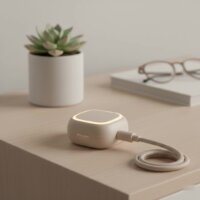
I picked up the Gosund Mini Smart Plug (WP3) after reading about its compact design, and it’s been perfect for my living room. It doesn’t block the second outlet, which is a huge plus. Setup with Google Home was a breeze, and I love being able to turn my lamps on and off with just my voice. Definitely recommend it for anyone looking to save space.
The energy monitoring feature on the Gosund Mini Smart Plug (WP3) is a game-changer. I’ve been using it to track how much power my old coffee maker uses, and it’s really insightful. Plus, the scheduling options are great for automating my morning routine. Seamless integration with Google Home, as expected.
The Gosund Smart Power Strip (P1) is pretty good for my home office setup, especially with the surge protection. The three smart outlets and two USB ports are handy. My only minor complaint is that sometimes the USB ports don’t seem to charge as fast as I’d like, but the smart outlets work perfectly with Google Home.
I got the Gosund Outdoor Smart Plug (WP6) for my patio lights, and it’s been fantastic. The IP44 weatherproof rating was a big selling point for me, and it’s held up great through some rain. Being able to control each of the two outlets individually is super convenient. It integrated with my Google Home without any issues.