The GE Plug In Smart Switch, also known as the Cync Smart Plug, is a device that enables remote control of any plugged-in appliance via a smartphone app or voice commands, connecting directly to your home’s 2.4 GHz Wi-Fi network without requiring a separate hub. This smart switch allows users to turn devices on or off from anywhere, set schedules, and integrate them into a broader smart home ecosystem, making ordinary appliances “smart” with a simple, five-minute setup.
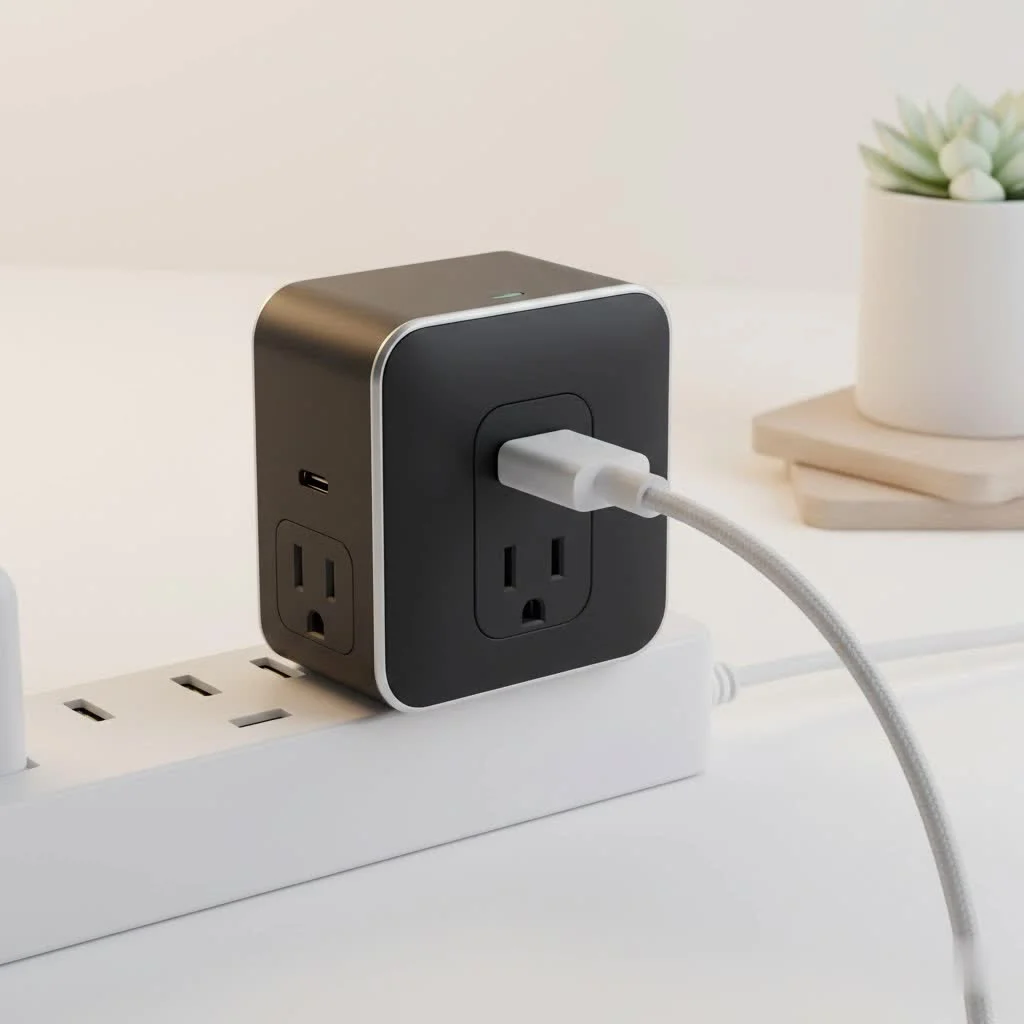
At Kjooz, we believe in empowering you with knowledge. This guide is your one-stop resource for everything you need to know about the GE Plug In Smart Switch. We’ll dive deep into its features, walk you through a foolproof setup, and provide practical tips to help you get the most out of your purchase. Let’s improve your home, one plug at a time.
What Exactly Is a GE Plug In Smart Switch?
At its core, a GE Plug In Smart Switch is a device that fits between your wall outlet and an appliance’s power cord. Once connected to your home’s Wi-Fi network, it allows you to remotely control whatever is plugged into it using a smartphone app or voice commands.
Think of it as a smart middleman for your non-smart devices. That floor lamp in the corner? Your coffee maker? The festive lights on your patio? With this smart plug, you can turn them on or off from anywhere, set schedules, and integrate them into your broader smart home ecosystem.
“The beauty of a device like the GE Plug In Smart Switch is its simplicity,” says David Chen, Lead Smart Home Technician at Kjooz. “It requires no complex wiring or professional installation. It’s a five-minute setup that unlocks a world of automation for everyday electronics.”
Key Features That Make This Smart Plug a Winner
Not all smart plugs are created equal. The GE model stands out with a blend of user-friendly features and reliable performance that makes it a favorite for both beginners and seasoned smart home enthusiasts.
Seamless Voice Control Integration
One of the biggest draws of a smart home is hands-free control. The GE Plug In Smart Switch works flawlessly with the major voice assistants:
- Amazon Alexa: Simply say, “Alexa, turn on the living room lamp.”
- Google Assistant: A quick, “Hey Google, start the coffee maker” is all it takes.
This integration allows you to control your devices without ever reaching for your phone, which is especially useful when your hands are full or you’re settled comfortably on the couch.
Powerful Scheduling and Timers
|
Our Picks for the Best Smart Plug in 2026
As an Amazon Associate I earn from qualifying purchases.
|
||
| Num | Product | Action |
|---|---|---|
| 1 | Kasa Smart Plug HS103P4, Smart Home Wi-Fi Outlet Works with Alexa, Echo, Google Home & IFTTT, No Hub Required, Remote Control, 15 Amp, UL Certified, 4-Pack, White |

|
| 2 | GHome Smart Plug, WiFi Smart Plugs Work with Alexa and Google Home, Smart Outlet Timer with APP Remote Control, 2.4GHz Wi-Fi Only, No Hub Required, ETL FCC Listed |
|
| 3 | Kasa Smart Plug HS103P2, Smart Home Wi-Fi Outlet Works with Alexa, Echo, Google Home & IFTTT, No Hub Required, Remote Control,15 Amp,UL Certified, (Pack of 2) White |
|
| 4 | Govee Smart Plug, WiFi Plugs Work with Alexa & Google Assistant, Smart Outlet with Timer & Group Controller, WiFi Outlet for Home, No Hub Required, ETL & FCC Certified, 2.4G WiFi Only, 4 Pack |
|
| 5 | Legrand Radiant® Wi-Fi Matter Smart Plug Matter Hub Required 15A, Easy Setup, Enhanced Compatibility with Apple HomeKit, Google Home, Alexa & SmartThings, Easy Wi-Fi Connectivity w/ Matter (1 Pack) |
|
| 6 | Kasa Smart Plug Mini 15A, Apple HomeKit Supported, Smart Outlet Works with Siri, Alexa & Google Home, UL Certified, App Control, Scheduling, Timer, 2.4G WiFi Only, 4 Count (Pack of 1) (EP25P4), White |
|
| 7 | EIGHTREE Smart Plug, Smart Home WiFi Outlet Works with Alexa & Google Home, Smart Socket with Remote Control & Timer Function, 2.4GHz WiFi Only, 4 Packs |
|
| 8 | Kasa Smart Plug Ultra Mini 15A, Smart Home Wi-Fi Outlet Works with Alexa, Google Home & IFTTT, No Hub Required, UL Certified, 2.4G WiFi Only, 2 Count (Pack of 1)(EP10P2) , White |
|
| 9 | EIGHTREE Smart Plug 2025 Upgrade to 15A, Bluetooth & Wi-Fi Outlet Plug Dual Connection, Voice Control, Remote Control Outlet Timer Indoor, Smart Plugs That Work with Alexa & Google, 2.4GHz Wi-Fi Only |
|
| 10 | Linkind Matter Smart Plug, Work with Apple Home, Siri, Alexa, Google, SmartThings, Smart Home Smart Outlet Timer 15A/1800W, APP Remote Control & Schedule, ETL & FCC Certified, 2.4G Wi-Fi Only, 4 Pack |
|
The real power of automation comes from scheduling. The Cync app, which controls the plug, offers robust scheduling options that let you “set it and forget it.”
- Morning Routine: Schedule your coffee pot to turn on at 6:30 AM so you wake up to a fresh brew.
- Security: Set lamps to turn on and off randomly when you’re on vacation to simulate an occupied home.
- Energy Savings: Ensure power-hungry devices are turned off overnight by setting an automatic “off” time.
No Hub Required: Simple and Direct
Many older smart home devices required a central “hub” to communicate with your Wi-Fi network. This added an extra layer of cost and complexity. The GE Plug In Smart Switch connects directly to your 2.4 GHz Wi-Fi network, simplifying the setup process and reducing clutter. Just plug it in, connect via the app, and you’re ready to go.
How to Set Up Your GE Plug In Smart Switch
Getting your new smart plug up and running is incredibly straightforward. Here’s a step-by-step guide to get you connected in minutes.
- Download the Cync App: Head to the Google Play Store or Apple App Store and download the free “Cync” app (previously C by GE). Create an account if you don’t already have one.
- Plug It In: Insert the GE Plug In Smart Switch into your desired wall outlet. The small LED indicator light should begin flashing blue, indicating it’s in setup mode.
- Add the Device in the App: Open the Cync app and tap the “+” icon to add a new device. Select “Plugs” from the list of device types.
- Connect to Wi-Fi: The app will automatically detect the plug. Follow the on-screen prompts to connect it to your home’s 2.4 GHz Wi-Fi network. You will need to enter your Wi-Fi password during this step.
- Name Your Plug: Give your plug a descriptive name, such as “Bedroom Fan” or “Kitchen Lamp.” This is the name you will use for voice commands, so make it simple and easy to .
- Test It Out: Once setup is complete, test the plug by turning it on and off from the app. You’re now ready to start automating!
Troubleshooting Common Issues
Even the best technology can have hiccups. If your GE smart plug isn’t behaving as expected, here are a few common problems and their solutions.
Why Won’t My GE Smart Plug Connect to Wi-Fi?
This is the most frequent issue users encounter. The fix is usually simple.
- Check Your Wi-Fi Band: The plug only works on a 2.4 GHz network. Most modern routers broadcast both 2.4 GHz and 5 GHz signals. Ensure your phone is connected to the 2.4 GHz network during setup.
- Router Distance: Make sure the plug is within a reasonable distance of your Wi-Fi router. A weak signal can prevent a stable connection.
- Password Check: Double-check that you’ve entered your Wi-Fi password correctly. It’s a simple mistake that happens to everyone.
- Factory Reset: If all else fails, perform a factory reset. Unplug the switch, hold down the side button while plugging it back in, and release the button once the LED starts flashing blue. Then, try the setup process again.
The Plug is Unresponsive in the App
If the plug shows as “unavailable” or doesn’t respond to commands, try these steps:
- Power cycle the plug by unplugging it for 10 seconds and plugging it back in.
- Check your home’s internet connection to ensure your Wi-Fi is working.
- Make sure the Cync app is updated to the latest version.
Is the GE Plug In Smart Switch Right For You?
This device is an excellent choice for a wide range of people. It’s particularly well-suited for:
- Smart Home Beginners: Its easy setup and hub-free design make it the perfect entry point into home automation.
- Renters: Since there’s no installation or wiring involved, it’s a great non-permanent solution for apartments and rental homes.
- Budget-Conscious Users: It offers powerful features at an affordable price point, allowing you to automate multiple devices without a significant investment.
- Anyone with Inconveniently Placed Outlets: It’s perfect for controlling lamps and appliances with switches that are hard to reach.
Frequently Asked Questions (FAQ)
Can I use the GE Plug In Smart Switch outdoors?
Most standard models are designed for indoor use only. However, GE and Cync offer specific “Outdoor Smart Plug” versions that are weather-resistant and built for exterior use. Always check the product specifications.
Does this smart plug monitor energy usage?
The standard GE Plug In Smart Switch does not typically have an energy monitoring feature. This function is usually found in more premium or specialized smart plugs.
Can I dim lights with this plug?
No, a smart plug can only turn a device on or off. It cannot control the intensity or brightness of a lamp. For that, you would need a smart bulb or an in-wall smart dimmer switch.
What happens if the Wi-Fi goes down?
If your internet connection is lost, you won’t be able to control the plug remotely via the app or voice commands. However, you can still manually turn it on and off using the physical button on the side of the device.
Is it safe to use with any appliance?
The plug is rated for a maximum load, typically 15 amps for general use. It’s perfect for lamps, fans, coffee makers, and other small appliances. Avoid using it with heavy-duty appliances like refrigerators or space heaters unless the plug is specifically rated for them.
The Final Verdict
The GE Plug In Smart Switch is more than just a gadget; it’s a simple, reliable, and affordable tool that adds a new layer of convenience and control to your daily life. Its straightforward setup, seamless integration with voice assistants, and powerful scheduling capabilities make it a standout product in the crowded smart home market. Whether you’re taking your first step into automation or adding to an existing ecosystem, this smart plug delivers exceptional value. It truly embodies the principle that the best technology is the kind that simplifies your life and works exactly as you expect it to.
Smart home that does not lock you in
Free PDF — protocol compatibility matrix for 30 hubs and devices.

I’ve been using the Cync Smart Plug for a few weeks now, and it’s fantastic! The setup was genuinely five minutes, just like it said. I love being able to turn off my curling iron from work, which has saved me so much worry. It connects directly to my 2.4 GHz Wi-Fi without any issues, which was a big plus for me.
This GE Plug In Smart Switch is pretty solid. I mainly got it to set schedules for my outdoor lights, and it works perfectly for that. The app is intuitive, and I appreciate not needing a separate hub. My only minor gripe is that sometimes there’s a slight delay when using voice commands, but it’s not a dealbreaker.
This smart switch is a game-changer for making ordinary appliances smart. I’ve integrated it into my broader smart home ecosystem, and it works seamlessly with my other devices. Being able to control things from anywhere via the smartphone app is incredibly convenient. Definitely recommend the Cync Smart Plug.
I had a bit of a struggle getting the GE Plug In Smart Switch to connect to my Wi-Fi initially, even though it’s 2.4 GHz. It took a few tries, which was a little frustrating. Once it was set up, though, it’s been fine for controlling my coffee maker remotely. I just wish the initial pairing was smoother.