The Kasa Smart WiFi Plug is a simple adapter that connects any appliance to your home’s WiFi network, allowing remote control via the Kasa Smart app, Amazon Alexa, or Google Assistant. This device transforms ordinary appliances into smart ones without requiring a separate hub, making it an accessible and affordable entry point into home automation for over 10 million users worldwide.
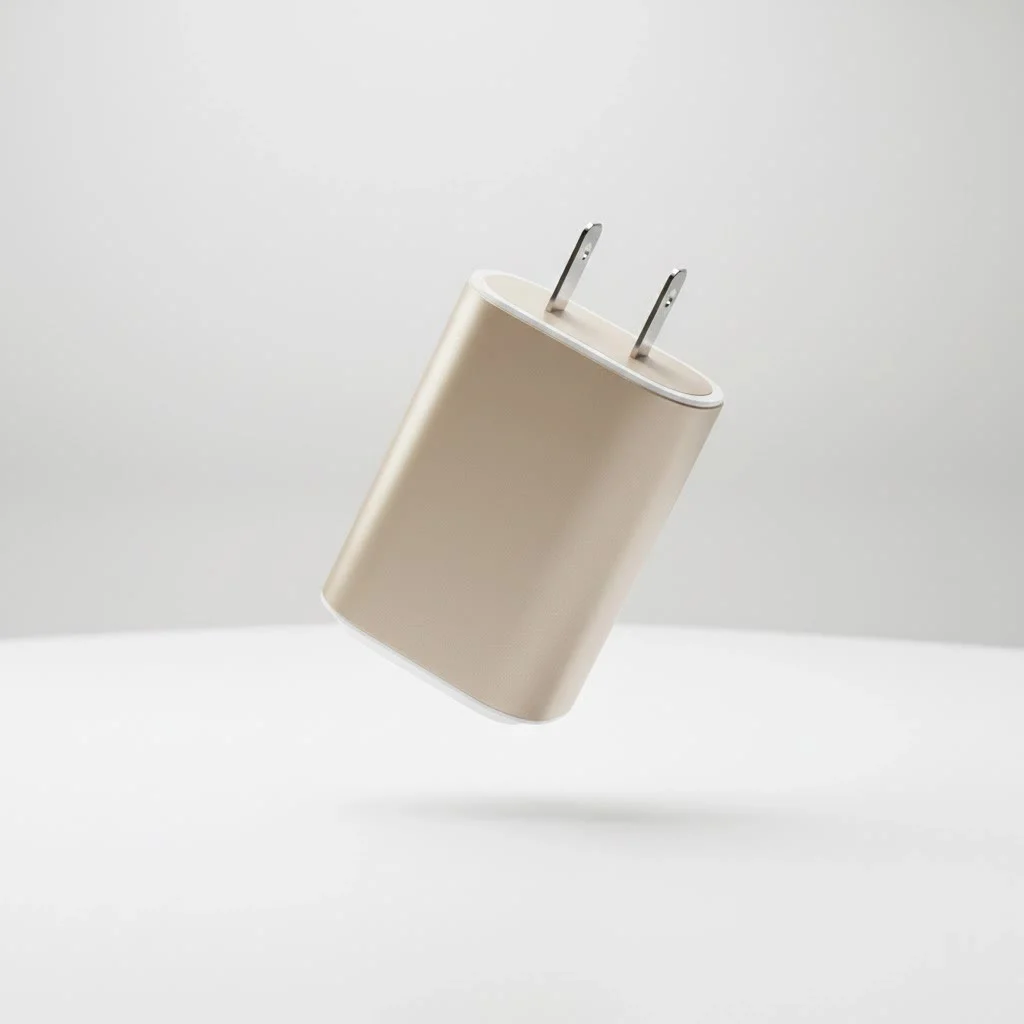
What Exactly is a Kasa Smart WiFi Plug?
At its core, the Kasa Smart WiFi Plug is a simple adapter that fits between your wall outlet and any appliance you plug into it—be it a lamp, a fan, a holiday decoration, or a kitchen gadget. What makes it “smart” is its ability to connect to your home’s WiFi network. This connection allows you to control the power flow to the appliance remotely using the Kasa Smart app on your smartphone or with voice commands through popular smart assistants like Amazon Alexa and Google Assistant. Unlike some other smart home systems, Kasa plugs don’t require a separate, expensive hub, making them an accessible and affordable entry point into home automation. For expert smart home reviews on this site.
Why Kasa is a Top Choice for Smart Plugs
With so many smart plugs on the market, it’s fair to ask what makes Kasa stand out. The answer lies in its combination of user-friendliness, robust features, and reliability from a trusted networking brand, TP-Link.
- No Hub Required: One of the biggest advantages is its direct connection to WiFi. This eliminates the need for an additional piece of hardware (a hub), simplifying setup and reducing cost.
- Simple Setup: Getting a Kasa plug up and running typically takes less than five minutes. The process is guided entirely by the intuitive Kasa Smart app.
- Remote Control from Anywhere: As long as you have an internet connection, you can control your connected devices from across the room or across the world.
- Voice Integration: Seamlessly control your appliances with simple voice commands like, “Alexa, turn on the living room fan,” or “Hey Google, turn off the coffee maker.”
- Advanced Scheduling: Create detailed schedules to automate your home. Have lights turn on at sunset and off at sunrise, or start your slow cooker an hour before you get home from work.
- Away Mode: This clever feature randomly turns your connected lights on and off during a set period, creating the illusion that someone is home—a great deterrent for potential intruders.
How to Set Up Your Kasa Smart WiFi Plug: A Step-by-Step Guide
Getting started with your Kasa plug is incredibly straightforward. Follow these simple steps to add a touch of smart to any outlet in your home.
Step 1: Download the Kasa Smart App
|
Our Picks for the Best Smart Plug in 2026
As an Amazon Associate I earn from qualifying purchases.
|
||
| Num | Product | Action |
|---|---|---|
| 1 | Kasa Smart Plug HS103P4, Smart Home Wi-Fi Outlet Works with Alexa, Echo, Google Home & IFTTT, No Hub Required, Remote Control, 15 Amp, UL Certified, 4-Pack, White |

|
| 2 | GHome Smart Plug, WiFi Smart Plugs Work with Alexa and Google Home, Smart Outlet Timer with APP Remote Control, 2.4GHz Wi-Fi Only, No Hub Required, ETL FCC Listed |
|
| 3 | Kasa Smart Plug HS103P2, Smart Home Wi-Fi Outlet Works with Alexa, Echo, Google Home & IFTTT, No Hub Required, Remote Control,15 Amp,UL Certified, (Pack of 2) White |
|
| 4 | EIGHTREE Smart Plug, Smart Home WiFi Outlet Works with Alexa & Google Home, Smart Socket with Remote Control & Timer Function, 2.4GHz WiFi Only, 4 Packs |
|
| 5 | EIGHTREE Smart Plug 2025 Upgrade to 15A, Bluetooth & Wi-Fi Outlet Plug Dual Connection, Voice Control, Remote Control Outlet Timer Indoor, Smart Plugs That Work with Alexa & Google, 2.4GHz Wi-Fi Only |
|
| 6 | Linkind Matter Smart Plug, Work with Apple Home, Siri, Alexa, Google, SmartThings, Smart Home Smart Outlet Timer 15A/1800W, APP Remote Control & Schedule, ETL & FCC Certified, 2.4G Wi-Fi Only, 4 Pack |
|
| 7 | Legrand Radiant® Wi-Fi Matter Smart Plug Matter Hub Required 15A, Easy Setup, Enhanced Compatibility with Apple HomeKit, Google Home, Alexa & SmartThings, Easy Wi-Fi Connectivity w/ Matter (1 Pack) |
|
| 8 | Govee Smart Plug, WiFi Plugs Work with Alexa & Google Assistant, Smart Outlet with Timer & Group Controller, WiFi Outlet for Home, No Hub Required, ETL & FCC Certified, 2.4G WiFi Only, 4 Pack |
|
| 9 | Kasa Smart Plug Mini 15A, Apple HomeKit Supported, Smart Outlet Works with Siri, Alexa & Google Home, UL Certified, App Control, Scheduling, Timer, 2.4G WiFi Only, 4 Count (Pack of 1) (EP25P4), White |
|
| 10 | Kasa Smart Plug Ultra Mini 15A, Smart Home Wi-Fi Outlet Works with Alexa, Google Home & IFTTT, No Hub Required, UL Certified, 2.4G WiFi Only, 2 Count (Pack of 1)(EP10P2) , White |
|
First, head to the Apple App Store or Google Play Store on your smartphone and download the free “Kasa Smart” app. You’ll need to create a free account to log in and manage your devices.
Step 2: Plug It In
Take your Kasa Smart WiFi Plug and plug it into a standard wall outlet. The small indicator light on the plug should start blinking, usually alternating between amber and blue or green, signaling it’s ready for setup.
Step 3: Connect to the App
Open the Kasa Smart app and tap the “+” icon, usually found in the top right corner. Select “Device,” then “Smart Plugs.” The app will guide you through the next few steps, which involve connecting your phone directly to the plug’s temporary WiFi network.
Step 4: Connect to Your Home WiFi
Once connected to the plug, the app will prompt you to select your home WiFi network from a list and enter its password. This securely links the plug to your home internet, allowing you to control it remotely.
Step 5: Name and Customize
The final step is to give your plug a descriptive name, like “Bedside Lamp” or “Office Fan.” You can also choose an icon to make it easily identifiable in the app. Once saved, your Kasa Smart WiFi Plug is ready to use!
As my colleague John Albright, a leading home automation consultant, often says, “The best smart technology is the kind you don’t have to think about. Kasa plugs achieve this through sheer simplicity; they just work, letting you focus on the convenience, not the configuration.”
Unlocking the Full Potential of Your Kasa Plug
Beyond simple on-and-off control, the Kasa app offers powerful features that can truly automate your environment.
Create Schedules and Timers
The scheduling feature is a fan favorite. You can set a lamp in your child’s room to turn on gently in the morning or ensure your holiday lights automatically turn off at midnight. Timers are also useful for tasks like charging devices, allowing you to set a plug to turn off after a specific duration to prevent overcharging.
Monitor Energy Usage
Certain models of the Kasa Smart WiFi Plug include energy monitoring capabilities. Within the app, you can view the real-time power consumption of the connected device and see historical data broken down by day, week, or month. This is an excellent tool for identifying energy-hungry appliances and making more informed decisions to reduce your electricity bill.
Group Devices for Unified Control
If you have multiple Kasa plugs, you can group them within the app. For example, you could create a “Living Room Lights” group that includes several lamps. With one tap or a single voice command, you can turn all of them on or off simultaneously, which is perfect for setting the mood for a movie night.
Frequently Asked Questions (FAQ)
Here are answers to some of the most common questions users have about the Kasa Smart WiFi Plug.
What if my Kasa plug won’t connect to WiFi?
This is the most common setup issue. First, ensure your phone is connected to a 2.4GHz WiFi network, as most smart plugs are not compatible with 5GHz networks. Also, double-check that you entered your WiFi password correctly. If problems persist, try performing a factory reset on the plug (usually by holding down the side button for 10 seconds) and start the setup process again.
Can I use a Kasa plug outdoors?
Most standard Kasa plugs, like the popular Mini, are designed for indoor use only. However, TP-Link offers specific outdoor models (like the KP400) that are weather-resistant and built to withstand the elements. Always use the correct model for its intended environment.
Does the Kasa smart plug work with Apple HomeKit?
While Kasa plugs work excellently with Amazon Alexa and Google Assistant, native support for Apple HomeKit has been limited. Some newer models are being released with HomeKit compatibility, but always check the product packaging or specifications to be sure before purchasing if this is a requirement for you.
Your First Step into a Smarter Home
The Kasa Smart WiFi Plug is more than just a gadget; it’s a simple, powerful, and affordable tool that offers real-world convenience, security, and even potential energy savings. Its ease of use makes it the perfect starting point for anyone curious about home automation, while its robust feature set satisfies the needs of seasoned smart home enthusiasts. By turning any ordinary appliance into a smart device, the Kasa plug empowers you to create a home that is more responsive, efficient, and perfectly in tune with your lifestyle. Take the plunge and discover how a small plug can make a big difference.
Frequently Asked Questions
What is a Kasa Smart WiFi Plug and how does it work?
A Kasa Smart WiFi Plug is an adapter that connects any appliance to your home's WiFi network. It allows you to control the appliance's power remotely using the Kasa Smart app on your smartphone or through voice commands with smart assistants like Amazon Alexa and Google Assistant.
Why should I choose Kasa smart plugs over other brands?
Kasa smart plugs are a top choice due to their user-friendliness, robust features, and reliability from TP-Link. They do not require a separate hub, offer simple setup in under five minutes, and provide remote control, voice integration, and advanced scheduling capabilities.
What should I do if my Kasa plug fails to connect to WiFi?
If your Kasa plug won't connect to WiFi, ensure your phone is on a 2.4GHz network, as most smart plugs are incompatible with 5GHz. Double-check your WiFi password. If issues persist, perform a factory reset by holding the side button for 10 seconds and restart the setup process.
Can Kasa smart plugs be used for outdoor appliances?
Most standard Kasa plugs, such as the popular Mini, are designed for indoor use only. However, TP-Link manufactures specific outdoor models, like the KP400, which are weather-resistant and built to withstand outdoor elements. Always verify the model's intended environment before use.
Do Kasa smart plugs support Apple HomeKit integration?
While Kasa plugs integrate seamlessly with Amazon Alexa and Google Assistant, native support for Apple HomeKit has been limited. Some newer Kasa models are being released with HomeKit compatibility, so it's essential to check the product packaging or specifications if HomeKit is a requirement for you.
Smart home that does not lock you in
Free PDF — protocol compatibility matrix for 30 hubs and devices.

I was skeptical about adding more ‘smart’ devices, but the Kasa Smart WiFi Plug really delivers. The fact that it doesn’t require a separate hub was a huge selling point for me. I’ve got a few now, controlling everything from holiday decorations to my old space heater, and they’ve all been reliable and responsive with Alexa.
The Kasa plugs are generally good, but I’ve had a couple of instances where one of my plugs disconnected from the WiFi for no clear reason. It’s usually fine after I unplug it and plug it back in, but it can be a bit annoying when I’m trying to turn on my fan remotely. Still, for the price, it’s hard to complain too much.
These plugs are a great way to dip your toes into home automation without breaking the bank. I’ve got one controlling my coffee maker, so it’s ready to brew when I wake up. The integration with Google Assistant works flawlessly, which is a huge plus for me. Definitely recommend for anyone looking for an affordable smart home solution.
I’ve been using Kasa smart plugs for a few months now, and they’re fantastic. Setting them up with the Kasa Smart app was super easy, and I love being able to turn off my bedroom lamp from downstairs. It’s made my morning routine so much smoother, especially when I’m rushing out the door and forget to switch things off.