The Eve Smart Plug (also known as Eve Energy) is a top-tier smart plug for Apple HomeKit users, offering seamless integration, Thread networking for reliability, and robust privacy features. It provides detailed energy monitoring, smart scheduling, and automation capabilities, making it an excellent choice for those invested in the Apple ecosystem who prioritize security and performance.
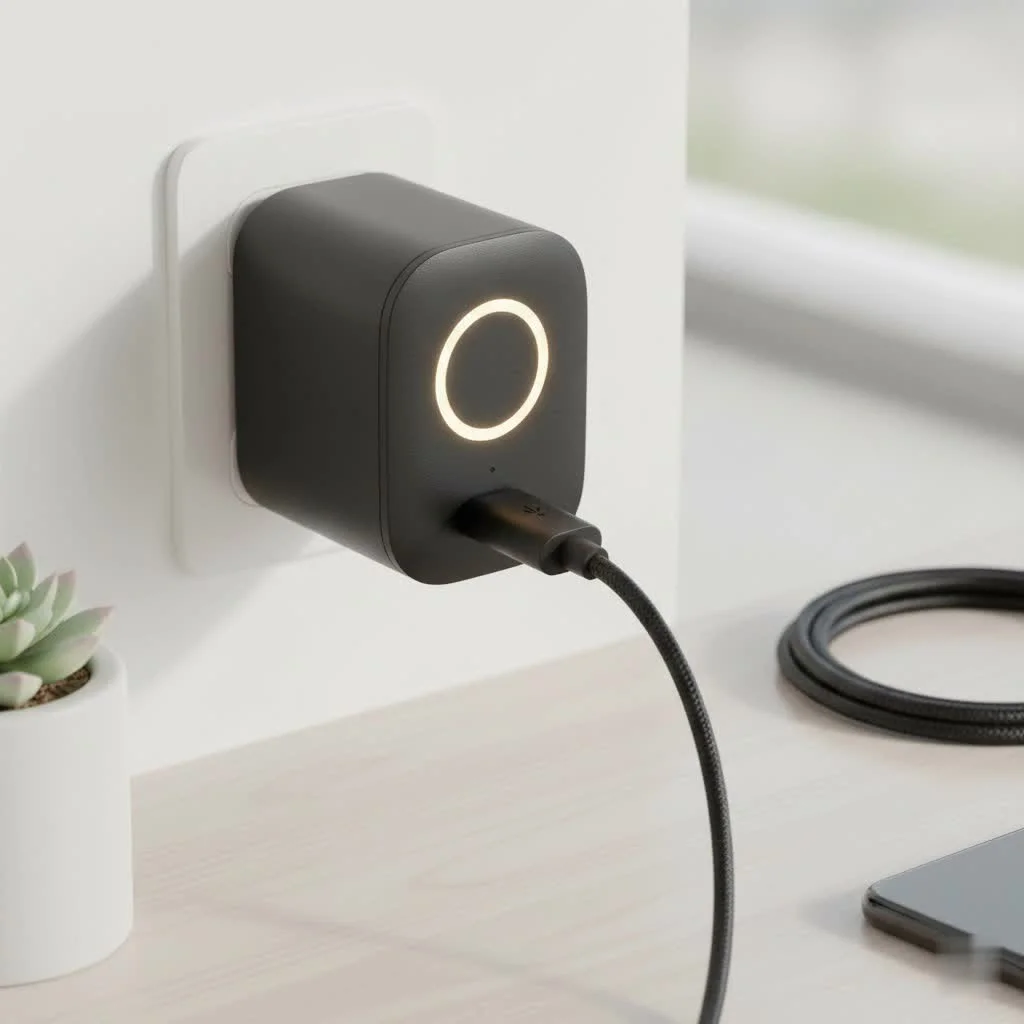 Smart Plug connected to an outlet” style=”margin: 20px auto;width: 800px;max-width: 100%;height: auto” />
This device goes beyond basic remote control, providing sophisticated tools for energy insights and advanced automationLet’s explore what makes the Eve Smart Plug a must-have for any modern Apple-centric home.
What Makes the Eve Smart Plug a Top-Tier Choice?
While a smart plug appears simple, the Eve Smart Plug’s excellence lies in its underlying technology and philosophy.
Seamless Integration with Apple HomeKit
Eve prioritizes a “HomeKit-first” approach, ensuring the Eve Smart Plug works flawlessly with your iPhone, iPad, Mac, Apple Watch, and HomePod. Setup is straightforward:
- Plug in the Eve Smart Plug.
- Open the Home app on your Apple device.
- Scan the HomeKit QR code.
No third-party accounts or passwords are required, and no personal data is shared with the cloud. Your plug is immediately ready for control via Siri or the Home app.
The Power of Thread Networking
Thread networking is a significant advantage of the latest Eve Smart Plug models. Instead of relying on Wi-Fi or Bluetooth, Eve utilizes Thread, which creates a self-healing mesh network.
“Thread is a major upgrade for smart home reliability. It creates a self-healing mesh network, meaning your devices can communicate with each other directly, leading to faster response times and eliminating the single point of failure you often see with Wi-Fi-only devices.”— James Peterson, Smart Home Integration Specialist
If a device is too far from your router, another Thread-enabled device can relay the message, strengthening and extending your smart home network. This results in faster and more dependable automations.
Your Privacy Comes First: No Cloud, No Registration
Eve’s commitment to data privacy is a key benefit. All data and control commands are communicated directly between your Apple devices and the Eve Smart Plug within your local network. Remote access is securely handled through your Apple Home Hub (e.g., HomePod or Apple TV), not an external Eve server. This local-first approach ensures your usage habits and personal information remain private.
Unboxing and Setting Up Your Eve Smart Plug
Getting started with the Eve Smart Plug is a pleasant experience compared to more complex gadgets.
Step-by-Step Installation:
- Unpack the device: The plug is compact and designed not to block adjacent outlets.
- Find a spot: Choose an outlet and plug in the Eve Smart Plug. A small green LED will illuminate.
- Grab your iPhone: Open the Apple Home app. Tap the ‘+’ icon and select ‘Add Accessory’.
- Scan the code: Use your iPhone’s camera to scan the unique HomeKit setup code on the plug or in the manual.
- Configure: Follow on-screen prompts to name the plug (e.g., “Living Room Lamp”) and assign it to a room.
Your plug is now fully integrated and ready for automation, Siri commands, and remote control.
Key Features You’ll Actually Use
Beyond basic functionality, the Eve Smart Plug offers powerful features that provide real-world value.
Detailed Energy Monitoring
|
Our Picks for the Best Smart Plug in 2026
As an Amazon Associate I earn from qualifying purchases.
|
||
| Num | Product | Action |
|---|---|---|
| 1 | Kasa Smart Plug Mini 15A, Apple HomeKit Supported, Smart Outlet Works with Siri, Alexa & Google Home, UL Certified, App Control, Scheduling, Timer, 2.4G WiFi Only, 4 Count (Pack of 1) (EP25P4), White |

|
| 2 | EIGHTREE Smart Plug 2025 Upgrade to 15A, Bluetooth & Wi-Fi Outlet Plug Dual Connection, Voice Control, Remote Control Outlet Timer Indoor, Smart Plugs That Work with Alexa & Google, 2.4GHz Wi-Fi Only |
|
| 3 | Linkind Matter Smart Plug, Work with Apple Home, Siri, Alexa, Google, SmartThings, Smart Home Smart Outlet Timer 15A/1800W, APP Remote Control & Schedule, ETL & FCC Certified, 2.4G Wi-Fi Only, 4 Pack |
|
| 4 | Legrand Radiant® Wi-Fi Matter Smart Plug Matter Hub Required 15A, Easy Setup, Enhanced Compatibility with Apple HomeKit, Google Home, Alexa & SmartThings, Easy Wi-Fi Connectivity w/ Matter (1 Pack) |
|
| 5 | GHome Smart Plug, WiFi Smart Plugs Work with Alexa and Google Home, Smart Outlet Timer with APP Remote Control, 2.4GHz Wi-Fi Only, No Hub Required, ETL FCC Listed |
|
| 6 | Kasa Smart Plug HS103P4, Smart Home Wi-Fi Outlet Works with Alexa, Echo, Google Home & IFTTT, No Hub Required, Remote Control, 15 Amp, UL Certified, 4-Pack, White |
|
| 7 | Govee Smart Plug, WiFi Plugs Work with Alexa & Google Assistant, Smart Outlet with Timer & Group Controller, WiFi Outlet for Home, No Hub Required, ETL & FCC Certified, 2.4G WiFi Only, 4 Pack |
|
| 8 | Kasa Smart Plug Ultra Mini 15A, Smart Home Wi-Fi Outlet Works with Alexa, Google Home & IFTTT, No Hub Required, UL Certified, 2.4G WiFi Only, 2 Count (Pack of 1)(EP10P2) , White |
|
| 9 | EIGHTREE Smart Plug, Smart Home WiFi Outlet Works with Alexa & Google Home, Smart Socket with Remote Control & Timer Function, 2.4GHz WiFi Only, 4 Packs |
|
| 10 | Kasa Smart Plug HS103P2, Smart Home Wi-Fi Outlet Works with Alexa, Echo, Google Home & IFTTT, No Hub Required, Remote Control,15 Amp,UL Certified, (Pack of 2) White |
|
The Eve Energy provides detailed insights into power consumption, helping you understand appliance costs. Through the Eve app, you can see:
- Real-time power draw: Know the exact wattage a device is using at any moment.
- Total consumption: Track energy usage over days, weeks, and months.
- Projected cost: Enter your electricity rate to calculate the estimated cost of running an appliance.
This feature is invaluable for identifying energy-inefficient devices and making informed decisions to reduce your electricity bill.
Smart Schedules and Automation
The Eve Smart Plug enables powerful automations and schedules tailored to your lifestyle.
- Schedules: Set a lamp to turn on at sunset and off at 11 PM, or have your coffee maker start brewing five minutes before your alarm.
- Automations: Use triggers from other HomeKit devices, such as a fan turning on when a room’s temperature sensor reaches a certain degree.
- Scenes: Group the Eve Smart Plug with other HomeKit devices. A “Good Night” scene could turn off your lamp, lock doors, and adjust your thermostat with a single command.
Control from Anywhere
With an Apple Home Hub (Apple TV or HomePod) set up, you can control the Eve Smart Plug from anywhere globally. This provides secure, reliable access through Apple’s ecosystem, whether you’re at the office or on vacation.
Is the Eve Smart Plug the Right Choice for You?
The Eve Smart Plug is an exceptional device, best suited for specific users.
You should buy the Eve Smart Plug if:
- You are primarily an Apple user and utilize the HomeKit ecosystem.
- You prioritize privacy and prefer not to create third-party accounts or rely on company clouds.
- You desire a fast, reliable connection and are building a Thread-capable smart home.
- You are interested in detailed energy monitoring to save money and be more eco-conscious.
You might consider other options if:
- Your smart home primarily uses Amazon Alexa or Google Assistant. (Note: Latest models with Matter support offer improved cross-platform compatibility, but the best experience remains within HomeKit).
- You are on a very tight budget, as Eve products are premium devices.
Frequently Asked Questions (FAQ)
What is Matter and how does it affect the Eve Smart Plug?
Matter is a new smart home standard designed for device interoperability. The newest generation of the Eve Smart Plug supports Matter, allowing control via Google Assistant and Amazon Alexa in addition to Apple HomeKit, enhancing its versatility.
Do I absolutely need a Home Hub like a HomePod or Apple TV?
A Home Hub is not required for basic in-home control via the Home app or Siri. However, a Home Hub is essential for remote control when away from home and for running automations. To utilize its Thread capabilities, a Thread Border Router, such as a HomePod mini or the latest Apple TV 4K, is also needed.
How accurate is the energy monitoring feature?
The energy monitoring on the Eve Smart Plug is highly accurate for a consumer-grade device. It provides a precise picture of your energy usage, enabling effective tracking of consumption and cost calculation for most household appliances.
Can the Eve Smart Plug handle heavy-duty appliances?
The Eve Smart Plug is rated for a maximum of 1800 watts in the US. This makes it suitable for most common appliances like lamps, fans, coffee makers, and televisions. Always check the wattage of high-draw appliances like space heaters or air conditioners to ensure they do not exceed this limit.
A Smart Investment for the Modern Home
The Eve Smart Plug is more than just a remote on/off switch; it’s a foundational piece of a secure, responsive, and intelligent home. Its dedication to the Apple HomeKit ecosystem, combined with future-proof Thread technology and an unwavering commitment to user privacy, places it in a class of its own. Whether you’re just starting your smart home journey or looking to upgrade your existing setup, the Eve Smart Plug provides the reliability and peace of mind that every smart home owner deserves. It’s a small device that makes a big impact.
Frequently Asked Questions
What is Matter and how does it affect the Eve Smart Plug?
Matter is a new smart home standard designed to make devices from different companies work together seamlessly. The newest generation of the Eve Smart Plug supports Matter, meaning it can now be controlled by Google Assistant and Amazon Alexa in addition to Apple HomeKit, making it more versatile than ever for cross-platform integration.
Do I absolutely need an Apple Home Hub like a HomePod or Apple TV?
You do not need an Apple Home Hub for basic in-home control of the Eve Smart Plug via the Home app or Siri. However, a Home Hub is required for two key functions: controlling your plug when you are away from home and running automations. To use its Thread capabilities, you also need a Thread Border Router, a role filled by devices like the HomePod mini or the latest Apple TV 4K.
How accurate is the energy monitoring feature on the Eve Smart Plug?
The energy monitoring on the Eve Smart Plug is highly accurate for a consumer-grade device. It provides a precise picture of your energy usage, empowering you to track consumption and calculate costs effectively for most household appliances, helping you identify energy vampires and reduce your electricity bill.
Can the Eve Smart Plug handle heavy-duty appliances like heaters?
The Eve Smart Plug is rated for a maximum of 1800 watts in the US. This makes it suitable for most common appliances like lamps, fans, coffee makers, and televisions. However, you should always check the wattage of high-draw appliances such as space heaters or air conditioners to ensure they do not exceed this 1800-watt limit to prevent overload.
What are the main benefits of Thread networking for smart plugs?
Thread networking offers significant benefits for smart plugs, including enhanced reliability and faster response times. It creates a self-healing mesh network where devices can communicate directly, extending network range and eliminating single points of failure common with Wi-Fi-only devices. This ensures your automations are more dependable and responsive.
Smart home that does not lock you in
Free PDF — protocol compatibility matrix for 30 hubs and devices.
I’ve been using the Eve Smart Plug for a few months now and it’s been fantastic. The HomeKit integration was super easy to set up, literally just scanned the code and it was ready. I especially love the energy monitoring feature; it’s really helped me see which devices are power hogs and adjust my usage. Definitely a game-changer for my Apple smart home.
Privacy features were a huge selling point for me with the Eve Smart Plug. It’s reassuring to know my data isn’t being sent off to who-knows-where. The performance is also top-notch, with quick response times when I use Siri or the Home app. Highly recommend this if you’re deep into the Apple ecosystem and care about security.
I bought this specifically for the smart scheduling feature, and it works as advertised for the most part. However, I found the app a little less intuitive than I expected for setting up more complex automations. It’s good for basic on/off times, but I had to dig around a bit to get everything exactly how I wanted it. Still, it’s a reliable plug.
The Eve Energy plug is pretty solid. I appreciate the Thread networking, it makes the connection really stable compared to some of my older Wi-Fi plugs. My only minor gripe is that sometimes the initial setup can be a bit finicky if your HomeKit hub isn’t perfectly positioned, but once it’s connected, it works flawlessly. Great for automating my lamps.