An Apple HomeKit smart plug transforms nearly any traditional appliance into a smart device, allowing control via iPhone, iPad, Mac, Apple Watch, or Siri. These plugs integrate seamlessly with Apple’s Home app, adhering to strict security and privacy standards, and offer an affordable entry point into home automation. They function as adapters, connecting to your home’s network to control power flow to plugged-in devices.
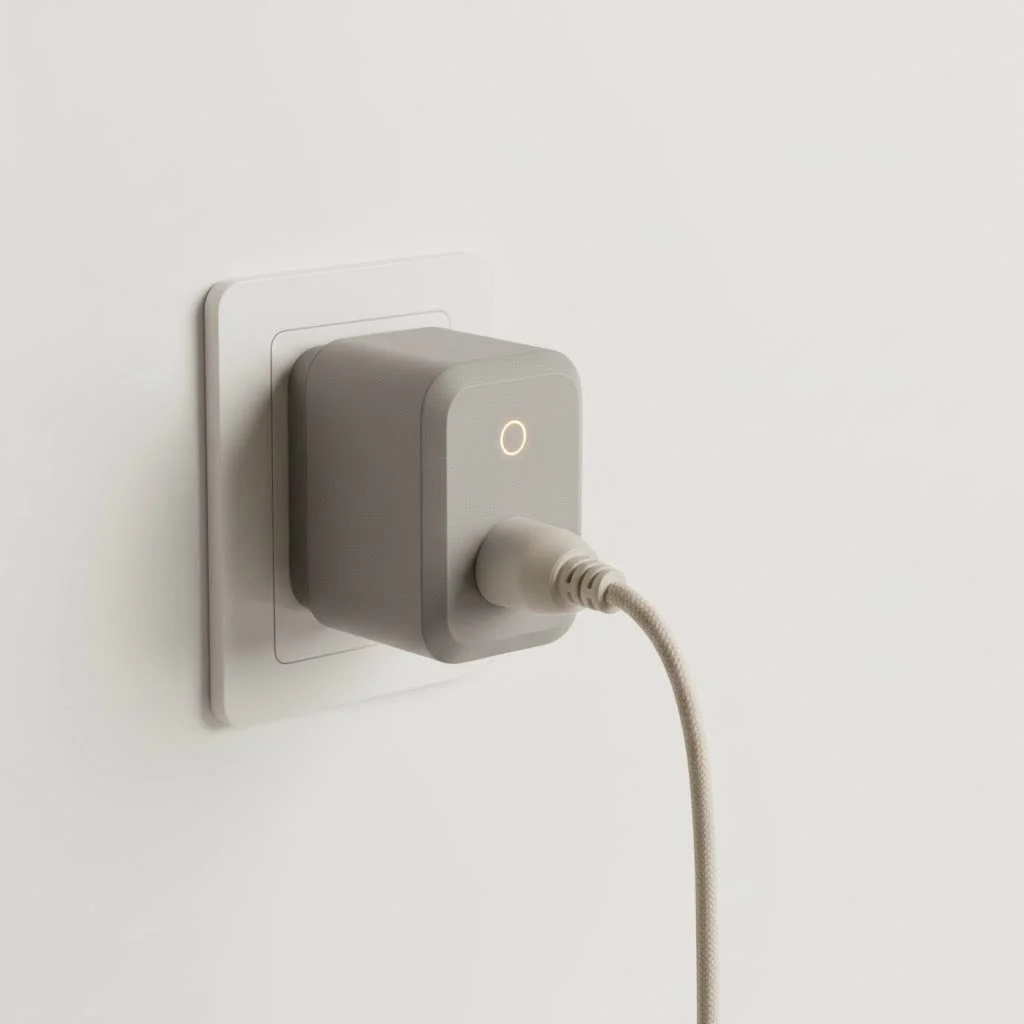 smart plug controlling a lamp” style=”margin: 20px auto;width: 800px;max-width: 100%;height: auto” />
What Exactly is an Apple HomeKit Smart Plug?
Think of a smart plug as a clever adapter. You plug it into your wall outlet, and then you plug your “dumb” device—like a lamp, a fan, or your coffee maker—into the smart plug. Just like that, you’ve bridged the gap. The plug connects to your home’s Wi-Fi or another network, allowing you to control the flow of power to the device connected to it. For expert smart home reviews on this site.
The “Apple HomeKit” part is what makes it special for Apple users. HomeKit is not a product but a software framework built by Apple. When a smart plug is HomeKit-compatible, it means it meets Apple’s strict standards for security, privacy, and user experience. This allows it to integrate seamlessly and securely with the Apple Home app on your iPhone, iPad, Mac, and Apple Watch, and be controlled by Siri.
Key Features to Look For in a HomeKit Smart Plug
Not all smart plugs are created equal. As you shop for the perfect Apple HomeKit smart plug, keep an eye out for these crucial features to ensure you’re getting a reliable and future-proof device.
Connectivity: Wi-Fi, Bluetooth, and Thread
The way your plug connects to your network is vital. Most basic plugs use Wi-Fi, which is straightforward but can crowd your network if you add too many devices. A newer, more robust technology to look for is Thread. It’s a mesh network technology designed specifically for smart home devices. It’s incredibly fast, reliable, and doesn’t rely on your central Wi-Fi router, making your smart home more stable. Many modern HomeKit plugs from brands like Eve and Belkin now use Thread.
Matter Support: The New Universal Standard
You might see “Matter-certified” on the box. Matter is a new, universal smart home standard backed by Apple, Google, Amazon, and others. A Matter-certified smart plug will not only work flawlessly with Apple HomeKit but also with other smart home platforms. Choosing a plug with Matter support is a smart move for long-term compatibility.
Energy Monitoring
Want to know how much electricity that old space heater is really using? Some smart plugs come with built-in energy monitoring. The companion app can show you real-time power consumption and historical data, helping you identify energy-hungry appliances and potentially lower your utility bills.
Physical Design and Form Factor
|
Our Picks for the Best Smart Plug in 2026
As an Amazon Associate I earn from qualifying purchases.
|
||
| Num | Product | Action |
|---|---|---|
| 1 | Linkind Matter Smart Plug, Work with Apple Home, Siri, Alexa, Google, SmartThings, Smart Home Smart Outlet Timer 15A/1800W, APP Remote Control & Schedule, ETL & FCC Certified, 2.4G Wi-Fi Only, 4 Pack |

|
| 2 | GHome Smart Plug, WiFi Smart Plugs Work with Alexa and Google Home, Smart Outlet Timer with APP Remote Control, 2.4GHz Wi-Fi Only, No Hub Required, ETL FCC Listed |
|
| 3 | Legrand Radiant® Wi-Fi Matter Smart Plug Matter Hub Required 15A, Easy Setup, Enhanced Compatibility with Apple HomeKit, Google Home, Alexa & SmartThings, Easy Wi-Fi Connectivity w/ Matter (1 Pack) |
|
| 4 | EIGHTREE Smart Plug 2025 Upgrade to 15A, Bluetooth & Wi-Fi Outlet Plug Dual Connection, Voice Control, Remote Control Outlet Timer Indoor, Smart Plugs That Work with Alexa & Google, 2.4GHz Wi-Fi Only |
|
| 5 | Kasa Smart Plug HS103P2, Smart Home Wi-Fi Outlet Works with Alexa, Echo, Google Home & IFTTT, No Hub Required, Remote Control,15 Amp,UL Certified, (Pack of 2) White |
|
| 6 | EIGHTREE Smart Plug, Smart Home WiFi Outlet Works with Alexa & Google Home, Smart Socket with Remote Control & Timer Function, 2.4GHz WiFi Only, 4 Packs |
|
| 7 | Govee Smart Plug, WiFi Plugs Work with Alexa & Google Assistant, Smart Outlet with Timer & Group Controller, WiFi Outlet for Home, No Hub Required, ETL & FCC Certified, 2.4G WiFi Only, 4 Pack |
|
| 8 | Kasa Smart Plug HS103P4, Smart Home Wi-Fi Outlet Works with Alexa, Echo, Google Home & IFTTT, No Hub Required, Remote Control, 15 Amp, UL Certified, 4-Pack, White |
|
| 9 | Kasa Smart Plug Ultra Mini 15A, Smart Home Wi-Fi Outlet Works with Alexa, Google Home & IFTTT, No Hub Required, UL Certified, 2.4G WiFi Only, 2 Count (Pack of 1)(EP10P2) , White |
|
| 10 | Kasa Smart Plug Mini 15A, Apple HomeKit Supported, Smart Outlet Works with Siri, Alexa & Google Home, UL Certified, App Control, Scheduling, Timer, 2.4G WiFi Only, 4 Count (Pack of 1) (EP25P4), White |
|
This is a practical but often overlooked feature. Many older or cheaper smart plugs are bulky and can block the second outlet on your wall. Look for a compact, space-saving design that allows you to use both sockets. This is especially important in areas like kitchens and offices where outlet space is prime real estate.
How to Set Up Your Apple HomeKit Smart Plug
One of the best things about HomeKit devices is the ridiculously simple setup process. There’s no need for complex network configurations or typing in long passwords.
- Plug It In: Connect the smart plug to a wall outlet. A small LED light will usually blink to indicate it’s ready for pairing.
- Open the Home App: On your iPhone or iPad, open the pre-installed “Home” app.
- Add Accessory: Tap the “+” icon in the top-right corner and select “Add Accessory.”
- Scan the Code: Your phone’s camera will activate. Simply point it at the 8-digit HomeKit setup code or QR code found on the plug itself or in its manual.
- Follow the Prompts: The Home app will guide you through the final steps, such as assigning the plug to a room (e.g., “Living Room”) and giving it a name (e.g., “Floor Lamp”). And that’s it—you’re done!
Unlocking the Full Potential: Cool Things to Do
Now for the fun part. A smart plug is more than just a remote on/off switch. It’s a gateway to powerful automation.
- Siri Voice Commands: The most intuitive way to control your plug. Simply say, “Hey Siri, turn on the coffee maker” or “Hey Siri, turn off the fan.”
- Create Scenes: Group multiple accessories to work together with a single command. You could create a “Good Night” scene that turns off all the smart plugs downstairs, locks your doors, and adjusts the thermostat.
- Set Up Automations: This is where the real “smart” in smart home comes in. Automations are rules that run based on a trigger.
- Time-based: Turn on holiday lights automatically at sunset and turn them off at 11 PM.
- Location-based: Have a fan automatically turn on when you arrive home.
- Sensor-based: If you have a HomeKit motion sensor, you can have a light plugged into a smart plug turn on whenever motion is detected.
- Remote Access: With a home hub (like a HomePod, HomePod mini, or Apple TV), you can control your smart plugs even when you’re away from home, giving you peace of mind and total control from anywhere in the world.
As smart home expert David Chen often says, “The best smart device is one you forget is even there. An Apple HomeKit smart plug, when tied into automations, makes your home respond to your life so seamlessly that it becomes second nature.”
Troubleshooting Common Issues
Even with HomeKit’s reliability, you might occasionally hit a snag. Here are a couple of common issues and how to fix them.
- “No Response” Error: This is the most frequent issue. It means the Home app can’t communicate with your plug. The fix is often simple: unplug the smart plug, wait ten seconds, and plug it back in. If that doesn’t work, restarting your Wi-Fi router or your HomeKit hub usually resolves it.
- Difficulty Scanning the Code: If the setup code isn’t scanning, make sure you have good lighting. If it’s still not working, you can manually enter the 8-digit code into the Home app.
- Plug Keeps Disconnecting: If a plug frequently drops its connection, it might be too far from your Wi-Fi router or HomeKit hub. This is where a Thread-based smart plug can be a major advantage, as it helps build a stronger, more resilient mesh network.
Frequently Asked Questions (FAQ)
Do I need a hub to use an Apple HomeKit smart plug? For basic control within your home, you do not need a hub. However, to control devices remotely (when you’re away from your home’s Wi-Fi) and to run automations, you need a HomeKit hub, such as a HomePod, HomePod mini, or an Apple TV.
Can I plug a power strip into a smart plug? Yes, you can. However, be mindful of the total power draw of the devices on the power strip. Every smart plug has a maximum wattage rating (typically around 1800W). Overloading it can be a fire hazard. It’s best for controlling multiple low-power items like lamps, not for high-power appliances like space heaters.
Will a HomeKit smart plug work with Android devices? Traditionally, HomeKit devices were exclusive to the Apple ecosystem. However, with the new Matter standard, a Matter-certified smart plug will work with both Apple HomeKit and Android devices via platforms like Google Home or Samsung SmartThings.
What kind of devices should I use with a smart plug? Smart plugs work best with devices that have a physical on/off switch that can be left in the “on” position. This includes things like lamps, fans, humidifiers, electric kettles, holiday lights, and white noise machines. They are not suitable for devices that require you to press a power button after they receive power, like most TVs or computers.
Are HomeKit smart plugs secure? Yes. One of the biggest advantages of the HomeKit platform is its robust security. All communication between your iPhone, your hub, and the smart plug is end-to-end encrypted, ensuring your data and your home remain private.
Your First Step into a Smarter Home
An Apple HomeKit smart plug is more than just a gadget; it’s an accessible entry point into the world of home automation. It empowers you to make your environment more convenient, secure, and efficient. By starting with a single plug, you can explore the possibilities of scenes and automations, turning everyday routines into effortless experiences. So go ahead, make that lamp smart, and see where the journey takes you.
Frequently Asked Questions
Do I need a hub to use an Apple HomeKit smart plug?
For basic control of an Apple HomeKit smart plug within your home network, a dedicated hub is not required. However, to enable remote control when you are away from home and to run advanced automations, you will need a HomeKit hub such as an Apple HomePod, HomePod mini, or Apple TV.
Can a power strip be safely plugged into a smart plug?
Yes, a power strip can be plugged into a smart plug, but it is crucial to monitor the total power draw of all devices connected to the strip. Most smart plugs have a maximum wattage rating, typically around 1800W. Exceeding this limit can pose a fire hazard, so it's best for low-power items like lamps rather than high-power appliances.
Will an Apple HomeKit smart plug function with Android devices?
Traditionally, HomeKit devices were exclusive to the Apple ecosystem. However, with the introduction of the new Matter standard, a Matter-certified smart plug is designed to work with both Apple HomeKit and Android devices through platforms like Google Home or Samsung SmartThings, offering broader compatibility.
What types of devices are best suited for use with a smart plug?
Smart plugs are ideal for devices that have a physical on/off switch that can be left in the 'on' position. Examples include lamps, fans, humidifiers, electric kettles, holiday lights, and white noise machines. They are generally not suitable for devices like most TVs or computers that require a power button press after receiving power.
How secure are Apple HomeKit smart plugs for home automation?
Apple HomeKit smart plugs offer robust security features. The HomeKit platform ensures that all communication between your iPhone, your home hub, and the smart plug is end-to-end encrypted. This strong encryption helps to protect your data and maintain the privacy of your smart home environment.
Set Up Your Apple HomeKit Smart Plug
Setting up an Apple HomeKit smart plug is a quick and simple process that integrates seamlessly with your Apple Home app.
Insert the smart plug into a wall outlet. A small LED light on the plug will typically blink, indicating it is ready for the pairing process.
On your iPhone or iPad, launch the pre-installed Apple Home app. This app serves as the central control for all your HomeKit devices.
Tap the '+' icon located in the top-right corner of the Home app interface. From the options that appear, select 'Add Accessory' to begin adding your new smart plug.
Your device's camera will activate. Point it at the 8-digit HomeKit setup code or QR code, which can be found either on the smart plug itself or in its accompanying manual. The app will automatically detect the code.
The Home app will then guide you through the final configuration steps. This includes assigning the smart plug to a specific room (e.g., 'Kitchen') and giving it a descriptive name (e.g., 'Coffee Maker'). Once these steps are completed, your smart plug is ready to use.
Smart home that does not lock you in
Free PDF — protocol compatibility matrix for 30 hubs and devices.

I’ve been slowly upgrading my home with HomeKit devices, and these smart plugs are a game-changer. I love being able to control my lamps and even my old fan with Siri commands. The setup was super easy, and they integrate perfectly with my existing Apple Home app. Definitely recommend for anyone in the Apple ecosystem.
The security and privacy standards of HomeKit were a big selling point for me, and these plugs deliver. I appreciate knowing my data isn’t being shared willy-nilly. I’ve got them controlling everything from my humidifiers to my string lights on the patio. Seamless control from my Apple Watch is a huge plus.
These smart plugs are great for turning ‘dumb’ devices into smart ones. I use one for my coffee maker so it’s ready when I wake up, and another for my Christmas lights. My only minor complaint is that sometimes the connection drops for a second, but it always reconnects quickly. Still, a solid product for the price.
I got a few of these to try out home automation. While they work well with my iPhone for basic on/off, I found the initial pairing process a bit finicky. It took a couple of tries to get them recognized in the Home app, which was a little frustrating. Once connected though, they’ve been reliable for controlling my bedroom fan.