The GE smart plug, now primarily sold under the Cync brand, is a simple device that transforms standard appliances into smart devices by connecting them to your home’s Wi-Fi network. This allows for remote control via a smartphone app or voice assistants like Alexa and Google Assistant, enabling features such as scheduling, timers, and control from anywhere with an internet connection. Setup typically takes less than ten minutes, making it an accessible entry point for home automation.
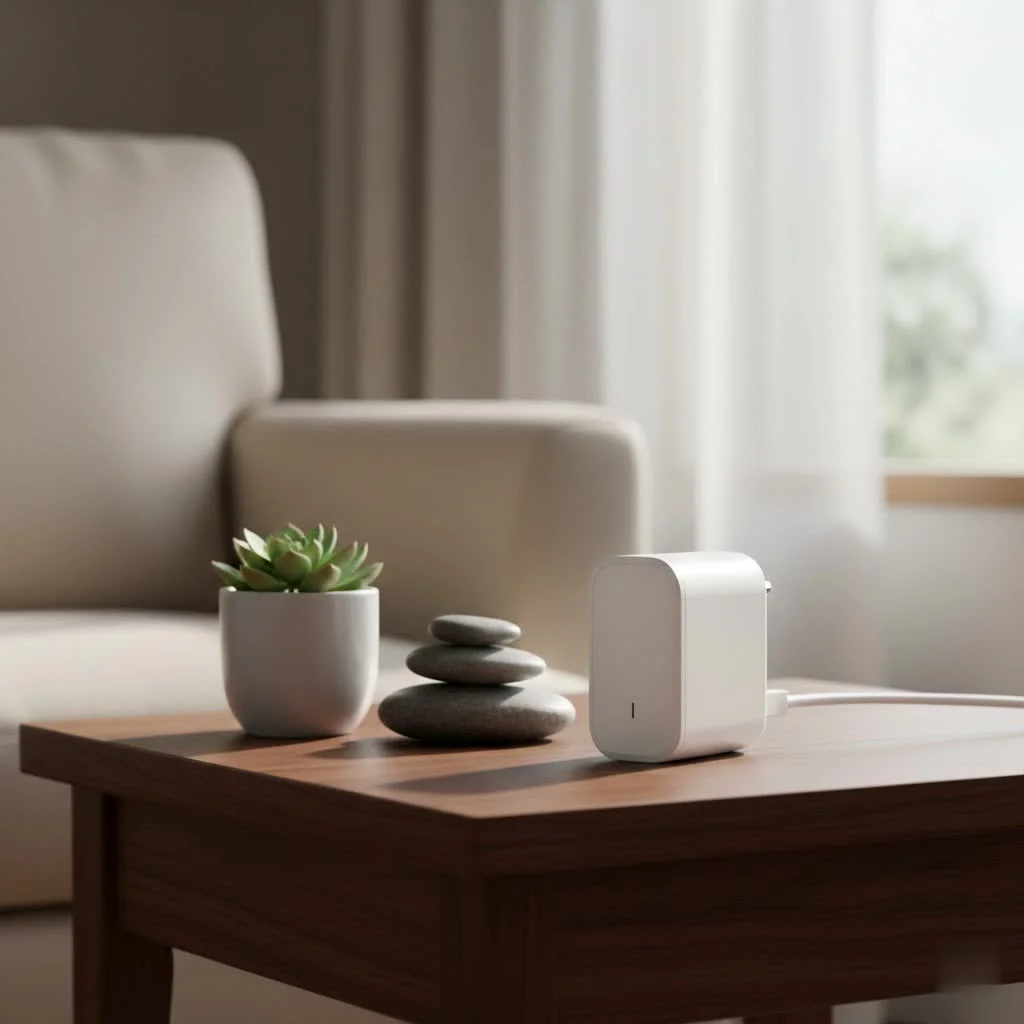
Imagine being able to turn on your coffee maker from bed, set your living room lamp to a schedule that mimics your presence while you’re on vacation, or control your holiday lights with a simple voice command. This isn’t science fiction; it’s the practical reality offered by the GE smart plugLet’s dive in and explore how this small device can make a big impact on your daily life. For browse all smart home articles on this site.
What’s a GE Smart Plug, Anyway?
At its core, a GE smart plug (now primarily sold under the Cync brand) is a device that you plug into a standard electrical outlet. You then plug your appliance, like a lamp, fan, or television, into the smart plug. This simple connection instantly gives the appliance “smart” capabilities. By connecting to your home’s Wi-Fi network, the plug allows you to control the power flow to the appliance remotely using a smartphone app or a voice assistant.
The real magic is in its simplicity. There’s no need for complex wiring or hiring an electrician. If you can plug in a lamp, you can install a GE smart plug. This accessibility makes it a perfect entry point for anyone curious about building a smarter, more automated home.
How to Set Up Your GE Smart Plug: A Step-by-Step Guide
Getting your GE smart plug up and running is a breeze. The entire process typically takes less than ten minutes. Follow these simple steps to get started.
1. Download the Cync App
The first step is to download the official app, which is the command center for your device.
- Head to the App Store (for iOS devices) or the Google Play Store (for Android devices).
- Search for “Cync” (it’s spelled C-Y-N-C).
- Download and install the free app.
- Once installed, open the app and create an account. You’ll need to provide an email address and create a password.
|
Our Picks for the Best Smart Plug in 2026
As an Amazon Associate I earn from qualifying purchases.
|
||
| Num | Product | Action |
|---|---|---|
| 1 | EIGHTREE Smart Plug 2025 Upgrade to 15A, Bluetooth & Wi-Fi Outlet Plug Dual Connection, Voice Control, Remote Control Outlet Timer Indoor, Smart Plugs That Work with Alexa & Google, 2.4GHz Wi-Fi Only |

|
| 2 | EIGHTREE Smart Plug, Smart Home WiFi Outlet Works with Alexa & Google Home, Smart Socket with Remote Control & Timer Function, 2.4GHz WiFi Only, 4 Packs |
|
| 3 | Kasa Smart Plug Mini 15A, Apple HomeKit Supported, Smart Outlet Works with Siri, Alexa & Google Home, UL Certified, App Control, Scheduling, Timer, 2.4G WiFi Only, 4 Count (Pack of 1) (EP25P4), White |
|
| 4 | Kasa Smart Plug HS103P2, Smart Home Wi-Fi Outlet Works with Alexa, Echo, Google Home & IFTTT, No Hub Required, Remote Control,15 Amp,UL Certified, (Pack of 2) White |
|
| 5 | GHome Smart Plug, WiFi Smart Plugs Work with Alexa and Google Home, Smart Outlet Timer with APP Remote Control, 2.4GHz Wi-Fi Only, No Hub Required, ETL FCC Listed |
|
| 6 | Linkind Matter Smart Plug, Work with Apple Home, Siri, Alexa, Google, SmartThings, Smart Home Smart Outlet Timer 15A/1800W, APP Remote Control & Schedule, ETL & FCC Certified, 2.4G Wi-Fi Only, 4 Pack |
|
| 7 | Govee Smart Plug, WiFi Plugs Work with Alexa & Google Assistant, Smart Outlet with Timer & Group Controller, WiFi Outlet for Home, No Hub Required, ETL & FCC Certified, 2.4G WiFi Only, 4 Pack |
|
| 8 | Legrand Radiant® Wi-Fi Matter Smart Plug Matter Hub Required 15A, Easy Setup, Enhanced Compatibility with Apple HomeKit, Google Home, Alexa & SmartThings, Easy Wi-Fi Connectivity w/ Matter (1 Pack) |
|
| 9 | Kasa Smart Plug Ultra Mini 15A, Smart Home Wi-Fi Outlet Works with Alexa, Google Home & IFTTT, No Hub Required, UL Certified, 2.4G WiFi Only, 2 Count (Pack of 1)(EP10P2) , White |
|
| 10 | Kasa Smart Plug HS103P4, Smart Home Wi-Fi Outlet Works with Alexa, Echo, Google Home & IFTTT, No Hub Required, Remote Control, 15 Amp, UL Certified, 4-Pack, White |
|
2. Plug in and Power On
Find a suitable wall outlet for your smart plug. For the initial setup, it’s best to choose an outlet close to your Wi-Fi router to ensure a strong signal.
- Plug the GE smart plug into the outlet.
- A small LED indicator light on the plug should begin to blink, usually blue. This blinking light signals that the plug is in setup mode and ready to be paired with your phone.
3. Pair the Plug with the App
With the app open and the plug powered on, it’s time to make the connection.
- In the Cync app, tap the “+” icon or the “Add Devices” button, which is typically in the top right corner.
- The app will ask what type of device you’re adding. Select “Plugs” from the list.
- Make sure Bluetooth is enabled on your smartphone, as the app uses it to find the new plug nearby.
- The app will scan and should automatically detect your smart plug. Select it to proceed.
- You will be prompted to connect the plug to your home’s Wi-Fi network. Choose your network from the list and enter the password.
Important Note: Most smart plugs, including GE models, operate on a 2.4 GHz Wi-Fi band. If you have a dual-band router (with both 2.4 GHz and 5 GHz networks), ensure you connect the plug to the 2.4 GHz network.
4. Finalize the Setup
Once connected to Wi-Fi, the final step is to organize and name your device.
- The Cync app will ask you to assign the plug to a “Room” (e.g., “Living Room,” “Bedroom”).
- Give your plug a specific name. Be descriptive! Instead of “Plug 1,” use a name like “Living Room Lamp” or “Bedroom Fan.” This makes it much easier to identify and control, especially with voice commands.
- Tap “Done,” and that’s it! You can now turn the plug on and off directly from the app’s home screen.
open up the Power of Your GE Smart Plug
Now that your plug is set up, you can explore its powerful features. The Cync app is intuitive and unlocks a world of convenience beyond just turning things on and off.
Schedules and Timers
One of the most useful features is the ability to create automated schedules. You can set your lights to turn on automatically at sunset and off at bedtime. Going on vacation? Create a “Vacation Mode” schedule that randomly turns lights on and off in the evening to make it look like someone is home. This is perfect for:
- Waking up to a gently lit room.
- Ensuring your holiday decorations turn off automatically late at night.
- Starting a slow cooker while you’re at work.
Voice Control with Alexa and Google Assistant
For the ultimate hands-free experience, link your GE smart plug to a voice assistant.
- For Amazon Alexa: Open the Alexa app, go to “Skills & Games,” search for the “Cync” skill, and enable it. You’ll be prompted to log in with your Cync account credentials to link the services.
- For Google Assistant: Open the Google Home app, tap the “+” icon, select “Set up device,” choose “Works with Google,” and search for “Cync.” Log in to link your account.
Once linked, you can use commands like:
- “Hey Google, turn on the living room lamp.”
- “Alexa, turn off the bedroom fan.”
“Integrating smart plugs with voice assistants is often the ‘aha!’ moment for my clients,” says James Peterson, a smart home integration specialist. “It’s when they realize how seamless and intuitive home automation can be. The ability to control any appliance with your voice is a major upgrade.”
Control From Anywhere
Because your GE smart plug is connected to your Wi-Fi, you can control it from anywhere in the world with an internet connection. Left the house and forgot to turn off the iron? No problem. Just open the Cync app on your phone and turn it off remotely. This feature provides not only convenience but also incredible peace of mind.
Common Questions About the GE Smart Plug (FAQ)
Here are answers to some of the most common questions users have about their GE smart plugs.
What if my plug won’t connect to Wi-Fi?
First, double-check that you are connecting to a 2.4 GHz Wi-Fi network. If the problem persists, try moving the plug to an outlet closer to your router for the initial setup. You can also try a factory reset by holding down the power button on the side of the plug for about 10 seconds until the light blinks rapidly.
Do I need a smart home hub for my GE smart plug?
No, one of the biggest advantages of GE Cync smart plugs is that they connect directly to your home’s Wi-Fi network. You do not need a separate, expensive hub or bridge to use them.
Can I control two different devices with one outdoor plug?
Yes! The GE Cync Outdoor Smart Plug features two independently controlled outlets. In the Cync app, you can name each outlet separately (e.g., “Patio Lights” and “Fountain Pump”) and control them on different schedules.
Can a GE smart plug be used with any appliance?
You can use a smart plug with most small household appliances, such as lamps, fans, coffee makers, and slow cookers. However, always check the plug’s maximum power rating. Avoid using them with high-draw appliances like space heaters or large power tools unless the plug is specifically rated for that load.
What happens if the internet goes out?
If your Wi-Fi connection is down, you will lose the ability to control the plug remotely from your app or with voice commands. However, you can always still turn the appliance on and off manually by pressing the physical power button on the side of the smart plug.
Is the GE Smart Plug Right for You?
If you’re looking for a simple, reliable, and affordable way to make your home smarter, the answer is a resounding yes. The GE smart plug offers a fantastic blend of user-friendly design and powerful features. It empowers you to automate your home, save energy, and gain remote control over your everyday devices without a complicated setup process.
From setting the perfect ambiance with scheduled lighting to adding a layer of security while you’re away, this small device is a true workhorse of the modern smart home. Take the first step today, plug in your new device, and discover just how easy it is to live a more connected and convenient life.
The smart plug itself works fine for basic on/off functions and connecting to Wi-Fi was straightforward. However, I had a bit of trouble getting it to reliably connect with Alexa at first. It took a few tries and some troubleshooting to get the voice control working consistently, which was a little frustrating.
I’m really impressed with how these Cync plugs have simplified my home. I’ve got one on a lamp in the living room and the ‘away mode’ scheduling is brilliant for when we’re out of town. It gives me peace of mind knowing it looks like someone’s home. Definitely recommend for anyone wanting easy home automation.
These GE smart plugs are pretty solid. I mainly got them for my holiday lights and the scheduling feature works perfectly. It’s great not having to remember to plug and unplug them every day. The connection with Google Assistant is also seamless, which is a big plus for me.
I’ve been using the Cync smart plugs for a few weeks now and they’re fantastic! Setting them up was super easy, definitely less than ten minutes like it said. I love being able to turn on my coffee maker from bed every morning. It’s a small thing but makes a huge difference to my routine.