The Leviton smart plug is a reliable and user-friendly device that transforms ordinary appliances into smart ones, offering remote control, scheduling, and voice integration without requiring a separate hub. It connects directly to your home’s Wi-Fi network, allowing control via the My Leviton app and major voice assistants like Amazon Alexa and Google Assistant.
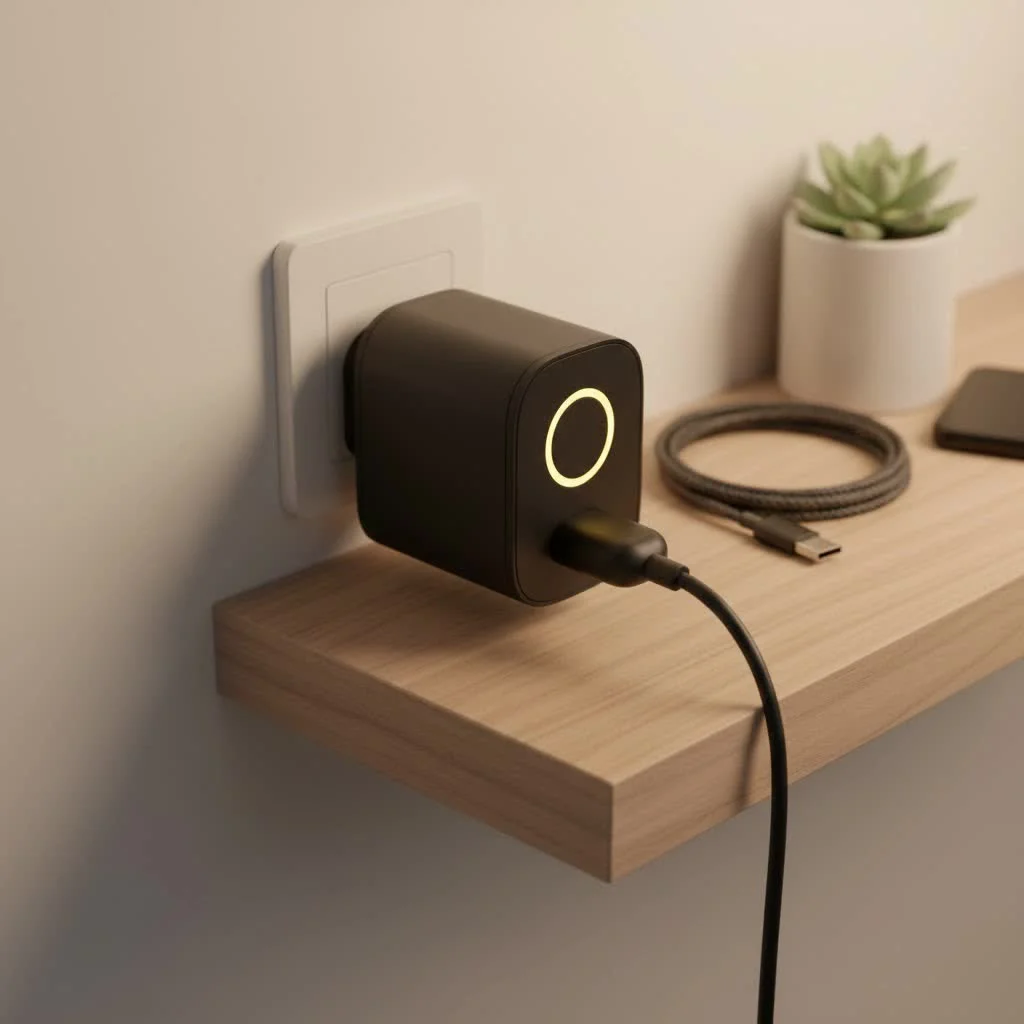 smart plug in a modern home setting” style=”margin: 20px auto;width: 800px;max-width: 100%;height: auto” />
At Kjooz, we believe in empowering you with knowledge. A smart plug, at its core, is a device you plug into a regular electrical outlet. You then plug your appliance—like a lamp, coffee maker, or fan—into the smart plug. This simple connection gives you remote control over the appliance through an app on your smartphone, no matter where you are. The Leviton smart plug takes this a step further with robust features and a user-friendly experience. For see our smart home recommendations on this site.
What Makes the Leviton Smart Plug a Top Choice?
When you’re navigating the crowded market of smart home devices, it’s easy to get overwhelmed. However, Leviton has carved out a reputation for quality and performance. Their Decora Smart line, in particular, blends sophisticated technology with an elegant design that fits into any home aesthetic.
Key Features and Benefits
- No Hub Required: One of the biggest advantages is that most Leviton smart plugs operate directly over your home’s Wi-Fi network. This means you don’t need to purchase a separate, often costly, smart home hub to get started.
- Voice Control Integration: Seamlessly connect your Leviton smart plug with major voice assistants like Amazon Alexa, Google Assistant, and Apple Siri (via HomeKit). A simple command like, “Hey Google, turn on the living room lamp,” is all it takes.
- The My Leviton App: This is your central command center. The intuitive app allows you to set schedules, create “scenes” that control multiple devices at once, and monitor your devices from anywhere with an internet connection.
- Energy Monitoring: Select models come equipped with energy monitoring capabilities, giving you insights into how much power your appliances are consuming. This feature is invaluable for identifying energy hogs and reducing your electricity bill.
- Sleek, Tamper-Resistant Design: Leviton is known for its high-quality electrical hardware. The smart plugs are no exception, featuring a slim profile that doesn’t block the second outlet and a durable, safe construction.
Choosing the Right Leviton Smart Plug for You
Leviton offers a few different models to suit various needs and smart home ecosystems. Understanding the differences is key to making the right purchase.
Decora Smart Wi-Fi Plug-in Outlet (D215P)
This is the flagship model and the most popular choice for most users. The D215P is a powerhouse of features packed into a compact design. It connects directly to your Wi-Fi and works flawlessly with the My Leviton app and all major voice assistants. Its standout feature is the ability to control the top outlet while the bottom one remains a standard, always-on pass-through outlet.
Decora Smart Wi-Fi Plug-in Dimmer (D23LP)
|
Our Picks for the Best Smart Plug in 2026
As an Amazon Associate I earn from qualifying purchases.
|
||
| Num | Product | Action |
|---|---|---|
| 1 | Govee Smart Plug, WiFi Plugs Work with Alexa & Google Assistant, Smart Outlet with Timer & Group Controller, WiFi Outlet for Home, No Hub Required, ETL & FCC Certified, 2.4G WiFi Only, 4 Pack |

|
| 2 | Kasa Smart Plug HS103P4, Smart Home Wi-Fi Outlet Works with Alexa, Echo, Google Home & IFTTT, No Hub Required, Remote Control, 15 Amp, UL Certified, 4-Pack, White |
|
| 3 | EIGHTREE Smart Plug, Smart Home WiFi Outlet Works with Alexa & Google Home, Smart Socket with Remote Control & Timer Function, 2.4GHz WiFi Only, 4 Packs |
|
| 4 | Kasa Smart Plug Mini 15A, Apple HomeKit Supported, Smart Outlet Works with Siri, Alexa & Google Home, UL Certified, App Control, Scheduling, Timer, 2.4G WiFi Only, 4 Count (Pack of 1) (EP25P4), White |
|
| 5 | Legrand Radiant® Wi-Fi Matter Smart Plug Matter Hub Required 15A, Easy Setup, Enhanced Compatibility with Apple HomeKit, Google Home, Alexa & SmartThings, Easy Wi-Fi Connectivity w/ Matter (1 Pack) |
|
| 6 | Linkind Matter Smart Plug, Work with Apple Home, Siri, Alexa, Google, SmartThings, Smart Home Smart Outlet Timer 15A/1800W, APP Remote Control & Schedule, ETL & FCC Certified, 2.4G Wi-Fi Only, 4 Pack |
|
| 7 | EIGHTREE Smart Plug 2025 Upgrade to 15A, Bluetooth & Wi-Fi Outlet Plug Dual Connection, Voice Control, Remote Control Outlet Timer Indoor, Smart Plugs That Work with Alexa & Google, 2.4GHz Wi-Fi Only |
|
| 8 | GHome Smart Plug, WiFi Smart Plugs Work with Alexa and Google Home, Smart Outlet Timer with APP Remote Control, 2.4GHz Wi-Fi Only, No Hub Required, ETL FCC Listed |
|
| 9 | Kasa Smart Plug Ultra Mini 15A, Smart Home Wi-Fi Outlet Works with Alexa, Google Home & IFTTT, No Hub Required, UL Certified, 2.4G WiFi Only, 2 Count (Pack of 1)(EP10P2) , White |
|
| 10 | Kasa Smart Plug HS103P2, Smart Home Wi-Fi Outlet Works with Alexa, Echo, Google Home & IFTTT, No Hub Required, Remote Control,15 Amp,UL Certified, (Pack of 2) White |
|
If you want to control the brightness of your lamps, the D23LP is the perfect solution. It offers all the smart control of the standard plug but adds full-range dimming capabilities. This is ideal for setting the mood in your living room or dimming bedside lamps without getting out of bed. Just make sure you’re using it with dimmable light bulbs.
Expert Insight: As smart home specialist, David Chen, notes, “The ability to integrate dimming control without complex wiring is a major upgrade for renters and homeowners who want to add ambiance. The D23LP makes it incredibly simple.”
Step-by-Step: How to Set Up Your Leviton Smart Plug
Getting your new gadget up and running is remarkably straightforward. Leviton has refined the setup process to be quick and painless, typically taking less than five minutes.
- Download the App: First, head to the Apple App Store or Google Play Store and download the free “My Leviton” app. Create an account if you don’t already have one.
- Plug It In: Plug the Leviton smart plug into your desired wall outlet. A small LED status light on the device will begin to blink, indicating it’s ready to be paired.
- Add the Device: Open the My Leviton app and tap the “+” icon to add a new device. The app will guide you through the process, which involves selecting your home Wi-Fi network and entering the password.
- Connect and Configure: Your phone will temporarily connect to the smart plug’s own network to transfer the Wi-Fi credentials. Once connected, the LED light will turn solid. You can then name your device (e.g., “Bedroom Fan”) and assign it to a room.
- Integrate with Voice Assistants: To enable voice control, open your Amazon Alexa, Google Home, or Apple Home app. Search for the “My Leviton” skill or service and link your account. Once linked, your new plug will be available for voice commands.
Unlocking Advanced Features for a Smarter Home
The real power of a Leviton smart plug is unlocked when you move beyond simple on/off commands. The My Leviton app provides a suite of tools to automate your home and make your life easier.
Create Custom Schedules
Do you want the coffee maker to turn on at 6:30 AM on weekdays? Or have a lamp in the living room turn on automatically at sunset to make it look like someone’s home? The scheduling feature lets you do just that. You can set specific on/off times for any day of the week, with options for sunrise and sunset automation.
Design “Scenes” for Any Occasion
A “scene” is a pre-programmed command that controls multiple smart devices simultaneously. For example, you could create a “Movie Night” scene that dims the lights connected to a smart dimmer, turns off other distracting lamps, and turns on your TV’s soundbar—all with a single tap in the app or a voice command.
Use “Auto-Shutoff” for Peace of Mind
Ever leave the house and worry that you left the iron or a space heater on? With the auto-shutoff feature, you can program the plug to automatically turn off after a set period. Set the iron’s plug to turn off after 60 minutes, and you’ll never have to worry again.
Common Troubleshooting Tips
- Problem: The plug won’t connect to Wi-Fi.
- Solution: Ensure your smartphone is connected to a 2.4 GHz Wi-Fi network, as most smart plugs do not support 5 GHz bands. Also, check that you entered the Wi-Fi password correctly and that the plug is within a reasonable range of your router.
- Problem: The device is unresponsive in the app.
- Solution: First, try manually turning the plug off and on using the button on the device itself. If that doesn’t work, unplug it for 30 seconds and plug it back in. This simple power cycle often resolves connectivity issues.
- Problem: Voice commands aren’t working.
- Solution: Go into your Alexa or Google Home app and check if the My Leviton skill is still enabled and your accounts are properly linked. Sometimes, relinking the skill is all that’s needed to restore functionality.
Frequently Asked Questions (FAQ)
What can I plug into a Leviton smart plug? You can plug in almost any small appliance that you would normally plug into a standard outlet, such as lamps, fans, coffee makers, holiday lights, and slow cookers. Avoid high-power-draw appliances like large space heaters or air conditioners unless the plug is specifically rated for them.
Does the Leviton smart plug work without an internet connection? To control the plug remotely via the app or voice commands, you need an active internet connection. However, any schedules you have programmed into the device will continue to run even if your internet goes down. You can also always control it manually using the button on the plug.
Can I use the Leviton smart plug outdoors? Standard indoor models like the D215P are not designed for outdoor use. Exposure to moisture and extreme temperatures can damage them and create a safety hazard. Leviton offers specific outdoor-rated smart plugs for controlling patio lights or other outdoor electronics.
Does the smart plug consume a lot of energy itself? No, the plug itself consumes a very small amount of power in standby mode—typically less than 1 watt. The energy savings from scheduling and managing your connected appliances will far outweigh the plug’s own minimal consumption.
Is my data secure with the My Leviton app? Leviton takes security seriously, using encryption and secure cloud infrastructure to protect user data and prevent unauthorized access to your devices.
The Leviton smart plug is a fantastic investment for anyone looking to dip their toes into home automation or expand their existing setup. Its blend of user-friendly design, powerful features, and hub-free convenience makes it a standout choice in the market. By automating your lights and small appliances, you not only add convenience to your daily routine but also gain better control over your home’s energy usage. Give one a try and see how this small device can make a big difference in your life.
Frequently Asked Questions
What types of appliances can I connect to a Leviton smart plug?
You can connect most small appliances such as lamps, fans, coffee makers, and slow cookers to a Leviton smart plug. It is important to avoid high-power-draw appliances like large space heaters or air conditioners unless the specific plug model is rated for them.
Does a Leviton smart plug require an internet connection to function?
An active internet connection is necessary for remote control via the My Leviton app or voice commands. However, any schedules you have pre-programmed into the device will continue to operate even if your internet service is temporarily unavailable.
Are Leviton smart plugs suitable for outdoor use in all weather conditions?
Standard indoor models, such as the D215P, are not designed for outdoor use and should not be exposed to moisture or extreme temperatures. Leviton does offer specific outdoor-rated smart plugs that are built to withstand external environmental conditions.
How much electricity does a smart plug consume when it is in standby mode?
A Leviton smart plug consumes a minimal amount of power in standby mode, typically less than 1 watt. The energy savings achieved through scheduling and managing connected appliances will significantly outweigh the plug's own power consumption.
How does Leviton ensure the security of user data with its smart plugs?
Leviton prioritizes data security by employing encryption and secure cloud infrastructure to protect user information. This approach helps prevent unauthorized access to your devices and personal data within the My Leviton app.
Smart home that does not lock you in
Free PDF — protocol compatibility matrix for 30 hubs and devices.

This smart plug works great with my Amazon Alexa. I use it for a lamp in my living room, and it’s so convenient to just tell Alexa to turn it on or off. I appreciate that it doesn’t require a separate hub, which was a big selling point for me. My only minor quibble is that sometimes it takes a second or two longer than I’d expect to respond, but it’s not a dealbreaker.
I bought this Leviton smart plug to control my fan, and it does the job. The remote control feature through the app is handy when I’m not home. However, I had a bit of trouble getting it connected to my Wi-Fi initially; it took a few tries. Once it was set up, it’s been stable, but that first impression wasn’t the smoothest.
I’m really impressed with how robust the features are on this Leviton smart plug. I’ve tried a few other brands, and this one feels much more reliable. The voice integration with Google Assistant is flawless, and I love being able to control my holiday lights with just my voice. It’s a solid investment for any smart home setup.
I’ve been using the Leviton smart plug for a few weeks now, and it’s been a game-changer for my morning routine. I have my coffee maker plugged into it, and being able to schedule it to start brewing before I even get out of bed is amazing. The My Leviton app is super intuitive, and setup was a breeze. Definitely recommend for anyone looking to add some convenience to their home.