The best Alexa smart plug for most users is the Amazon Smart Plug, offering the most seamless integration and easiest setup within the Alexa ecosystem. These compact devices transform ordinary appliances like lamps and coffee makers into voice-controlled smart devices, providing convenience, efficiency, and enhanced home security.
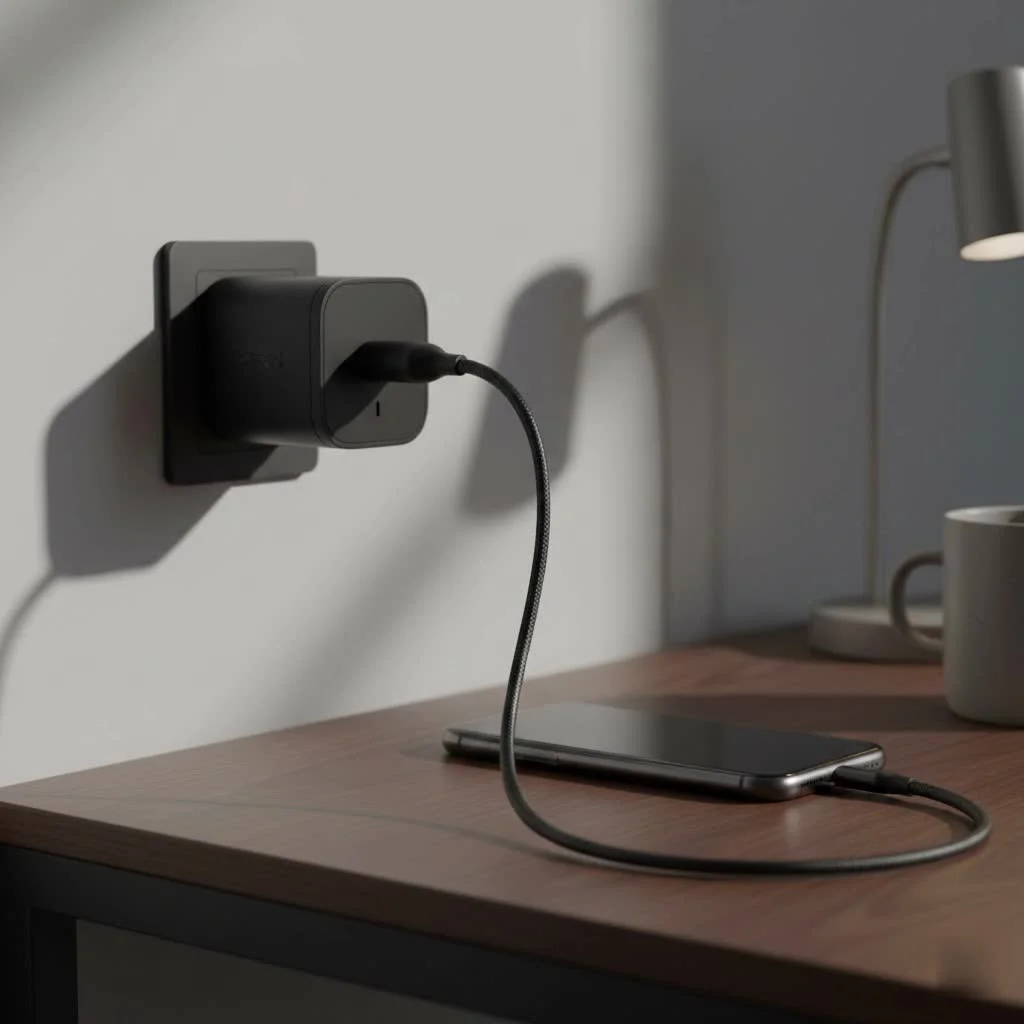
A smart plug is a valuable tool for home automation, offering benefits beyond simple convenience. This guide will help you understand key features and select the ideal smart plug to upgrade your living space. For smart home buying guides on this site.
What to Look for in an Alexa Smart Plug
Choosing the right smart plug can seem daunting, but focusing on a few key features simplifies the decision. As your trusted expert, I’ll guide you through what truly matters for optimal performance.
Seamless Alexa Integration
The primary requirement is flawless compatibility with Amazon Alexa. The best options feature “Certified for Humans” or simple in-app setup, allowing for quick installation in minutes without requiring a separate app or advanced technical skills. The goal is to plug it in, have Alexa discover it automatically, and begin using voice commands immediately.
Size and Design
The physical size of a smart plug is a crucial, often overlooked factor. A bulky plug can obstruct the second outlet, rendering it unusable. Prioritize compact, round, or offset designs that ensure both sockets remain accessible. This is particularly important for power strips where space is limited.
Key Features and Connectivity
Beyond basic functionality, modern smart plugs offer various advanced features. Consider these options:
- Energy Monitoring: Plugs with energy monitoring track electricity consumption, helping identify power-hungry appliances and opportunities to reduce utility bills. Some applications even allow setting energy rates for precise cost tracking.
- Scheduling and Routines: True automation is achieved through scheduling. The ability to set timers or integrate the plug into Alexa Routines significantly enhances convenience. For example, a “Good Morning” routine could activate your lamp, start the coffee maker, and play music with a single voice command.
- Connectivity (Wi-Fi vs. Matter): Most smart plugs connect directly to your home’s 2.4GHz Wi-Fi network, which is straightforward and doesn’t require an additional hub. However, the new Matter standard is gaining traction. A Matter-certified plug provides enhanced interoperability, working seamlessly with Alexa, Google Home, Apple HomeKit, and Samsung SmartThings.
“A great smart plug shouldn’t just respond to commands; it should integrate so smoothly into your daily life that you forget it’s even there,” says David Chen, a leading smart home technology analyst. “It’s about making your environment work for you, not the other way around.”
Our Top Picks for the Best Alexa Smart Plugs in 2025
After extensive testing and review, these smart plugs excel in reliability, features, and ease of use with Alexa.
Best Overall: Amazon Smart Plug
|
Our Picks for the Best Smart Plug in 2026
As an Amazon Associate I earn from qualifying purchases.
|
||
| Num | Product | Action |
|---|---|---|
| 1 | Kasa Smart Plug Mini 15A, Apple HomeKit Supported, Smart Outlet Works with Siri, Alexa & Google Home, UL Certified, App Control, Scheduling, Timer, 2.4G WiFi Only, 4 Count (Pack of 1) (EP25P4), White |

|
| 2 | EIGHTREE Smart Plug 2025 Upgrade to 15A, Bluetooth & Wi-Fi Outlet Plug Dual Connection, Voice Control, Remote Control Outlet Timer Indoor, Smart Plugs That Work with Alexa & Google, 2.4GHz Wi-Fi Only |
|
| 3 | Legrand Radiant® Wi-Fi Matter Smart Plug Matter Hub Required 15A, Easy Setup, Enhanced Compatibility with Apple HomeKit, Google Home, Alexa & SmartThings, Easy Wi-Fi Connectivity w/ Matter (1 Pack) |
|
| 4 | Kasa Smart Plug HS103P4, Smart Home Wi-Fi Outlet Works with Alexa, Echo, Google Home & IFTTT, No Hub Required, Remote Control, 15 Amp, UL Certified, 4-Pack, White |
|
| 5 | Govee Smart Plug, WiFi Plugs Work with Alexa & Google Assistant, Smart Outlet with Timer & Group Controller, WiFi Outlet for Home, No Hub Required, ETL & FCC Certified, 2.4G WiFi Only, 4 Pack |
|
| 6 | Linkind Matter Smart Plug, Work with Apple Home, Siri, Alexa, Google, SmartThings, Smart Home Smart Outlet Timer 15A/1800W, APP Remote Control & Schedule, ETL & FCC Certified, 2.4G Wi-Fi Only, 4 Pack |
|
| 7 | EIGHTREE Smart Plug, Smart Home WiFi Outlet Works with Alexa & Google Home, Smart Socket with Remote Control & Timer Function, 2.4GHz WiFi Only, 4 Packs |
|
| 8 | Kasa Smart Plug HS103P2, Smart Home Wi-Fi Outlet Works with Alexa, Echo, Google Home & IFTTT, No Hub Required, Remote Control,15 Amp,UL Certified, (Pack of 2) White |
|
| 9 | Kasa Smart Plug Ultra Mini 15A, Smart Home Wi-Fi Outlet Works with Alexa, Google Home & IFTTT, No Hub Required, UL Certified, 2.4G WiFi Only, 2 Count (Pack of 1)(EP10P2) , White |
|
| 10 | GHome Smart Plug, WiFi Smart Plugs Work with Alexa and Google Home, Smart Outlet Timer with APP Remote Control, 2.4GHz Wi-Fi Only, No Hub Required, ETL FCC Listed |
|
Amazon’s proprietary smart plug consistently delivers the most seamless Alexa experience.
- Why it wins: Setup is exceptionally simple; if purchased from your Amazon account, it can arrive pre-configured. Just plug it in, and Alexa automatically recognizes it. It is reliable, compact enough to keep the second outlet free, and ideal for users deeply integrated into the Alexa ecosystem.
- Keep in mind: It lacks energy monitoring and is exclusively compatible with Alexa, making it less suitable for multi-platform smart homes.
Best for Energy Monitoring: Kasa Smart Plug (TP-Link)
For users focused on energy data, the Kasa Smart Plug with Energy Monitoring is an excellent choice.
- Why it wins: The Kasa app provides detailed, real-time reports on energy usage. It supports both Alexa and Google Assistant and includes robust scheduling options, such as an “Away Mode” that randomly cycles lights to simulate occupancy.
- Keep in mind: While setup is easy, it requires using the Kasa app in addition to the Alexa app.
Best Budget Option: Govee Smart Plug
To equip an entire home affordably, Govee offers significant value.
- Why it wins: Often sold in multi-packs, Govee plugs substantially reduce the cost per unit. They are reliable, compact, and provide essential features like scheduling and voice control via Alexa and Google Assistant.
- Keep in mind: The build quality is slightly less premium than more expensive alternatives, and they typically have a lower amperage rating (around 10A), making them unsuitable for high-power appliances.
Best Compact Design: EIGHTREE Smart Plug
For confined spaces and crowded power strips, the EIGHTREE Smart Plug is ideal.
- Why it wins: Its tiny, square design makes it one of the smallest plugs available, ensuring it will not obstruct adjacent outlets. It supports Alexa, Google Assistant, and SmartThings, offering excellent flexibility.
- Keep in mind: Many models from this brand do not include energy monitoring features.
How to Set Up Your Alexa Smart Plug
Getting started with an Alexa smart plug is typically a straightforward process. Here’s a simple, step-by-step guide:
- Plug It In: Insert the smart plug into a wall outlet. A blinking status light usually indicates it is in pairing mode.
- Open the Alexa App: On your smartphone, open the Alexa app and navigate to the “Devices” tab.
- Add a New Device: Tap the “+” icon and select “Add Device.” Choose “Plug” from the list of device types.
- Follow the Instructions: The app will guide you. For many plugs, Alexa will discover it automatically. For others, you might need to scan a QR code or connect to the plug’s temporary Wi-Fi network.
- Name and Group Your Plug: Once connected, assign your plug a memorable name, such as “Living Room Lamp” or “Coffee Maker.” You can also group it with other devices in the same room for easier control.
- Start Commanding: You can now say, “Alexa, turn on the living room lamp,” and enjoy voice control over your appliance.
Frequently Asked Questions (FAQ)
What can I use an Alexa smart plug for?
An Alexa smart plug can be used for nearly any device with a physical on/off switch, including lamps, fans, coffee makers, holiday lights, and slow cookers. They effectively add smart capabilities to non-smart appliances.
Do I need a smart hub to use an Alexa smart plug?
No, the vast majority of smart plugs connect directly to your home’s 2.4GHz Wi-Fi network and do not require a separate smart home hub for operation.
Will a smart plug still work if my internet goes down?
If your internet connection is lost, you will not be able to control the plug using voice commands or the app. However, most smart plugs include a physical button on the side for manual on/off control.
Are smart plugs safe to use in my home?
Yes, smart plugs are safe to use provided you purchase them from reputable brands with safety certifications like ETL or UL. Always ensure you do not exceed the plug’s maximum amperage rating, which is typically 15A for heavy-duty models.
Can I use a smart plug outdoors in all weather?
You should only use smart plugs specifically rated for outdoor use. Outdoor models are constructed with weather-resistant materials designed to withstand rain, dust, and varying temperature conditions.
The Final Word from Kjooz
Choosing the best Alexa smart plug is an accessible and impactful first step toward a truly intelligent home. It represents a small investment that yields significant dividends in convenience and control. Whether you select the effortless integration of the Amazon Smart Plug or the detailed energy insights of the Kasa model, you are meaningfully upgrading your home.
Transform a simple outlet into a smart one, and experience the magic of controlling your world with just your voice.
Frequently Asked Questions
What can I use an Alexa smart plug for?
An Alexa smart plug can be used for nearly any device with a physical on/off switch, including lamps, fans, coffee makers, holiday lights, and slow cookers. They effectively add smart capabilities to non-smart appliances, allowing voice control and scheduling.
Do I need a smart home hub to use an Alexa smart plug?
No, the vast majority of smart plugs connect directly to your home's 2.4GHz Wi-Fi network and do not require a separate smart home hub for operation. This simplifies setup and reduces the need for additional hardware.
Will a smart plug still function if my internet goes down?
If your internet connection is lost, you will not be able to control the plug using voice commands or the app. However, most smart plugs include a physical button on the side for manual on/off control, ensuring basic functionality.
Are smart plugs safe to use in my home?
Yes, smart plugs are safe to use provided you purchase them from reputable brands with safety certifications like ETL or UL. Always ensure you do not exceed the plug's maximum amperage rating, which is typically 15A for heavy-duty models, to prevent overload.
Can I use a smart plug outdoors in all weather conditions?
You should only use smart plugs specifically rated for outdoor use. Outdoor models are constructed with weather-resistant materials designed to withstand rain, dust, and varying temperature conditions, unlike indoor-only plugs.
Smart home that does not lock you in
Free PDF — protocol compatibility matrix for 30 hubs and devices.
These smart plugs are fantastic for enhancing home security. I use them to turn lights on and off randomly when I’m away, making it look like someone’s home. It’s a simple trick but gives me so much peace of mind. The setup was straightforward, and they’ve been completely reliable since I installed them.
I picked up a few smart plugs to automate my coffee maker and a couple of lamps. While the voice control works well with Alexa, I found that the physical size of some plugs can be a bit bulky. It sometimes blocks the second outlet on my wall, which is a minor annoyance. Still, for the price, it’s a decent way to get into smart home tech.
I finally got around to trying the Amazon Smart Plug after reading about its seamless integration, and wow, it really is that easy. Setup took literally minutes, and now I can control my living room lamp with just my voice. It’s made my mornings so much smoother, especially when I’m fumbling for coffee. Definitely a game-changer for basic home automation.
I’ve been using smart plugs for a while, and the convenience factor is huge. I appreciate how these devices can turn any old appliance into a smart one. I’ve got one on my fan and another on my Christmas lights. The energy monitoring feature on some models is also a big plus for keeping an eye on consumption, which wasn’t really highlighted enough.