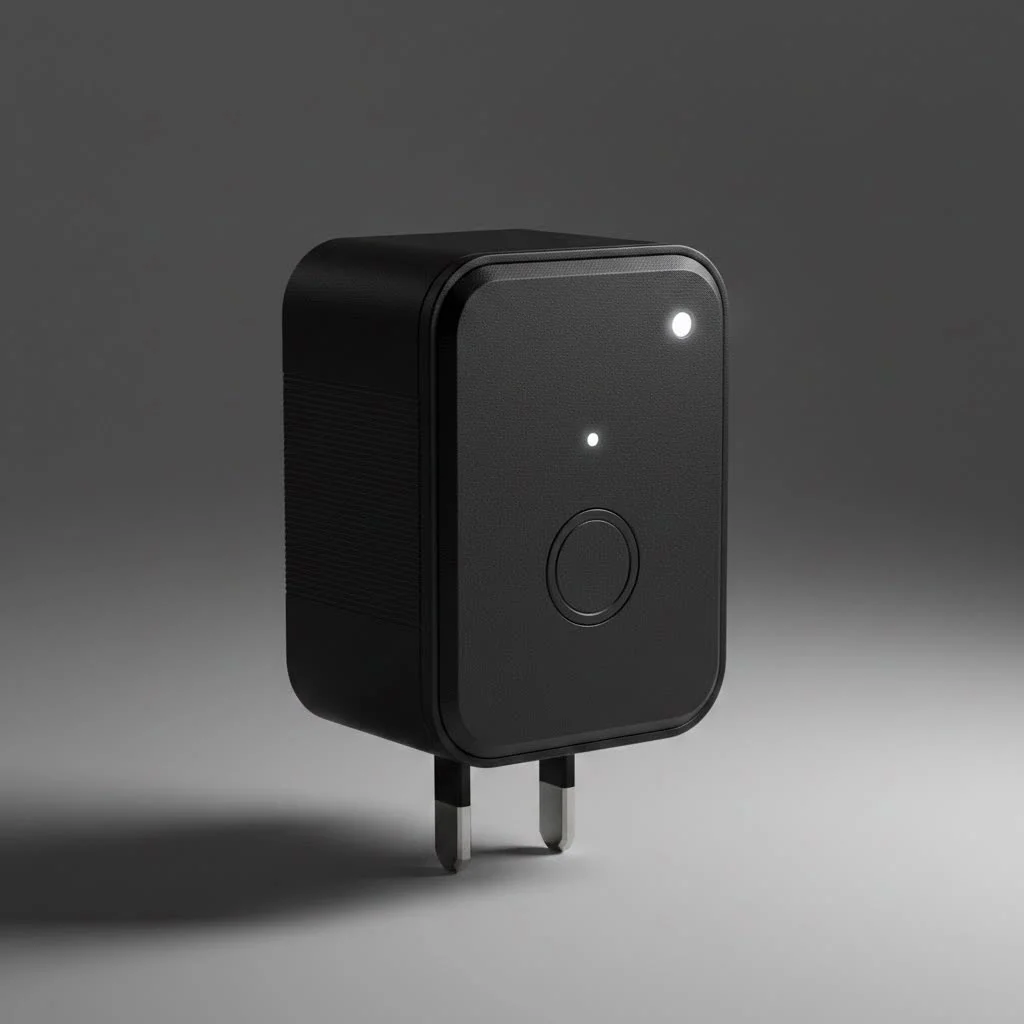
The BN-LINK smart plug is a device that fits between a wall outlet and an appliance’s power cord, allowing remote control of power flow via a smartphone app or voice commands. It transforms ordinary appliances into smart ones, offering benefits like remote control, scheduling, voice integration with Amazon Alexa or Google Assistant, and potential energy savings. As a smart home expert with over a decade of experience, I’ve found that the straightforward efficiency of a quality smart plug like BN-LINK remains unmatched for enhancing home convenience.
What Exactly is a BN-LINK Smart Plug?
At its core, a BN-LINK smart plug is a device that fits between your wall outlet and an appliance’s power cord. Once connected to your home’s Wi-Fi network, it allows you to control the power flow to whatever is plugged into it using a smartphone app or voice commands.
This means you can turn on your coffee maker from bed, switch off a lamp from across the country, or set a schedule for your holiday lights without ever touching a switch. The primary benefits include:
- Remote Control: Turn devices on or off from anywhere with an internet connection.
- Scheduling and Automation: Set timers and schedules for your appliances to operate automatically.
- Voice Integration: Control your devices hands-free using Amazon Alexa or Google Assistant.
- Energy Savings: By scheduling devices to turn off when not in use, you can reduce phantom power draw and lower your electricity bill.
Choosing the Right BN-LINK Smart Plug for You
BN-LINK offers a variety of smart plugs designed for different needs. Choosing the right one depends on where and how you plan to use it.
Indoor vs. Outdoor Plugs
The most basic distinction is between indoor and outdoor models.
- Indoor Plugs: These are perfect for lamps, fans, kitchen appliances, and chargers. They are compact and designed to blend in with your home decor.
- Outdoor Plugs: Built to withstand the elements, these plugs are weather-resistant and feature durable, waterproof construction. They are ideal for landscape lighting, pool pumps, and seasonal decorations.
Single Outlet vs. Power Strips
You also have a choice in the number of devices you can control.
- Single Outlet Plugs: The most common type, these control one appliance. Some compact designs even allow you to stack two plugs in a standard dual wall outlet.
- Smart Power Strips: For entertainment centers or home offices, a BN-LINK smart power strip is a major upgrade. It allows you to control each outlet on the strip independently, so you can turn off your monitor without powering down your computer.
“A common mistake is using an indoor plug for outdoor decorations,” notes smart home specialist David Chen. “Always invest in a proper outdoor-rated plug. Its weather-resistant seals protect against moisture and dust, preventing short circuits and ensuring safety year-round.”
How to Set Up Your BN-LINK Smart Plug: A Step-by-Step Guide
Getting your BN-LINK smart plug up and running is incredibly simple and usually takes less than five minutes. While specific steps might vary slightly by model, the general process is the same.
- Download the App: First, download the companion app on your smartphone or tablet. This is typically the “Smart Life” app or a branded BN-LINK app, available on both the Apple App Store and Google Play Store.
- Create an Account: Open the app and create a new account using your email address. You’ll need to verify your account before proceeding.
- Enter Pairing Mode: Plug the BN-LINK smart plug into a wall outlet. Press and hold the power button on the side of the plug for about five seconds. The indicator light should begin blinking rapidly, signaling that it is in pairing mode and ready to connect.
- Connect to Wi-Fi: Open the app and tap the “+” icon to add a new device. Select the appropriate device type (usually “Socket (Wi-Fi)”). Confirm that the indicator light is blinking and enter your home’s 2.4GHz Wi-Fi network password. Note: Most smart plugs do not support 5GHz networks, so ensure your phone is connected to the 2.4GHz band during setup.
- Finalize the Connection: The app will automatically detect and connect to the plug. Once it’s successfully added, you can give it a custom name like “Living Room Lamp” or “Coffee Maker” for easy identification and voice control.
Unlocking Advanced Features for a Truly Smart Home
Once your plug is set up, you can explore its more advanced capabilities to fully automate your home.
Scheduling and Timers
|
Our Picks for the Best Smart Plug in 2026
As an Amazon Associate I earn from qualifying purchases.
|
||
| Num | Product | Action |
|---|---|---|
| 1 | Kasa Smart Plug Ultra Mini 15A, Smart Home Wi-Fi Outlet Works with Alexa, Google Home & IFTTT, No Hub Required, UL Certified, 2.4G WiFi Only, 2 Count (Pack of 1)(EP10P2) , White |

|
| 2 | GHome Smart Plug, WiFi Smart Plugs Work with Alexa and Google Home, Smart Outlet Timer with APP Remote Control, 2.4GHz Wi-Fi Only, No Hub Required, ETL FCC Listed |
|
| 3 | Kasa Smart Plug Mini 15A, Apple HomeKit Supported, Smart Outlet Works with Siri, Alexa & Google Home, UL Certified, App Control, Scheduling, Timer, 2.4G WiFi Only, 4 Count (Pack of 1) (EP25P4), White |
|
| 4 | Legrand Radiant® Wi-Fi Matter Smart Plug Matter Hub Required 15A, Easy Setup, Enhanced Compatibility with Apple HomeKit, Google Home, Alexa & SmartThings, Easy Wi-Fi Connectivity w/ Matter (1 Pack) |
|
| 5 | Govee Smart Plug, WiFi Plugs Work with Alexa & Google Assistant, Smart Outlet with Timer & Group Controller, WiFi Outlet for Home, No Hub Required, ETL & FCC Certified, 2.4G WiFi Only, 4 Pack |
|
| 6 | EIGHTREE Smart Plug 2025 Upgrade to 15A, Bluetooth & Wi-Fi Outlet Plug Dual Connection, Voice Control, Remote Control Outlet Timer Indoor, Smart Plugs That Work with Alexa & Google, 2.4GHz Wi-Fi Only |
|
| 7 | Kasa Smart Plug HS103P4, Smart Home Wi-Fi Outlet Works with Alexa, Echo, Google Home & IFTTT, No Hub Required, Remote Control, 15 Amp, UL Certified, 4-Pack, White |
|
| 8 | Kasa Smart Plug HS103P2, Smart Home Wi-Fi Outlet Works with Alexa, Echo, Google Home & IFTTT, No Hub Required, Remote Control,15 Amp,UL Certified, (Pack of 2) White |
|
| 9 | Linkind Matter Smart Plug, Work with Apple Home, Siri, Alexa, Google, SmartThings, Smart Home Smart Outlet Timer 15A/1800W, APP Remote Control & Schedule, ETL & FCC Certified, 2.4G Wi-Fi Only, 4 Pack |
|
| 10 | EIGHTREE Smart Plug, Smart Home WiFi Outlet Works with Alexa & Google Home, Smart Socket with Remote Control & Timer Function, 2.4GHz WiFi Only, 4 Packs |
|
The scheduling feature is one of the most powerful aspects of a smart plug. You can create custom routines based on your daily life.
- Morning Routine: Schedule your coffee maker to turn on at 6:30 AM, so you wake up to a fresh brew.
- Evening Routine: Set your living room lamps to turn on automatically at sunset.
- Timers: Use the countdown timer feature to automatically turn off devices like a flat iron or a fan after a set period.
Voice Control with Alexa and Google Assistant
For ultimate convenience, link your BN-LINK smart plug to your favorite voice assistant.
- How to Connect: In the Alexa or Google Home app, search for the “Smart Life” skill. Enable it and log in with the account you created during setup. Your voice assistant will then discover your smart plugs.
- Voice Commands: Once linked, you can use simple commands like, “Alexa, turn on the bedroom fan,” or “Hey Google, turn off the Christmas lights.”
Away Mode for Enhanced Security
Many BN-LINK models feature an “Away Mode.” When activated, the plug will randomly turn connected lights on and off to simulate occupancy, deterring potential intruders while you’re on vacation.
Common BN-LINK Smart Plug Problems and How to Fix Them
Even the best technology can have hiccups. If your BN-LINK smart plug isn’t working correctly, try these simple troubleshooting steps before getting frustrated.
Why won’t my smart plug connect to Wi-Fi?
This is the most common setup issue. The cause is almost always related to the Wi-Fi network itself.
- Check Your Band: Ensure you are connecting to a 2.4GHz Wi-Fi network. Smart plugs are not compatible with 5GHz networks.
- Password Check: Double-check that you entered the Wi-Fi password correctly. It’s a simple mistake that happens to everyone.
- Router Distance: Make sure the plug is within a reasonable range of your Wi-Fi router during the setup process.
Why is my smart plug unresponsive?
If the plug suddenly stops responding to the app or voice commands, try these fixes:
- Power Cycle: The classic “turn it off and on again” works wonders. Unplug the smart plug, wait ten seconds, and plug it back in.
- Check Your Internet: Make sure your home’s internet connection is working. If your Wi-Fi is down, the plug won’t be able to receive commands.
- Re-Link the Skill: Sometimes, the connection between the Smart Life app and Alexa or Google Assistant can be lost. Try disabling and re-enabling the skill in your voice assistant’s app.
How do I reset my BN-LINK smart plug?
If all else fails, a factory reset can resolve deeper issues. To reset the plug, press and hold the power button for 5-10 seconds until the indicator light starts blinking rapidly again. This will erase its current settings, and you will need to go through the setup process again.
Frequently Asked Questions (FAQ)
Do I need a hub for a BN-LINK smart plug?No, you do not. BN-LINK smart plugs are Wi-Fi-enabled and connect directly to your home router, so you don’t need to purchase any additional hub or hardware.
Can I use a BN-LINK smart plug outdoors?You can, but only if you purchase a model specifically rated for outdoor use. These versions are built to be weatherproof and can handle rain, snow, and dust. Never use an indoor plug outside.
Is the BN-LINK smart plug safe to use?Yes. BN-LINK smart plugs are certified by safety standards bodies like ETL or UL. They are made with fire-resistant materials and have overload protection to ensure they operate safely.
What app do I use for my BN-LINK plug?Most BN-LINK smart plugs use the “Smart Life” app, which is a popular platform for managing various smart home devices. Some newer models may use a dedicated BN-LINK app. Always check the product manual for the correct app to download.
The Final Word
The BN-LINK smart plug is an accessible, affordable, and highly effective way to begin building your smart home. It empowers you to control your environment, save energy, and add a new layer of convenience and security to your daily life. Whether you’re automating your morning coffee, securing your home while away, or just want to turn off the lights without leaving the couch, this simple device is a powerful tool. Take the leap, and discover just how much of a difference a little smarts can make.
Smart home that does not lock you in
Free PDF — protocol compatibility matrix for 30 hubs and devices.
I’ve been using the BN-LINK smart plug for a few weeks now, and it’s fantastic! I love being able to schedule my coffee maker to turn on every morning before I even get out of bed. The setup was super easy, and it integrated seamlessly with my Google Assistant. Definitely a game-changer for my morning routine.
I’m so impressed with how much easier this BN-LINK plug makes things. I’m using it for my kids’ nightlights and a humidifier, and being able to turn them off from my phone without going into their rooms is a lifesaver. The energy savings aspect is a nice bonus too, knowing I’m not leaving things on unnecessarily.
The BN-LINK smart plug works as advertised for the most part. I bought it to control a fan in my bedroom, and the scheduling feature is handy. However, I had a bit of trouble connecting it to my Wi-Fi initially; it took a few tries to get it to recognize my network. Once it was set up, it’s been fine, but that first hurdle was a little frustrating.
This smart plug is pretty solid. I mainly got it for my Christmas lights last year, and it was great to turn them on and off with my phone. The app is intuitive, and I appreciate the remote control feature when I’m not home. My only minor gripe is that sometimes it takes a second or two longer than I’d expect to respond to voice commands, but it always works.