A smart timer plug is a device that connects to a standard electrical outlet, allowing you to remotely control and schedule the power of any plugged-in appliance using a smartphone app or voice commands. These plugs enable automation for devices like lamps, fans, and coffee makers, enhancing convenience, security, and energy efficiency in your home. They are an accessible entry point into smart home technology, typically connecting directly to your home’s Wi-Fi network without requiring additional hubs.
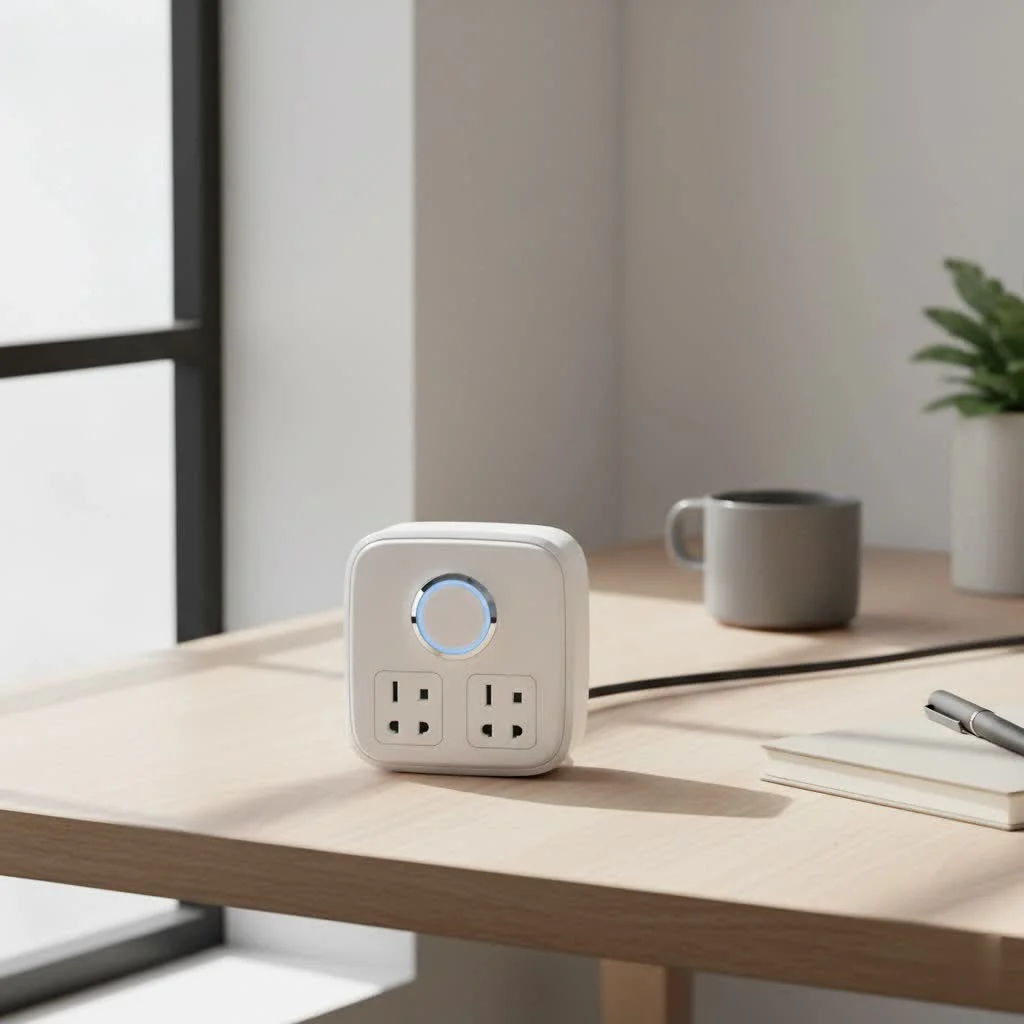
This guide will walk you through everything you need to know, from what a smart timer plug is to how you can use it in ways you might not have imagined. Let’s plug in and get started.
What Exactly is a Smart Timer Plug?
A smart timer plug, often called a smart plug or Wi-Fi plug, is a device that you plug into a regular electrical outlet. You then plug another appliance, like a lamp, fan, or kitchen appliance, into the smart plug. This simple connection instantly makes the “dumb” appliance a smart one, giving you remote control over its power state.
The “timer” function is its core feature. Unlike old-school mechanical timers that are clunky and limited, a smart timer plug allows you to set complex schedules and countdowns with precision using a smartphone app. You can program it to turn on and off at specific times on specific days, creating automated routines that fit your lifestyle perfectly.
“The beauty of the smart timer plug is its simplicity,” says David Chen, a leading smart home integration specialist. “It offers a significant quality-of-life upgrade for a minimal investment, acting as the perfect gateway product for anyone curious about home automation.”
How Does a Smart Timer Plug Work?
The magic behind a smart timer plug lies in its connectivity. Most smart plugs connect directly to your home’s Wi-Fi network. This connection allows the plug to communicate with an app on your smartphone, tablet, or even with voice assistants.
Here’s a simple breakdown of the process:
- Plug It In: You insert the smart timer plug into a wall socket and plug your desired appliance into it.
- Connect to Wi-Fi: Using a dedicated app from the manufacturer (like Kasa, TP-Link, or Wyze), you connect the plug to your home Wi-Fi network. This is usually a one-time setup process.
- Control via App: Once connected, you can use the app to turn the appliance on or off manually, no matter where you are in the world, as long as you have an internet connection.
- Set Schedules and Timers: Within the app, you can access the core timer functions. You can create detailed schedules (e.g., turn on the living room lamp every day at sunset and off at 11 PM) or set simple countdown timers (e.g., turn off the fan in 30 minutes).
Because it uses your existing Wi-Fi network, you don’t need any extra hardware, hubs, or complex wiring, making it an incredibly accessible piece of smart home technology.
Key Features to Look For When Buying
Not all smart plugs are created equal. As you shop for the perfect smart timer plug, keep an eye out for these essential features to ensure you get the most value and functionality.
Scheduling and Automation
|
Our Picks for the Best Smart Plug in 2026
As an Amazon Associate I earn from qualifying purchases.
|
||
| Num | Product | Action |
|---|---|---|
| 1 | Kasa Smart Plug Mini 15A, Apple HomeKit Supported, Smart Outlet Works with Siri, Alexa & Google Home, UL Certified, App Control, Scheduling, Timer, 2.4G WiFi Only, 4 Count (Pack of 1) (EP25P4), White |

|
| 2 | Govee Smart Plug, WiFi Plugs Work with Alexa & Google Assistant, Smart Outlet with Timer & Group Controller, WiFi Outlet for Home, No Hub Required, ETL & FCC Certified, 2.4G WiFi Only, 4 Pack |
|
| 3 | Linkind Matter Smart Plug, Work with Apple Home, Siri, Alexa, Google, SmartThings, Smart Home Smart Outlet Timer 15A/1800W, APP Remote Control & Schedule, ETL & FCC Certified, 2.4G Wi-Fi Only, 4 Pack |
|
| 4 | Legrand Radiant® Wi-Fi Matter Smart Plug Matter Hub Required 15A, Easy Setup, Enhanced Compatibility with Apple HomeKit, Google Home, Alexa & SmartThings, Easy Wi-Fi Connectivity w/ Matter (1 Pack) |
|
| 5 | EIGHTREE Smart Plug, Smart Home WiFi Outlet Works with Alexa & Google Home, Smart Socket with Remote Control & Timer Function, 2.4GHz WiFi Only, 4 Packs |
|
| 6 | Kasa Smart Plug Ultra Mini 15A, Smart Home Wi-Fi Outlet Works with Alexa, Google Home & IFTTT, No Hub Required, UL Certified, 2.4G WiFi Only, 2 Count (Pack of 1)(EP10P2) , White |
|
| 7 | Kasa Smart Plug HS103P4, Smart Home Wi-Fi Outlet Works with Alexa, Echo, Google Home & IFTTT, No Hub Required, Remote Control, 15 Amp, UL Certified, 4-Pack, White |
|
| 8 | Kasa Smart Plug HS103P2, Smart Home Wi-Fi Outlet Works with Alexa, Echo, Google Home & IFTTT, No Hub Required, Remote Control,15 Amp,UL Certified, (Pack of 2) White |
|
| 9 | EIGHTREE Smart Plug 2025 Upgrade to 15A, Bluetooth & Wi-Fi Outlet Plug Dual Connection, Voice Control, Remote Control Outlet Timer Indoor, Smart Plugs That Work with Alexa & Google, 2.4GHz Wi-Fi Only |
|
| 10 | GHome Smart Plug, WiFi Smart Plugs Work with Alexa and Google Home, Smart Outlet Timer with APP Remote Control, 2.4GHz Wi-Fi Only, No Hub Required, ETL FCC Listed |
|
The primary reason to buy a smart timer plug is for its scheduling capabilities. A good smart plug app should offer:
- Detailed Scheduling: The ability to set different on/off times for each day of the week.
- Away Mode: A feature that randomly turns lights on and off to simulate occupancy, deterring potential intruders while you’re away.
- Countdown Timers: A simple function to turn the plug off after a set period.
Voice Control Compatibility
For true hands-free convenience, check for compatibility with major voice assistants. The most common are:
- Amazon Alexa
- Google Assistant
- Apple HomeKit (Siri)
Being able to say, “Hey Google, turn on the Christmas lights,” adds a layer of seamless integration that is hard to live without once you’ve tried it.
Energy Monitoring
Want to know which appliances are your home’s biggest energy vampires? Some advanced smart timer plugs come with built-in energy monitoring. The companion app can show you real-time power consumption and provide historical data on how much electricity an appliance has used over a week or month. This is a fantastic tool for identifying opportunities to save money and reduce your carbon footprint.
Compact Design
This is a practical but often overlooked feature. Many older or cheaper smart plugs have bulky designs that can block the second outlet on a standard wall plate. Look for plugs with a slim, round, or offset design that ensures you can still use the adjacent socket.
Step-by-Step: How to Set Up Your First Smart Timer Plug
Getting your first smart plug up and running is incredibly easy and usually takes less than five minutes. While the exact steps may vary slightly by brand, the general process is universal.
- Download the App: Find the manufacturer’s official app on the Apple App Store or Google Play Store and install it on your smartphone.
- Create an Account: Open the app and create a new user account. This is necessary to manage your devices.
- Plug in the Device: Plug your smart timer plug into a power outlet. A small LED light will usually start blinking to indicate it’s in setup mode.
- Add a New Device: In the app, tap the “Add Device” or “+” icon. Select “Smart Plug” from the list of available devices.
- Connect to Wi-Fi: The app will instruct you to connect to your home’s 2.4GHz Wi-Fi network. Note: Most smart plugs do not support 5GHz networks, so ensure you are connecting to the correct one. You will need to enter your Wi-Fi password.
- Name Your Plug: Give your plug a descriptive name, such as “Living Room Lamp” or “Bedroom Fan.” This makes it easier to identify in the app and is crucial for using voice commands.
- Start Automating: That’s it! You can now control the plug from the app’s home screen. Dive into the device’s settings to start setting up your first schedule or timer.
Creative Uses for Your Smart Timer Plug
Once you have one, you’ll start seeing opportunities everywhere. Here are some of the most popular and creative ways our community at Kjooz uses their smart timer plugs:
- Morning Routine: Schedule your coffee maker to start brewing a few minutes before you wake up.
- Home Security: Use “Away Mode” for your lamps when you’re on vacation to make it look like someone is home.
- Holiday Decorations: Automate your Christmas lights or other seasonal decorations to turn on at dusk and off at bedtime, saving energy and hassle.
- Protect Your Batteries: Prevent overcharging of devices like electric toothbrushes or tool batteries by setting a timer to turn the outlet off after a few hours.
- Pet Care: Schedule aquarium lights or heat lamps for reptiles to maintain a consistent environment for your pets.
- Slow Cookers: Start your slow cooker while you’re at work so dinner is ready the moment you walk in the door.
- Control Your Router: Is your internet acting up? Schedule your router to automatically reboot once a week in the middle of the night to keep it running smoothly.
Frequently Asked Questions (FAQ)
Do I need a smart home hub for a smart timer plug?
For most Wi-Fi-enabled smart plugs, you do not need a separate hub. They connect directly to your home’s Wi-Fi router. However, plugs that use other protocols like Zigbee or Z-Wave do require a compatible smart home hub.
Can a smart timer plug save me money?
Absolutely. By scheduling high-consumption devices to turn off when not in use and using energy monitoring to identify inefficient appliances, a smart plug can help you significantly reduce “vampire power” drain and lower your electricity bills.
What happens if the internet goes down?
If your Wi-Fi connection is lost, you won’t be able to control the smart plug remotely from your phone or with voice commands. However, any schedules and timers that are saved directly on the plug itself will continue to operate as programmed.
Can I use a smart plug outdoors?
You should only use a smart plug outdoors if it is specifically rated for outdoor use. Outdoor smart plugs are built with weather-resistant materials to withstand rain, dust, and extreme temperatures. Using an indoor plug outside is a serious safety hazard.
How much power can a smart timer plug handle?
Most standard indoor smart plugs are rated for 10 to 15 amps. This is sufficient for lamps, fans, and small kitchen appliances. Always check the plug’s maximum power rating before connecting heavy-duty appliances like space heaters or air conditioners to avoid overloading it.
Your Home, Only Smarter
The smart timer plug is a small device that makes a big impact. It’s an affordable, easy-to-use entry point into the world of home automation that offers immediate benefits in convenience, security, and energy efficiency. By putting the power of scheduling and remote control in your hands, it transforms everyday objects into intelligent devices that work for you. Take a moment to look around your home—you’ll soon realize just how many possibilities are waiting to be automated.
Smart home that does not lock you in
Free PDF — protocol compatibility matrix for 30 hubs and devices.

Security was a big concern for me when I travel, and using these smart plugs to automate my lights has been fantastic. It gives the impression that someone is home, even when I’m away for weeks. It’s a simple yet effective solution for peace of mind, and I appreciate how accessible they are for anyone to use.
These smart timer plugs are pretty good for basic automation like lamps and fans. My only complaint is that sometimes the Wi-Fi connection can be a bit spotty, especially if the plug is further away from my router. It’s not a dealbreaker, but it means I occasionally have to manually reset it, which is a bit annoying.
I’ve been using smart plugs for a while now, and they’ve totally changed how I manage my home. I especially love being able to schedule my coffee maker to turn on every morning before I even get out of bed. It’s such a small thing but makes a huge difference in my routine. Plus, the energy efficiency aspect is a nice bonus.
I was looking for an easy way to get into smart home tech without buying a whole new system, and these smart plugs were perfect. I started with just one for my bedroom lamp, and now I have a few controlling different appliances. The smartphone app control is super convenient, and it was really easy to set up without needing any extra hubs.