The Hubspace smart plug is an affordable and user-friendly device, exclusively available at The Home Depot, that transforms ordinary appliances into smart ones by connecting them to your home’s Wi-Fi network. It allows remote control via the Hubspace app, scheduling, and voice commands through Amazon Alexa or Google Assistant, making it an ideal entry point for smart home beginners without requiring a separate hub.
What Exactly Is a Hubspace Smart Plug?
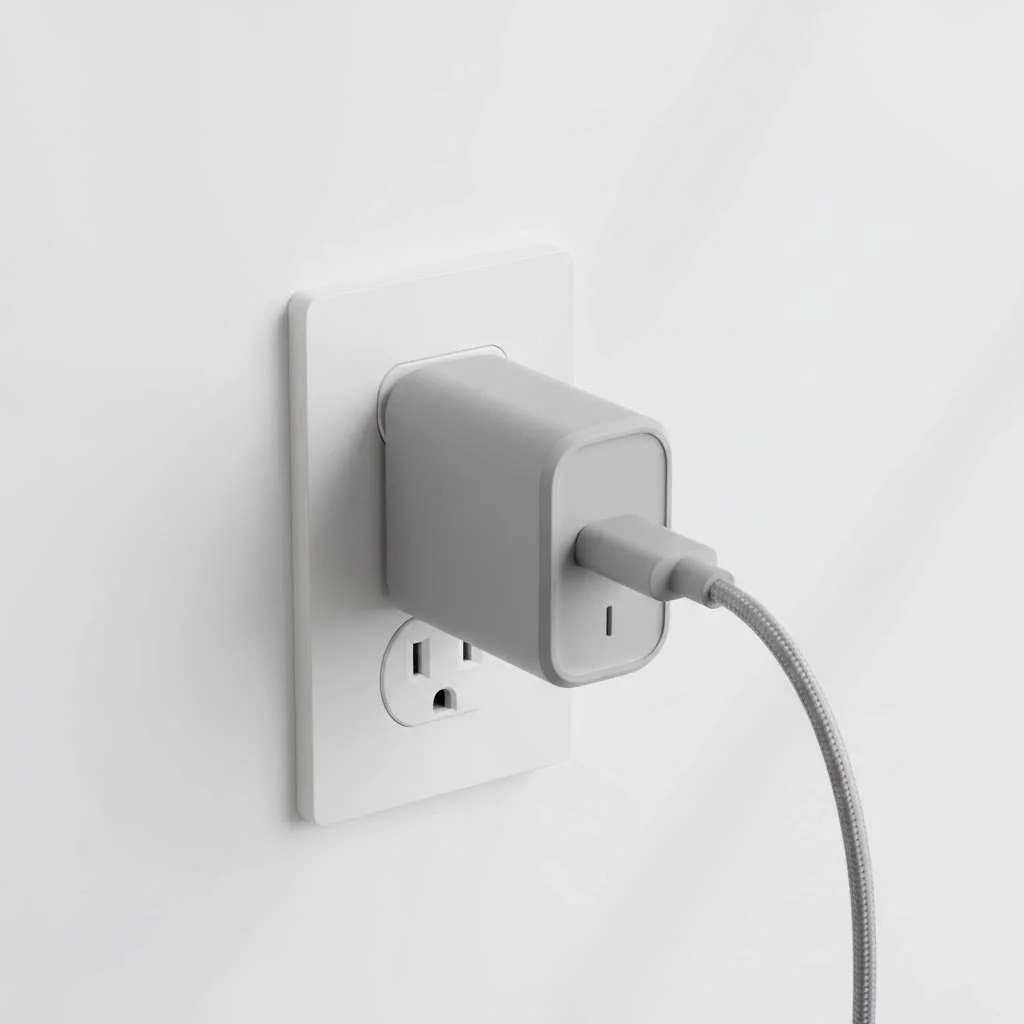
At its core, a Hubspace smart plug is an adapter placed between a power outlet and an appliance’s power cord. Once connected to your home’s Wi-Fi network, it enables remote control of the appliance using the Hubspace app on your smartphone. This device does not require a separate, expensive central hub, making it a fantastic standalone solution for beginners.
The real magic happens through the app and its integrations. You can:
- Control from anywhere: If you leave the house and forget to turn off an iron, you can open the app and switch it off remotely.
- Set schedules and timers: Automate your life by scheduling a fan to turn on before you get home or having holiday lights activate and deactivate at specific times each day.
- Use voice commands: Link your plugs to Amazon Alexa or Google Assistant to control devices with simple voice commands like, “Hey Google, turn on the living room lamp.”
Step-by-Step: How to Set Up Your Smart Plug
Getting your Hubspace smart plug up and running is designed to be simple and should only take a few minutes. Here’s a clear, step-by-step guide to get you started.
- Download the Hubspace App: Head to the Google Play Store or Apple App Store and download the official Hubspace application.
- Create Your Account: Open the app and follow the prompts to create a new account. You’ll need to verify your email address to complete the setup.
- Plug It In: Take your smart plug and plug it into the desired wall outlet. The indicator light on the plug should start blinking, which means it’s ready for pairing.
- Add the Device in the App: In the Hubspace app, tap the ‘+’ icon to add a new device. The app can often use Bluetooth to detect the new plug nearby automatically. If not, you can scan the QR code located on the plug itself.
- Connect to Wi-Fi: Follow the on-screen instructions to select your home Wi-Fi network. Important: Most smart plugs, including Hubspace models, operate on a 2.4GHz Wi-Fi band. If you have a dual-band router, make sure your phone is connected to the 2.4GHz network during setup.
- Name Your Device: Give your plug a descriptive name, like “Bedside Lamp” or “Kitchen Fan.” This makes it easier to identify in the app and is essential for using voice commands.
That’s it! Your smart plug is now connected and ready to use. You can test it by toggling the on/off button in the app.
Connecting to Voice Assistants: Alexa and Google Home
One of the best features of a Hubspace smart plug is its compatibility with major voice assistants. This allows for seamless, hands-free control over your connected appliances.
How to Connect to Google Home
|
Our Picks for the Best Smart Plug in 2026
As an Amazon Associate I earn from qualifying purchases.
|
||
| Num | Product | Action |
|---|---|---|
| 1 | Govee Smart Plug, WiFi Plugs Work with Alexa & Google Assistant, Smart Outlet with Timer & Group Controller, WiFi Outlet for Home, No Hub Required, ETL & FCC Certified, 2.4G WiFi Only, 4 Pack |

|
| 2 | Kasa Smart Plug HS103P4, Smart Home Wi-Fi Outlet Works with Alexa, Echo, Google Home & IFTTT, No Hub Required, Remote Control, 15 Amp, UL Certified, 4-Pack, White |
|
| 3 | Kasa Smart Plug Ultra Mini 15A, Smart Home Wi-Fi Outlet Works with Alexa, Google Home & IFTTT, No Hub Required, UL Certified, 2.4G WiFi Only, 2 Count (Pack of 1)(EP10P2) , White |
|
| 4 | Linkind Matter Smart Plug, Work with Apple Home, Siri, Alexa, Google, SmartThings, Smart Home Smart Outlet Timer 15A/1800W, APP Remote Control & Schedule, ETL & FCC Certified, 2.4G Wi-Fi Only, 4 Pack |
|
| 5 | EIGHTREE Smart Plug, Smart Home WiFi Outlet Works with Alexa & Google Home, Smart Socket with Remote Control & Timer Function, 2.4GHz WiFi Only, 4 Packs |
|
| 6 | Kasa Smart Plug Mini 15A, Apple HomeKit Supported, Smart Outlet Works with Siri, Alexa & Google Home, UL Certified, App Control, Scheduling, Timer, 2.4G WiFi Only, 4 Count (Pack of 1) (EP25P4), White |
|
| 7 | GHome Smart Plug, WiFi Smart Plugs Work with Alexa and Google Home, Smart Outlet Timer with APP Remote Control, 2.4GHz Wi-Fi Only, No Hub Required, ETL FCC Listed |
|
| 8 | Kasa Smart Plug HS103P2, Smart Home Wi-Fi Outlet Works with Alexa, Echo, Google Home & IFTTT, No Hub Required, Remote Control,15 Amp,UL Certified, (Pack of 2) White |
|
| 9 | EIGHTREE Smart Plug 2025 Upgrade to 15A, Bluetooth & Wi-Fi Outlet Plug Dual Connection, Voice Control, Remote Control Outlet Timer Indoor, Smart Plugs That Work with Alexa & Google, 2.4GHz Wi-Fi Only |
|
| 10 | Legrand Radiant® Wi-Fi Matter Smart Plug Matter Hub Required 15A, Easy Setup, Enhanced Compatibility with Apple HomeKit, Google Home, Alexa & SmartThings, Easy Wi-Fi Connectivity w/ Matter (1 Pack) |
|
- Open the Google Home app.
- Tap the ‘+’ icon in the top-left corner and select “Set up device.”
- Choose “Works with Google.”
- Search for “Hubspace” in the list of services and select it.
- You will be prompted to sign in with your Hubspace account credentials to link the services.
- Once linked, Google Home will import your devices. You can then assign them to rooms for better organization.
How to Connect to Amazon Alexa
- Open the Amazon Alexa app.
- Tap “More” in the bottom-right corner and select “Skills & Games.”
- Tap the search icon and look for the “Hubspace” skill.
- Tap “Enable to Use” and sign in with your Hubspace account details.
- After linking, close the window and allow Alexa to discover your devices.
Once connected, you can say things like, “Alexa, turn off the bedroom fan,” and your command will be executed instantly.
As smart home technician Alex Jensen often says, “The best smart device is one you don’t have to think about. When a smart plug integrates seamlessly with your voice assistant, it moves from being a gadget to being a natural part of your home.”
Troubleshooting Common Issues
Even the most straightforward tech can hit a snag. If your Hubspace smart plug isn’t cooperating, here are some common problems and their solutions.
The Plug Won’t Connect to Wi-Fi
This is the most frequent issue.
- Check Your Band: Ensure your phone and the plug are connecting to a 2.4GHz Wi-Fi network. 5GHz networks are not compatible with most smart plugs.
- Check Your Password: Double-check that you entered your Wi-Fi password correctly.
- Router Distance: Make sure the plug is not too far from your Wi-Fi router. A weak signal can prevent a successful connection.
- Reset the Plug: If all else fails, reset the plug. Typically, this involves pressing and holding the power button on the side of the plug for about 5-10 seconds until the indicator light starts blinking rapidly again. Then, restart the setup process in the app.
The Plug is Unresponsive
If the plug is showing as “offline” in the app or not responding to commands:
- Check Power and Wi-Fi: Ensure the plug is firmly in the outlet and that your home Wi-Fi is working.
- Power Cycle: Unplug the smart plug, wait about 10 seconds, and plug it back in. This simple reboot often resolves connectivity glitches.
- App and Firmware Updates: Check the app store for updates to the Hubspace app and look within the app’s device settings for any available firmware updates for the plug.
Is the Hubspace Smart Plug the Right Choice for You?
The Hubspace smart plug is an excellent option for a wide range of users, but it’s particularly well-suited for certain people.
You’ll love the Hubspace smart plug if:
- You are a beginner in the smart home world.
- You shop frequently at The Home Depot.
- You want a simple, app-controlled device without a separate hub.
- You’re on a budget but still want reliable performance.
You might want to consider other options if:
- You are building a complex smart home system with advanced automations that require a different ecosystem (like Z-Wave or Zigbee).
- You need features like energy monitoring, which may not be available on all Hubspace models.
Frequently Asked Questions (FAQ)
Do I need a special hub to use a Hubspace smart plug? No, you do not. The Hubspace smart plug connects directly to your home’s Wi-Fi network, and all control is handled through the free Hubspace app on your smartphone.
Can I control the smart plug when I’m not at home? Yes. As long as the smart plug is connected to your home Wi-Fi and your smartphone has an internet connection (Wi-Fi or cellular), you can control it from anywhere in the world.
Does the Hubspace smart plug work with Apple HomeKit? As of now, Hubspace products do not offer native support for Apple HomeKit. They are designed to work primarily with Amazon Alexa and Google Assistant for voice control.
Can I plug a power strip into a Hubspace smart plug? While you technically can, it is generally not recommended. You should never plug high-draw appliances like space heaters or large power tools into a smart plug, and overloading a power strip connected to one could create a fire hazard. Always check the maximum amperage rating of your smart plug.
What happens if the internet goes out? If your internet connection is down, you will lose remote control capabilities through the app and voice commands. However, you can still turn the plug on and off manually using the physical button on the device. Schedules stored locally on the device may also continue to function.
Your First Step into a Smarter Home
The Hubspace smart plug proves that you don’t need to be a tech genius or spend a fortune to start building a smart home. It offers a reliable, user-friendly, and affordable way to add convenience and automation to your daily routines. By turning simple appliances into smart devices, you unlock a new level of control over your environment. So go ahead, give it a try, and take your first step into a more connected and intelligent home.
Frequently Asked Questions
Do I need a special hub to use a Hubspace smart plug?
No, you do not need a special hub. The Hubspace smart plug connects directly to your home's 2.4GHz Wi-Fi network, and all control is managed through the free Hubspace app on your smartphone.
Can I control the Hubspace smart plug when I'm not at home?
Yes, you can control the smart plug remotely. As long as the smart plug is connected to your home Wi-Fi and your smartphone has an active internet connection (Wi-Fi or cellular), you can operate it from anywhere in the world.
Does the Hubspace smart plug work with Apple HomeKit?
As of now, Hubspace products do not offer native support for Apple HomeKit. They are primarily designed to work with Amazon Alexa and Google Assistant for voice control capabilities.
What happens if my internet connection goes out with a Hubspace plug?
If your internet connection is down, you will lose remote control capabilities through the Hubspace app and voice commands. However, you can still turn the plug on and off manually using the physical button on the device, and some locally stored schedules may continue to function.
Is it safe to plug a power strip into a Hubspace smart plug?
It is generally not recommended to plug a power strip into a Hubspace smart plug. You should never connect high-draw appliances like space heaters or large power tools, and overloading a power strip connected to a smart plug could create a fire hazard. Always check the maximum amperage rating of your smart plug, typically around 15 amps.
Smart home that does not lock you in
Free PDF — protocol compatibility matrix for 30 hubs and devices.
I was looking for an affordable way to dip my toes into smart home devices and the Hubspace smart plug seemed like a good fit. I appreciate that it works with Google Assistant, which I already use for other things. It’s been great for controlling my old floor lamp with voice commands. The remote control via the app is also super convenient when I’m not home.
I’m really impressed with how user-friendly these Hubspace plugs are. I was a bit intimidated by smart home stuff, but the setup was a breeze and didn’t require any complicated steps. Being able to control my space heater remotely has been a lifesaver on cold mornings. Plus, not needing an extra hub saved me some money, which is always a bonus!
I picked up a couple of these Hubspace smart plugs from Home Depot last month and they’ve been fantastic. The setup was super easy, literally just a few minutes to get them connected to my Wi-Fi. I love being able to turn off my bedside lamp from bed without having to get up, and the scheduling feature for my coffee maker in the morning is a game changer. Definitely recommend for anyone starting out with smart home tech.
These plugs are pretty good for the price, especially since you don’t need a separate hub. I’ve got one controlling my fan and another on my Christmas lights. My only minor complaint is that sometimes the app can be a little slow to respond when I’m trying to turn something on or off, but it always works eventually. Still, a solid option for basic smart control.