In a world filled with smart devices, there are always a few cherished appliances left behind—the classic reading lamp from your grandmother, the trusty old coffee maker, or those festive holiday lights. What if you could bring them into the 21st century without replacing them? That’s precisely the magic offered by the Philips Smart Plug. This compact device is the missing link in your smart home, turning almost any standard electronic item into a fully integrated, controllable gadget. If you’re already familiar with the brilliant Philips Hue ecosystem, this plug is the key to unlocking a truly unified and automated home.
What Exactly is a Philips Smart Plug?
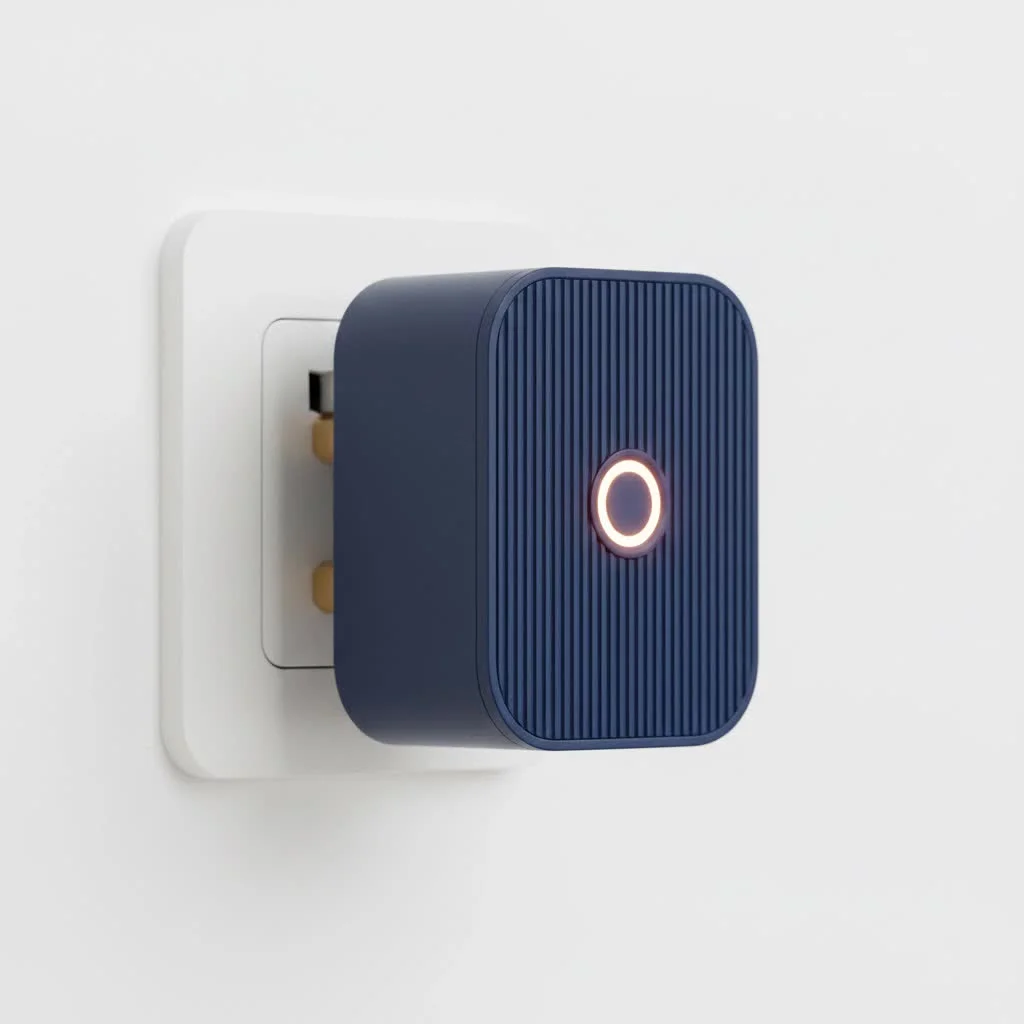
At its core, the Philips Smart Plug is a simple yet powerful adapter. You plug it into any standard wall outlet, and then you plug your “dumb” device—like a lamp, fan, or holiday decoration—into the smart plug. Instantly, that device is connected and can be controlled remotely. It’s designed to be compact and unobtrusive, ensuring it doesn’t block adjacent sockets. Its primary role is to act as a bridge, bringing your non-smart electronics into the highly acclaimed Philips Hue smart home system.
Key Features That Make the Philips Smart Plug Stand Out
While there are many smart plugs on the market, the Philips version stands out for its seamless integration and reliability, especially for those invested in the Hue ecosystem.
Instant Control via Bluetooth
Right out of the box, the Philips Smart Plug works with Bluetooth. This means you don’t need any additional hardware to get started. Simply download the Philips Hue Bluetooth app, and you can turn your connected device on or off from your smartphone within a range of about 30 feet. This is perfect for basic control in a single room.
Unlocking Full Potential with the Hue Bridge
The true power of the Philips Smart Plug is unleashed when you pair it with a Philips Hue Bridge. The Bridge uses the Zigbee protocol, a robust mesh network that is more reliable and has a greater range than Bluetooth. Connecting to a Bridge unlocks a world of advanced features:
- Remote Access: Control your devices from anywhere in the world with an internet connection. Forgot to turn off the lights? No problem.
- Advanced Automations: Set complex schedules and routines. Have your coffee maker turn on automatically at 7 AM or your lights switch on to welcome you home.
- Ecosystem Integration: The plug becomes a fully-fledged member of your Hue ecosystem, controllable alongside your Hue smart bulbs, sensors, and switches.
- Away-from-Home Control: Use automation to make it seem like you’re home when you’re on vacation, turning lights on and off at random intervals.
Seamless Voice Control
|
Our Picks for the Best Smart Plug in 2026
As an Amazon Associate I earn from qualifying purchases.
|
||
| Num | Product | Action |
|---|---|---|
| 1 | EIGHTREE Smart Plug, Smart Home WiFi Outlet Works with Alexa & Google Home, Smart Socket with Remote Control & Timer Function, 2.4GHz WiFi Only, 4 Packs |

|
| 2 | Linkind Matter Smart Plug, Work with Apple Home, Siri, Alexa, Google, SmartThings, Smart Home Smart Outlet Timer 15A/1800W, APP Remote Control & Schedule, ETL & FCC Certified, 2.4G Wi-Fi Only, 4 Pack |
|
| 3 | Legrand Radiant® Wi-Fi Matter Smart Plug Matter Hub Required 15A, Easy Setup, Enhanced Compatibility with Apple HomeKit, Google Home, Alexa & SmartThings, Easy Wi-Fi Connectivity w/ Matter (1 Pack) |
|
| 4 | GHome Smart Plug, WiFi Smart Plugs Work with Alexa and Google Home, Smart Outlet Timer with APP Remote Control, 2.4GHz Wi-Fi Only, No Hub Required, ETL FCC Listed |
|
| 5 | Govee Smart Plug, WiFi Plugs Work with Alexa & Google Assistant, Smart Outlet with Timer & Group Controller, WiFi Outlet for Home, No Hub Required, ETL & FCC Certified, 2.4G WiFi Only, 4 Pack |
|
| 6 | EIGHTREE Smart Plug 2025 Upgrade to 15A, Bluetooth & Wi-Fi Outlet Plug Dual Connection, Voice Control, Remote Control Outlet Timer Indoor, Smart Plugs That Work with Alexa & Google, 2.4GHz Wi-Fi Only |
|
| 7 | Kasa Smart Plug HS103P4, Smart Home Wi-Fi Outlet Works with Alexa, Echo, Google Home & IFTTT, No Hub Required, Remote Control, 15 Amp, UL Certified, 4-Pack, White |
|
| 8 | Kasa Smart Plug Mini 15A, Apple HomeKit Supported, Smart Outlet Works with Siri, Alexa & Google Home, UL Certified, App Control, Scheduling, Timer, 2.4G WiFi Only, 4 Count (Pack of 1) (EP25P4), White |
|
| 9 | Kasa Smart Plug Ultra Mini 15A, Smart Home Wi-Fi Outlet Works with Alexa, Google Home & IFTTT, No Hub Required, UL Certified, 2.4G WiFi Only, 2 Count (Pack of 1)(EP10P2) , White |
|
| 10 | Kasa Smart Plug HS103P2, Smart Home Wi-Fi Outlet Works with Alexa, Echo, Google Home & IFTTT, No Hub Required, Remote Control,15 Amp,UL Certified, (Pack of 2) White |
|
One of the most convenient features is its compatibility with major voice assistants. You can effortlessly control your connected devices with simple voice commands. It works with:
- Amazon Alexa
- Google Assistant
- Apple HomeKit (requires a Hue Bridge)
Saying “Hey Google, turn on the living room fan” is a simple luxury you’ll quickly wonder how you lived without.
How to Set Up Your Philips Smart Plug: A Step-by-Step Guide
Philips has made the setup process incredibly straightforward, whether you’re using Bluetooth or a Hue Bridge.
Setup with Bluetooth (No Bridge)
- Plug It In: Connect the Philips Smart Plug to a wall outlet and turn it on. The small indicator light should illuminate.
- Download the App: Get the “Philips Hue Bluetooth” app from your smartphone’s app store.
- Add Your Plug: Open the app and follow the on-screen instructions to add a new accessory. The app will automatically detect the plug nearby.
- Name and Control: Give your plug a name (e.g., “Bedside Lamp”) and you’re ready to start controlling it.
Setup with a Hue Bridge
- Plug It In: Connect the smart plug to an outlet within range of your Hue Bridge network.
- Open the Hue App: Launch the main Philips Hue app on your smartphone.
- Add Accessory: Navigate to Settings > Accessory setup and tap the “+” icon to add a new accessory.
- Select and Discover: Choose “Hue Smart Plug” from the list. The app will automatically search for and find the plug. Once found, you can name it and assign it to a room.
“For anyone already in the Philips Hue ecosystem, the Hue Smart Plug is a no-brainer. Its rock-solid reliability via the Zigbee protocol makes it a ‘set it and forget it’ device that just works, which is the highest praise you can give to a smart home gadget,” says David Chen, a lead smart home integrator.
Creative Ways to Use Your Philips Smart Plug
The possibilities go far beyond just turning a light on and off. Here are some ideas to get you started:
- Automate Holiday Decorations: Set your Christmas tree or other festive lights on a daily schedule so they turn on at sunset and off at bedtime.
- Smarter Mornings: Plug your coffee maker (one with a physical on/off switch) into the smart plug and schedule it to start brewing a few minutes before you wake up.
- Control Airflow: Connect a fan or a non-smart air purifier to the plug for easy control via voice or app, especially useful when you’re already comfortable in bed.
- Enhance Security: Use the “away from home” feature to randomize when lamps turn on and off, creating the illusion that someone is home.
- Old-School Audio: Power on an old stereo receiver with your voice to get your vinyl record player or sound system ready to go.
Philips Smart Plug vs. Other Smart Plugs: Is It Worth It?
The Philips Smart Plug is often priced higher than competitors from brands like Kasa or Wyze. So, is it worth the extra cost? The answer depends on your existing setup.
If you are a current Philips Hue user, the answer is an emphatic yes. The value lies in its perfect, seamless integration into the Hue app and ecosystem. You can control it within the same app as all your lights and accessories, include it in Hue scenes and routines, and trust its Zigbee-powered reliability.
If you are not in the Hue ecosystem and just need a simple smart plug, other Wi-Fi-based options might be more cost-effective. However, for those prioritizing a unified, high-quality smart home experience, the Philips Smart Plug is the superior choice.
Frequently Asked Questions (FAQ)
Do I need a Hue Bridge for the Philips Smart Plug?
No, you do not need a Hue Bridge to get started. The plug works out of the box with Bluetooth via the Hue Bluetooth app, allowing for basic on/off control within a limited range. However, a Hue Bridge is required to unlock remote access, voice control with HomeKit, and advanced automation features.
Can the Philips Smart Plug dim lights?
No, the Philips Smart Plug cannot dim lights. It is strictly an on/off device. It cuts or supplies power to the connected appliance. If you want dimming capabilities, you will need to use Philips Hue smart bulbs.
Can I use the Philips Smart Plug outdoors?
The Philips Smart Plug is designed and rated for indoor use only. It is not weatherproof and should not be exposed to the elements.
What is the maximum power load for the plug?
The Philips Smart Plug is intended primarily for lights and other small appliances. It is not recommended for high-power appliances like space heaters or large kitchen equipment. Always check the power rating (typically around 1800W in the US) to ensure your device is compatible.
Final Thoughts: Your Gateway to a Smarter Home
The Philips Smart Plug is more than just an outlet; it’s an invitation to expand your smart home. It’s an incredibly simple, reliable, and effective way to bring your traditional devices into the modern age. For those already committed to the brilliant and robust Philips Hue system, it’s an essential accessory that completes the ecosystem. By bridging the gap between old and new, this small but mighty device empowers you to create a more convenient, automated, and connected living space.
Smart home that does not lock you in
Free PDF — protocol compatibility matrix for 30 hubs and devices.

I bought this to control my outdoor holiday lights, and while it does the job, I had a bit of trouble getting it connected to my Wi-Fi initially. It took a few tries to get it recognized by the app, which was a little frustrating. Once it was set up, it’s been reliable, but that first impression wasn’t the best. It’s fine for basic on/off scheduling.
This smart plug is pretty solid. I got it mainly for my coffee maker so I can have it brew before I even get out of bed, and it works flawlessly for that. The integration with other smart home devices is smooth. My only minor gripe is that it’s a little bulkier than I expected, so it can block the second outlet if you’re not careful with placement.
I’ve been slowly building out my smart home, and this Philips Smart Plug is a game-changer for my older appliances. I love that I can now control my grandmother’s reading lamp with my voice, just like my newer smart lights. It was super easy to set up and integrate with my existing Philips Hue system. Definitely recommend for anyone looking to upgrade their ‘dumb’ devices.
Finally, a way to bring my trusty old fan into the 21st century! The Philips Smart Plug is exactly what I needed. It’s compact, doesn’t draw much power, and the app control is intuitive. I appreciate how it extends the functionality of my smart home without having to replace perfectly good appliances. A must-have for any smart home enthusiast.