Welcome to Kjooz, your go-to resource for mastering the smart home. As an expert with over a decade of experience, I’ve seen how a simple device can completely transform a home. If you’re diving into the world of open-source home automation, choosing the right Home Assistant smart plug is one of the most impactful first steps you can take. It’s the gateway to unlocking true automation, moving beyond simple voice commands to a home that anticipates your needs.
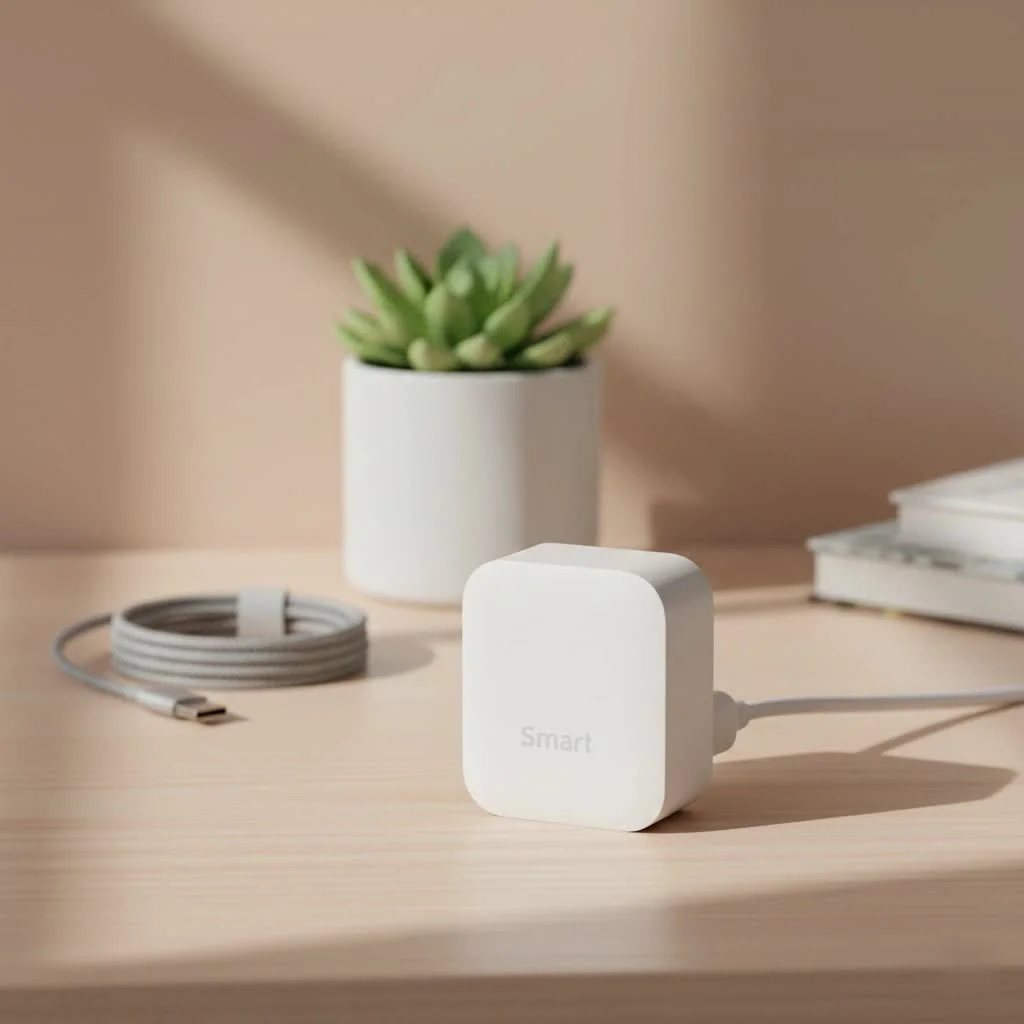
A smart plug is more than just a remote on/off switch; it’s a sensor, a scheduler, and a data point. When integrated with a powerful platform like Home Assistant, it becomes a building block for sophisticated routines that enhance convenience, save energy, and provide peace of mind. This guide will walk you through everything you need to know, from choosing the right technology to setting up advanced automations. For browse all smart home articles on this site.
What Makes a Smart Plug Great for Home Assistant?
Not all smart plugs are created equal, especially when it comes to Home Assistant. While most plugs can be integrated one way or another, the best options prioritize local control. This means the plug communicates directly with your Home Assistant server on your home network, without relying on a third-party cloud service.
Why is local control so important?
- Reliability: Your automations will work even if your internet connection goes down.
- Speed: Commands are executed instantly, without the lag of a round trip to a cloud server.
- Privacy: You have full control over your data, as it doesn’t leave your home network.
Plugs that rely on cloud services can be a weak link in your setup. If the manufacturer’s servers go down or they decide to end support for a product, your smart plug could become a paperweight overnight.
Choosing Your Connection: Zigbee, Z-Wave, Wi-Fi, and Matter
The most critical decision you’ll make is the communication protocol your smart plug uses. This determines how it talks to your Home Assistant system.
Zigbee
Zigbee is a popular wireless protocol that creates a mesh network. Each mains-powered device (like a smart plug) acts as a repeater, extending the range and strengthening the network. This makes it incredibly robust for homes of all sizes.
- Pros: Excellent reliability, low power consumption, fast response times, wide range of device options.
- Cons: Requires a Zigbee coordinator (a small USB stick) connected to your Home Assistant server.
- Best for: Users who want a rock-solid, responsive, and scalable local network for their smart devices.
Z-Wave
|
Our Picks for the Best Smart Plug in 2026
As an Amazon Associate I earn from qualifying purchases.
|
||
| Num | Product | Action |
|---|---|---|
| 1 | Govee Smart Plug, WiFi Plugs Work with Alexa & Google Assistant, Smart Outlet with Timer & Group Controller, WiFi Outlet for Home, No Hub Required, ETL & FCC Certified, 2.4G WiFi Only, 4 Pack |

|
| 2 | GHome Smart Plug, WiFi Smart Plugs Work with Alexa and Google Home, Smart Outlet Timer with APP Remote Control, 2.4GHz Wi-Fi Only, No Hub Required, ETL FCC Listed |
|
| 3 | Kasa Smart Plug Mini 15A, Apple HomeKit Supported, Smart Outlet Works with Siri, Alexa & Google Home, UL Certified, App Control, Scheduling, Timer, 2.4G WiFi Only, 4 Count (Pack of 1) (EP25P4), White |
|
| 4 | Kasa Smart Plug HS103P4, Smart Home Wi-Fi Outlet Works with Alexa, Echo, Google Home & IFTTT, No Hub Required, Remote Control, 15 Amp, UL Certified, 4-Pack, White |
|
| 5 | Legrand Radiant® Wi-Fi Matter Smart Plug Matter Hub Required 15A, Easy Setup, Enhanced Compatibility with Apple HomeKit, Google Home, Alexa & SmartThings, Easy Wi-Fi Connectivity w/ Matter (1 Pack) |
|
| 6 | EIGHTREE Smart Plug 2025 Upgrade to 15A, Bluetooth & Wi-Fi Outlet Plug Dual Connection, Voice Control, Remote Control Outlet Timer Indoor, Smart Plugs That Work with Alexa & Google, 2.4GHz Wi-Fi Only |
|
| 7 | Kasa Smart Plug Ultra Mini 15A, Smart Home Wi-Fi Outlet Works with Alexa, Google Home & IFTTT, No Hub Required, UL Certified, 2.4G WiFi Only, 2 Count (Pack of 1)(EP10P2) , White |
|
| 8 | EIGHTREE Smart Plug, Smart Home WiFi Outlet Works with Alexa & Google Home, Smart Socket with Remote Control & Timer Function, 2.4GHz WiFi Only, 4 Packs |
|
| 9 | Linkind Matter Smart Plug, Work with Apple Home, Siri, Alexa, Google, SmartThings, Smart Home Smart Outlet Timer 15A/1800W, APP Remote Control & Schedule, ETL & FCC Certified, 2.4G Wi-Fi Only, 4 Pack |
|
| 10 | Kasa Smart Plug HS103P2, Smart Home Wi-Fi Outlet Works with Alexa, Echo, Google Home & IFTTT, No Hub Required, Remote Control,15 Amp,UL Certified, (Pack of 2) White |
|
Z-Wave is another mesh network protocol, similar to Zigbee but operating on a different frequency. This can be an advantage in areas with heavy 2.4GHz Wi-Fi congestion.
- Pros: Highly reliable, less susceptible to Wi-Fi interference, strong security standards.
- Cons: Also requires a Z-Wave coordinator stick. Devices can sometimes be more expensive than Zigbee counterparts.
- Best for: Those who need maximum reliability and want to avoid potential conflicts with their Wi-Fi network.
Wi-Fi
Wi-Fi smart plugs connect directly to your home’s router. While convenient, it’s crucial to choose Wi-Fi plugs that support local control. Many popular brands are cloud-dependent, but options that can be flashed with custom firmware like ESPHome or Tasmota offer the best of both worlds.
- Pros: No separate coordinator needed, often very affordable.
- Cons: Can congest your Wi-Fi network, many are cloud-reliant, performance can be less reliable than Zigbee/Z-Wave.
- Best for: Users on a budget or those who are only planning to add a few smart devices and are comfortable with a more technical setup to ensure local control.
Expert Insight from David Chen, IoT Integration Specialist:
“For a seamless Home Assistant experience, always lean towards Zigbee or Z-Wave. The initial investment in a coordinator stick pays for itself tenfold in reliability and speed. You’re building a system that you control, not one that a company can shut down tomorrow.”
Matter
Matter is the new kid on the block, a universal smart home standard designed to make devices from different brands work together seamlessly. It operates over Wi-Fi or another protocol called Thread and prioritizes local control. As more Matter-certified smart plugs become available, they will be an excellent choice for Home Assistant.
How to Add a Smart Plug to Home Assistant
Once you’ve chosen your plug, it’s time to integrate it. The process varies slightly depending on the protocol.
For Zigbee Plugs:
- Install a Zigbee Coordinator: Plug your Zigbee USB stick (like a Sonoff or ConBee) into your Home Assistant machine.
- Set up Integration: In Home Assistant, go to Settings > Devices & Services. Add either the ZHA (Zigbee Home Automation) or Zigbee2MQTT integration. ZHA is simpler for beginners, while Zigbee2MQTT offers more advanced configuration.
- Pair Your Plug: Put your smart plug into pairing mode (usually by holding a button until a light flashes).
- Discover Device: In your Zigbee integration, start a search for new devices. Home Assistant should automatically discover and configure the plug.
For Z-Wave Plugs:
- Install a Z-Wave Coordinator: Plug your Z-Wave USB stick into your server.
- Set up Integration: Add the Z-Wave JS integration from the Devices & Services menu.
- Pair Your Plug: Put the plug in pairing or “inclusion” mode.
- Add Device: In the Z-Wave JS integration, start the inclusion process. It will find the plug and add it to your network.
For Local Wi-Fi Plugs:
- Connect to Wi-Fi: First, use the manufacturer’s app to get the plug connected to your home Wi-Fi network.
- Find the Integration: In Home Assistant, search for the brand’s integration (e.g., Kasa, Shelly).
- Configure: Home Assistant will often auto-discover the plug on your network. If not, you can add it manually using its IP address.
Beyond On/Off: Advanced Smart Plug Automations
The real power of a Home Assistant smart plug is unlocked through automation. Here are a few ideas to get you started:
Energy Monitoring and Management
Many smart plugs include energy monitoring. You can use this data to trigger powerful automations:
- Appliance Alerts: Get a notification when the washing machine has finished its cycle by monitoring when its power consumption drops below a certain wattage.
- Identify Power Hogs: Use the Energy Dashboard to track which devices are using the most electricity and turn them off automatically when not in use.
- Safety Shutdowns: Automatically turn off a space heater or a soldering iron if it’s been running for too long.
Presence-Based Control
Combine your smart plug with presence detection (like your phone’s location or a motion sensor) for a home that responds to you:
- Welcome Home: Turn on a lamp connected to a smart plug as soon as you arrive home after dark.
- Good Night Routine: Automatically turn off all the lamps and electronics in the living room when you go to bed.
- Save Energy: Turn off a fan or a desk light if no motion is detected in the room for 15 minutes.
Creating Ambiance and Scenes
Use smart plugs to control lighting and create the perfect mood for any occasion:
- Movie Night Scene: With a single tap, dim the main lights, turn on accent lamps connected to smart plugs, and power on your media center.
- Wake-Up Lighting: Gently wake up by having a lamp fade on slowly over 10 minutes before your alarm goes off.
Frequently Asked Questions (FAQ)
What is the best smart plug for Home Assistant?
The “best” plug depends on your needs, but generally, Zigbee plugs from reputable brands like Sonoff, Aqara, or Philips Hue offer the best balance of reliability, speed, and features for a local Home Assistant setup.
Do I need a hub for my smart plugs?
If you choose Zigbee or Z-Wave plugs, you will need a small USB coordinator stick that acts as a hub. If you choose Wi-Fi plugs, you do not need a separate hub, but make sure they support local control.
Can I use Tuya or Smart Life plugs with Home Assistant?
Yes, but it can be complicated. The official Tuya integration is cloud-based, which can be slow and unreliable. A more advanced, local solution is to use the “LocalTuya” integration, which requires more technical setup.
How does a Home Assistant smart plug save energy?
It saves energy in two ways. First, by allowing you to easily schedule devices to turn off when they’re not needed. Second, by using energy monitoring features to identify devices with high standby power (vampire power) so you can ensure they are fully powered down.
Is Matter the future for Home Assistant plugs?
Matter is very promising. It is designed for local, interoperable, and secure control, which aligns perfectly with the philosophy of Home Assistant. As the ecosystem grows, Matter-certified smart plugs will likely become a top recommendation.
Get Started on Your Smarter Home
Integrating a Home Assistant smart plug is more than just a fun project; it’s your first step toward a genuinely intelligent home. By choosing devices that prioritize local control and taking the time to build meaningful automations, you create a system that is private, reliable, and perfectly tailored to your lifestyle. Start with a single plug for a lamp or a coffee maker. Experiment with schedules, explore the power of energy monitoring, and soon you’ll see opportunities for automation everywhere.
Smart home that does not lock you in
Free PDF — protocol compatibility matrix for 30 hubs and devices.
