Welcome to the future of home convenience, brought to you by Kjooz. As a smart home expert with over a decade of experience, I’ve seen countless gadgets promise to revolutionize our lives. Few deliver on that promise as elegantly and affordably as the Merkury smart plug. This simple device is your first step into a truly automated home, turning any ordinary appliance into a smart one. Whether you want to control your lights from your bed, turn off the coffee maker from the office, or set schedules for your holiday decorations, this guide will walk you through everything you need to know.
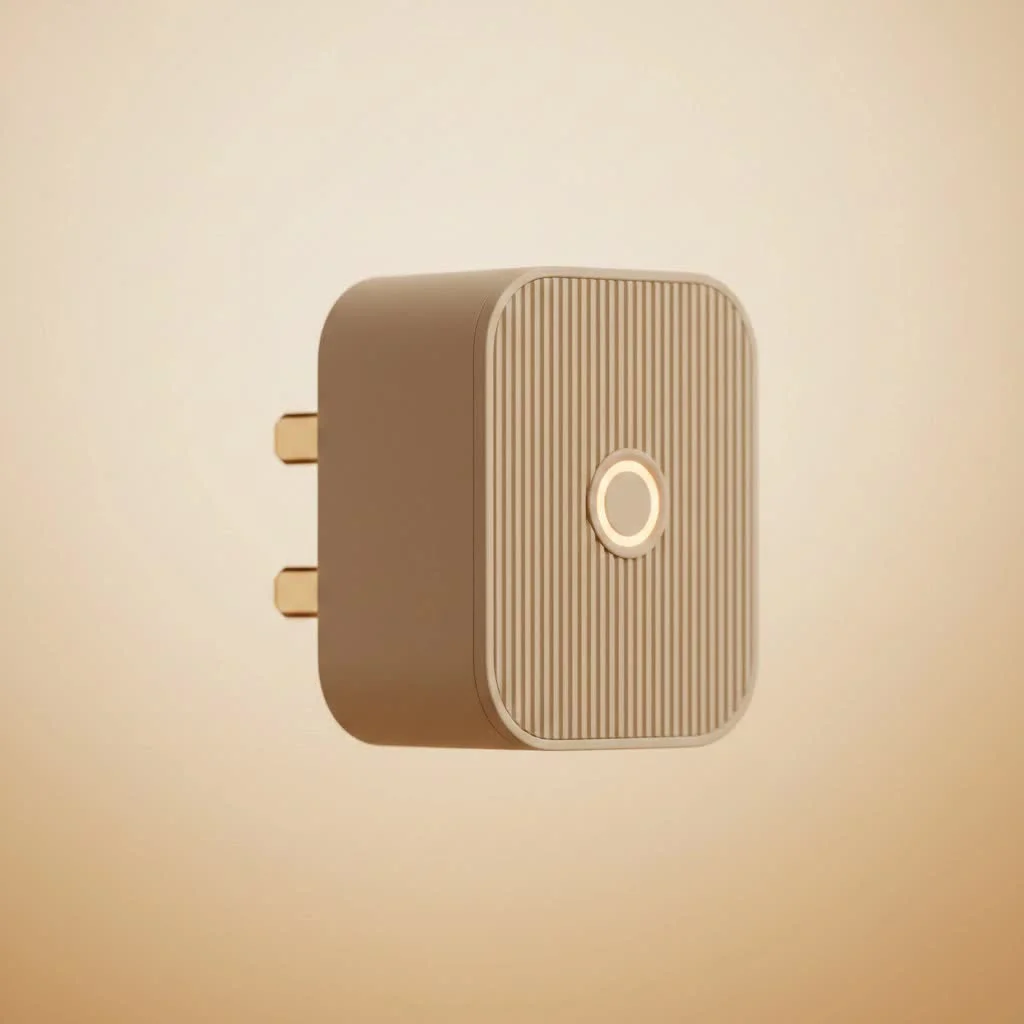
Think of a smart plug as a gatekeeper for the electricity flowing to your devices. You plug it into a standard wall outlet, and then you plug your appliance—be it a lamp, a fan, or a kitchen gadget—into the smart plug. From there, you can control the power flow directly from your smartphone via the Geeni app, or even with your voice using assistants like Google Assistant and Amazon Alexa. It’s a powerful concept in a small package. For browse all smart home articles on this site.
What Can a Merkury Smart Plug Actually Do?
At its core, a Merkury smart plug gives you remote control over your non-smart devices. But its capabilities go far beyond a simple on/off switch. By integrating it into your home, you unlock a new level of control and automation that can enhance convenience, save energy, and provide peace of mind.
Here are the key benefits you can expect:
- Remote Control: The most fundamental feature. Left the house and forgot to turn off a fan? No problem. Open the app and switch it off from anywhere in the world, as long as you have an internet connection.
- Voice Commands: Connect your plug to Amazon Alexa or Google Assistant for hands-free control. Saying, “Hey Google, turn on the living room lamp,” is a simple luxury you’ll quickly grow to love.
- Scheduling and Timers: This is where the real “smart” automation comes in. You can set schedules for your devices to turn on and off at specific times. Wake up to the coffee pot already brewing, or have your lights turn on automatically at sunset to make it look like someone’s home.
- Energy Savings: By scheduling devices to turn off when not in use, you prevent phantom power draw and reduce your electricity bill. It’s a small change that can make a noticeable difference over time.
- Enhanced Home Security: Use the scheduling feature to randomize when your lights turn on and off while you’re on vacation. This creates the illusion that the house is occupied, deterring potential intruders.
Step-by-Step Guide: Setting Up Your Merkury Smart Plug
Getting your Merkury smart plug up and running is incredibly straightforward. You don’t need to be a tech wizard; just follow these simple steps. The entire process typically takes less than five minutes.
- Download the App: Before you do anything else, go to the Google Play Store or Apple App Store and download the Geeni app. This is the central hub for controlling all Merkury smart home devices. Create an account and log in.
- Plug It In: Take your Merkury smart plug and plug it into a standard wall outlet. The indicator light on the plug should start blinking rapidly. This means it’s in pairing mode and ready to connect.
Expert Tip: If the light isn’t blinking, you may need to manually reset it. Press and hold the power button on the side of the plug for about 5 seconds until the light starts to flash.
- Connect in the App: Open the Geeni app. Tap the “+” icon (usually in the top right corner) to add a new device. The app will likely prompt you to select your device type. Choose “Smart Plug” or “Smart Power.”
- Enter Wi-Fi Details: Ensure your phone is connected to your home’s 2.4GHz Wi-Fi network. Smart plugs, like many IoT devices, do not work with 5GHz networks. The app will ask for your Wi-Fi password. Enter it carefully and tap “Next.”
- Complete the Pairing: The app will now search for and connect to your plug. Keep your phone close to the plug during this process. Within a minute, the blinking light will turn solid, and the app will confirm that the connection was successful.
- Name Your Device: You can now give your plug a custom name, like “Bedside Lamp” or “Kitchen Fan.” This makes it much easier to identify and control, especially when using voice commands.
That’s it! Your appliance is now smart. You can control it from the app’s home screen, set schedules, and link it to your preferred voice assistant.
Troubleshooting Common Merkury Smart Plug Issues
Even the best technology can have hiccups. If your Merkury smart plug isn’t behaving as expected, don’t worry. Most issues can be solved with a few simple troubleshooting steps.
Why is my Merkury smart plug offline?
|
Our Picks for the Best Smart Plug in 2026
As an Amazon Associate I earn from qualifying purchases.
|
||
| Num | Product | Action |
|---|---|---|
| 1 | Linkind Matter Smart Plug, Work with Apple Home, Siri, Alexa, Google, SmartThings, Smart Home Smart Outlet Timer 15A/1800W, APP Remote Control & Schedule, ETL & FCC Certified, 2.4G Wi-Fi Only, 4 Pack |

|
| 2 | Legrand Radiant® Wi-Fi Matter Smart Plug Matter Hub Required 15A, Easy Setup, Enhanced Compatibility with Apple HomeKit, Google Home, Alexa & SmartThings, Easy Wi-Fi Connectivity w/ Matter (1 Pack) |
|
| 3 | Kasa Smart Plug Mini 15A, Apple HomeKit Supported, Smart Outlet Works with Siri, Alexa & Google Home, UL Certified, App Control, Scheduling, Timer, 2.4G WiFi Only, 4 Count (Pack of 1) (EP25P4), White |
|
| 4 | Kasa Smart Plug HS103P2, Smart Home Wi-Fi Outlet Works with Alexa, Echo, Google Home & IFTTT, No Hub Required, Remote Control,15 Amp,UL Certified, (Pack of 2) White |
|
| 5 | Govee Smart Plug, WiFi Plugs Work with Alexa & Google Assistant, Smart Outlet with Timer & Group Controller, WiFi Outlet for Home, No Hub Required, ETL & FCC Certified, 2.4G WiFi Only, 4 Pack |
|
| 6 | Kasa Smart Plug HS103P4, Smart Home Wi-Fi Outlet Works with Alexa, Echo, Google Home & IFTTT, No Hub Required, Remote Control, 15 Amp, UL Certified, 4-Pack, White |
|
| 7 | Kasa Smart Plug Ultra Mini 15A, Smart Home Wi-Fi Outlet Works with Alexa, Google Home & IFTTT, No Hub Required, UL Certified, 2.4G WiFi Only, 2 Count (Pack of 1)(EP10P2) , White |
|
| 8 | EIGHTREE Smart Plug, Smart Home WiFi Outlet Works with Alexa & Google Home, Smart Socket with Remote Control & Timer Function, 2.4GHz WiFi Only, 4 Packs |
|
| 9 | GHome Smart Plug, WiFi Smart Plugs Work with Alexa and Google Home, Smart Outlet Timer with APP Remote Control, 2.4GHz Wi-Fi Only, No Hub Required, ETL FCC Listed |
|
| 10 | EIGHTREE Smart Plug 2025 Upgrade to 15A, Bluetooth & Wi-Fi Outlet Plug Dual Connection, Voice Control, Remote Control Outlet Timer Indoor, Smart Plugs That Work with Alexa & Google, 2.4GHz Wi-Fi Only |
|
This is the most common problem users face. If your plug appears as “offline” in the Geeni app, it means the app can’t communicate with it.
- Check your Wi-Fi: Is your router on and working correctly? The plug needs a stable internet connection to function.
- Verify the Network: Confirm you are using a 2.4GHz Wi-Fi network. If your router broadcasts both 2.4GHz and 5GHz networks under the same name, you may need to go into your router’s settings to separate them.
- Router Distance: The plug might be too far from your Wi-Fi router. Try moving it closer to see if the connection stabilizes.
- Power Cycle Everything: The classic tech support solution works for a reason. Unplug the smart plug, wait 10 seconds, and plug it back in. You can also try rebooting your router.
How do I reset my Merkury smart plug?
If you’re changing your Wi-Fi network or the plug becomes completely unresponsive, a factory reset is often the best solution.
A factory reset will erase all your current settings, including schedules and network information.
To perform a reset, simply press and hold the physical power button on the plug for 5-10 seconds. The indicator light will begin to blink rapidly, signaling that it has been reset and is back in pairing mode. You can then go through the setup process in the Geeni app again.
Frequently Asked Questions (FAQ)
Here are answers to some of the most common questions we get at Kjooz about the Merkury smart plug.
1. Does the Merkury smart plug work with Apple HomeKit?
No, Merkury smart plugs do not natively support Apple HomeKit. They are designed to work primarily with the Geeni app, Amazon Alexa, and Google Assistant.
2. Can I use the Merkury smart plug outdoors?
Standard indoor Merkury plugs should not be used outdoors as they are not weather-resistant. However, Merkury offers specific outdoor smart plug models designed to withstand the elements.
3. Do I need a special hub to use a Merkury smart plug?
No, you do not need a separate hub. The Merkury smart plug connects directly to your home’s Wi-Fi network, which simplifies the setup process and keeps costs down.
4. Can multiple people control the same smart plug?
Yes. Within the Geeni app, you can use the “Device Sharing” feature to grant access to family members. They will just need to create their own Geeni account.
5. What happens if the internet goes down?
If your internet connection is lost, you will not be able to control the plug remotely through the app or with voice commands. However, any pre-set schedules are stored locally on the device and should continue to run. You can also always turn the plug on or off manually using the physical button.
The Final Verdict
The Merkury smart plug is a fantastic and accessible entry point into the world of home automation. Its low cost, simple hub-free setup, and compatibility with major voice assistants make it an easy choice for anyone looking to add a layer of convenience and control to their home. While it may lack some of the advanced features of more expensive brands, it masters the essentials perfectly. By turning your everyday appliances into smart devices, you’re not just buying a gadget; you’re upgrading your lifestyle one outlet at a time.
Smart home that does not lock you in
Free PDF — protocol compatibility matrix for 30 hubs and devices.

The Merkury smart plug works well for controlling my lamp, and I like being able to turn it off from my phone. My only complaint is that the plug itself is a bit bulky. It sometimes blocks the second outlet on my wall, which is a minor inconvenience when I need to plug in something else.
I got a couple of these Merkury plugs after reading about how they can turn any ordinary appliance into a smart one. It’s been great for my old coffee maker; now I can start it from bed! The setup with the Geen app was pretty straightforward, and I appreciate the affordability compared to other smart home devices.
I’ve been using the Merkury smart plug for a few weeks now and it’s fantastic. Setting up schedules for my holiday decorations was a breeze, and it’s so convenient not having to remember to turn them off every night. The app is really intuitive too, which is a huge plus for someone who isn’t super tech-savvy.
As someone with a decade of experience in smart home tech, I can confirm the Merkury smart plug is a solid entry-level device. It’s a perfect first step into home automation, especially for controlling things like fans or other kitchen gadgets. The reliability for the price point is impressive.