Welcome to the world of home automation, where convenience and efficiency are just a tap or a voice command away. If you’re starting your journey, the smart plug outlet is the perfect first step. It’s a simple yet powerful device that can transform any ordinary appliance into a smart one. As the lead content creator at Kjooz and with over a decade of hands-on experience with these gadgets, I’m here to demystify the smart plug and show you how it can revolutionize your daily life.
What Exactly Is a Smart Plug Outlet?
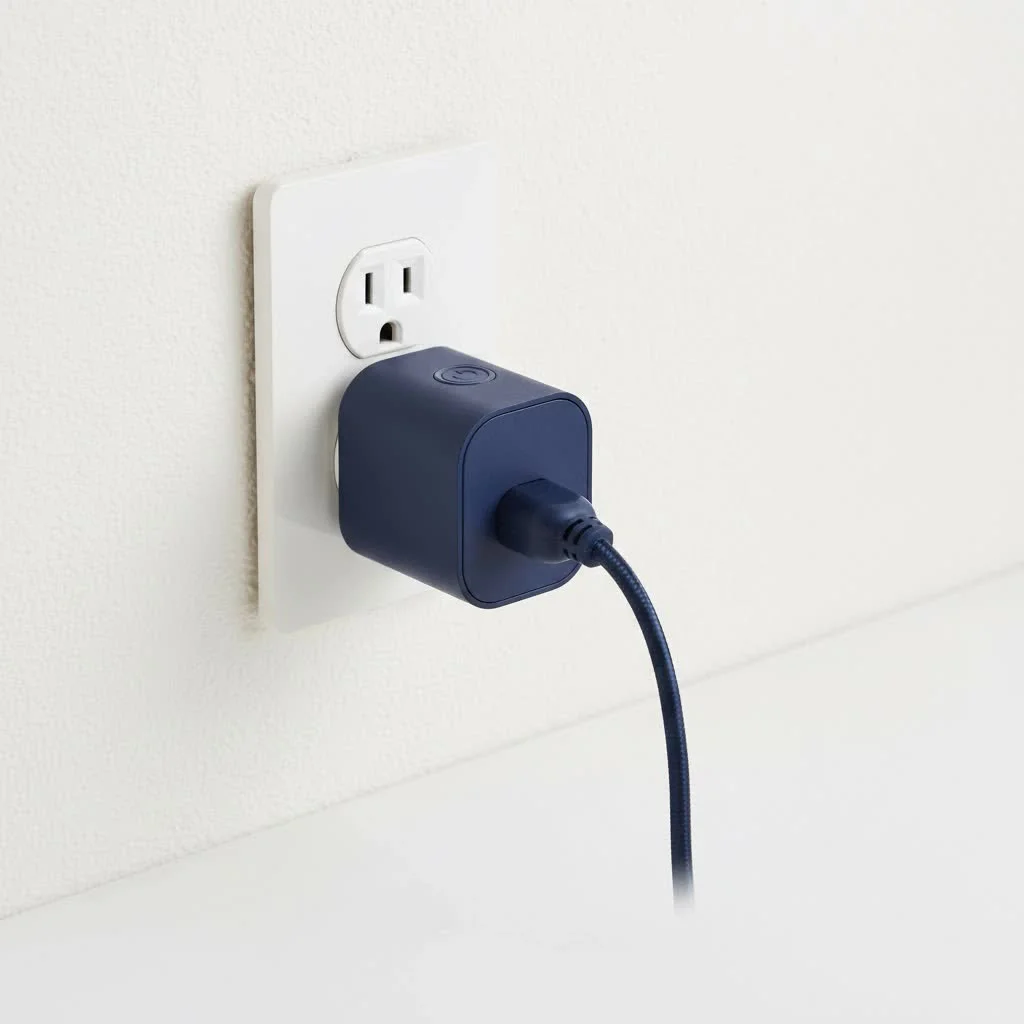
Think of a smart plug outlet as a clever adapter that sits between your wall socket and your appliance’s plug. On the outside, it looks simple. But on the inside, it’s packed with technology, usually Wi-Fi or Bluetooth, that allows it to connect to your home network.
Once connected, you gain remote control over any device plugged into it via a smartphone app. You can turn a lamp on from another room, start your coffee maker from bed, or shut off the TV your kids left on while you’re at the office. It’s the easiest entry point into building a truly smart home.
The Key Benefits: Why You Need a Smart Plug
Still on the fence? Let’s explore the practical advantages that make a smart plug outlet an essential gadget for any modern home. These aren’t just tech toys; they are practical tools for a better lifestyle.
Unmatched Convenience and Control
The most immediate benefit is convenience. Imagine this:
- Waking up gently: Schedule your bedroom lamp to fade on in the morning.
- Starting your day right: Have the coffee pot start brewing a few minutes before you get to the kitchen.
- Never worry again: Use your phone to double-check and turn off your hair straightener or iron after you’ve already left the house.
This level of control puts you in charge of your home environment like never before, all from the palm of your hand.
Significant Energy and Cost Savings
Many smart plugs come with a feature called energy monitoring. The companion app shows you exactly how much electricity an appliance is using in real-time and over time. This data is invaluable for identifying “energy vampires”—devices that suck power even when they’re on standby.
“Knowledge is power, especially when it comes to your power bill,” says tech expert David Chen. “A smart plug outlet with energy monitoring can reveal which of your devices are draining your wallet. By understanding consumption, you can create schedules to automatically power them down, leading to tangible savings each month.”
By setting schedules to turn off entertainment systems, chargers, and other electronics completely overnight, you can significantly cut down on wasted energy.
Enhanced Home Security
|
Our Picks for the Best Smart Plug in 2026
As an Amazon Associate I earn from qualifying purchases.
|
||
| Num | Product | Action |
|---|---|---|
| 1 | Kasa Smart Plug HS103P4, Smart Home Wi-Fi Outlet Works with Alexa, Echo, Google Home & IFTTT, No Hub Required, Remote Control, 15 Amp, UL Certified, 4-Pack, White |

|
| 2 | EIGHTREE Smart Plug, Smart Home WiFi Outlet Works with Alexa & Google Home, Smart Socket with Remote Control & Timer Function, 2.4GHz WiFi Only, 4 Packs |
|
| 3 | Kasa Smart Plug HS103P2, Smart Home Wi-Fi Outlet Works with Alexa, Echo, Google Home & IFTTT, No Hub Required, Remote Control,15 Amp,UL Certified, (Pack of 2) White |
|
| 4 | Linkind Matter Smart Plug, Work with Apple Home, Siri, Alexa, Google, SmartThings, Smart Home Smart Outlet Timer 15A/1800W, APP Remote Control & Schedule, ETL & FCC Certified, 2.4G Wi-Fi Only, 4 Pack |
|
| 5 | GHome Smart Plug, WiFi Smart Plugs Work with Alexa and Google Home, Smart Outlet Timer with APP Remote Control, 2.4GHz Wi-Fi Only, No Hub Required, ETL FCC Listed |
|
| 6 | Legrand Radiant® Wi-Fi Matter Smart Plug Matter Hub Required 15A, Easy Setup, Enhanced Compatibility with Apple HomeKit, Google Home, Alexa & SmartThings, Easy Wi-Fi Connectivity w/ Matter (1 Pack) |
|
| 7 | Govee Smart Plug, WiFi Plugs Work with Alexa & Google Assistant, Smart Outlet with Timer & Group Controller, WiFi Outlet for Home, No Hub Required, ETL & FCC Certified, 2.4G WiFi Only, 4 Pack |
|
| 8 | Kasa Smart Plug Ultra Mini 15A, Smart Home Wi-Fi Outlet Works with Alexa, Google Home & IFTTT, No Hub Required, UL Certified, 2.4G WiFi Only, 2 Count (Pack of 1)(EP10P2) , White |
|
| 9 | EIGHTREE Smart Plug 2025 Upgrade to 15A, Bluetooth & Wi-Fi Outlet Plug Dual Connection, Voice Control, Remote Control Outlet Timer Indoor, Smart Plugs That Work with Alexa & Google, 2.4GHz Wi-Fi Only |
|
| 10 | Kasa Smart Plug Mini 15A, Apple HomeKit Supported, Smart Outlet Works with Siri, Alexa & Google Home, UL Certified, App Control, Scheduling, Timer, 2.4G WiFi Only, 4 Count (Pack of 1) (EP25P4), White |
|
A smart plug outlet can also be a simple and effective security tool. Most smart plugs feature an “Away Mode.” When activated, this mode randomly turns connected lights on and off throughout the evening, creating the illusion that someone is home. This is a powerful deterrent for potential intruders, giving you peace of mind when you’re on vacation or working late.
Choosing the Right Smart Plug Outlet for Your Home
With so many options on the market, selecting the right one can feel daunting. Let’s break down the key factors to consider to ensure you get the perfect fit for your needs.
Connectivity: Wi-Fi vs. Bluetooth vs. Hubs
- Wi-Fi Plugs: These are the most common and user-friendly. They connect directly to your home’s Wi-Fi network, requiring no extra hardware. They are perfect for beginners and for controlling a few devices.
- Bluetooth Plugs: These are less common and operate over a shorter range. You need to be relatively close to the plug to control it, making them less ideal for remote operation unless they are part of a larger Bluetooth mesh system.
- Zigbee/Z-Wave Plugs: These require a central smart home hub (like Amazon Echo Plus, Samsung SmartThings, or Hubitat). While the setup is more involved, these networks are often faster and more reliable than Wi-Fi, especially as you add more and more smart devices, as they create their own dedicated mesh network.
Voice Assistant Compatibility
For true hands-free control, ensure the smart plug outlet is compatible with your preferred voice assistant. Most plugs today work seamlessly with major platforms:
- Amazon Alexa
- Google Assistant
- Apple HomeKit (Siri)
Check the product packaging or description for the “Works with…” logo to confirm compatibility before you buy.
Must-Have Advanced Features
Beyond basic on/off control, look for these advanced features:
- Scheduling and Timers: Set specific times for devices to turn on or off automatically. This is perfect for morning routines, holiday lights, or managing your aquarium’s lights.
- Energy Monitoring: As mentioned, this tracks power usage to help you save money.
- Grouping: Control multiple plugs as a single unit. For example, create a “Living Room” group to turn off all your lamps and electronics at once.
- Physical Design: Pay attention to the size and shape. A bulky smart plug can block the second outlet on a standard wall plate. Look for compact or offset designs to avoid this issue.
How to Set Up Your First Smart Plug: A Step-by-Step Guide
Getting started is surprisingly easy and usually takes less than five minutes.
- Download the App: Find the manufacturer’s app in the Apple App Store or Google Play Store and install it on your smartphone.
- Create an Account: Open the app and sign up for a free account.
- Plug It In: Plug the smart plug outlet into a wall socket. A light on the plug will usually start blinking to indicate it’s in pairing mode.
- Connect to Wi-Fi: Follow the in-app instructions. This typically involves selecting the smart plug from a list of devices and entering your home Wi-Fi password.
- Name Your Device: Give the plug a descriptive name, like “Bedside Lamp” or “Kitchen Fan,” to make it easy to identify.
- Connect to Voice Assistant (Optional): If you use Alexa, Google Assistant, or Siri, open that app and link your new smart plug account. This will enable voice commands.
That’s it! You’re now ready to control your newly smart appliance from anywhere.
Frequently Asked Questions (FAQ)
Here are answers to some of the most common questions I get about smart plug outlets.
Do smart plugs use a lot of electricity themselves?
No, a smart plug outlet consumes a very small amount of energy to stay connected to your network—typically less than 1 watt. The energy it saves by turning off larger appliances far outweighs its own consumption.
Can a smart plug outlet be used outdoors?
Only if it is specifically rated for outdoor use. Outdoor smart plugs are built with weather-resistant materials to withstand rain, dust, and temperature changes. Never use an indoor plug outside.
Is my data safe with a smart plug?
Reputable manufacturers use encryption to secure the connection between your plug, your app, and their servers. To stay safe, always choose well-known brands, create a strong, unique password for the app, and keep your plug’s firmware updated.
What happens if the internet goes down?
If your Wi-Fi connection is lost, you won’t be able to control the smart plug from your phone. However, any schedules or timers that were already set and stored on the device itself will usually continue to function. You can also always turn the plug on or off manually using the physical button on the device.
Can I plug a power strip into a smart plug?
Yes, you can. However, be mindful of the total power draw. Every smart plug has a maximum amperage rating (usually 10A or 15A). Make sure the combined power consumption of all devices on the power strip does not exceed the smart plug’s limit to avoid overheating and fire hazards.
Take Control of Your Home Today
The smart plug outlet is more than just a gadget; it’s a simple, affordable, and impactful way to make your home more convenient, secure, and energy-efficient. It’s the building block of a smarter life, empowering you to automate the little things so you can focus on what truly matters. Start with one, and you’ll soon see the endless possibilities for transforming your living space.
Smart home that does not lock you in
Free PDF — protocol compatibility matrix for 30 hubs and devices.
