In the world of smart home gadgets, smart plugs are often the first step people take. They’re simple, affordable, and instantly make any “dumb” appliance smart. But what if a smart plug could do more than just turn things on and off? The Emporia Smart Plug is engineered to answer that question, transforming a simple convenience tool into a powerful device for understanding and managing your home’s energy consumption. If you’re serious about cutting down your electricity bill and making your home more efficient, this is a device you need to know about.
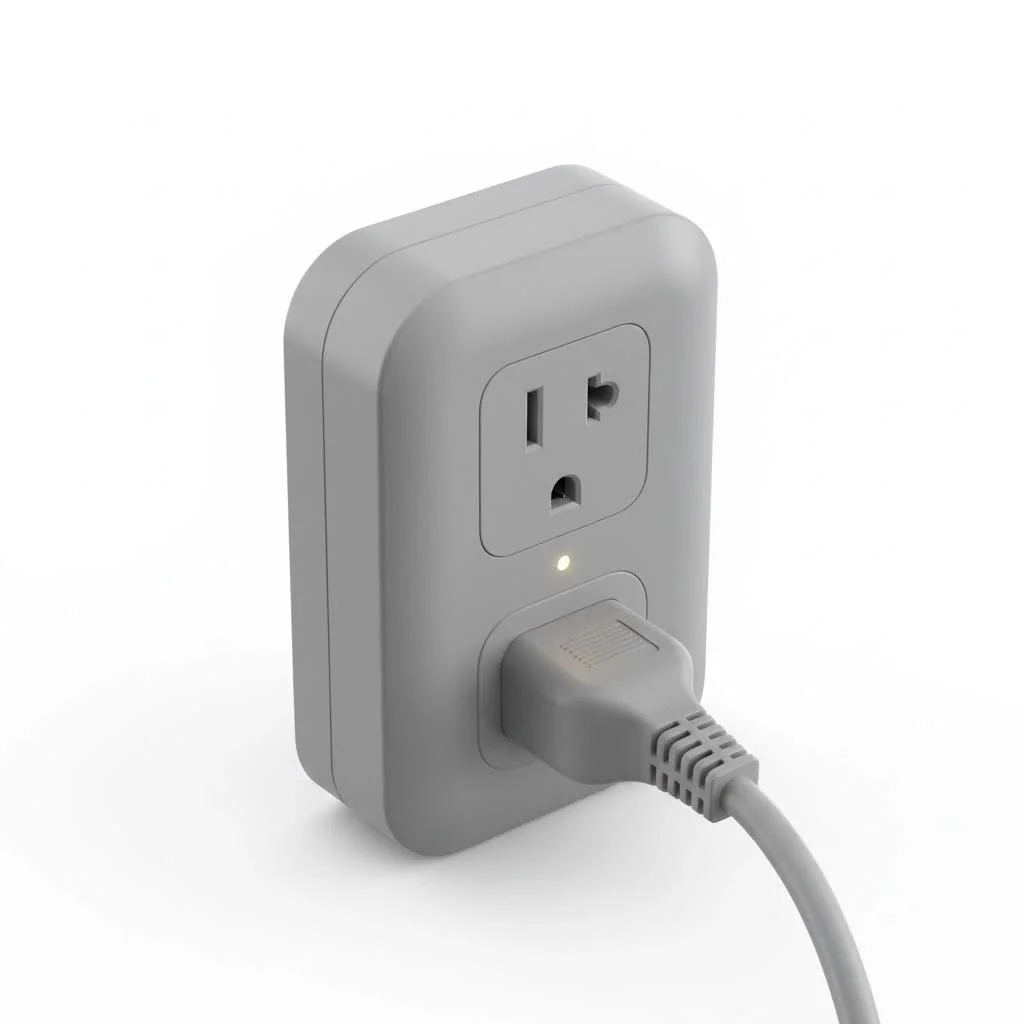
For over a decade, I’ve tested countless smart plugs, but few have impressed me with their utility like Emporia’s offering. It stands out by focusing on one critical feature: detailed, real-time energy monitoring that integrates seamlessly into a larger energy management ecosystem.
What Truly Sets the Emporia Smart Plug Apart?
While most smart plugs on the market offer scheduling and remote control, the Emporia Smart Plug makes these features secondary to its primary mission: providing you with actionable data. It’s not just a switch; it’s a sensor that tells you exactly how much power any connected appliance is using at any given moment.
This shifts its purpose from simple home automation to intelligent home energy management. You can pinpoint which devices are the “energy vampires” in your home—the ones silently draining power even when on standby. This data-first approach is what elevates the Emporia plug from a novelty to an essential tool for any cost-conscious or environmentally-aware homeowner.
Core Features That Empower You
The strength of the Emporia Smart Plug lies in a feature set designed to provide clarity and control over your electricity usage.
Real-Time, Granular Energy Monitoring
This is the star of the show. Once an appliance is connected through the Emporia plug, the app immediately displays its power consumption in watts. You can watch the numbers change in real-time as the device cycles on and off. Wondering how much energy your old space heater, gaming console, or window air conditioner really uses? Just plug it in and you’ll have a precise answer in seconds. This feature alone provides the insight needed to make informed decisions about appliance usage and future purchases.
Smart Scheduling and Timers
Of course, it handles the smart plug basics with excellence. Through the Emporia app, you can set detailed schedules or timers for any connected device.
- Set your coffee maker to turn on a few minutes before you wake up.
- Automatically turn off entertainment systems at midnight to curb late-night power drain.
- Run a dehumidifier or fan for a specific number of hours each day.
By automating when your devices use power, you can ensure they only run when absolutely necessary, translating directly into energy savings.
Voice Control with Alexa and Google Assistant
|
Our Picks for the Best Smart Plug in 2026
As an Amazon Associate I earn from qualifying purchases.
|
||
| Num | Product | Action |
|---|---|---|
| 1 | Kasa Smart Plug HS103P2, Smart Home Wi-Fi Outlet Works with Alexa, Echo, Google Home & IFTTT, No Hub Required, Remote Control,15 Amp,UL Certified, (Pack of 2) White |

|
| 2 | Kasa Smart Plug Mini 15A, Apple HomeKit Supported, Smart Outlet Works with Siri, Alexa & Google Home, UL Certified, App Control, Scheduling, Timer, 2.4G WiFi Only, 4 Count (Pack of 1) (EP25P4), White |
|
| 3 | Kasa Smart Plug Ultra Mini 15A, Smart Home Wi-Fi Outlet Works with Alexa, Google Home & IFTTT, No Hub Required, UL Certified, 2.4G WiFi Only, 2 Count (Pack of 1)(EP10P2) , White |
|
| 4 | Govee Smart Plug, WiFi Plugs Work with Alexa & Google Assistant, Smart Outlet with Timer & Group Controller, WiFi Outlet for Home, No Hub Required, ETL & FCC Certified, 2.4G WiFi Only, 4 Pack |
|
| 5 | Linkind Matter Smart Plug, Work with Apple Home, Siri, Alexa, Google, SmartThings, Smart Home Smart Outlet Timer 15A/1800W, APP Remote Control & Schedule, ETL & FCC Certified, 2.4G Wi-Fi Only, 4 Pack |
|
| 6 | Legrand Radiant® Wi-Fi Matter Smart Plug Matter Hub Required 15A, Easy Setup, Enhanced Compatibility with Apple HomeKit, Google Home, Alexa & SmartThings, Easy Wi-Fi Connectivity w/ Matter (1 Pack) |
|
| 7 | EIGHTREE Smart Plug, Smart Home WiFi Outlet Works with Alexa & Google Home, Smart Socket with Remote Control & Timer Function, 2.4GHz WiFi Only, 4 Packs |
|
| 8 | GHome Smart Plug, WiFi Smart Plugs Work with Alexa and Google Home, Smart Outlet Timer with APP Remote Control, 2.4GHz Wi-Fi Only, No Hub Required, ETL FCC Listed |
|
| 9 | EIGHTREE Smart Plug 2025 Upgrade to 15A, Bluetooth & Wi-Fi Outlet Plug Dual Connection, Voice Control, Remote Control Outlet Timer Indoor, Smart Plugs That Work with Alexa & Google, 2.4GHz Wi-Fi Only |
|
| 10 | Kasa Smart Plug HS103P4, Smart Home Wi-Fi Outlet Works with Alexa, Echo, Google Home & IFTTT, No Hub Required, Remote Control, 15 Amp, UL Certified, 4-Pack, White |
|
For ultimate convenience, the Emporia Smart Plug integrates perfectly with the major smart home ecosystems. After a quick setup, you can control your outlets with simple voice commands. Saying “Hey Google, turn off the living room lamp” is a simple but powerful convenience that makes a smart home feel truly connected.
Seamless Integration with the Emporia App
The plug is a key component of the wider Emporia ecosystem, all managed through the excellent Emporia App. If you also own the Emporia Vue Home Energy Monitor, you can see how the consumption of individual appliances contributes to your home’s total energy usage, all on one screen. This holistic view is something most competitors simply cannot offer.
How to Set Up Your Emporia Smart Plug in Minutes
Getting started is incredibly straightforward. Emporia has designed the process to be quick and painless, even for those new to smart home technology.
- Download the Emporia App: It’s available for free on both iOS and Android devices.
- Create Your Account: A quick registration is all it takes to get into the ecosystem.
- Add Your Device: Plug the Emporia Smart Plug into a wall outlet. In the app, tap the option to add a new device and follow the on-screen prompts.
- Connect to Wi-Fi: The plug will need to connect to your home’s Wi-Fi network. It’s important to note that, like most smart home devices, it requires a 2.4GHz Wi-Fi network to function. Most routers support this band, so it’s rarely an issue.
Once connected, you can name the plug (e.g., “Bedroom Fan”) and start monitoring its energy usage immediately.
Emporia Smart Plug vs. The Competition
How does Emporia stack up against other popular smart plugs, like the well-regarded TP-Link Kasa series? While both are excellent products, they serve slightly different primary purposes.
| Feature | Emporia Smart Plug | Kasa Smart Plug (Energy Monitoring Model) |
|---|---|---|
| Primary Focus | Detailed, real-time energy data | Smart control and convenience |
| Energy Monitoring | Excellent, real-time wattage display | Good, provides daily/weekly/monthly totals |
| App Ecosystem | Part of a whole-home energy system (Vue) | Standalone or within the Kasa ecosystem |
| Price | Typically very competitive | Varies, often slightly higher |
| Best For | Data-driven users who want to optimize energy | Users who prioritize smart control with basic monitoring |
“For users who just want to turn a lamp on with their voice, almost any smart plug will do. But for those who genuinely want to understand and reduce their electricity bill, the Emporia Smart Plug is in a class of its own. The data it provides is the key.” – David Chen, Home Automation Specialist
Frequently Asked Questions (FAQ)
Does the Emporia Smart Plug require a separate hub?
No, it does not. The Emporia Smart Plug connects directly to your home’s 2.4GHz Wi-Fi network without the need for any additional hub or hardware.
Can I use the Emporia Smart Plug outdoors?
This smart plug is designed and rated for indoor use only. Exposing it to moisture, direct sunlight, or extreme temperatures can be dangerous and will damage the device.
How accurate is the energy monitoring feature?
For a consumer-grade device, the energy monitoring is highly accurate. It’s more than precise enough to help you identify which appliances are using the most power and to track your savings over time.
Does it work with 5GHz Wi-Fi networks?
No. The Emporia Smart Plug requires a 2.4GHz Wi-Fi connection. This is standard for most smart home devices because the 2.4GHz band offers better range and wall penetration than 5GHz.
Can I use the smart plug without the main Vue Energy Monitor?
Absolutely. The smart plugs work perfectly as standalone devices. You can use one or many to monitor individual appliances, and you do not need the whole-home Emporia Vue monitor to benefit from them.
Is the Emporia Smart Plug Right for You?
The answer comes down to your goals. If you simply want to add voice control to a lamp or put a fan on a schedule, many smart plugs can do the job. However, if you are motivated by saving money, reducing your carbon footprint, and gaining a true understanding of your home’s energy habits, the Emporia Smart Plug is an unparalleled choice.
It empowers you with knowledge, turning abstract electricity bills into concrete data you can act on. By seeing exactly how much power your devices consume, you can make smarter choices, build better habits, and enjoy the full benefits of a truly intelligent home. Get started with one or two and see for yourself which devices are costing you the most. You might be surprised by what you discover.
Smart home that does not lock you in
Free PDF — protocol compatibility matrix for 30 hubs and devices.
