Welcome to the world of smart homes, where convenience and control are right at your fingertips. If you’re looking to dip your toes into home automation without a complicated setup, the Defiant smart plug is one of the most accessible starting points. This simple yet powerful device can transform nearly any standard appliance into a smart one, giving you remote control, scheduling capabilities, and a taste of a truly connected lifestyle.
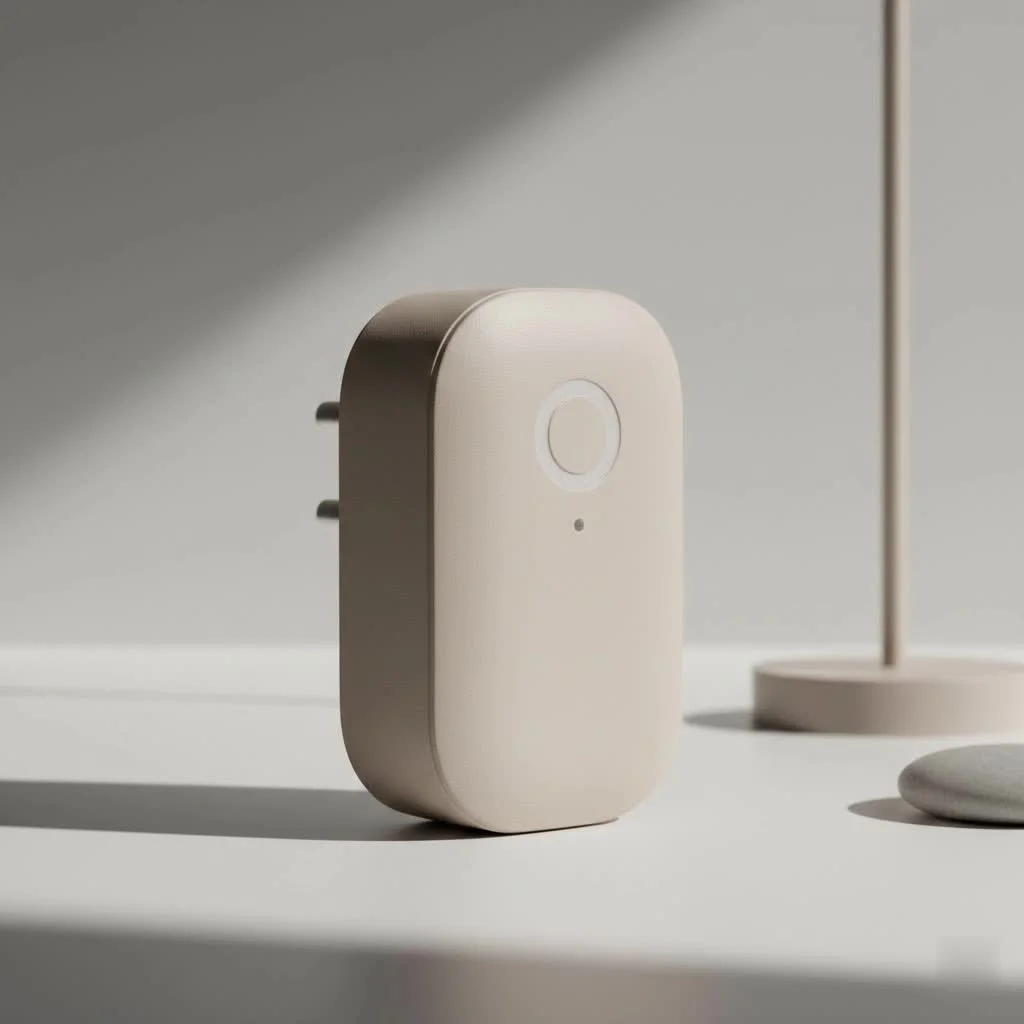
Think about it: wouldn’t it be great to start the coffee maker from your bed? Or to ensure your hair straightener is turned off after you’ve already left for work? How about automating your holiday lights so you never have to plug them in or out again? This is the everyday magic a Defiant smart plug offers. In this comprehensive guide, we’ll explore everything you need to know to get started, from setup and features to troubleshooting common issues.
What Exactly is a Defiant Smart Plug?
At its core, a Defiant smart plug is a device that fits between your wall outlet and an appliance’s power cord. Its purpose is to give you smart control over the power flowing to that appliance. Instead of operating manually, you can turn the connected device on or off remotely using a smartphone app.
These plugs connect directly to your home’s 2.4 GHz Wi-Fi network, which is a key feature—it means you don’t need to purchase a separate, expensive smart home hub to make them work. They are primarily sold through The Home Depot and are designed to integrate with their Hubspace smart home platform, creating a simple and cohesive ecosystem for users.
Why Choose a Defiant Smart Plug? Key Features
What makes the Defiant smart plug a compelling choice for both beginners and seasoned smart home enthusiasts? It boils down to a blend of simplicity, functionality, and affordability.
Effortless Remote Control
The primary benefit is the ability to control your devices from anywhere. As long as your smartphone has an internet connection, you can open the Hubspace app and toggle power to the connected appliance. Whether you’re on the couch, at the office, or on vacation, you have complete control. This is perfect for turning on a lamp before you get home or switching off a fan you forgot about.
Smart Scheduling and Timers
Automation is where the real power lies. With the Hubspace app, you can create custom schedules for any device connected to a Defiant smart plug.
- Morning Routines: Schedule your coffee pot to turn on at 6:30 AM.
- Evening Ambiance: Have your living room lamps automatically turn on at sunset.
- Security: Set lights to turn on and off randomly when you’re away to simulate presence and deter potential intruders.
- Energy Savings: Use a timer to automatically shut down power-hungry devices or chargers overnight.
Voice Control Compatibility
|
Our Picks for the Best Smart Plug in 2026
As an Amazon Associate I earn from qualifying purchases.
|
||
| Num | Product | Action |
|---|---|---|
| 1 | EIGHTREE Smart Plug 2025 Upgrade to 15A, Bluetooth & Wi-Fi Outlet Plug Dual Connection, Voice Control, Remote Control Outlet Timer Indoor, Smart Plugs That Work with Alexa & Google, 2.4GHz Wi-Fi Only |

|
| 2 | Kasa Smart Plug HS103P4, Smart Home Wi-Fi Outlet Works with Alexa, Echo, Google Home & IFTTT, No Hub Required, Remote Control, 15 Amp, UL Certified, 4-Pack, White |
|
| 3 | EIGHTREE Smart Plug, Smart Home WiFi Outlet Works with Alexa & Google Home, Smart Socket with Remote Control & Timer Function, 2.4GHz WiFi Only, 4 Packs |
|
| 4 | Kasa Smart Plug HS103P2, Smart Home Wi-Fi Outlet Works with Alexa, Echo, Google Home & IFTTT, No Hub Required, Remote Control,15 Amp,UL Certified, (Pack of 2) White |
|
| 5 | Kasa Smart Plug Ultra Mini 15A, Smart Home Wi-Fi Outlet Works with Alexa, Google Home & IFTTT, No Hub Required, UL Certified, 2.4G WiFi Only, 2 Count (Pack of 1)(EP10P2) , White |
|
| 6 | Govee Smart Plug, WiFi Plugs Work with Alexa & Google Assistant, Smart Outlet with Timer & Group Controller, WiFi Outlet for Home, No Hub Required, ETL & FCC Certified, 2.4G WiFi Only, 4 Pack |
|
| 7 | Legrand Radiant® Wi-Fi Matter Smart Plug Matter Hub Required 15A, Easy Setup, Enhanced Compatibility with Apple HomeKit, Google Home, Alexa & SmartThings, Easy Wi-Fi Connectivity w/ Matter (1 Pack) |
|
| 8 | GHome Smart Plug, WiFi Smart Plugs Work with Alexa and Google Home, Smart Outlet Timer with APP Remote Control, 2.4GHz Wi-Fi Only, No Hub Required, ETL FCC Listed |
|
| 9 | Kasa Smart Plug Mini 15A, Apple HomeKit Supported, Smart Outlet Works with Siri, Alexa & Google Home, UL Certified, App Control, Scheduling, Timer, 2.4G WiFi Only, 4 Count (Pack of 1) (EP25P4), White |
|
| 10 | Linkind Matter Smart Plug, Work with Apple Home, Siri, Alexa, Google, SmartThings, Smart Home Smart Outlet Timer 15A/1800W, APP Remote Control & Schedule, ETL & FCC Certified, 2.4G Wi-Fi Only, 4 Pack |
|
For ultimate hands-free convenience, Defiant smart plugs are compatible with major voice assistants like Google Assistant and Amazon Alexa. After a quick setup to link your Hubspace account with your preferred voice assistant, you can control your devices with simple commands like, “Hey Google, turn on the bedroom fan,” or “Alexa, turn off the Christmas tree.” This feature seamlessly integrates the plug into a broader smart home ecosystem.
Getting Started: How to Set Up Your Defiant Smart Plug
One of the best things about the Defiant smart plug is its straightforward, user-friendly setup process. You can be up and running in just a few minutes without any technical expertise.
Here’s a step-by-step guide:
- Download the App: The first step is to download the Hubspace app from the Google Play Store or Apple App Store. This app is the central command for all your Defiant and other Hubspace-compatible devices.
- Create an Account: Open the app and follow the prompts to create a new Hubspace account. This will require an email address and a password.
- Plug in the Device: Take your Defiant smart plug and plug it into the desired wall outlet. A small indicator light on the plug should begin to blink, signaling that it is in pairing mode and ready to connect.
- Add the Plug in the App: In the Hubspace app, tap the ‘+’ icon (usually in the top right corner) to add a new device. The app may ask for permission to use Bluetooth to scan for nearby devices, which can simplify the process.
- Scan the QR Code: Most Defiant products come with a QR code on the device itself or in the manual. Use the app’s scanner to scan this code for instant identification. If you can’t find it, you can also select the device manually from the list.
- Connect to Wi-Fi: Follow the on-screen instructions to select your home’s 2.4 GHz Wi-Fi network and enter the password. Remember, most smart home devices are not compatible with 5 GHz networks, so ensure your phone is connected to the 2.4 GHz band during setup.
- Name Your Device: Once connected, you can give your plug a custom name, such as “Living Room Lamp” or “Office Fan.” This makes it easier to identify and control, especially when using voice commands.
That’s it! Your Defiant smart plug is now connected and ready to be controlled through the app or your voice assistant.
Common Defiant Smart Plug Problems (and How to Fix Them)
While the setup is generally smooth, you might occasionally run into a snag. Here are some of the most common issues and their solutions.
My Plug Won’t Connect to Wi-Fi
This is the most frequent issue users face. A failure to connect is almost always related to the Wi-Fi network itself.
- Check Your Band: Confirm you are connecting to a 2.4 GHz Wi-Fi network. If your router broadcasts both 2.4 GHz and 5 GHz networks under the same name, you may need to temporarily disable the 5 GHz band in your router’s settings during setup.
- Password Check: It sounds simple, but double-check that you entered the correct Wi-Fi password. It’s an easy mistake to make.
- Signal Strength: Make sure the plug is in a location with a reasonably strong Wi-Fi signal. If it’s too far from your router, it may struggle to maintain a stable connection. Try moving it closer to the router for the initial setup.
The App Can’t Find My Plug
If the Hubspace app isn’t discovering your plug, the device might not be in pairing mode.
- Reset the Plug: To re-initiate pairing mode, you usually need to press and hold the physical power button on the side of the plug for about 5-10 seconds until the indicator light starts blinking rapidly again.
- Enable Permissions: Ensure the Hubspace app has the necessary permissions on your phone, specifically for Bluetooth and Location Services, as these are often used to detect new devices.
Pro Tips for Getting the Most Out of Your Smart Plug
Once you’re set up, you can get creative. A Defiant smart plug is more than just a remote on/off switch.
- Seasonal Decorations: Automate your holiday lights, inflatable decorations, or Halloween spooky sound machines with schedules.
- Pet Comfort: Connect a heating pad or a fan to a smart plug to ensure your pet’s space is comfortable, and control it remotely based on the weather.
- “Dumb” Appliances: Revive older appliances. A simple window air conditioner, a basic humidifier, or an old stereo system can be given smart scheduling and remote power control.
- Gentle Wake-Up: Instead of a jarring alarm clock, connect a lamp to your smart plug and schedule it to fade on gently a few minutes before you need to wake up.
Frequently Asked Questions (FAQ)
What app does the Defiant smart plug use?
The Defiant smart plug uses the Hubspace app. It is available for free on both iOS and Android devices and serves as the central platform for controlling all Defiant smart products.
Does the Defiant smart plug work with Alexa?
Yes, it works seamlessly with Amazon Alexa. You just need to enable the Hubspace skill in the Alexa app and link your accounts. Once linked, you can use voice commands to control any connected appliance.
Can I use a Defiant smart plug outdoors?
It depends on the model. Defiant makes specific outdoor-rated smart plugs that are designed to withstand moisture, dust, and temperature changes. You should never use an indoor-rated Defiant smart plug in an outdoor or wet environment, as it is a fire and electrical shock hazard.
Do I need a special hub for the Defiant smart plug?
No, you do not need a hub. Defiant smart plugs connect directly to your home’s Wi-Fi network, which simplifies the setup process and keeps costs down. All you need is the plug, the Hubspace app, and a Wi-Fi connection.
Is the Defiant Smart Plug Right for You?
If you are looking for a reliable, no-frills, and budget-friendly way to begin your smart home adventure, the Defiant smart plug is an excellent choice. Its simple Wi-Fi setup, robust scheduling features, and compatibility with Google Assistant and Alexa provide tremendous value. It empowers you to automate everyday tasks, enhance security, and manage your home’s devices with unparalleled convenience.
The next time you’re about to leave the house and wonder if you left a light on, you won’t have to worry. Just pull out your phone, open an app, and with a single tap, take control. That’s the simple, powerful promise of the smart home, and it starts with a single plug.
Smart home that does not lock you in
Free PDF — protocol compatibility matrix for 30 hubs and devices.
