The world of home automation can feel overwhelming, but the Wemo Mini Smart Plug has long been a go-to device for turning any regular appliance into a smart one. If you’ve ever wanted to control a lamp with your voice, schedule your coffee maker to turn on before you wake up, or make it look like someone’s home when you’re on vacation, this compact device promises a simple solution. As the official content creator for Kjooz.com, I’ve spent over a decade testing and integrating smart devices, and the Wemo Mini holds a special place in the evolution of the smart home.
But does this classic smart plug still hold up against newer competition? This in-depth guide covers everything you need to know about the Wemo Mini Smart Plug, from its core features and setup process to troubleshooting common issues, helping you decide if it’s the right fit for your automated home.
What Exactly is the Wemo Mini Smart Plug?
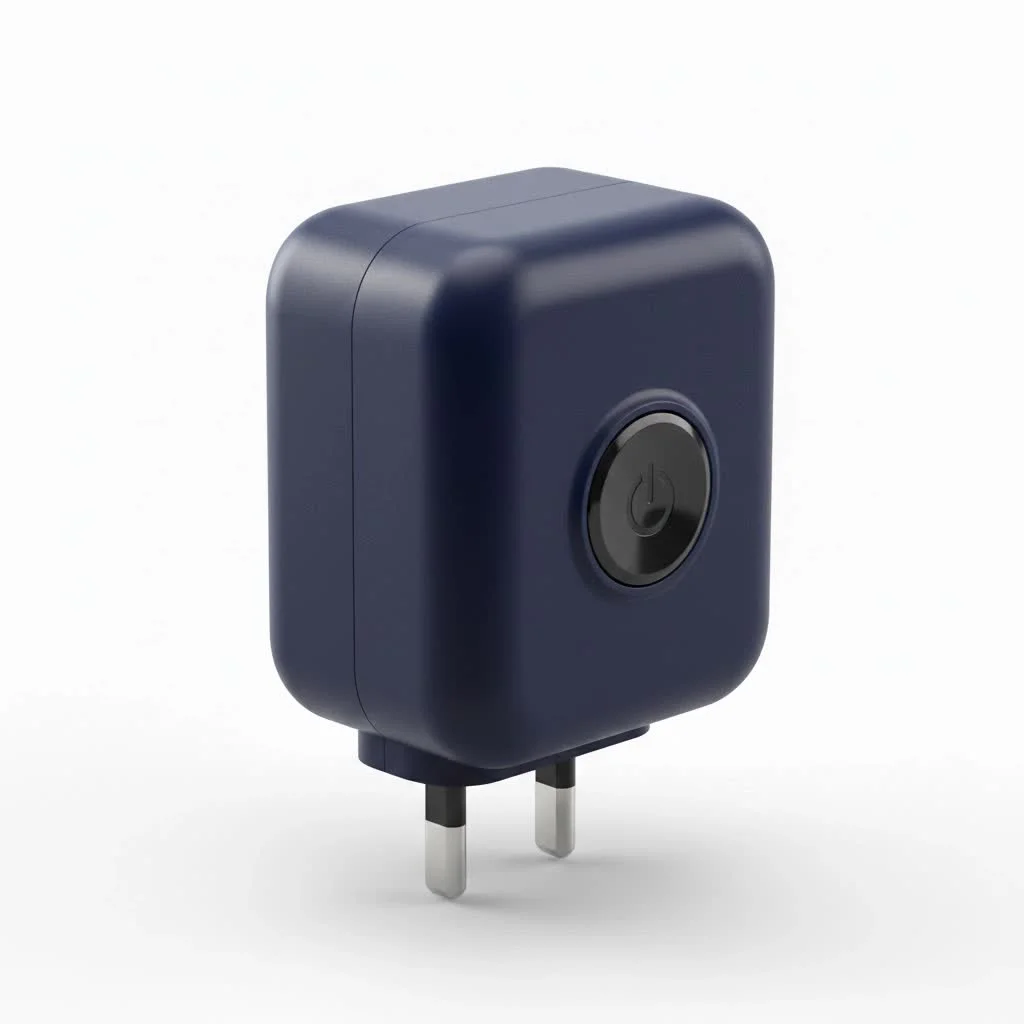
The Belkin Wemo Mini Smart Plug is a device that fits into any standard electrical outlet. You then plug a traditional appliance—like a floor lamp, a fan, or a holiday decoration—into the Wemo Mini. Once connected to your home’s Wi-Fi network, it allows you to control the power to that appliance remotely using your smartphone or voice commands.
Its main appeal has always been its simplicity and compact design. Unlike bulkier first-generation smart plugs, the Wemo Mini is designed to occupy only one socket, leaving the other outlet free for another device. This thoughtful design was a game-changer, making it a practical choice for nearly any room in the house.
Core Features That Make It Stand Out
Even as new models enter the market, the Wemo Mini’s feature set remains practical and highly effective for everyday use.
- Remote Control: The primary function is the ability to turn devices on or off from anywhere in the world using the Wemo app on your iOS or Android device.
- Scheduling and Timers: You can create custom schedules to automate your home. For example, set your living room lamps to turn on at sunset and off at bedtime. You can also use a countdown timer to turn an appliance off after a set period.
- Away Mode: This clever security feature makes it appear as though you’re home when you’re not. It randomly turns a connected light on and off throughout the day, deterring potential intruders.
- Voice Control Integration: The Wemo Mini works seamlessly with the major smart home ecosystems. You can easily control it with voice commands through Amazon Alexa, Google Assistant, and Apple HomeKit.
- Compact, Stackable Design: Its slim profile ensures it doesn’t block the second outlet, a common frustration with older, larger smart plugs.
Expert Take by Alex Miller: “The Wemo Mini’s lasting appeal comes from its reliability and broad compatibility. While it lacks some modern features like energy monitoring, its core function—turning things on and off dependably—is rock-solid. For users invested in Apple HomeKit, it remains one of the most straightforward choices.”
How to Set Up the Wemo Mini Smart Plug
Getting your Wemo Mini up and running is designed to be a user-friendly process. It typically takes just a few minutes.
- Plug It In: Insert the Wemo Mini Smart Plug into a standard electrical outlet. The indicator light will begin to flash, signaling it’s ready for setup.
- Download the Wemo App: If you don’t already have it, download the official Wemo app from the Apple App Store or Google Play Store.
- Connect to the Wemo Network: On your smartphone, go to your Wi-Fi settings. The Wemo Mini will broadcast its own temporary Wi-Fi network. Connect your phone to this network.
- Launch the App: Open the Wemo app. It will automatically detect the new plug and guide you through the process of connecting it to your home’s main Wi-Fi network. You’ll need to select your network and enter your password.
- Firmware Update: The app will likely prompt you to update the plug’s firmware. This is a crucial step to ensure security and compatibility, so allow it to complete.
- Name Your Device: Give your plug a descriptive name, such as “Living Room Lamp” or “Bedroom Fan,” to make it easy to identify for app and voice control.
Once these steps are complete, your Wemo Mini is ready to use. You can now control the connected appliance from the app or proceed to link it with your preferred voice assistant.
Smart Home Ecosystem Compatibility
One of the Wemo Mini’s greatest strengths is its ability to play nicely with others. It doesn’t lock you into a single ecosystem, offering flexibility as your smart home grows.
Working with Amazon Alexa
|
Our Picks for the Best Smart Plug in 2026
As an Amazon Associate I earn from qualifying purchases.
|
||
| Num | Product | Action |
|---|---|---|
| 1 | Kasa Smart Plug HS103P2, Smart Home Wi-Fi Outlet Works with Alexa, Echo, Google Home & IFTTT, No Hub Required, Remote Control,15 Amp,UL Certified, (Pack of 2) White |

|
| 2 | Govee Smart Plug, WiFi Plugs Work with Alexa & Google Assistant, Smart Outlet with Timer & Group Controller, WiFi Outlet for Home, No Hub Required, ETL & FCC Certified, 2.4G WiFi Only, 4 Pack |
|
| 3 | EIGHTREE Smart Plug, Smart Home WiFi Outlet Works with Alexa & Google Home, Smart Socket with Remote Control & Timer Function, 2.4GHz WiFi Only, 4 Packs |
|
| 4 | Kasa Smart Plug Ultra Mini 15A, Smart Home Wi-Fi Outlet Works with Alexa, Google Home & IFTTT, No Hub Required, UL Certified, 2.4G WiFi Only, 2 Count (Pack of 1)(EP10P2) , White |
|
| 5 | Linkind Matter Smart Plug, Work with Apple Home, Siri, Alexa, Google, SmartThings, Smart Home Smart Outlet Timer 15A/1800W, APP Remote Control & Schedule, ETL & FCC Certified, 2.4G Wi-Fi Only, 4 Pack |
|
| 6 | Kasa Smart Plug HS103P4, Smart Home Wi-Fi Outlet Works with Alexa, Echo, Google Home & IFTTT, No Hub Required, Remote Control, 15 Amp, UL Certified, 4-Pack, White |
|
| 7 | Kasa Smart Plug Mini 15A, Apple HomeKit Supported, Smart Outlet Works with Siri, Alexa & Google Home, UL Certified, App Control, Scheduling, Timer, 2.4G WiFi Only, 4 Count (Pack of 1) (EP25P4), White |
|
| 8 | Legrand Radiant® Wi-Fi Matter Smart Plug Matter Hub Required 15A, Easy Setup, Enhanced Compatibility with Apple HomeKit, Google Home, Alexa & SmartThings, Easy Wi-Fi Connectivity w/ Matter (1 Pack) |
|
| 9 | GHome Smart Plug, WiFi Smart Plugs Work with Alexa and Google Home, Smart Outlet Timer with APP Remote Control, 2.4GHz Wi-Fi Only, No Hub Required, ETL FCC Listed |
|
| 10 | EIGHTREE Smart Plug 2025 Upgrade to 15A, Bluetooth & Wi-Fi Outlet Plug Dual Connection, Voice Control, Remote Control Outlet Timer Indoor, Smart Plugs That Work with Alexa & Google, 2.4GHz Wi-Fi Only |
|
To connect, enable the Wemo skill in the Alexa app. Once linked, Alexa will discover your devices, and you can control them with commands like, “Alexa, turn on the coffee maker.”
Integration with Google Assistant
In the Google Home app, you can add a new device and link your Wemo account. After authorizing, all your Wemo plugs will appear, and you can use commands like, “Hey Google, turn off the living room lights.”
Native Support for Apple HomeKit
The Wemo Mini offers native support for Apple HomeKit. You can scan the HomeKit code on the side of the plug directly within the Apple Home app to add it. This provides seamless control via Siri and the Home app without needing the Wemo app for daily operation.
Troubleshooting Common Wemo Mini Issues
Even the most reliable devices can have hiccups. Here are solutions to some of the most common problems users encounter with the Wemo Mini Smart Plug.
Why is my Wemo Mini not connecting to Wi-Fi?
This is the most frequent issue. A weak Wi-Fi signal is often the culprit. Ensure the plug is within a reasonable range of your router. If the problem persists, try a factory reset by unplugging the device, holding down the power button, and plugging it back in. Continue holding the button for about five seconds until the light flashes. Then, repeat the setup process.
The Wemo app can’t find my device.
First, make sure your phone is connected to the Wemo’s temporary Wi-Fi network during the initial setup phase. If it still doesn’t appear, try force-closing the Wemo app and reopening it. On some networks, particularly 5GHz bands, you may need to temporarily switch your phone to the 2.4GHz band, as the Wemo Mini only operates on that frequency.
The plug is unresponsive to commands.
An unresponsive plug, often indicated by an error in the app, usually just needs a simple power cycle. Unplug the Wemo Mini, wait for 10 seconds, and plug it back in. This will force it to reconnect to your network and often resolves the issue.
Frequently Asked Questions (FAQ)
Q: Does the Wemo Mini Smart Plug measure energy consumption?
A: No, the Wemo Mini model does not have a built-in energy monitoring feature. If you need to track power usage, you would need to look at other models like the Wemo Insight Smart Plug or competitors’ products.
Q: Can I use the Wemo Mini Smart Plug outdoors?
A: The Wemo Mini is designed for indoor use only. It is not weatherproof and should not be exposed to moisture, direct sunlight, or extreme temperatures. Belkin offers a separate Wemo Wi-Fi Smart Outdoor Plug for those needs.
Q: What happens if the internet goes down?
A: If your home Wi-Fi network is down, you will not be able to control the Wemo Mini remotely through the app or with voice commands. However, any schedules you have programmed are stored locally on the device and will continue to run as planned. You can also always turn the plug on or off manually using the physical button on the device.
Q: Is the Wemo Mini still a good purchase in 2025?
A: Yes, for users who prioritize reliability, a compact design, and excellent compatibility with major smart home platforms, especially Apple HomeKit, the Wemo Mini remains a solid choice. While it lacks energy monitoring, its core functionality is dependable.
Q: How many Wemo plugs can I have on my network?
A: There is no official limit set by Wemo. The practical limit depends on the capability of your Wi-Fi router to handle multiple connected devices. Most modern routers can comfortably manage dozens of smart devices without issue.
Final Verdict: Simple, Solid, and Still Relevant
The Wemo Mini Smart Plug proves that you don’t need a dizzying array of features to be an excellent smart home device. It focuses on doing one thing exceptionally well: giving you simple, reliable remote control over your appliances. Its compact, outlet-saving design and broad compatibility with Alexa, Google Assistant, and Apple HomeKit make it a versatile and future-proof choice.
While power users might miss energy monitoring, most people looking to dip their toes into home automation or expand their existing setup will find the Wemo Mini Smart Plug to be a dependable and user-friendly workhorse. It’s a classic for a reason and continues to be a recommended starting point for building a smarter home.
Smart home that does not lock you in
Free PDF — protocol compatibility matrix for 30 hubs and devices.
