In the world of smart home devices, the TP-Link HS105 Smart Wi-Fi Plug Mini has carved out a reputation for being a reliable and user-friendly entry point into home automation. As a smart home expert with over a decade of experience, I’ve tested countless devices, and this compact plug consistently stands out. It promises to make any ordinary appliance “smart” with minimal fuss. But does it deliver on that promise? This comprehensive review will break down everything you need to know, from its core features and setup process to practical tips that will transform how you interact with your home.
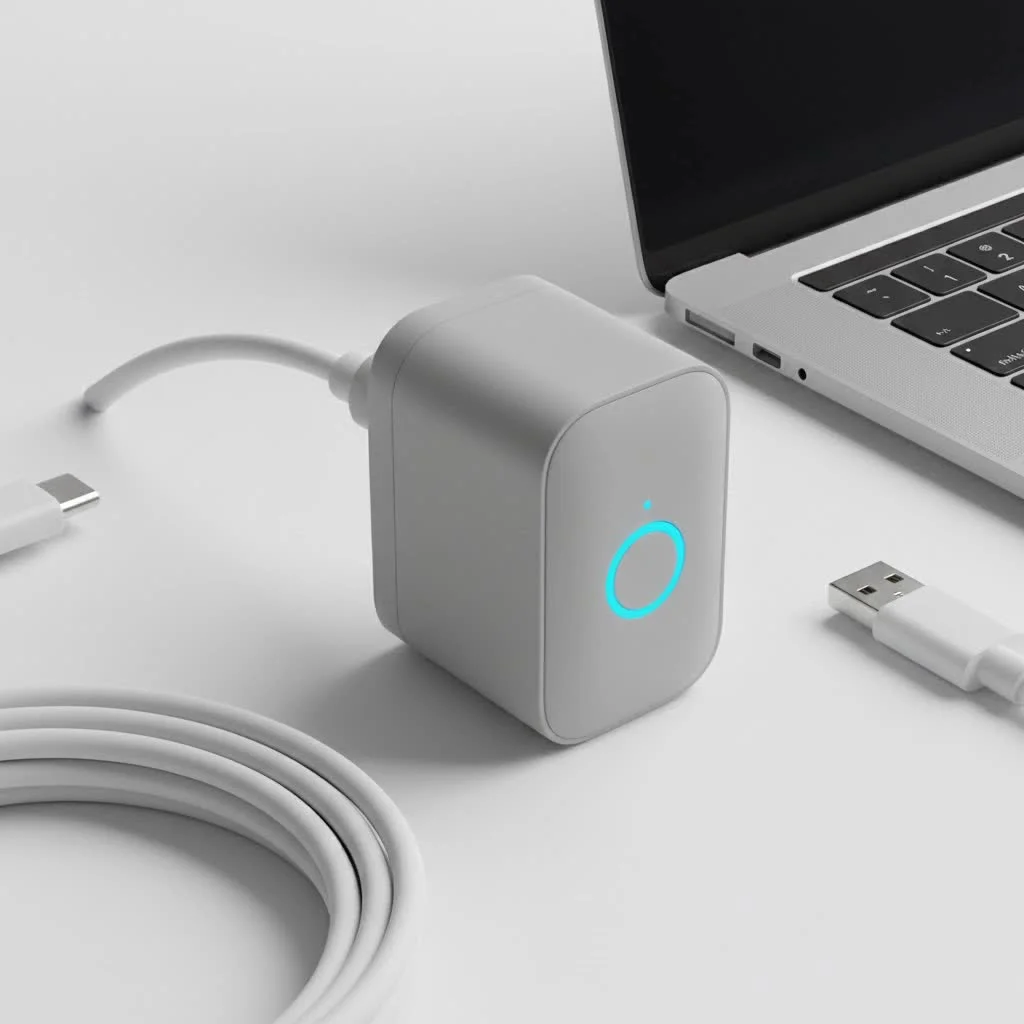
At Kjooz, we believe that technology should simplify your life, not complicate it. The HS105 is built on this principle. It’s a small device that plugs into any standard wall outlet, acting as a bridge between your electronics and your Wi-Fi network. Once connected, you can control whatever is plugged into it—be it a lamp, a fan, or a coffee maker—from anywhere in the world using your smartphone.
What Exactly is the TP-Link HS105 Smart Plug?
The TP-Link HS105 is a compact smart plug that connects to your home’s 2.4GHz Wi-Fi network. Its standout feature is its “mini” design. Unlike older, bulkier smart plugs that often block the adjacent outlet, the HS105 is sleek and unobtrusive, allowing you to use both sockets on a standard wall plate. This thoughtful design immediately solves a common frustration for smart home enthusiasts.
But its real power lies in its functionality. Through the intuitive Kasa Smart app, the HS105 gives you complete control over the connected device. You can turn it on or off, set detailed schedules, and even create an “Away Mode” to simulate an occupied home while you’re on vacation. It requires no central hub or subscription service, making it an affordable and straightforward solution for anyone looking to dip their toes into home automation.
Key Features That Make the HS105 a Smart Choice
While simplicity is its main selling point, the HS105 is packed with features that provide genuine value and convenience.
- Remote Control from Anywhere: Forgot to turn off the iron? With the Kasa app, you can check the status of your plug and turn it off from your office, the grocery store, or even another country. All you need is an internet connection.
- Voice Assistant Integration: The HS105 works seamlessly with major voice assistants like Amazon Alexa and Google Assistant. A simple command like, “Hey Google, turn on the living room lamp,” is all it takes. This hands-free control is where the magic of a smart home truly comes to life.
- Advanced Scheduling: The scheduling feature is incredibly robust. You can set your coffee maker to start brewing at 7:00 AM on weekdays or program your holiday lights to turn on at sunset and off at midnight. These “set it and forget it” automations save time and energy.
- Away Mode for Security: This clever feature randomly turns your connected devices on and off during a specified period, creating the illusion that someone is home. It’s a simple yet effective way to deter potential intruders when you’re away.
- Compact and Unobtrusive Design: As mentioned, its small size is a huge advantage. It measures just 1.5 inches thick and 2.6 inches in diameter, ensuring it won’t hog outlet space.
As our lead smart home analyst at Kjooz, David Chen, often says, “A great smart device should integrate into your life so seamlessly that you forget it’s there—until you realize how much easier your routine has become. The HS105 achieves that perfectly.”
How to Set Up Your TP-Link HS105 in Minutes
Getting the TP-Link HS105 Smart Wi-Fi Plug Mini up and running is remarkably easy. TP-Link has refined the process to be accessible even for those who aren’t tech-savvy. Here’s a simple step-by-step guide:
- Download the App: First, download the “Kasa Smart” app from the Apple App Store or Google Play Store on your smartphone or tablet.
- Create an Account: Open the app and create a Kasa account. This allows you to control your devices when you’re away from your home Wi-Fi network.
- Plug It In: Plug the HS105 into a wall outlet. The Wi-Fi indicator light on the plug should start blinking amber and green, indicating it’s ready for setup.
- Add the Device: In the Kasa app, tap the ‘+’ icon to add a new device. Select “Device,” then “Smart Plugs,” and choose the Smart Plug Mini (HS105).
- Connect to Wi-Fi: Follow the on-screen instructions. The app will guide you to connect your phone to the plug’s temporary Wi-Fi network and then help you select your home’s 2.4GHz Wi-Fi network and enter the password.
- Name Your Plug: Once connected, you can give the plug a descriptive name, like “Bedside Lamp” or “Office Fan.” This makes it easier to identify in the app and control via voice commands.
The entire process usually takes less than five minutes. Once complete, you’ll have full control of the plug through the Kasa app.
Putting the HS105 to Work: Practical Uses
The true value of a smart plug is in how you use it. The HS105 can be used for almost any corded appliance that has a physical on/off switch and draws less than 15 amps.
Simple Automation Ideas:
|
Our Picks for the Best Smart Plug in 2026
As an Amazon Associate I earn from qualifying purchases.
|
||
| Num | Product | Action |
|---|---|---|
| 1 | Kasa Smart Plug HS103P2, Smart Home Wi-Fi Outlet Works with Alexa, Echo, Google Home & IFTTT, No Hub Required, Remote Control,15 Amp,UL Certified, (Pack of 2) White |

|
| 2 | Kasa Smart Plug HS103P4, Smart Home Wi-Fi Outlet Works with Alexa, Echo, Google Home & IFTTT, No Hub Required, Remote Control, 15 Amp, UL Certified, 4-Pack, White |
|
| 3 | Linkind Matter Smart Plug, Work with Apple Home, Siri, Alexa, Google, SmartThings, Smart Home Smart Outlet Timer 15A/1800W, APP Remote Control & Schedule, ETL & FCC Certified, 2.4G Wi-Fi Only, 4 Pack |
|
| 4 | EIGHTREE Smart Plug, Smart Home WiFi Outlet Works with Alexa & Google Home, Smart Socket with Remote Control & Timer Function, 2.4GHz WiFi Only, 4 Packs |
|
| 5 | Govee Smart Plug, WiFi Plugs Work with Alexa & Google Assistant, Smart Outlet with Timer & Group Controller, WiFi Outlet for Home, No Hub Required, ETL & FCC Certified, 2.4G WiFi Only, 4 Pack |
|
| 6 | Kasa Smart Plug Ultra Mini 15A, Smart Home Wi-Fi Outlet Works with Alexa, Google Home & IFTTT, No Hub Required, UL Certified, 2.4G WiFi Only, 2 Count (Pack of 1)(EP10P2) , White |
|
| 7 | EIGHTREE Smart Plug 2025 Upgrade to 15A, Bluetooth & Wi-Fi Outlet Plug Dual Connection, Voice Control, Remote Control Outlet Timer Indoor, Smart Plugs That Work with Alexa & Google, 2.4GHz Wi-Fi Only |
|
| 8 | GHome Smart Plug, WiFi Smart Plugs Work with Alexa and Google Home, Smart Outlet Timer with APP Remote Control, 2.4GHz Wi-Fi Only, No Hub Required, ETL FCC Listed |
|
| 9 | Kasa Smart Plug Mini 15A, Apple HomeKit Supported, Smart Outlet Works with Siri, Alexa & Google Home, UL Certified, App Control, Scheduling, Timer, 2.4G WiFi Only, 4 Count (Pack of 1) (EP25P4), White |
|
| 10 | Legrand Radiant® Wi-Fi Matter Smart Plug Matter Hub Required 15A, Easy Setup, Enhanced Compatibility with Apple HomeKit, Google Home, Alexa & SmartThings, Easy Wi-Fi Connectivity w/ Matter (1 Pack) |
|
- Morning Routine: Schedule a traditional coffee maker to start brewing a few minutes before you wake up.
- Evening Ambiance: Connect lamps to the HS105 and schedule them to turn on at dusk, so you always come home to a well-lit house.
- Seasonal Convenience: Automate your Christmas lights or other decorative lighting to turn on and off at set times without you having to touch a thing.
- Peace of Mind: Use it with a hair straightener or curling iron. Even if you leave the house in a rush, you can confirm it’s off from your phone.
- Energy Savings: Connect a fan or space heater and set it on a timer to avoid leaving it on all day or night by accident.
Frequently Asked Questions (FAQ)
Here are answers to some of the most common questions we get about the TP-Link HS105.
Does the TP-Link HS105 require a hub?
No, it does not. The HS105 connects directly to your home’s Wi-Fi network, so you don’t need to purchase any additional hub or hardware. This makes it a very cost-effective choice.
Will the HS105 work with a 5GHz Wi-Fi network?
The HS105 is only compatible with 2.4GHz Wi-Fi networks. This is standard for most smart home devices because the 2.4GHz frequency offers a longer range than 5GHz, which is crucial for devices placed throughout a home. Most modern routers are dual-band, broadcasting both frequencies, so this is rarely an issue.
Is the smart plug safe to use with any appliance?
The HS105 is rated for a maximum load of 15 amps. It’s perfect for small appliances like lamps, fans, coffee makers, and chargers. However, you should not use it with heavy-duty appliances like refrigerators, washing machines, or air conditioners that require more power. Always check your appliance’s power rating before connecting it.
Can I control the HS105 if my internet goes down?
If your home internet connection is down, you won’t be able to control the plug remotely from outside your home. However, as long as your Wi-Fi router is still powered on, you can control the plug from the Kasa app while connected to your local network. Schedules stored on the plug itself will also continue to run as programmed.
The Final Verdict
The TP-Link HS105 Smart Wi-Fi Plug Mini is a fantastic product that delivers on its promises of simplicity, reliability, and convenience. Its compact design is a major plus, and its integration with Alexa and Google Assistant makes it a seamless addition to any smart home ecosystem. Whether you’re a beginner looking for your first smart device or a seasoned pro wanting to expand your setup, the HS105 is an excellent choice.
It offers a low-cost, low-commitment way to automate everyday tasks, enhance your home’s security, and gain more control over your environment. By turning simple appliances into smart devices, the HS105 empowers you to build a more connected and efficient home, one plug at a time. We highly recommend it as a foundational component for anyone serious about smart living.
Smart home that does not lock you in
Free PDF — protocol compatibility matrix for 30 hubs and devices.

This smart plug is a solid choice for anyone new to home automation. I appreciate how compact it is; it doesn’t block the other outlet, which is a huge plus. I’m using it for my fan, and being able to turn it on or off from bed is surprisingly useful. It really does make ordinary appliances ‘smart’ with minimal fuss.
I’m really impressed with the TP-Link HS105. I’ve tried a few different smart devices, and this one stands out for its reliability and user-friendly interface. I’ve got it hooked up to my kids’ nightlights, and it’s great for setting schedules and making sure they’re off during the day. Highly recommend for simplifying your life!
The HS105 works pretty well for the most part. I like being able to control my lamp from my phone. My only complaint is that sometimes it takes a few tries for the app to connect to the plug, which can be a little annoying. It’s not a dealbreaker, but it could be more consistent.
I’ve been using the TP-Link HS105 for a few weeks now, and it’s exactly what I needed. Setup was super easy, just like it said, and I had my coffee maker on a schedule in minutes. It’s so convenient to have my coffee ready when I wake up without having to remember to turn it on. Definitely a game-changer for my morning routine!