In the world of home automation, finding a device that is affordable, reliable, and easy to use can feel like searching for a needle in a haystack. The Wyze Smart Plug enters the scene as a powerful contender, promising to simplify your life without complicating your setup or emptying your wallet. As a specialist with over a decade of experience in smart home technology, I’ve seen countless gadgets come and go, but the Wyze Plug consistently stands out for its straightforward approach to making your home smarter. This guide will walk you through everything you need to know, from its core features to setup and practical uses.
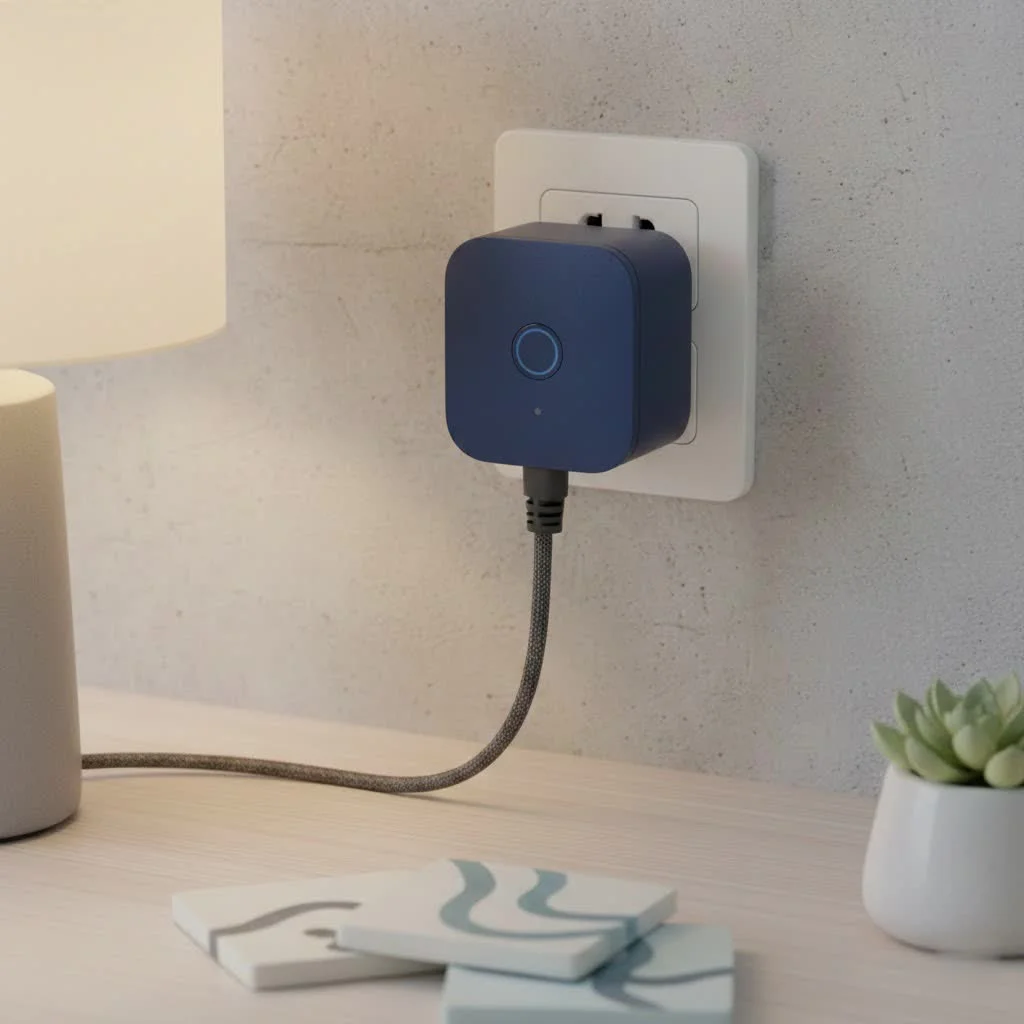
What is a Wyze Smart Plug and Why Do You Need One?
At its core, a Wyze Smart Plug is a simple adapter that you place between a power outlet and an electronic device, like a lamp, fan, or coffee maker. Once connected to your home’s Wi-Fi network, it transforms that ordinary device into a smart one. This means you gain the ability to control it remotely using your smartphone or even your voice. For expert smart home reviews on this site.
The primary benefits are immediately obvious:
- Convenience: Turn devices on or off from anywhere in the world with the Wyze app. No more wondering if you left the iron on.
- Automation: Set schedules for your appliances to operate automatically. Wake up to a freshly brewed pot of coffee or have your lights turn on at sunset.
- Energy Savings: By scheduling devices to turn off when not in use, you can cut down on standby power consumption and lower your electricity bill.
- Enhanced Security: Use features like Vacation Mode to make it look like someone is home, deterring potential intruders.
Unpacking the Key Features of the Wyze Plug
What makes the Wyze Smart Plug a favorite among both beginners and smart home enthusiasts? It’s all about a well-rounded set of features that deliver exceptional value.
Effortless Setup and User-Friendly App
Wyze has built its brand on simplicity, and the setup process for their smart plug is no exception. You don’t need a separate hub or any technical expertise. The entire process is handled through the intuitive Wyze app (available on iOS and Android) and typically takes less than five minutes. The app itself is clean, easy to navigate, and serves as the central command for all your Wyze devices.
Seamless Voice Control Integration
The Wyze Smart Plug works flawlessly with major voice assistants like Amazon Alexa and Google Assistant. After linking your Wyze account, you can control your connected devices with simple voice commands.
- “Alexa, turn on the living room lamp.”
- “Hey Google, start the coffee maker.”
This hands-free control is a game-changer, especially when your hands are full or you’re already comfortable in bed.
Powerful Scheduling and Automation Rules
|
Our Picks for the Best Smart Plug in 2026
As an Amazon Associate I earn from qualifying purchases.
|
||
| Num | Product | Action |
|---|---|---|
| 1 | Kasa Smart Plug Ultra Mini 15A, Smart Home Wi-Fi Outlet Works with Alexa, Google Home & IFTTT, No Hub Required, UL Certified, 2.4G WiFi Only, 2 Count (Pack of 1)(EP10P2) , White |

|
| 2 | Kasa Smart Plug Mini 15A, Apple HomeKit Supported, Smart Outlet Works with Siri, Alexa & Google Home, UL Certified, App Control, Scheduling, Timer, 2.4G WiFi Only, 4 Count (Pack of 1) (EP25P4), White |
|
| 3 | EIGHTREE Smart Plug 2025 Upgrade to 15A, Bluetooth & Wi-Fi Outlet Plug Dual Connection, Voice Control, Remote Control Outlet Timer Indoor, Smart Plugs That Work with Alexa & Google, 2.4GHz Wi-Fi Only |
|
| 4 | Govee Smart Plug, WiFi Plugs Work with Alexa & Google Assistant, Smart Outlet with Timer & Group Controller, WiFi Outlet for Home, No Hub Required, ETL & FCC Certified, 2.4G WiFi Only, 4 Pack |
|
| 5 | EIGHTREE Smart Plug, Smart Home WiFi Outlet Works with Alexa & Google Home, Smart Socket with Remote Control & Timer Function, 2.4GHz WiFi Only, 4 Packs |
|
| 6 | Kasa Smart Plug HS103P4, Smart Home Wi-Fi Outlet Works with Alexa, Echo, Google Home & IFTTT, No Hub Required, Remote Control, 15 Amp, UL Certified, 4-Pack, White |
|
| 7 | GHome Smart Plug, WiFi Smart Plugs Work with Alexa and Google Home, Smart Outlet Timer with APP Remote Control, 2.4GHz Wi-Fi Only, No Hub Required, ETL FCC Listed |
|
| 8 | Kasa Smart Plug HS103P2, Smart Home Wi-Fi Outlet Works with Alexa, Echo, Google Home & IFTTT, No Hub Required, Remote Control,15 Amp,UL Certified, (Pack of 2) White |
|
| 9 | Linkind Matter Smart Plug, Work with Apple Home, Siri, Alexa, Google, SmartThings, Smart Home Smart Outlet Timer 15A/1800W, APP Remote Control & Schedule, ETL & FCC Certified, 2.4G Wi-Fi Only, 4 Pack |
|
| 10 | Legrand Radiant® Wi-Fi Matter Smart Plug Matter Hub Required 15A, Easy Setup, Enhanced Compatibility with Apple HomeKit, Google Home, Alexa & SmartThings, Easy Wi-Fi Connectivity w/ Matter (1 Pack) |
|
This is where the true “smart” functionality shines. The Wyze app allows you to create custom schedules for any device plugged into a Wyze Smart Plug.
- Time-Based Schedules: Set your bedroom fan to turn on at 10 PM and off at 6 AM.
- Sunrise/Sunset Automation: Automatically turn on your porch lights when the sun goes down and off at sunrise.
- Custom Timers: Use a countdown timer to automatically turn off a device after a set period, which is perfect for charging electronics or using a space heater.
Furthermore, Wyze offers “Rules,” an automation engine that lets your devices work together. For instance, you can create a rule that turns on a lamp connected to a smart plug whenever your Wyze Cam detects motion.
Vacation Mode for Peace of Mind
A standout feature for security-conscious users is Vacation Mode. When enabled, it randomly turns your connected lights on and off throughout the evening to simulate an occupied home. This simple yet effective feature adds a layer of security when you’re away, making your home a less appealing target for burglars.
How to Set Up Your Wyze Smart Plug in 5 Easy Steps
Getting your new Wyze Smart Plug up and running is incredibly simple. Here’s a step-by-step guide to get you started.
- Download the Wyze App: If you don’t already have it, download the Wyze app from the Apple App Store or Google Play Store and create an account.
- Plug It In: Insert the Wyze Smart Plug into your desired electrical outlet. The status light on the plug will begin to flash blue, indicating it’s in pairing mode.
- Add the Device in the App: Open the Wyze app, tap the ‘+’ sign in the top left corner, select “Add Device,” and then choose “Power & Lighting” > “Wyze Plug.”
- Connect to Wi-Fi: The app will prompt you to select your 2.4GHz Wi-Fi network and enter the password. Note that like most smart home devices, the Wyze Plug does not support 5GHz networks.
- Name Your Device: Once connected, give your plug a descriptive name like “Floor Lamp” or “Kitchen Fan.” This makes it easier to identify in the app and control with voice commands.
That’s it! Your regular device is now a smart device, ready to be controlled and automated.
Wyze Smart Plug vs. The Competition
When comparing the Wyze Smart Plug to competitors like the Kasa Smart Plug (TP-Link) or the Amazon Smart Plug, a few key differentiators emerge.
| Feature | Wyze Smart Plug | Kasa Smart Plug (TP-Link) | Amazon Smart Plug |
|---|---|---|---|
| Price | Typically the most affordable | Competitively priced, often slightly higher | Mid-range, best value in bundles |
| Ecosystem | Strong integration with Wyze cams, bulbs, etc. | Broad ecosystem of smart home products | Deep integration with Alexa ecosystem |
| Setup | Extremely simple, app-guided | Simple, requires Kasa app | Ultra-simple for Alexa users |
| Features | Scheduling, Rules, Vacation Mode | Similar feature set, some models offer energy monitoring | Basic on/off, scheduling via Alexa app |
The Wyze Plug’s primary advantage is its unbeatable price combined with a robust feature set, making it the ideal entry point for anyone building a smart home on a budget. If you’re already invested in the Wyze ecosystem, it’s a no-brainer.
Is the Wyze Smart Plug the Right Choice For You?
So, who should buy a Wyze Smart Plug? It’s an excellent choice for:
- Smart Home Beginners: The low cost and easy setup make it the perfect first smart device.
- Budget-Conscious Shoppers: You get premium features without the premium price tag.
- Existing Wyze Users: It integrates seamlessly with other Wyze products through the Rules engine.
- Anyone Wanting Simple Automation: If you just want to schedule a few lamps or appliances, the Wyze Plug is one of the most cost-effective ways to do it.
However, if you require energy monitoring, you may need to look at specific models from Wyze or competing brands that explicitly include this feature.
Frequently Asked Questions (FAQ)
Does the Wyze Smart Plug require a hub?
No, the Wyze Smart Plug connects directly to your home’s 2.4GHz Wi-Fi network and does not require a separate smart home hub.
Can I use the Wyze Smart Plug outdoors?
The standard indoor Wyze Plug is not weather-resistant and should only be used indoors. However, Wyze offers a separate “Wyze Plug Outdoor” model specifically designed for outdoor use.
Does the Wyze Smart Plug work with Apple HomeKit?
Currently, the Wyze Smart Plug does not natively support Apple HomeKit. It is designed to work with Amazon Alexa, Google Assistant, and IFTTT.
What happens if the internet goes down?
If your internet connection is lost, you will not be able to control the plug remotely via the app or voice assistants. However, any pre-set schedules are stored locally on the plug itself and will continue to run as programmed.
Can I control multiple devices with one command?
Yes. Using the Wyze app, you can group multiple smart plugs together. For example, you can create a “Living Room Lights” group to turn all your lamps in that room on or off simultaneously.
Final Thoughts: A Smart Decision
The Wyze Smart Plug is a testament to the idea that home automation doesn’t have to be expensive or complicated. It delivers on its promise of making your life more convenient through simple, reliable, and affordable technology. Whether you’re taking your first step into the smart home world or expanding an existing setup, it offers incredible value and functionality that is hard to beat. By turning your everyday electronics into intelligent devices, the Wyze Plug empowers you to build a more connected and efficient home, one outlet at a time.
Smart home that does not lock you in
Free PDF — protocol compatibility matrix for 30 hubs and devices.
