Welcome to the future, where you can command your home with just your voice. If you’re dipping your toes into the world of smart homes, there’s no better place to start than with an essential, affordable, and incredibly useful device: the Amazon Alexa Smart Plug. Think of it as the magical missing link between your everyday appliances and your voice-activated Alexa assistant. This simple gadget can turn a “dumb” lamp, a standard coffee maker, or a festive string of lights into a smart, controllable device.
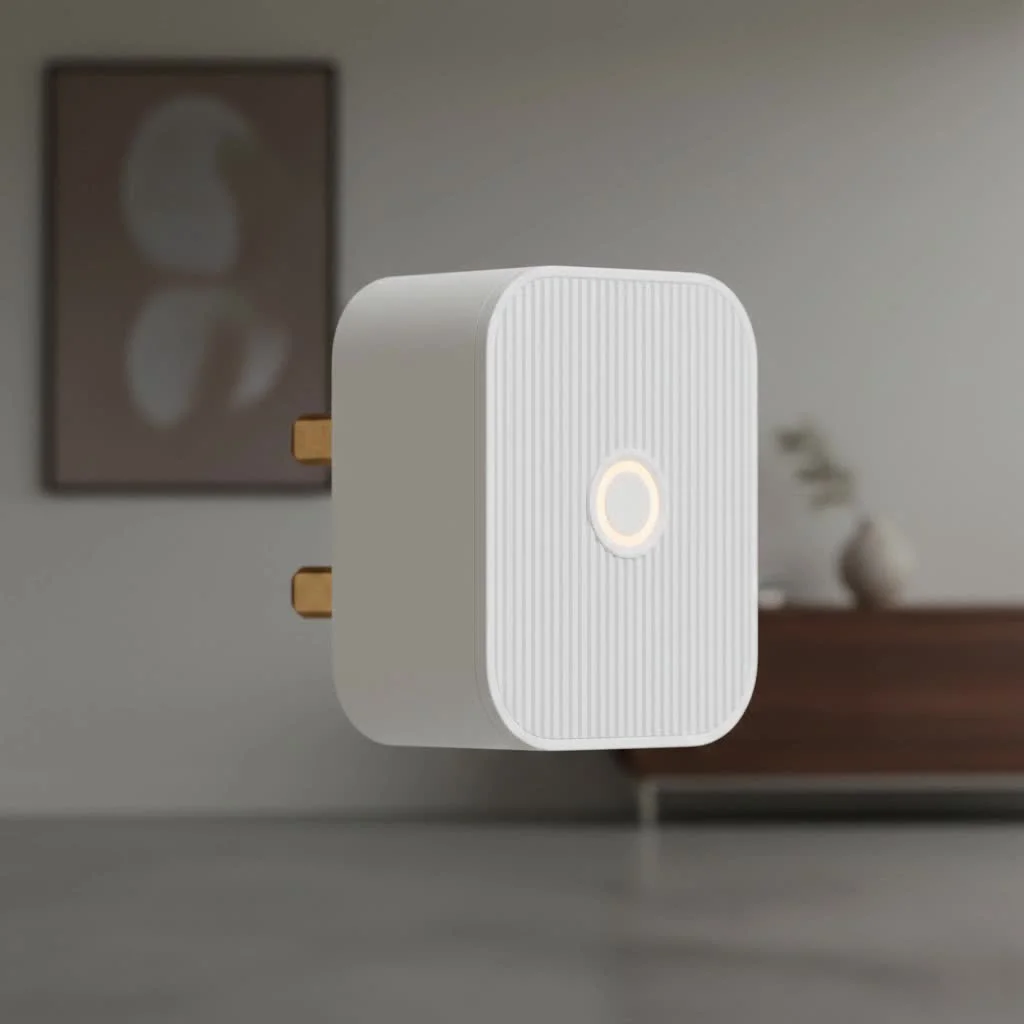
As a smart home expert with over a decade of experience at Kjooz, I’ve seen countless gadgets come and go. Yet, the smart plug remains a cornerstone of home automation for its simplicity and power. Let’s dive into everything you need to know to transform your home with this fantastic little device.
Why Choose a Smart Plug For Your Alexa Ecosystem?
A smart plug is a small adapter that you place between an outlet and an appliance. It connects to your Wi-Fi network, allowing you to turn the power supply on or off remotely through an app or, more importantly, with a voice command to an assistant like Alexa.
Integrating a smart plug with your Alexa ecosystem is a game-changer for three key reasons:
- Seamless Integration: Plugs made by Amazon or certified as “Works with Alexa” are designed for frustration-free setup. Often, the Alexa app discovers them almost instantly.
- Ultimate Convenience: The ability to say, “Alexa, turn on the coffee maker,” while you’re still in bed is a small luxury that you’ll quickly wonder how you lived without. It’s perfect for those hard-to-reach outlets behind furniture.
- Energy and Cost Savings: By creating schedules, you can ensure devices aren’t drawing phantom power when not in use. Forgot to turn off the iron? Just check the app and switch it off from anywhere.
How Do I Choose the Right Alexa Smart Plug?
When selecting an Amazon Alexa smart plug, you have two main paths: the official Amazon Smart Plug or a third-party plug that is “Works with Alexa.”
The Official Amazon Smart Plug
This is the easiest, most straightforward option for anyone deeply invested in the Alexa ecosystem.
- Pros: Setup is incredibly simple. Often, all you have to do is plug it in, and the Alexa app will automatically detect it. It’s built by Amazon, for Amazon, ensuring perfect compatibility.
- Cons: It typically lacks advanced features like energy monitoring and only works with Alexa, so you can’t control it with Google Assistant or Apple HomeKit.
“Works with Alexa” Third-Party Plugs
|
Our Picks for the Best Smart Plug in 2026
As an Amazon Associate I earn from qualifying purchases.
|
||
| Num | Product | Action |
|---|---|---|
| 1 | Linkind Matter Smart Plug, Work with Apple Home, Siri, Alexa, Google, SmartThings, Smart Home Smart Outlet Timer 15A/1800W, APP Remote Control & Schedule, ETL & FCC Certified, 2.4G Wi-Fi Only, 4 Pack |

|
| 2 | GHome Smart Plug, WiFi Smart Plugs Work with Alexa and Google Home, Smart Outlet Timer with APP Remote Control, 2.4GHz Wi-Fi Only, No Hub Required, ETL FCC Listed |
|
| 3 | EIGHTREE Smart Plug, Smart Home WiFi Outlet Works with Alexa & Google Home, Smart Socket with Remote Control & Timer Function, 2.4GHz WiFi Only, 4 Packs |
|
| 4 | Govee Smart Plug, WiFi Plugs Work with Alexa & Google Assistant, Smart Outlet with Timer & Group Controller, WiFi Outlet for Home, No Hub Required, ETL & FCC Certified, 2.4G WiFi Only, 4 Pack |
|
| 5 | Kasa Smart Plug Ultra Mini 15A, Smart Home Wi-Fi Outlet Works with Alexa, Google Home & IFTTT, No Hub Required, UL Certified, 2.4G WiFi Only, 2 Count (Pack of 1)(EP10P2) , White |
|
| 6 | EIGHTREE Smart Plug 2025 Upgrade to 15A, Bluetooth & Wi-Fi Outlet Plug Dual Connection, Voice Control, Remote Control Outlet Timer Indoor, Smart Plugs That Work with Alexa & Google, 2.4GHz Wi-Fi Only |
|
| 7 | Kasa Smart Plug HS103P2, Smart Home Wi-Fi Outlet Works with Alexa, Echo, Google Home & IFTTT, No Hub Required, Remote Control,15 Amp,UL Certified, (Pack of 2) White |
|
| 8 | Legrand Radiant® Wi-Fi Matter Smart Plug Matter Hub Required 15A, Easy Setup, Enhanced Compatibility with Apple HomeKit, Google Home, Alexa & SmartThings, Easy Wi-Fi Connectivity w/ Matter (1 Pack) |
|
| 9 | Kasa Smart Plug Mini 15A, Apple HomeKit Supported, Smart Outlet Works with Siri, Alexa & Google Home, UL Certified, App Control, Scheduling, Timer, 2.4G WiFi Only, 4 Count (Pack of 1) (EP25P4), White |
|
| 10 | Kasa Smart Plug HS103P4, Smart Home Wi-Fi Outlet Works with Alexa, Echo, Google Home & IFTTT, No Hub Required, Remote Control, 15 Amp, UL Certified, 4-Pack, White |
|
Brands like TP-Link Kasa, Govee, and Wyze offer excellent smart plugs that integrate with Alexa.
- Pros: These often come with extra features like real-time energy monitoring, which can help you identify power-hungry appliances. They are frequently sold in multi-packs, offering better value, and may support other smart home ecosystems.
- Cons: The setup process usually involves an extra step: downloading the manufacturer’s app and creating an account before linking it to Alexa.
“For beginners, I always recommend starting with the official Amazon Smart Plug. Its ‘Certified for Humans’ setup removes any potential frustration. As you get more comfortable, exploring third-party plugs with energy monitoring like the Kasa Smart Plug can provide deeper insights into your home’s energy usage.” — David Chen, Smart Home Technology Consultant
| Feature | Amazon Smart Plug | Kasa Smart Plug (KP125M) |
|---|---|---|
| Setup | Extremely simple, auto-discovery | Easy, but requires Kasa app first |
| Hub Required | No | No |
| Energy Monitoring | No | Yes |
| Voice Assistants | Alexa only | Alexa, Google Assistant |
| Best For | Simplicity and Alexa purists | Feature-seekers and multi-platform users |
How to Set Up Your Amazon Alexa Smart Plug: A 5-Minute Guide
Getting your smart plug up and running is remarkably easy. Here’s a step-by-step guide for the official Amazon Smart Plug.
- Plug It In: Insert the Amazon Smart Plug into a wall outlet. A blue LED light should start blinking, indicating it’s ready for setup.
- Open the App: Launch the Alexa app on your smartphone or tablet. Make sure you have the latest version installed.
- Add the Device: Tap the “Devices” tab in the bottom right corner. Then, tap the plus (+) icon in the top right and select “Add Device.”
- Select “Plug”: From the list of device types, choose “Plug.” Select “Amazon” as the brand.
- Scan the Code: The app will ask you to scan the 2D barcode on the back of the plug or in the included manual.
- Connect and Enjoy: The app will automatically find and connect the plug to your Wi-Fi network. Once complete, Alexa will confirm it’s ready. You can give it a specific name, like “Living Room Lamp,” to make voice commands more intuitive.
For third-party plugs, the process is similar but starts in the manufacturer’s app. After setting it up there, you’ll go to the Alexa app, enable the brand’s “Skill,” and link your accounts.
Unleash the Power: Creative Uses for Your Alexa Smart Plug
Now for the fun part. A smart plug is more than just a remote on/off switch. By using Alexa Routines, you can automate your home in incredible ways. A routine is a series of actions that Alexa performs in response to a single trigger.
Master Your Mornings with Routines
Create a “Good Morning” routine. When you say, “Alexa, good morning,” you can trigger a sequence of events:
- The smart plug connected to your lamp turns on.
- The smart plug connected to your coffee maker starts brewing.
- Alexa reads you the weather forecast and your calendar for the day.
Enhance Security When You’re Away
Set up a routine that automatically turns lamps on and off in the evening to make it look like someone is home. You can schedule this for specific times or even link it to sunrise and sunset.
Control “Dumb” Appliances with Your Voice
Any appliance with a physical on/off switch can become smart. This is perfect for:
- Fans and space heaters: Turn them on before you enter a room to get the temperature just right.
- Holiday lights: “Alexa, turn on the Christmas tree.”
- Kitchen appliances: Start your slow cooker from the office so dinner is ready when you get home.
What To Do When Your Alexa Smart Plug is Unresponsive?
Even the most reliable tech can have a hiccup. If your smart plug stops responding, try these simple troubleshooting steps:
- Check the Wi-Fi: Most smart plugs only connect to a 2.4 GHz Wi-Fi network. Ensure your router is broadcasting on this frequency and that the signal is strong near the plug.
- Power Cycle: The classic “turn it off and on again” works wonders. Unplug the smart plug, wait ten seconds, and plug it back in.
- Check the Alexa App: Go to the “Devices” section to see if the plug is listed as “Offline.” If so, try disabling and re-enabling the device in the app.
- Factory Reset: If all else fails, you can reset the plug. For the Amazon Smart Plug, press and hold the side button for 12 seconds until the LED turns red, then release it. You will then need to repeat the setup process.
Frequently Asked Questions (FAQ)
Do I need an Amazon Echo or another hub for the smart plug to work?
For voice control, yes, you need an Alexa-enabled device like an Echo, Echo Dot, or even just the Alexa app on your phone. However, the Amazon Smart Plug connects directly to your Wi-Fi and doesn’t require a separate smart home hub like Zigbee or Z-Wave hubs.
Can I use an Amazon Alexa smart plug outdoors?
Standard smart plugs are designed for indoor use only. Using them outdoors can be a safety hazard. If you need to control outdoor lighting or decorations, look for a specifically-rated outdoor smart plug.
Does the Amazon Smart Plug monitor energy usage?
No, the official Amazon Smart Plug does not have a built-in energy monitoring feature. If this is important to you, consider a third-party “Works with Alexa” plug from a brand like TP-Link Kasa.
Can I control the smart plug when I’m not home?
Absolutely! As long as your smart plug is connected to your home Wi-Fi and your phone has an internet connection, you can control the plug from anywhere in the world through the Alexa app.
How many smart plugs can I connect to Alexa?
There is a high limit on the number of devices you can connect to your Alexa account—well into the hundreds—so you are very unlikely to run into any restrictions from Amazon. The practical limit is more related to the capacity of your Wi-Fi network.
Your Smarter Home Awaits
The Amazon Alexa Smart Plug is a small investment that delivers a huge return in convenience, automation, and even peace of mind. It’s the perfect entry point into the smart home world and a powerful tool for seasoned enthusiasts. By turning your ordinary electronics into voice-controlled, intelligent devices, you’re not just adding a cool gadget to your home; you’re making your daily life a little bit easier and a whole lot smarter. So go ahead, plug in, and start exploring the possibilities.
Smart home that does not lock you in
Free PDF — protocol compatibility matrix for 30 hubs and devices.

I was skeptical about how much I’d actually use a smart plug, but it’s surprisingly convenient. Being able to control my ‘dumb’ lamp with my voice is fantastic, especially when my hands are full. The setup was straightforward, and it’s been reliable so far. It’s a great way to dip your toes into smart home automation without committing to more expensive gadgets.
I’ve been using the Amazon Alexa Smart Plug for a few months now and it’s a game-changer. I love being able to turn my coffee maker on from bed every morning just by telling Alexa. It was super easy to set up, literally just plug and play, and it integrated seamlessly with my existing Echo Dot. Definitely recommend for anyone looking to make their home a little smarter without a huge investment.
The smart plug works well for my lamps and Christmas lights, which is what I mainly bought it for. However, I tried using it with my old fan and it sometimes loses connection, which is a bit annoying. It’s not a dealbreaker, but I wish the Wi-Fi range was a little stronger or more consistent for all appliances. Still, for the price, it’s a decent entry into smart home tech.
This little device is a lifesaver for managing my kids’ screen time! I have their gaming console plugged into an Alexa Smart Plug, and now I can just tell Alexa to turn it off when it’s time for homework. It’s affordable and incredibly useful for transforming everyday appliances into smart, controllable devices. Best purchase I’ve made for home automation in a while.